
Screen by screen
What bank apps look like inside
288 images from 16 bank apps, grouped by task so you can compare how each one handles the same job. Every image shows where we found it, with the date.
App Store, Google Play and bank website images are the banks' own marketing, so names and balances are sample data. Help center images come from each bank's support pages; Bank of America's mark where to tap with green circles. Where screens come from.
AI assistant
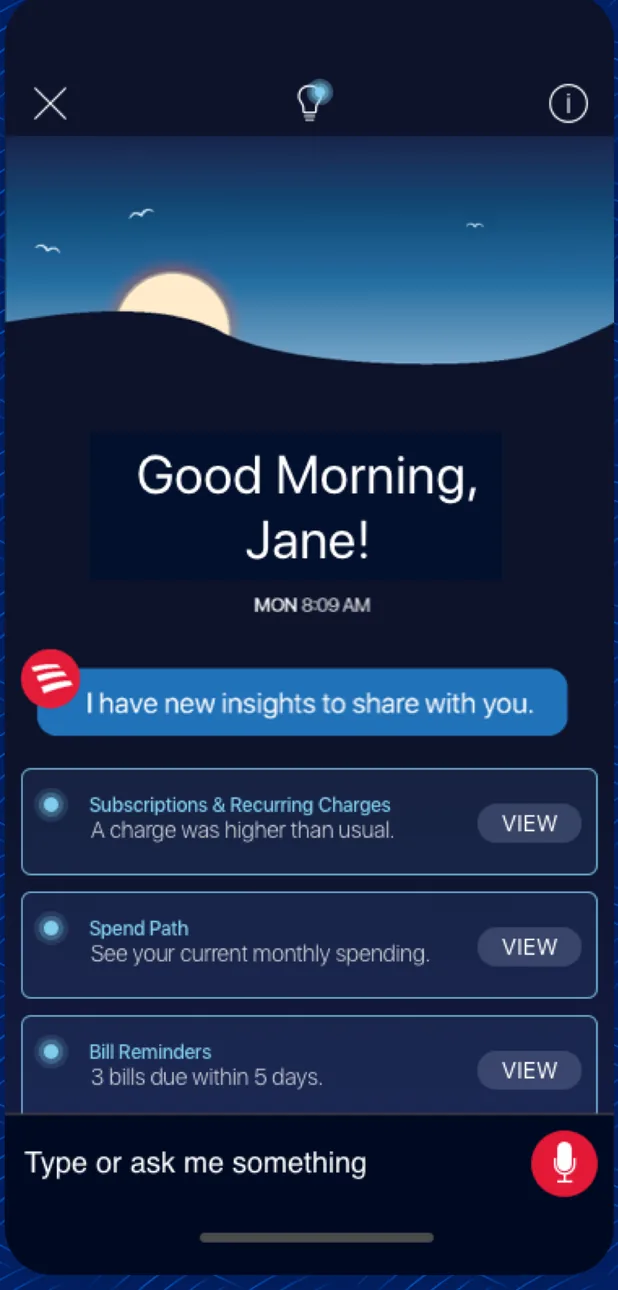
App Store marketing imageAn Erica assistant screen saying Good Morning, Jane with insight cards for subscriptions, spend path and bill reminders, and a Type or ask me something bar.App Store listing, as of 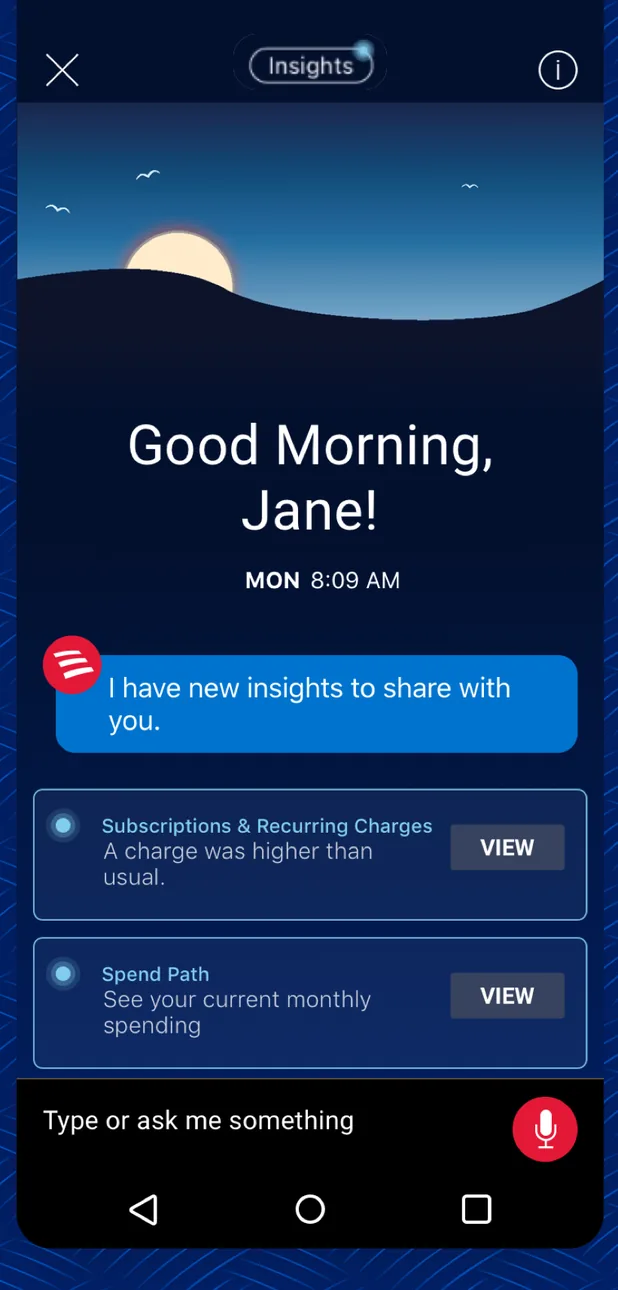
Google Play marketing imageAn Android version of the Erica screen saying Good Morning, Jane with insight cards and a Type or ask me something bar.Google Play listing, as of 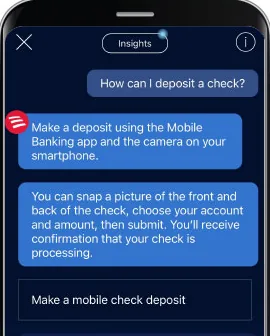
From Bank of America's help centerAn Erica chat where the user asks How can I deposit a check? and Erica explains how to snap the front and back of a check, with a Make a mobile check deposit button.info.bankofamerica.com, as of 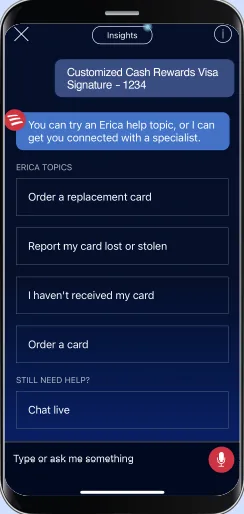
From Bank of America's websiteAn Erica chat about a Customized Cash Rewards Visa card offering options to order a replacement card, report a card lost or stolen, report a card not received, order a card, or chat live.info.bankofamerica.com, as of 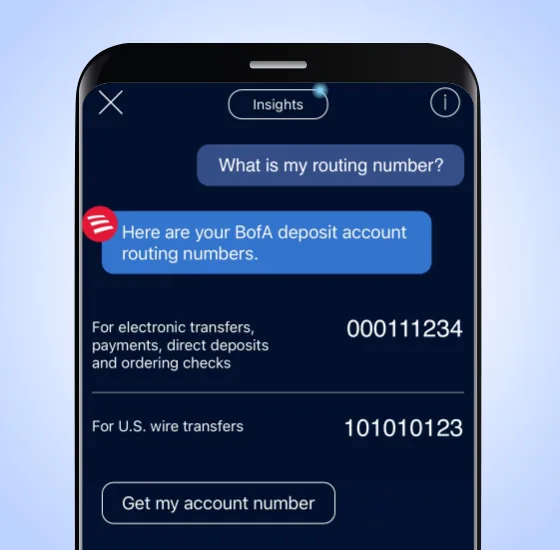
From Bank of America's websiteAn Erica chat where the user asks What is my routing number? and Erica shows routing numbers for electronic transfers and U.S. wire transfers with a Get my account number button.info.bankofamerica.com, as of 
App Store marketing imageAn Erica chat bubble that reads I have new insights to share with you.App Store listing, as of 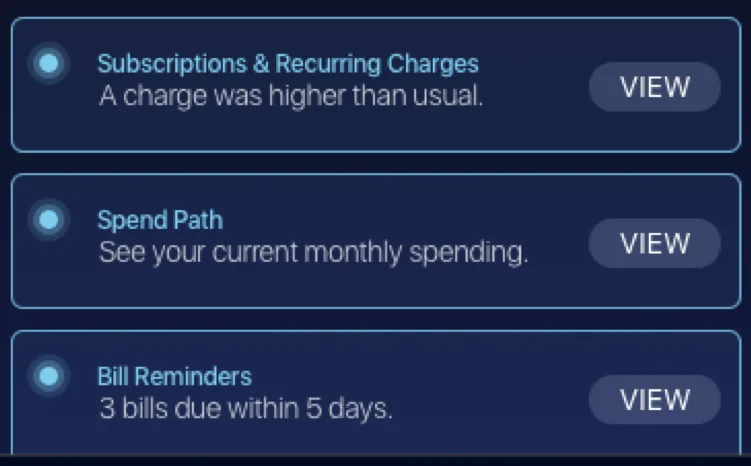
App Store marketing imageThree insight cards for subscriptions and recurring charges, spend path and bill reminders, each with a View button.App Store listing, as of

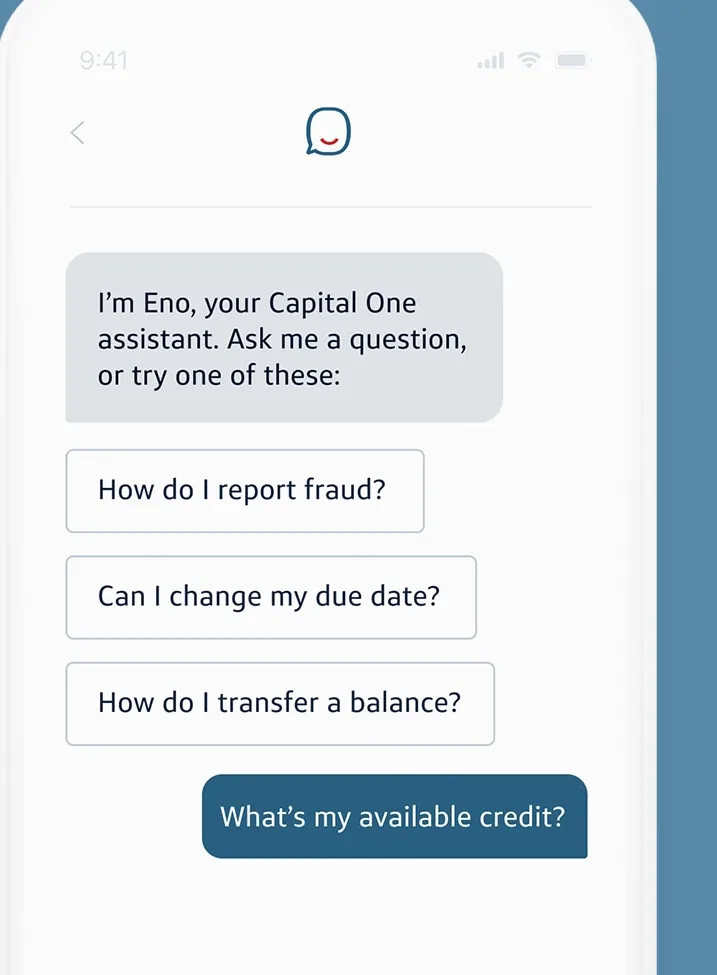
From Capital One's websiteAn Eno chat that says I'm Eno, your Capital One assistant, with suggested questions about reporting fraud, changing a due date and transferring a balance, and a user question What's my available credit?capitalone.com, as of

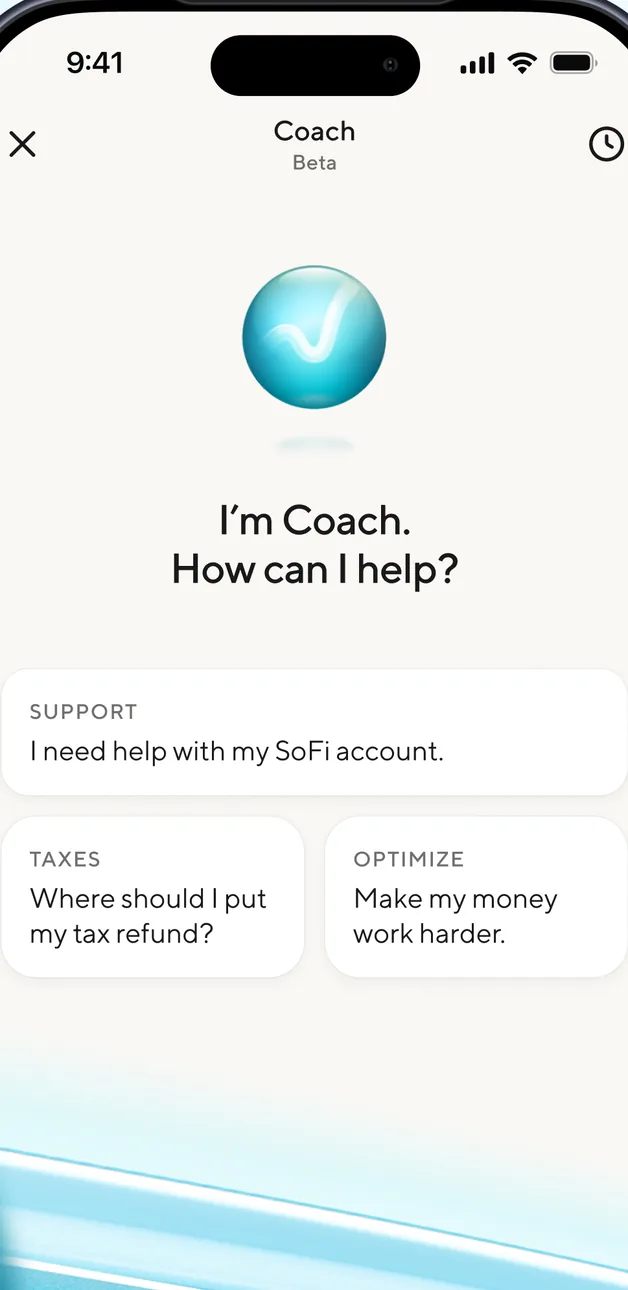
App Store marketing imageA SoFi Coach Beta screen asking How can I help? with suggested topics for support, taxes and optimizing money.App Store listing, as of 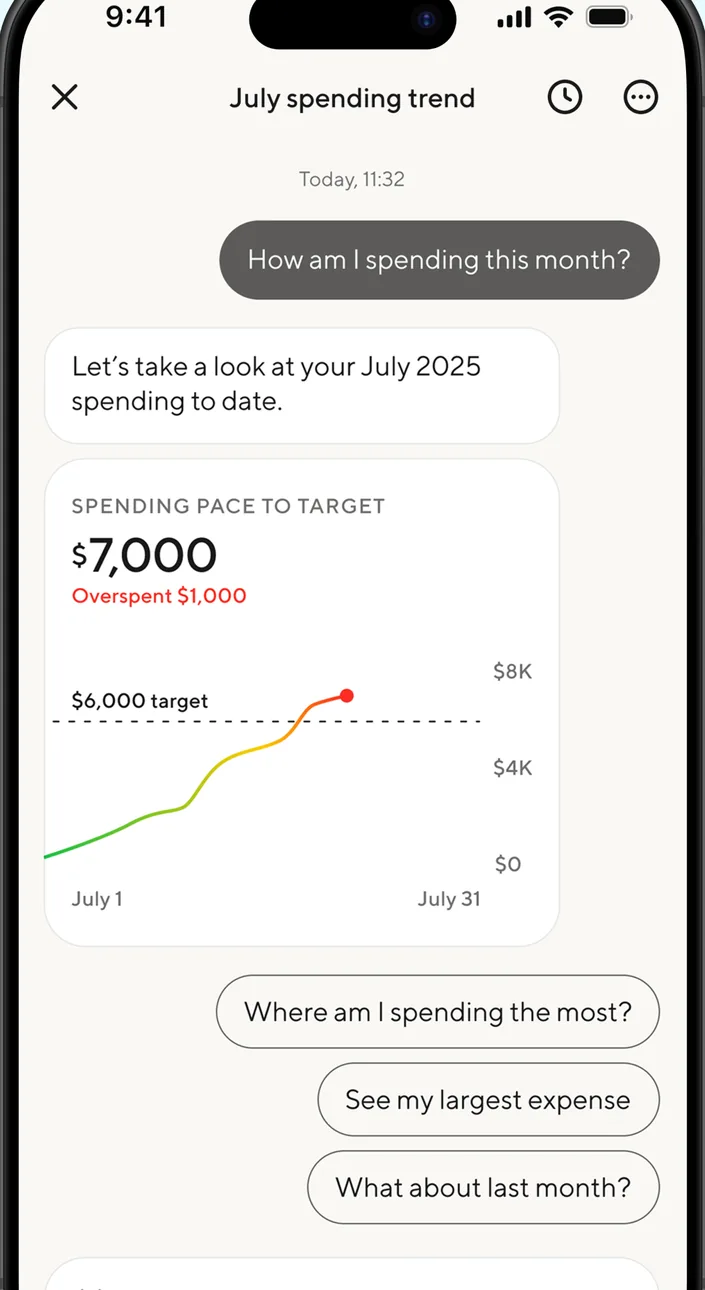
App Store marketing imageA July spending trend chat where the user asks How am I spending this month? and Coach shows a $7,000 spending pace chart against a $6,000 target with suggested follow-up questions.App Store listing, as of 
App Store marketing imageA user chat bubble asking How am I spending this month?App Store listing, as of

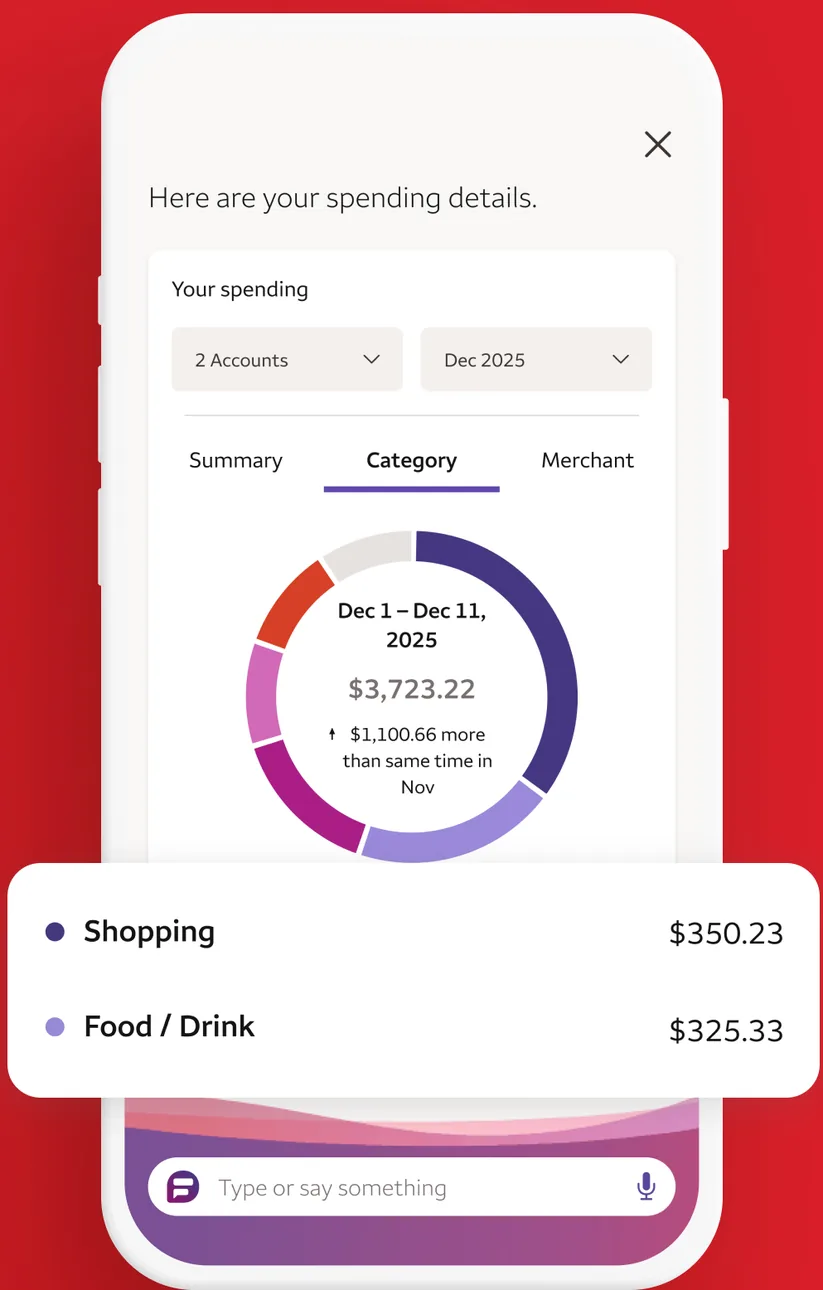
App Store marketing imageA Fargo assistant screen showing spending details by category in a ring chart, with Shopping at $350.23 and Food and Drink at $325.33, and a Type or say something bar.App Store listing, as of 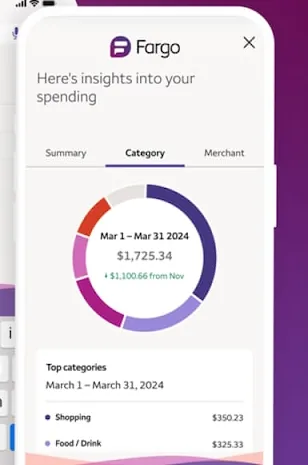
From Wells Fargo's websiteA Fargo panel showing insights into spending with a category ring chart for March 1 to March 31, 2024 and a list of top categories.wellsfargo.com, as of 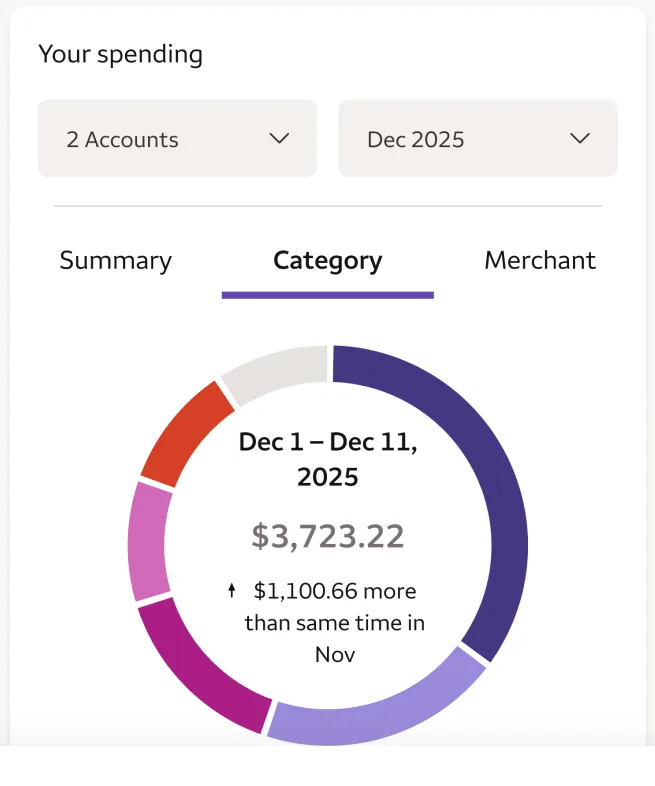
App Store marketing imageA ring chart of spending from December 1 to December 11, 2025 totaling $3,723.22.App Store listing, as of 
App Store marketing imageA Fargo input bar that reads Type or say something with a microphone icon.App Store listing, as of
This is education, not financial advice.