Screen by screen
What bank apps look like inside
288 images from 16 bank apps, grouped by task so you can compare how each one handles the same job. Every image shows where we found it, with the date.
App Store, Google Play and bank website images are the banks' own marketing, so names and balances are sample data. Help center images come from each bank's support pages; Bank of America's mark where to tap with green circles. Where screens come from.
Getting started

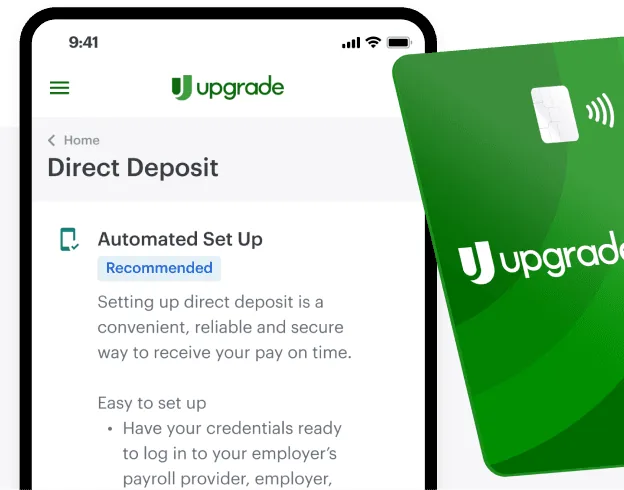
From Upgrade's websiteA Direct Deposit screen with an Automated Set Up option marked Recommended and setup instructions, partly covered by a green Upgrade debit card.upgrade.com, as of

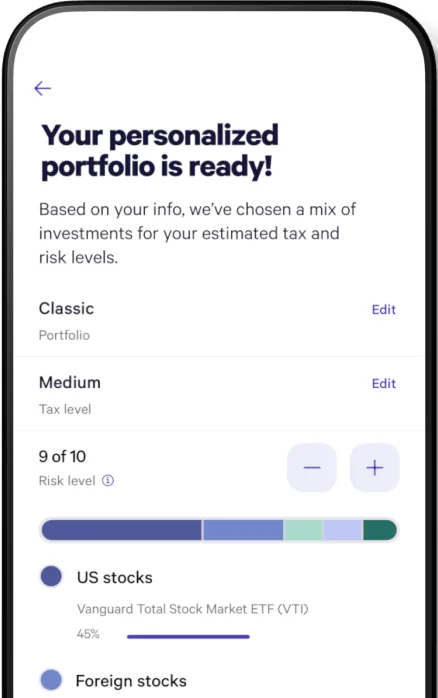
From Wealthfront's websiteA Your personalized portfolio is ready! screen with Classic portfolio and Medium tax level rows, a risk level of 9 of 10 with minus and plus buttons, and an allocation bar for US and foreign stocks.wealthfront.com, as of
This is education, not financial advice.