
Screen by screen
What money apps look like inside
311 images from 29 apps, grouped by task so you can compare how each one handles the same job. Every image shows where we found it, with the date.
App Store and Google Play images are the apps' own marketing, so they can show sample data and staged layouts. Help center images come from each app's support articles for one task. Where screens come from.
Reports and insights

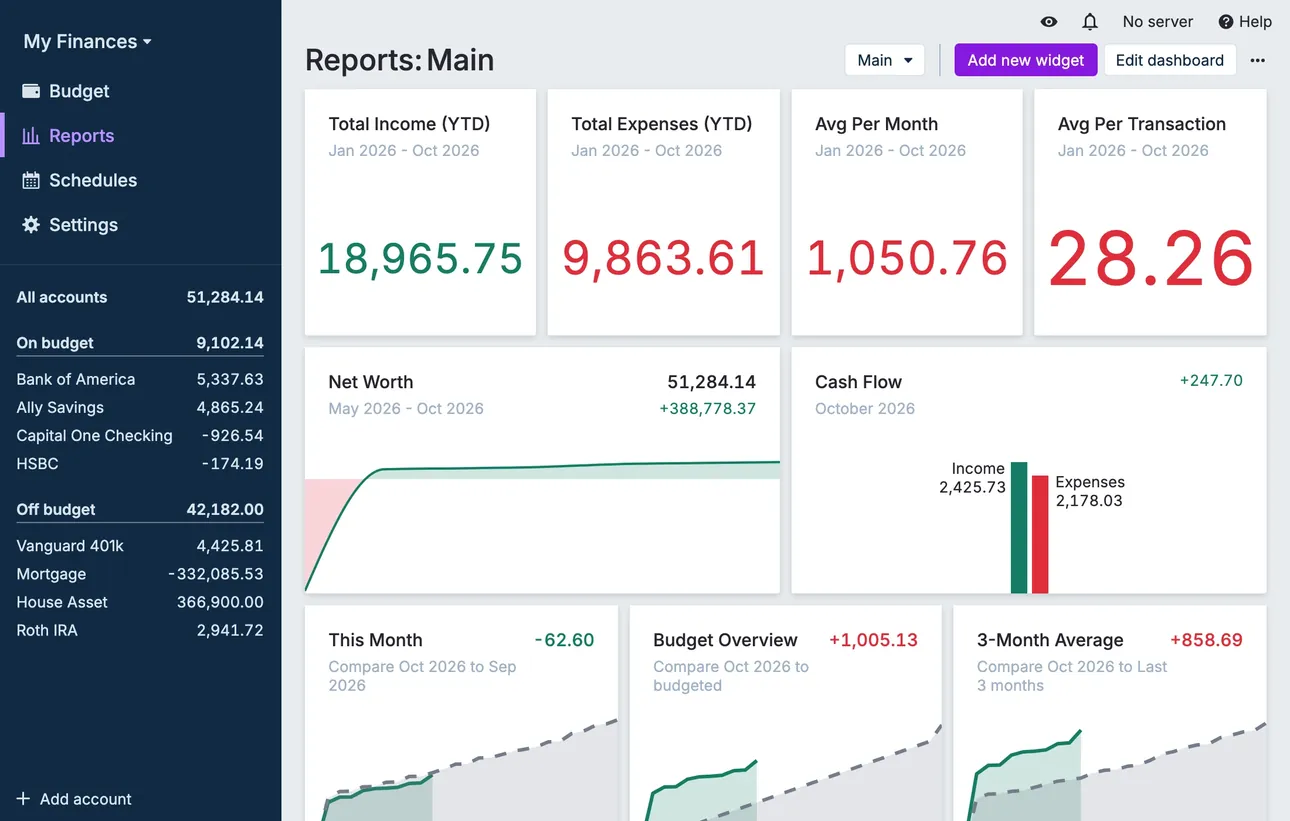
From Actual Budget's help centerThe Reports dashboard with total income and expenses, net worth and cash flow widgets.actualbudget.org, as of 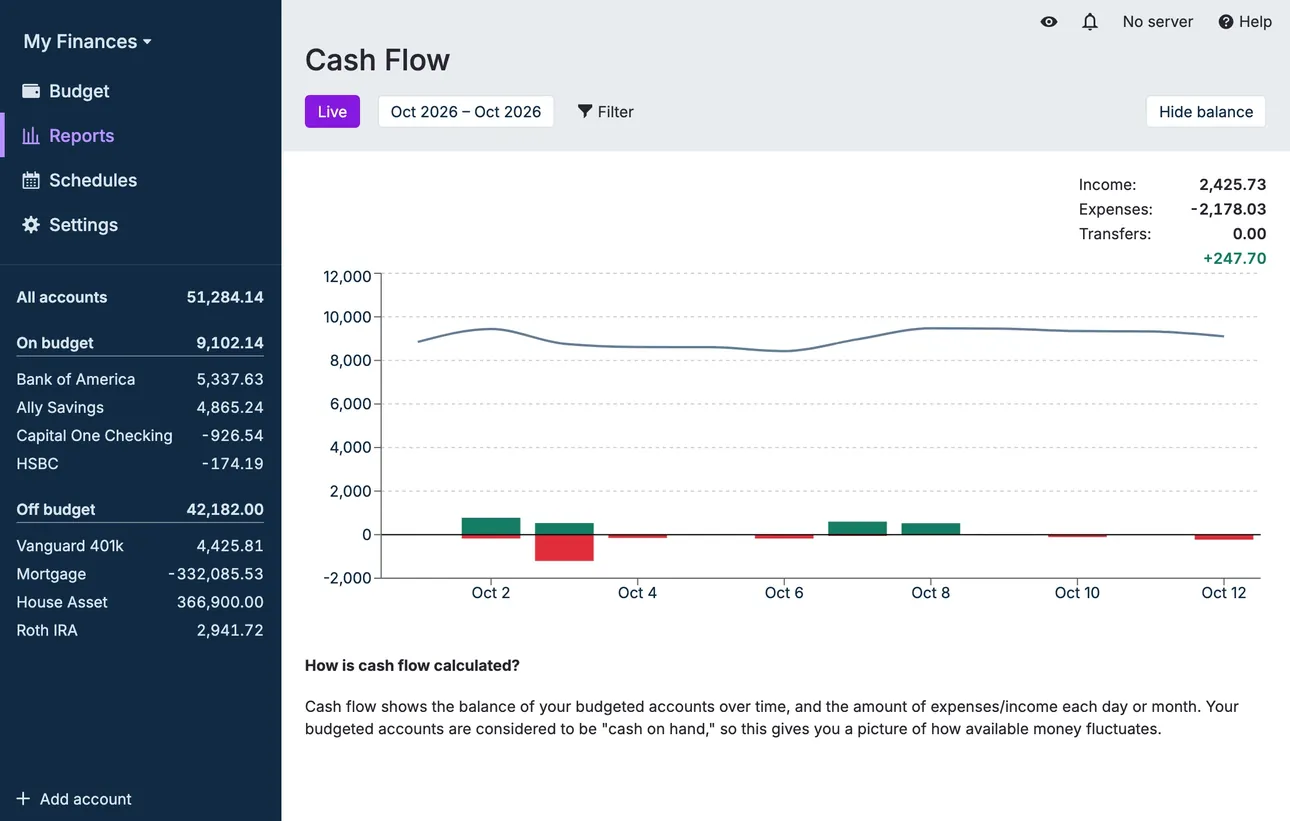
From Actual Budget's help centerA Cash Flow report with a balance line and income and expense bars.actualbudget.org, as of

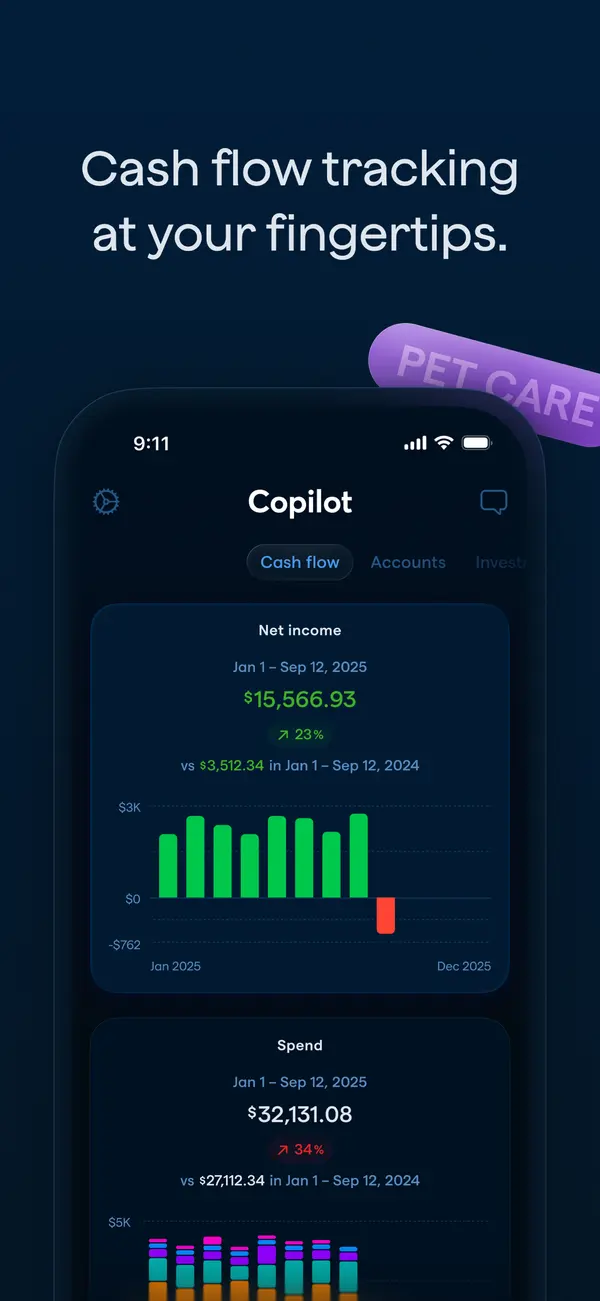
App Store marketing imageApp Store image with the headline "Cash flow tracking at your fingertips." showing the Cash flow tab with Net income and Spend charts.App Store listing, as of 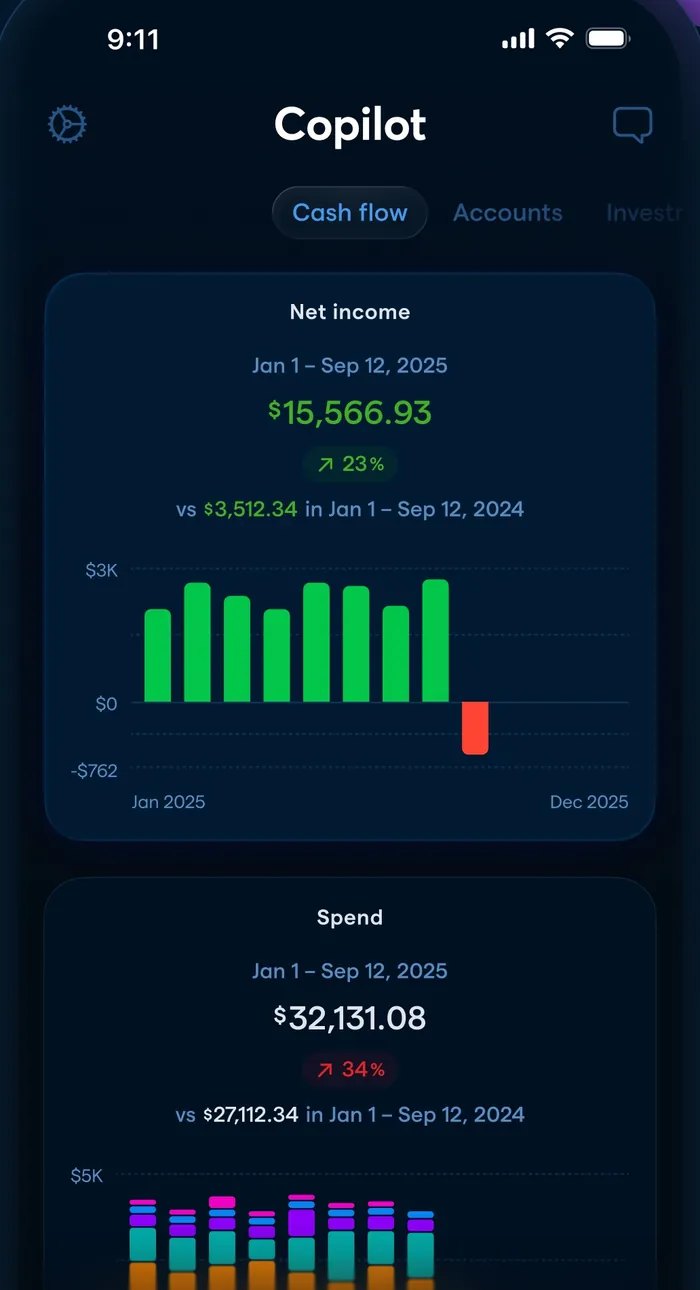
App Store marketing imageThe Cash flow tab: net income of $15,566.93 with a monthly bar chart and a Spend card below.App Store listing, as of

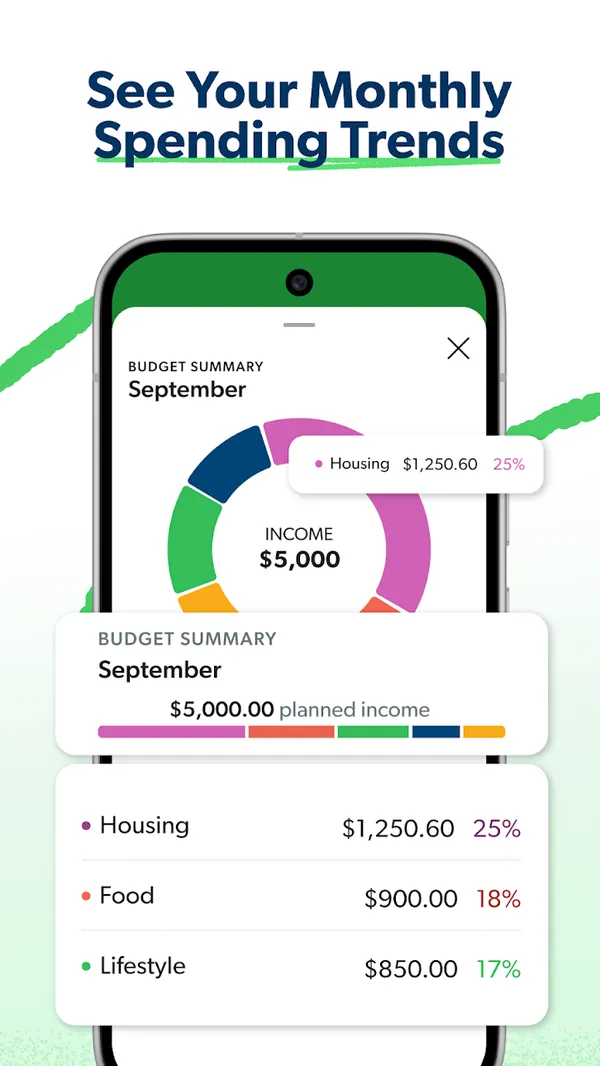
Google Play marketing imageGoogle Play image with the headline "See Your Monthly Spending Trends" showing a Budget Summary donut chart with Housing, Food and Lifestyle percentages.Google Play listing, as of

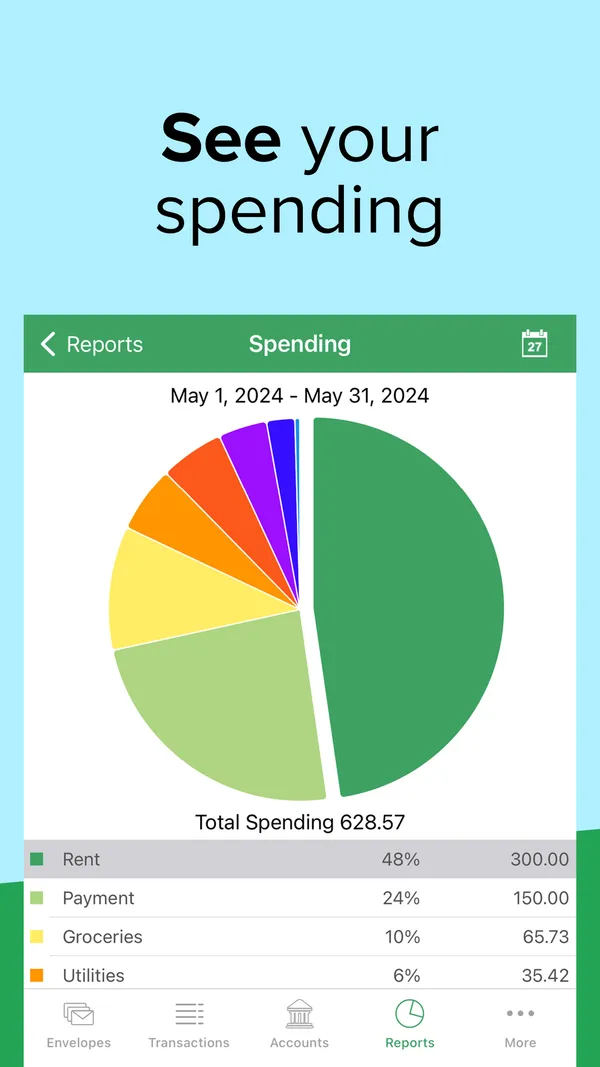
App Store marketing imageApp Store image with the headline "See your spending" showing a Spending report pie chart for May 2024.App Store listing, as of 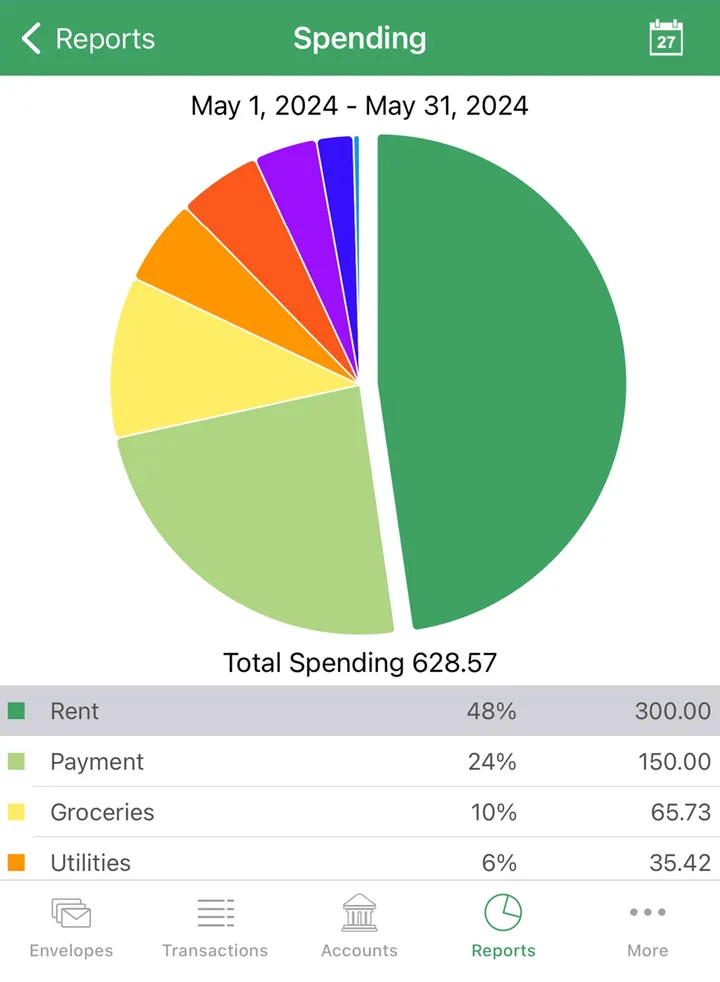
App Store marketing imageA Spending report with a pie chart, total spending of 628.57 and a table of envelopes by share.App Store listing, as of 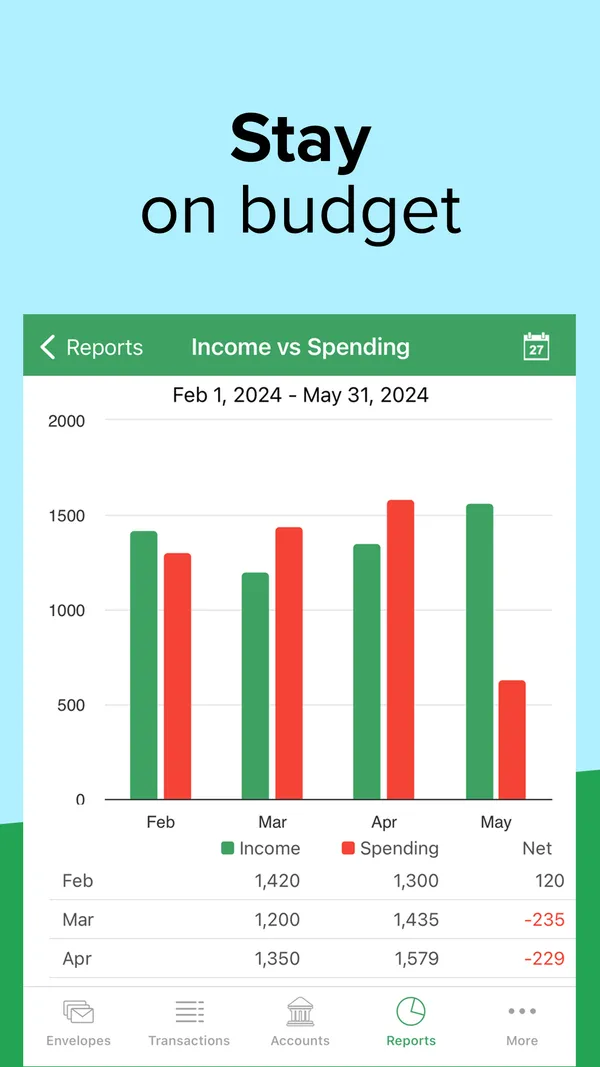
App Store marketing imageApp Store image with the headline "Stay on budget" showing an Income vs Spending report with monthly bars.App Store listing, as of 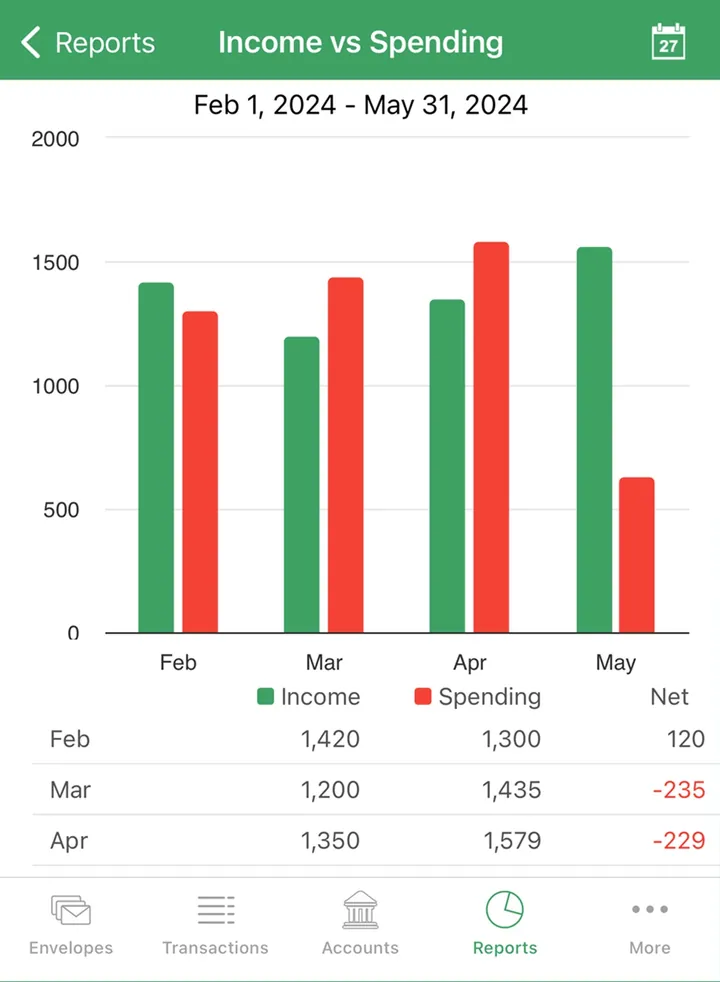
App Store marketing imageAn Income vs Spending report with paired monthly bars and a table of income, spending and net.App Store listing, as of

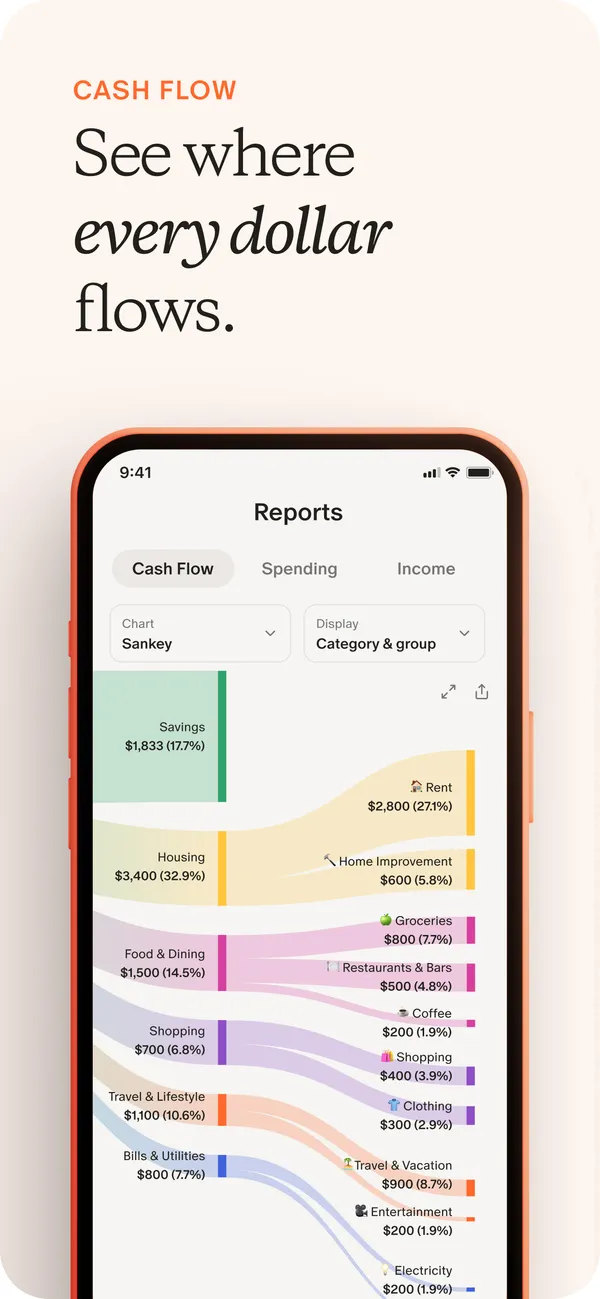
App Store marketing imageApp Store image with the headline "See where every dollar flows" showing a Reports screen with a Sankey cash flow chart.App Store listing, as of 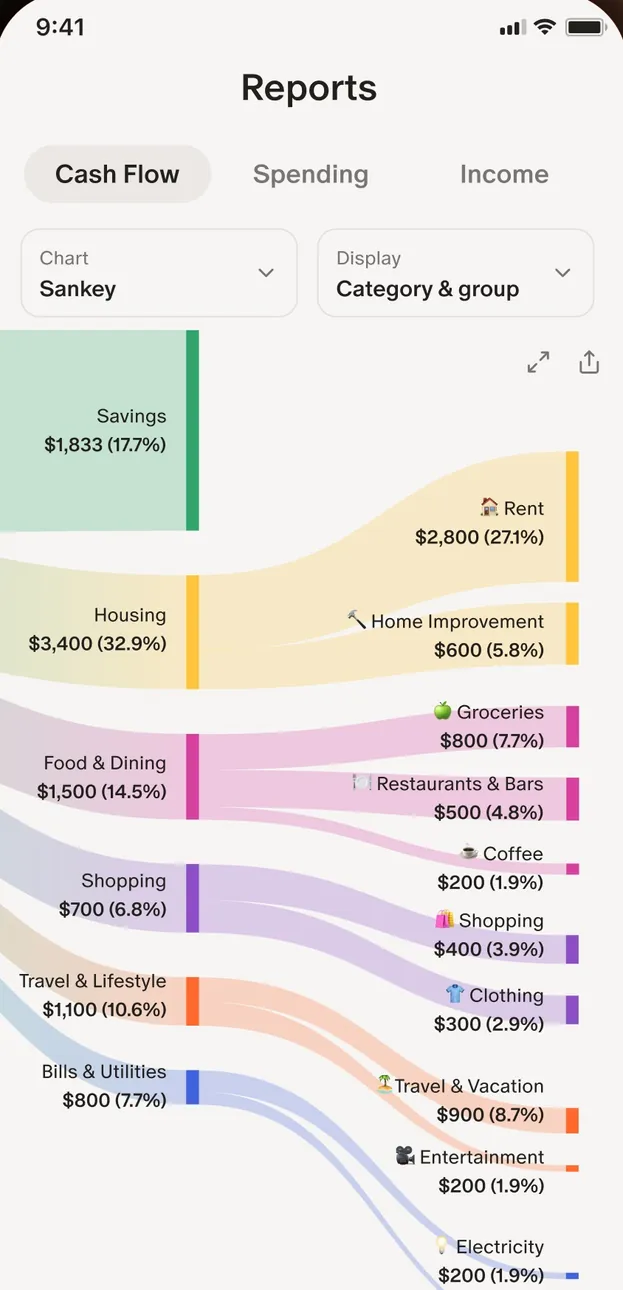
App Store marketing imageThe Reports screen with Cash Flow, Spending and Income tabs and a Sankey chart from income into categories like Housing and Food & Dining.App Store listing, as of 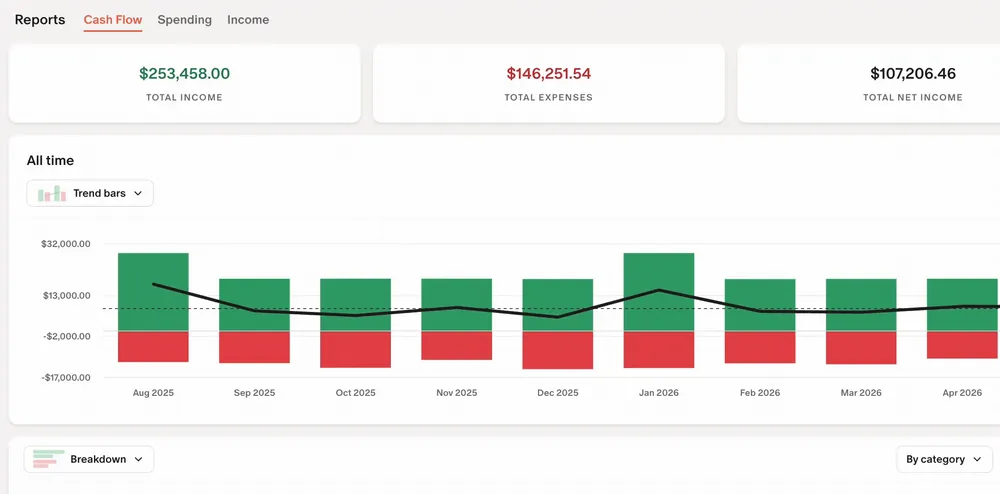
From Monarch Money's help centerThe web Reports Cash Flow view with income, expense and net totals and a bar chart by month.help.monarch.com, as of

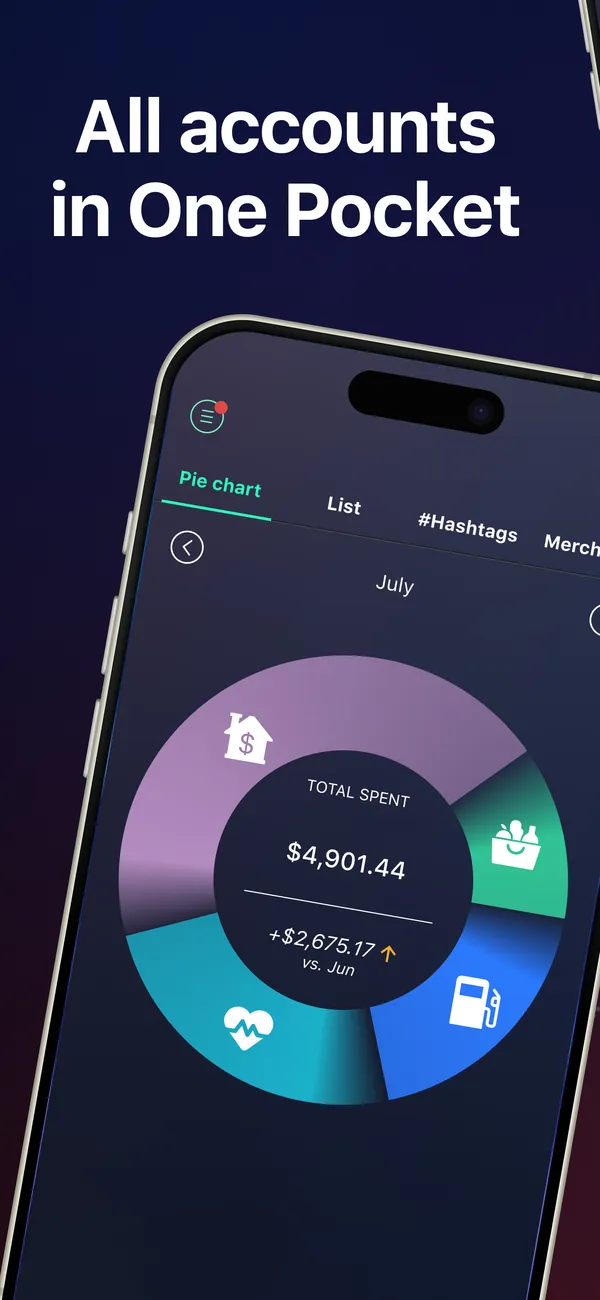
App Store marketing imageApp Store image with the headline "All accounts in One Pocket" over a tilted phone with a spending pie chart for July.App Store listing, as of 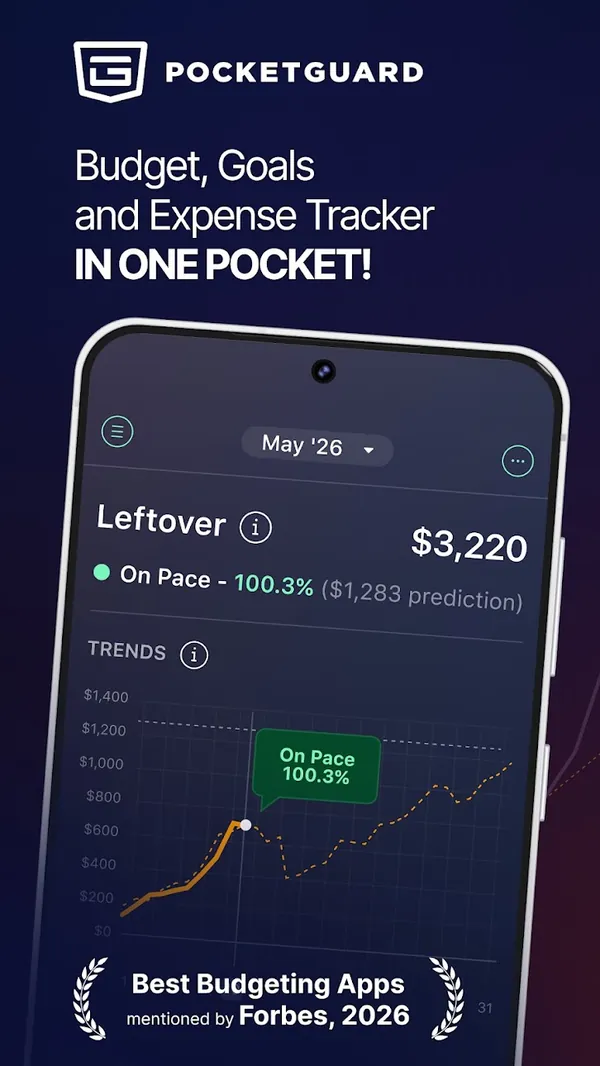
Google Play marketing imageGoogle Play image with the headline "Budget, Goals and Expense Tracker in one pocket" showing a Leftover amount and a trends chart.Google Play listing, as of

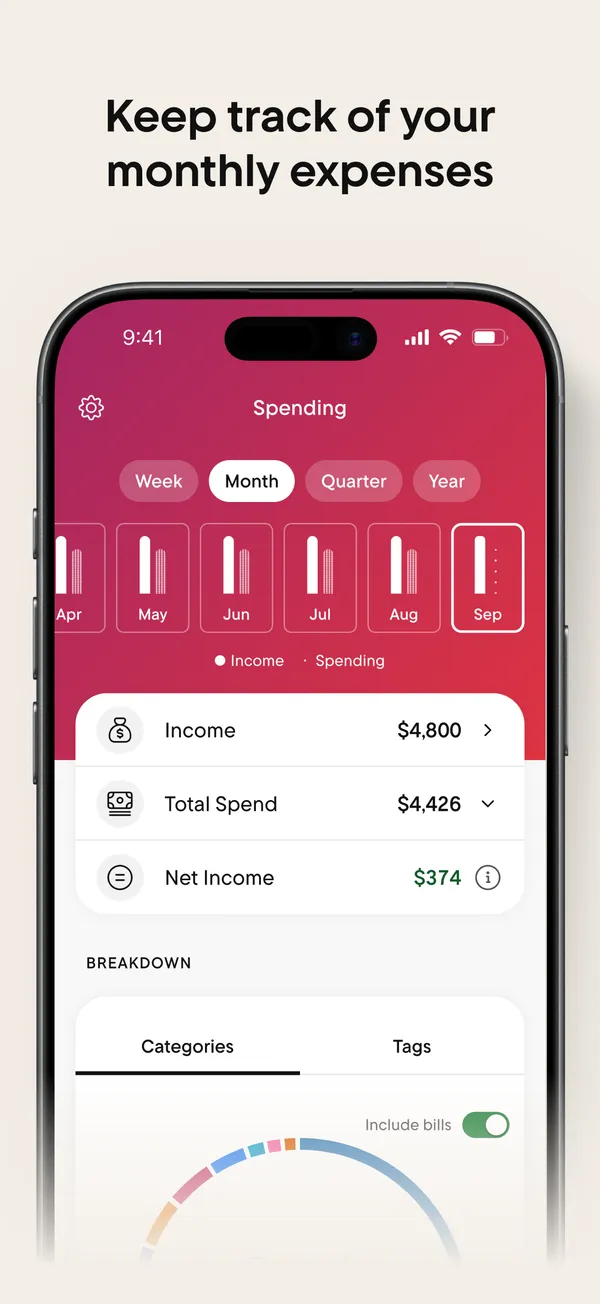
App Store marketing imageApp Store image with the headline "Keep track of your monthly expenses" showing the Spending tab.App Store listing, as of 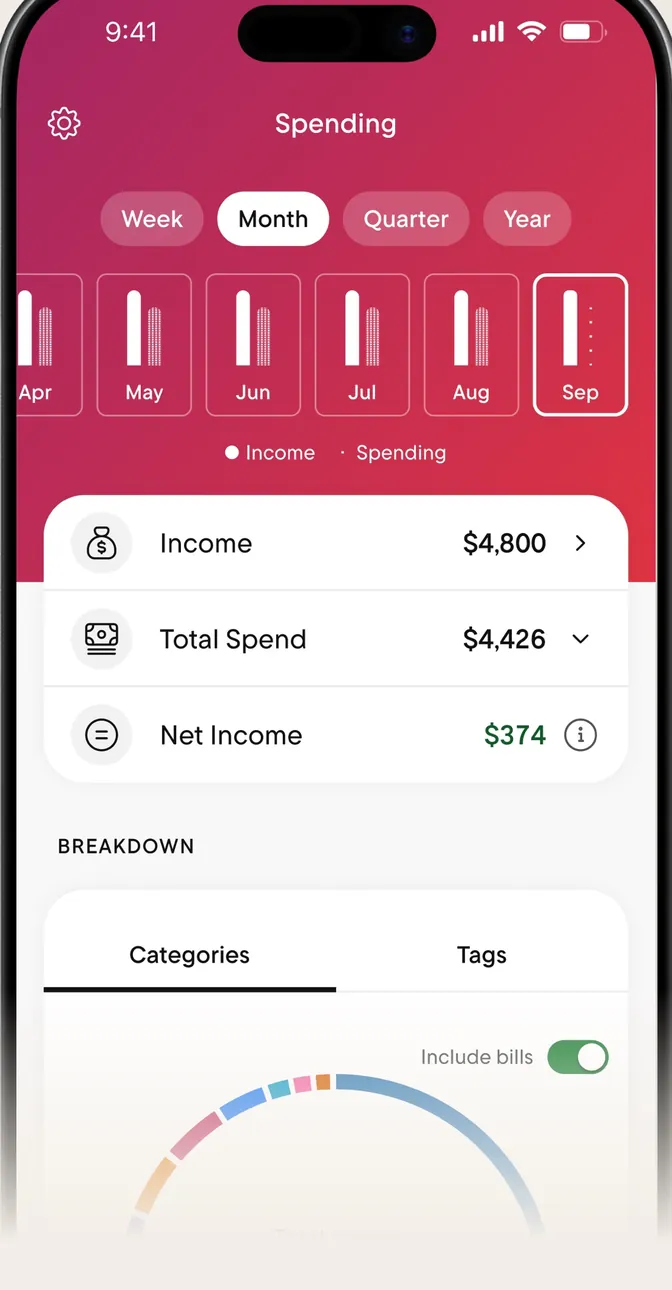
App Store marketing imageThe Spending tab with Week, Month, Quarter and Year buttons, monthly bars, and Income, Total Spend and Net Income rows.App Store listing, as of 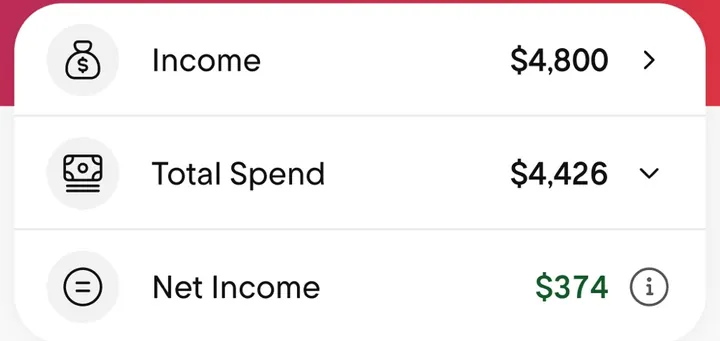
App Store marketing imageThree rows: Income $4,800, Total Spend $4,426 and Net Income $374.App Store listing, as of

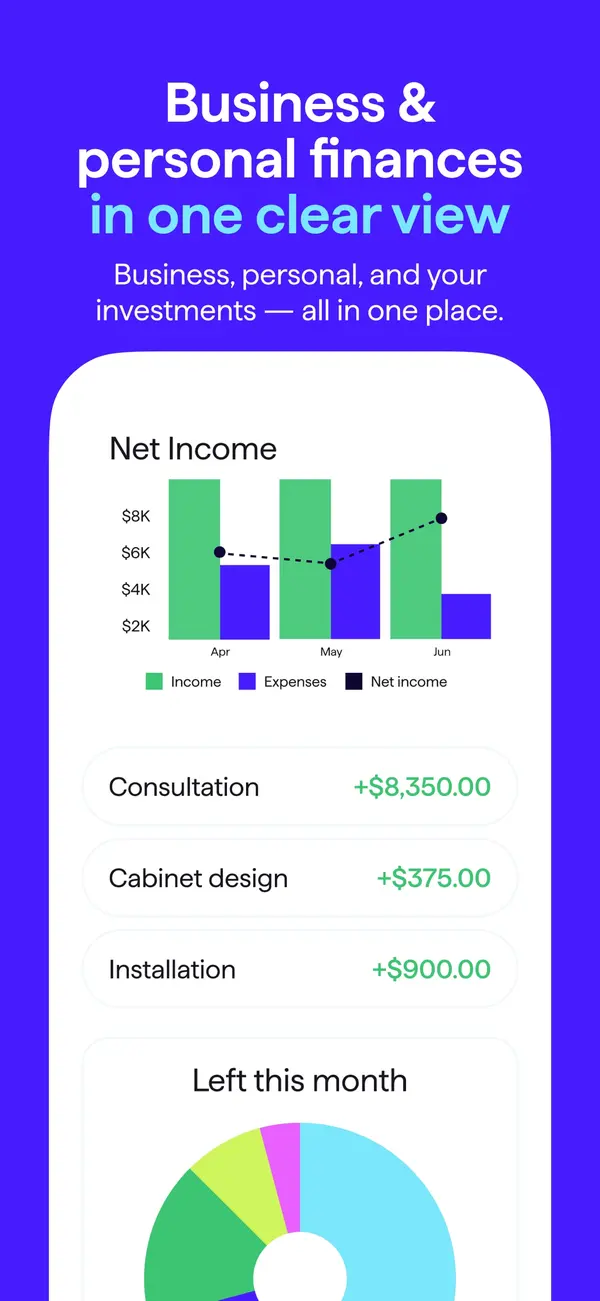
App Store marketing imageApp Store image with the headline "Business & personal finances in one clear view" showing a Net Income chart and income rows.App Store listing, as of 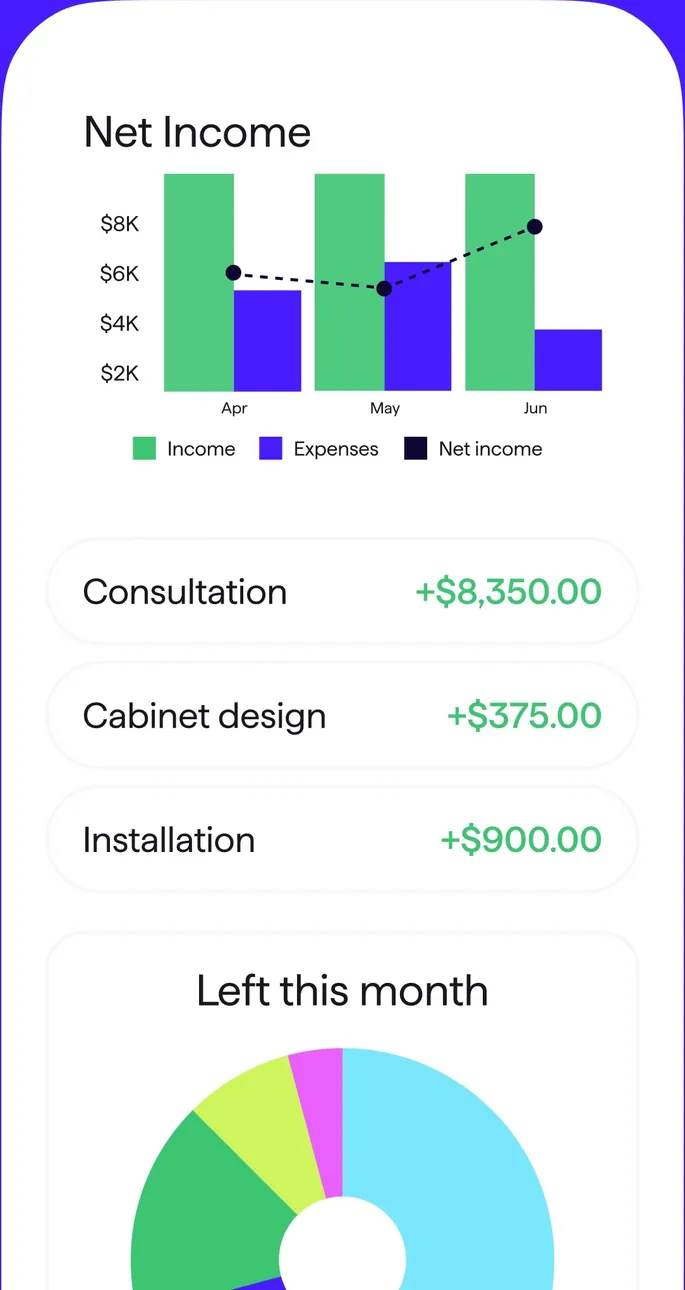
App Store marketing imageA Net Income bar chart by month, three income rows and a Left this month donut.App Store listing, as of 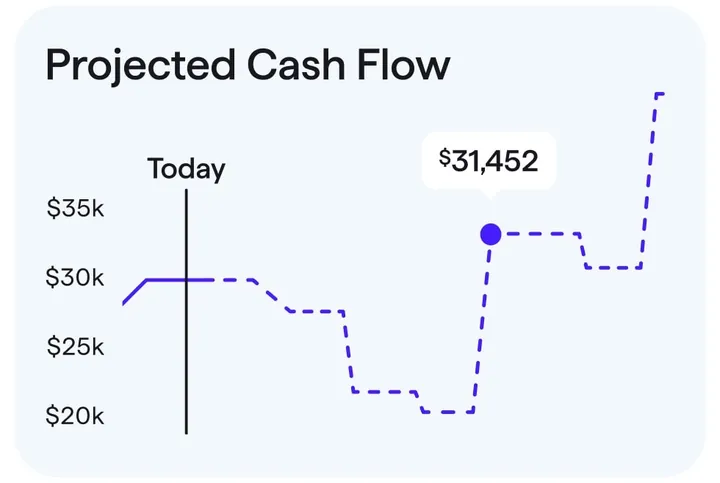
App Store marketing imageA Projected Cash Flow chart with a Today marker and a projected balance of $31,452.App Store listing, as of

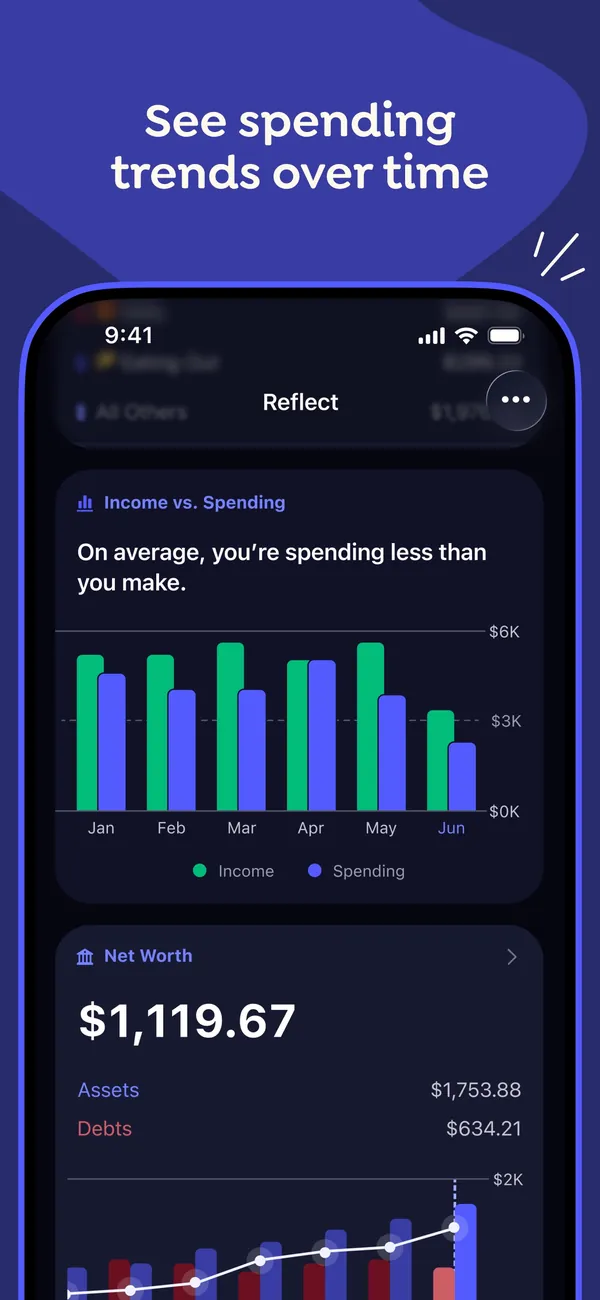
App Store marketing imageApp Store image with the headline "See spending trends over time" showing the Reflect screen with an Income vs. Spending bar chart and a Net Worth card.App Store listing, as of 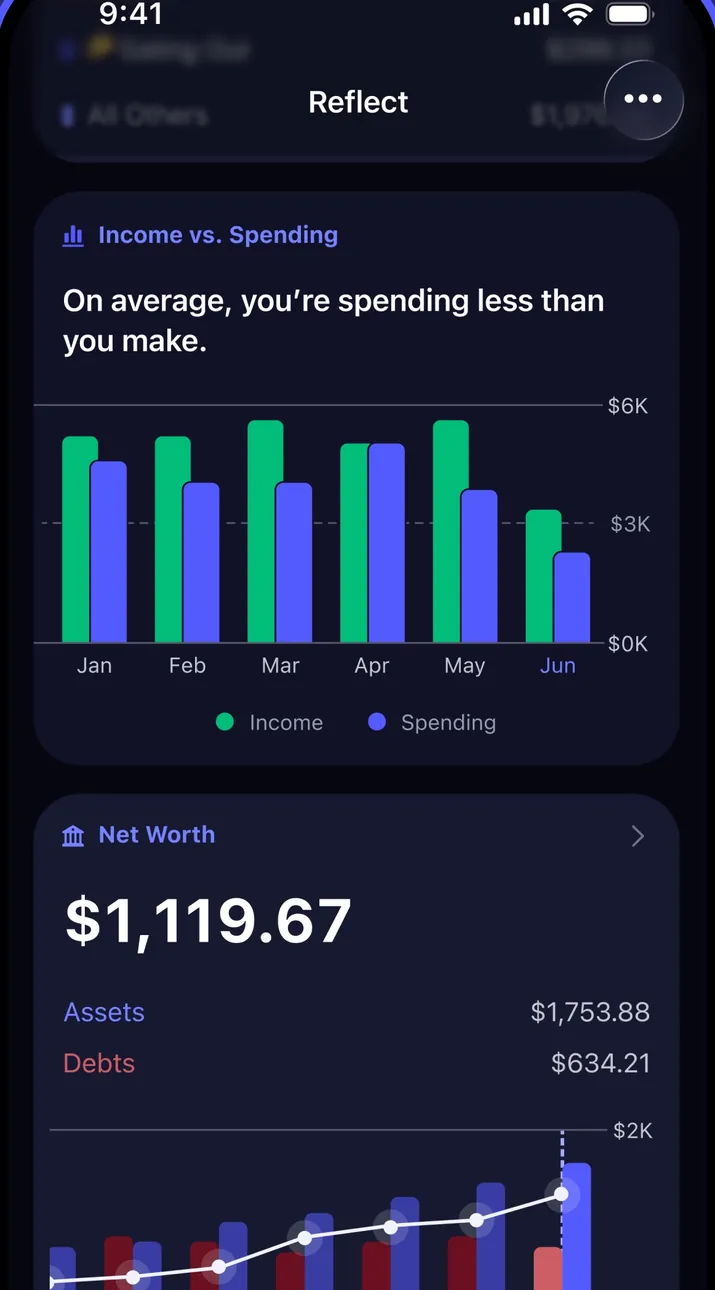
App Store marketing imageThe Reflect screen in dark mode with an Income vs. Spending chart by month and a Net Worth card below it.App Store listing, as of 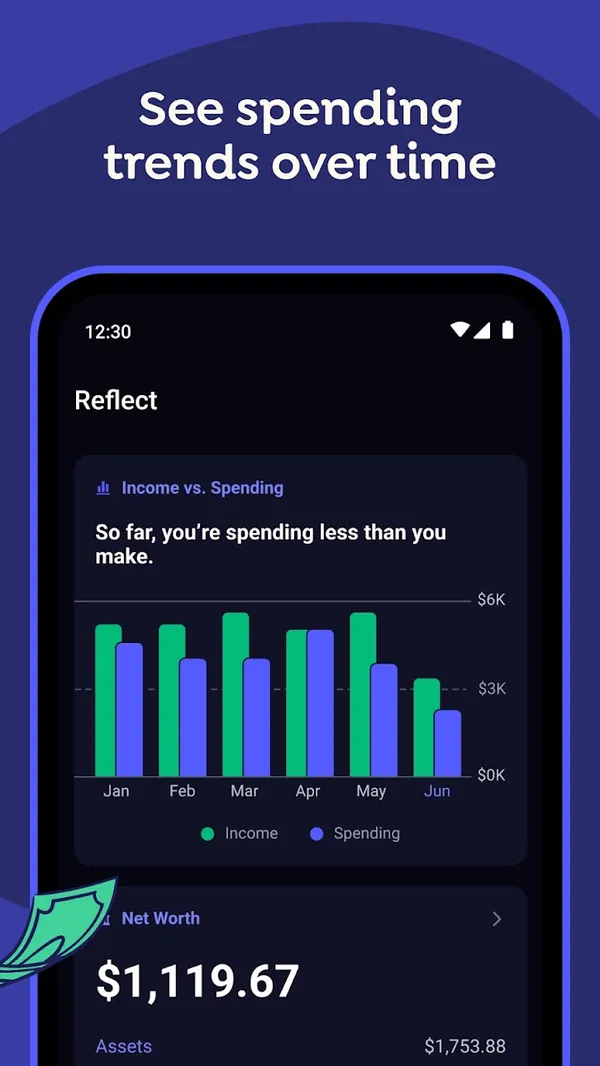
Google Play marketing imageGoogle Play image with the headline "See spending trends over time" showing the Android Reflect screen with an Income vs. Spending chart.Google Play listing, as of 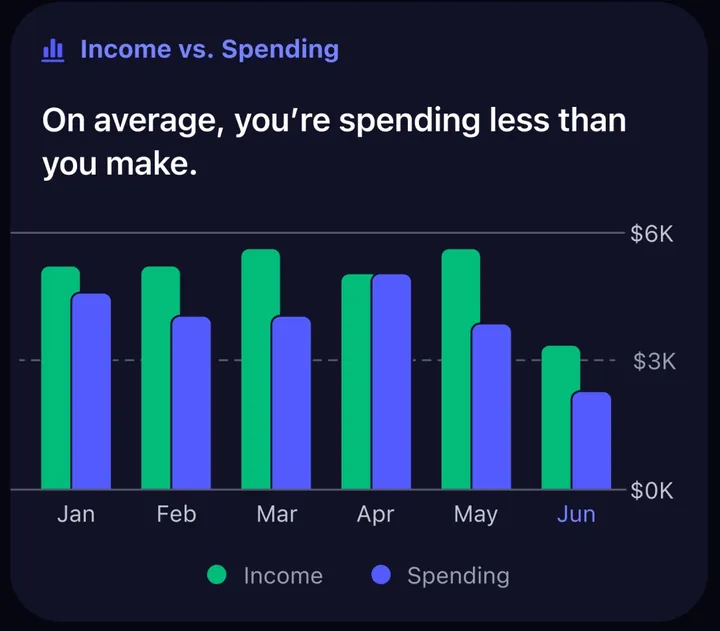
App Store marketing imageAn Income vs. Spending card with paired monthly bars from January to June and the line "On average, you're spending less than you make."App Store listing, as of
This is education, not financial advice.