
Investing comparison
Bloom vs M1
Updated
Before you compare: This compares features and fees from each company's own pages. It isn't investment advice, and investing involves risk, including loss of money.
Full disclosure: Taylor Price, who runs Priceless Tay, owns Fifecta, so keep that in mind as you read this comparison.

Short answer
Bloom and M1 are both investing apps. Bloom offers a $15 monthly plan and a $99.99 annual plan, and its custodial plan costs $150 a year, while M1 doesn't charge commission, trading or management fees for self-directed brokerage accounts. We checked both on Oct 24, 2026, and the official sources differ on 4 of the 10 rows in the table below.
Bloom vs M1 at a glance
Bloom and M1 are both investing apps. This page puts what each company's official pages and app store listings say side by side, with the date we checked every fact. The sources differ on 4 of the 10 rows in the table below.
Management or subscription fee
Bloom offers a $15 monthly plan and a $99.99 annual plan, and its custodial plan costs $150 a year. M1 doesn't charge commission, trading or management fees for self-directed brokerage accounts. It charges a platform fee of $3/month, waived for clients with more than $10,000 on the platform. We checked both on Oct 24, 2026.
Account minimum
Bloom has no minimum account balance, but deposits and stock orders must be at least $1. We haven't verified this for M1 yet, so check the official site for M1 before you decide. We checked Bloom on Oct 24, 2026.
Stock and ETF commissions
M1 Finance LLC doesn't charge commission, trading or management fees for self-directed brokerage accounts. We haven't verified this for Bloom yet, so check the official site for Bloom before you decide. We checked M1 on Oct 24, 2026.
Account types
Bloom lists these account types: Investing account and UTMA/UGMA custodial brokerage accounts for teens 13-17. M1 lists these account types: Individual, Joint, Custodial, Traditional IRA, Roth IRA, SEP IRA and Trust. We checked both on Oct 24, 2026.
Fractional shares
M1 says fractional shares let you build your portfolio to your exact percentages, from 6,000+ U.S.-listed stocks and ETFs. We haven't verified this for Bloom yet, so check the official site for Bloom before you decide. We checked M1 on Oct 24, 2026.
Automatic investing
M1 lists auto-invest with recurring transfers, Dynamic Rebalancing and one-click rebalancing. We haven't verified this for Bloom yet, so check the official site for Bloom before you decide. We checked M1 on Oct 24, 2026.
Managed portfolios (robo)
M1 says you can build your portfolio yourself or let M1 Advisor help you decide. Advisory services come from M1 Advisory Services, LLC. We haven't verified this for Bloom yet, so check the official site for Bloom before you decide. We checked M1 on Oct 24, 2026.
Protection
Bloom's brokerage accounts are held at Alpaca Securities, a SIPC member. SIPC protection is limited to $500,000, including a $250,000 limit for cash. M1 Finance LLC is a member of SIPC, which protects the securities and cash in your brokerage accounts up to $500,000 (including up to $250,000 in cash) if the firm were to fail. We checked both on Oct 24, 2026.
Platforms
Bloom lists iOS and Android. M1 lists iOS and Android. We checked both on Oct 24, 2026.
App store rating
Bloom has 4.8 out of 5 on the App Store from 46,596 ratings. M1 has 4.7 out of 5 on the App Store from 75,216 ratings. We checked both on Oct 24, 2026. Store ratings are a dated snapshot from each listing, not our score.
What it costs
 Bloom
Bloom$15a month
Bloom offers a $15 monthly plan and a $99.99 annual plan, and its custodial plan costs $150 a year.
Cost over 1 and 3 years: $99.99 and $299.97, at the yearly list price before tax.
As of · bloomapp.com/faq
 M1
M1M1 doesn't charge commission, trading or management fees for self-directed brokerage accounts. It charges a platform fee of $3/month, waived for clients with more than $10,000 on the platform.
As of · m1.com
Bars show only when every app here lists a yearly price, so these prices sit side by side without them. Prices are list prices from each app's own page, before tax and any offer. Investing fees appear as each company states them. A yearly advisory fee is a percent of your balance, not a monthly price, so it never gets a bar or a price tag.
At a glance
App Store rating
- Bloom
- 4.846,596 ratings
- M1
- 4.775,216 ratings
Source
- Bloom has 4.8 out of 5 on the App Store from 46,596 ratings. App Store listing, as of Oct 24, 2026.
- M1 has 4.7 out of 5 on the App Store from 75,216 ratings. App Store listing, as of Oct 24, 2026.
Platforms
- Bloom
- iOS
- Android
- M1
- iOS
- Android
Source
- Bloom lists iOS and Android. bloomapp.com, as of Oct 24, 2026.
- M1 lists iOS and Android. m1.com, as of Oct 24, 2026.
Account minimum
- Bloom
- Bloom has no minimum account balance, but deposits and stock orders must be at least $1.
- M1
- Not verified yet
Source
- Bloom has no minimum account balance, but deposits and stock orders must be at least $1. bloomapp.com/faq, as of Oct 24, 2026.
- M1: Not verified yet.
Stock and ETF commissions
- Bloom
- Not verified yet
- M1
- M1 Finance LLC doesn't charge commission, trading or management fees for self-directed brokerage accounts.
Source
- Bloom: Not verified yet.
- M1 Finance LLC doesn't charge commission, trading or management fees for self-directed brokerage accounts. m1.com, as of Oct 24, 2026.
Protection
- Bloom
- Bloom's brokerage accounts are held at Alpaca Securities, a SIPC member. SIPC protection is limited to $500,000, including a $250,000 limit for cash.
- M1
- M1 Finance LLC is a member of SIPC, which protects the securities and cash in your brokerage accounts up to $500,000 (including up to $250,000 in cash) if the firm were to fail.
Source
- Bloom's brokerage accounts are held at Alpaca Securities, a SIPC member. SIPC protection is limited to $500,000, including a $250,000 limit for cash. sipc.org/for-investors/what-sipc-protects, as of Oct 24, 2026.
- M1 Finance LLC is a member of SIPC, which protects the securities and cash in your brokerage accounts up to $500,000 (including up to $250,000 in cash) if the firm were to fail. m1.com, as of Oct 24, 2026.
Features
| Feature | Bloom | M1 |
|---|---|---|
| AI features | Listed by the source | Not verified yet |
✓ means the official site lists it. ? means we haven't verified it yet, not that the app lacks it. Bloom: bloomapp.com, as of Oct 24, 2026.
Screen by screen
Pick a task to see what each app shows for it. App Store and Google Play images are the apps' own marketing, so they can show sample data and staged layouts. Help center images come from the app's support articles. See every app's screens.
Investments
Bloom
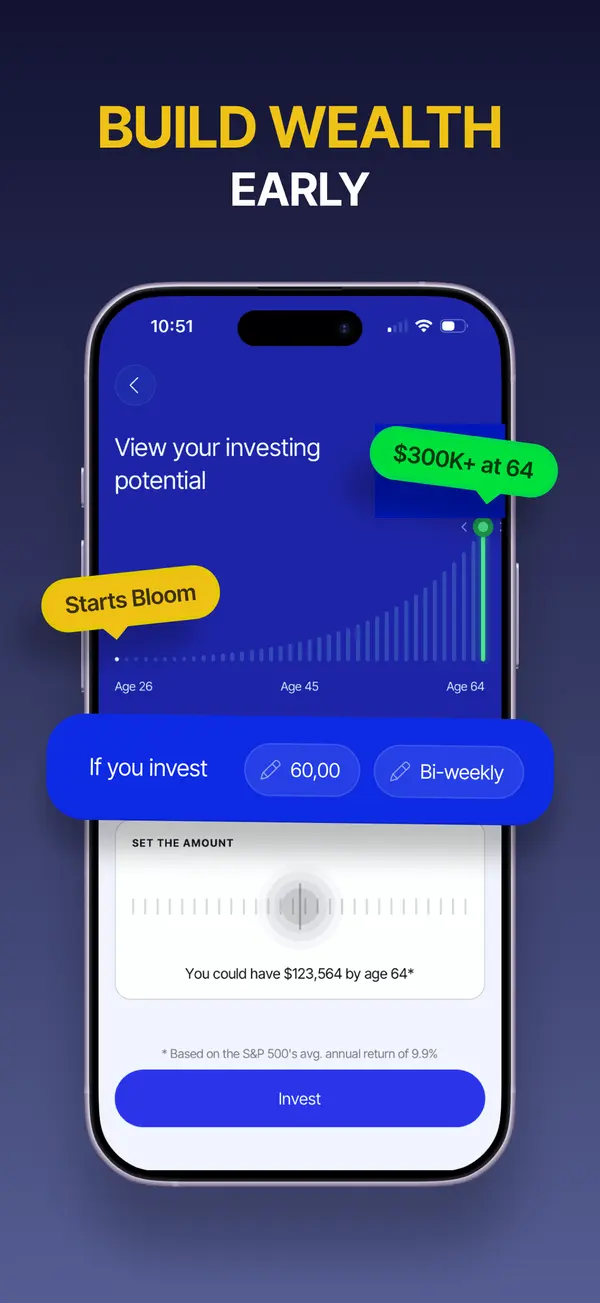
App Store marketing imageApp Store image with the headline "Build wealth early" showing an investing potential chart and an amount picker.App Store listing, as of 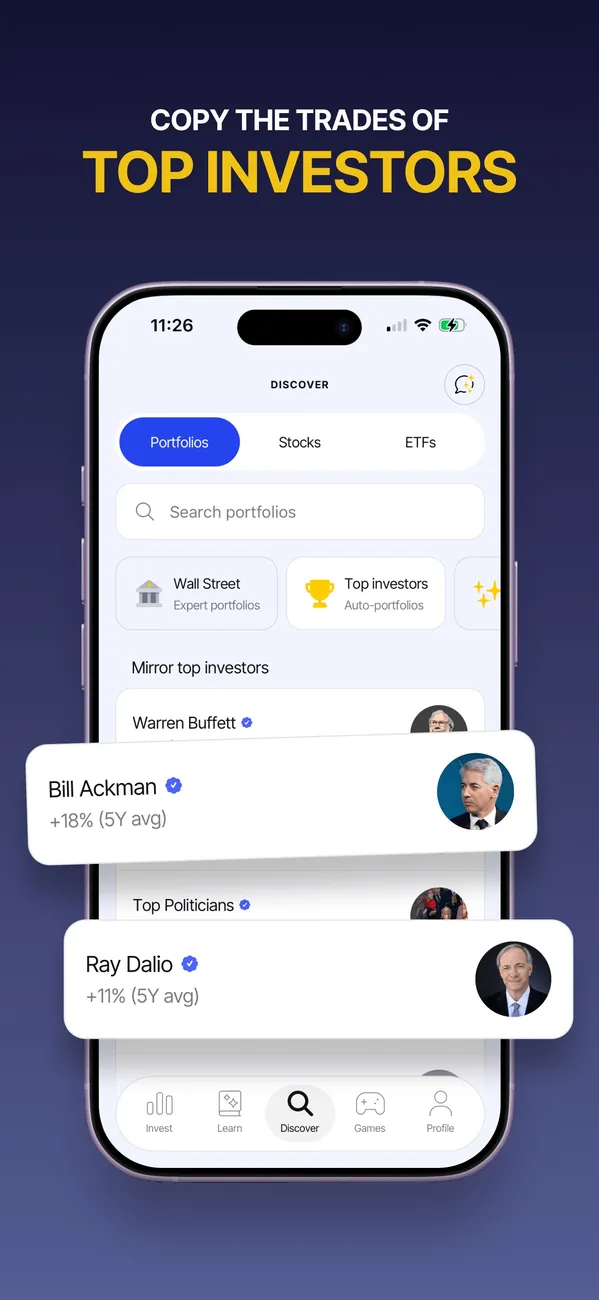
App Store marketing imageApp Store image with the headline "Copy the trades of top investors" showing a Discover screen with portfolios.App Store listing, as of
M1
No official screen found yet
Getting started
Bloom
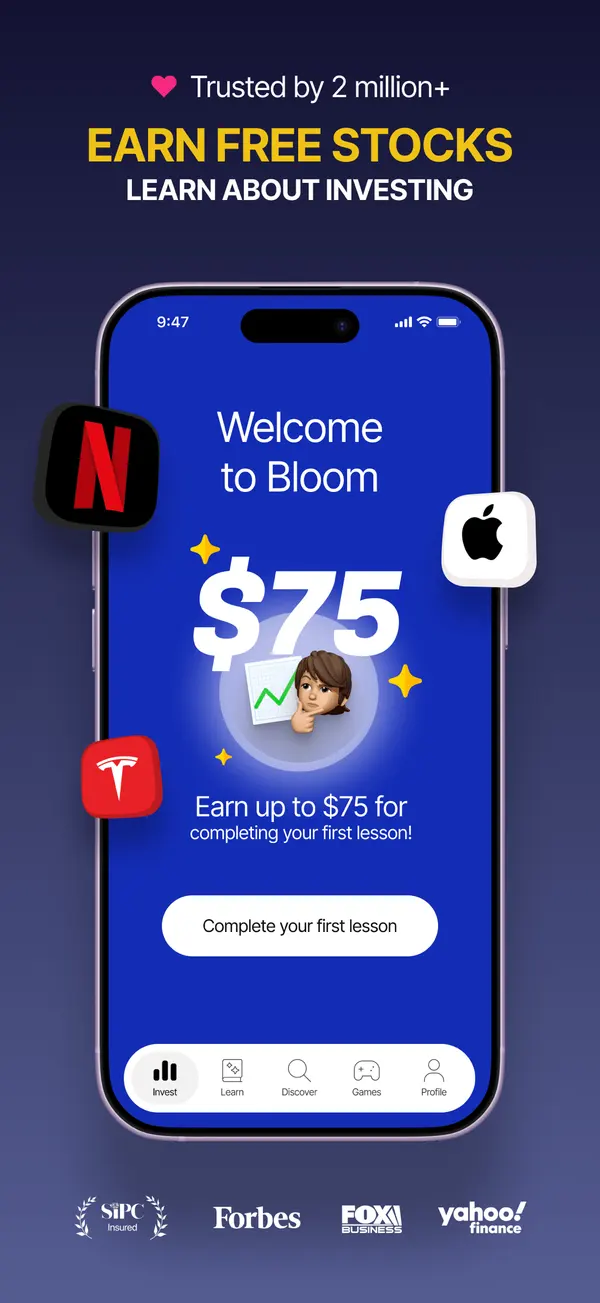
App Store marketing imageApp Store image with the headline "Earn free stocks" showing a Welcome to Bloom screen offering $75 for completing a first lesson.App Store listing, as of
M1
No official screen found yet
AI assistant
Bloom
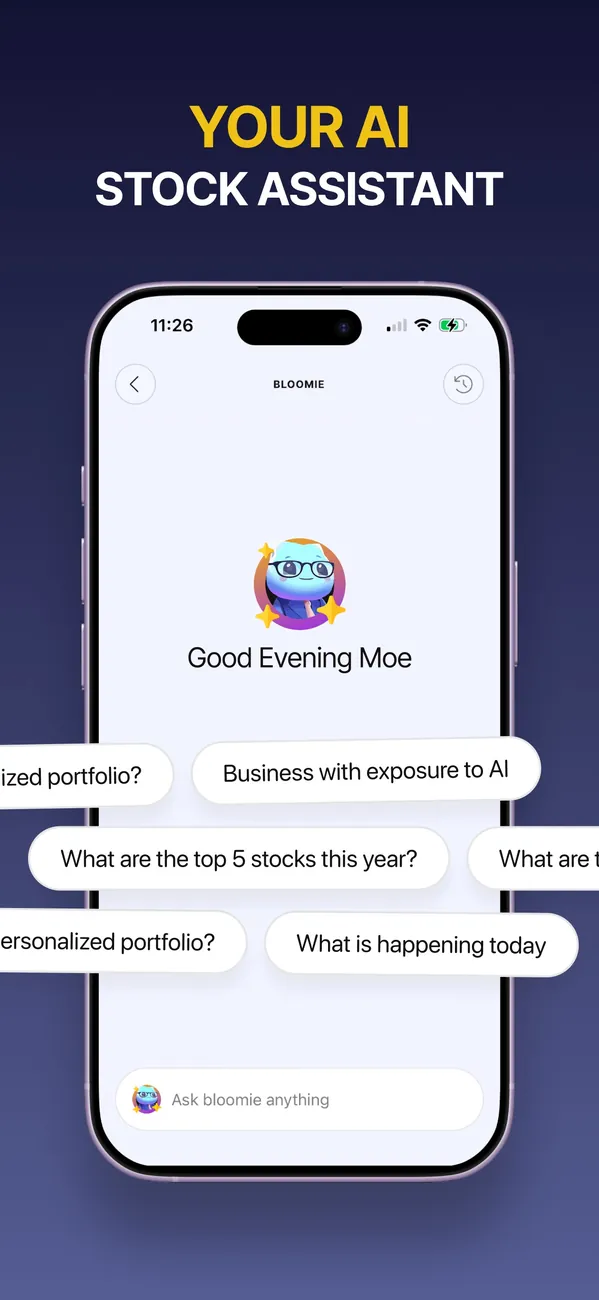
App Store marketing imageApp Store image with the headline "Your AI stock assistant" showing a Bloomie chat with suggested questions.App Store listing, as of
M1
No official screen found yet
Other screens
Bloom
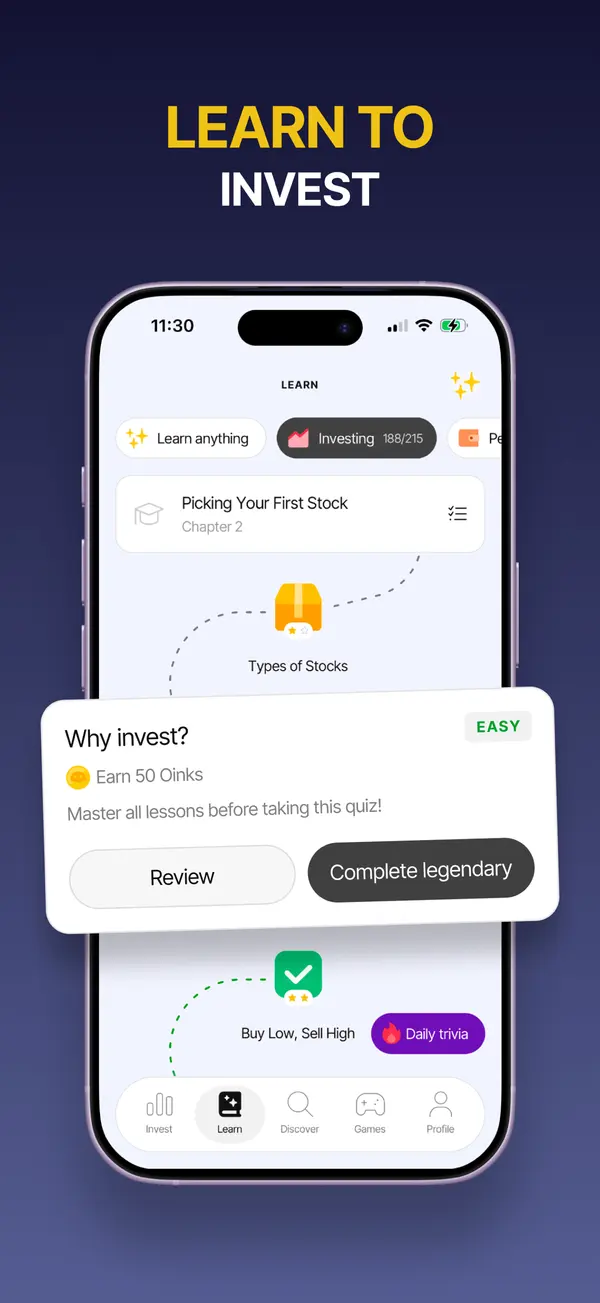
App Store marketing imageApp Store image with the headline "Learn to invest" showing a lesson path and a quiz card.App Store listing, as of 
App Store marketing imageApp Store image with the headline "Swipe to invest in the stories you believe in" showing stacked news cards with stock prices.App Store listing, as of 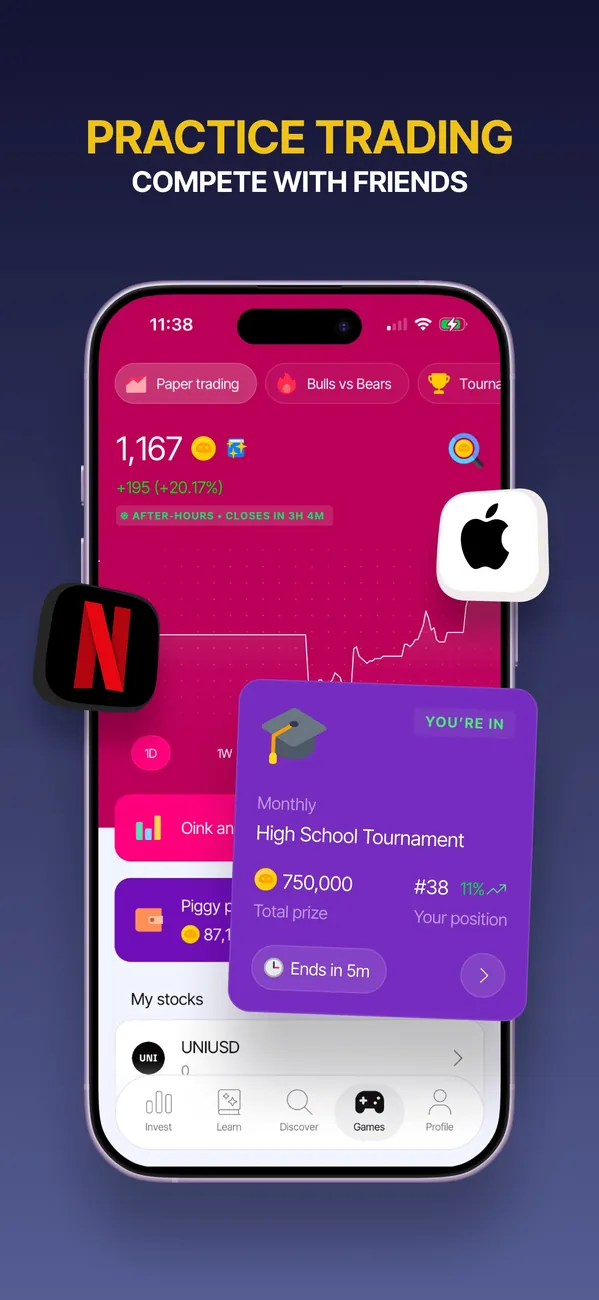
App Store marketing imageApp Store image with the headline "Practice trading" showing a paper trading screen and a tournament card.App Store listing, as of
M1
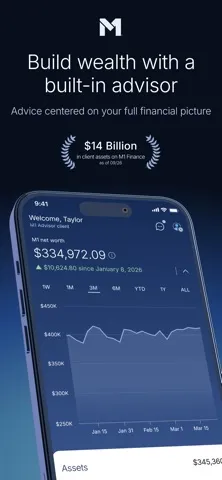
App Store marketing imageApp Store image 1 of 4 from the M1 listing.App Store listing, as of 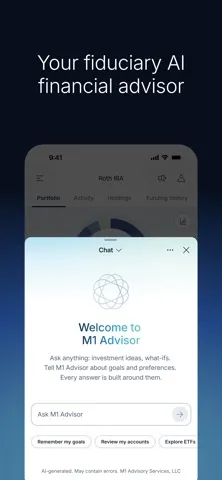
App Store marketing imageApp Store image 2 of 4 from the M1 listing.App Store listing, as of 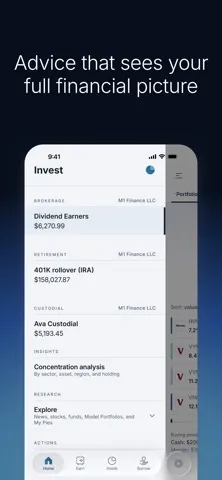
App Store marketing imageApp Store image 3 of 4 from the M1 listing.App Store listing, as of 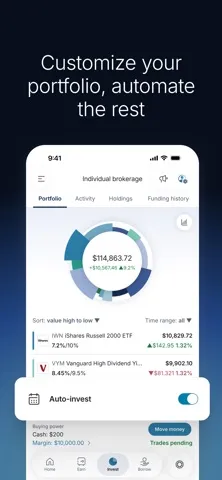
App Store marketing imageApp Store image 4 of 4 from the M1 listing.App Store listing, as of
Bloom and M1, side by side
Rows marked “Differs” are where the official sources say different things, and 4 rows do here.
Swipe the table sideways to see both apps.
| Field | BloomInvesting appBloom is a subscription app for learning to invest, with lessons, games and an investing account for adults and teens.Visit Bloom's site | M1Investing appM1 is an investing app where your portfolio is a Pie of stocks and ETFs you choose, with automation and retirement and custodial accounts.Visit M1's site |
|---|---|---|
| Management or subscription feeDiffers | Bloom offers a $15 monthly plan and a $99.99 annual plan, and its custodial plan costs $150 a year.As of Oct 24, 2026. Source: bloomapp.com/faq | M1 doesn't charge commission, trading or management fees for self-directed brokerage accounts. It charges a platform fee of $3/month, waived for clients with more than $10,000 on the platform.As of Oct 24, 2026. Source: m1.com |
| Account minimum | Bloom has no minimum account balance, but deposits and stock orders must be at least $1.As of Oct 24, 2026. Source: bloomapp.com/faq | Not verified yet. |
| Stock and ETF commissions | Not verified yet. | M1 Finance LLC doesn't charge commission, trading or management fees for self-directed brokerage accounts.As of Oct 24, 2026. Source: m1.com |
| Account typesDiffers | Bloom lists these account types: Investing account and UTMA/UGMA custodial brokerage accounts for teens 13-17.As of Oct 24, 2026. Source: bloomapp.com/faq | M1 lists these account types: Individual, Joint, Custodial, Traditional IRA, Roth IRA, SEP IRA and Trust.As of Oct 24, 2026. Source: m1.com |
| Fractional shares | Not verified yet. | M1 says fractional shares let you build your portfolio to your exact percentages, from 6,000+ U.S.-listed stocks and ETFs.As of Oct 24, 2026. Source: m1.com |
| Automatic investing | Not verified yet. | M1 lists auto-invest with recurring transfers, Dynamic Rebalancing and one-click rebalancing.As of Oct 24, 2026. Source: m1.com/invest/automated-investing |
| Managed portfolios (robo) | Not verified yet. | M1 says you can build your portfolio yourself or let M1 Advisor help you decide. Advisory services come from M1 Advisory Services, LLC.As of Oct 24, 2026. Source: m1.com |
| ProtectionDiffers | Bloom's brokerage accounts are held at Alpaca Securities, a SIPC member. SIPC protection is limited to $500,000, including a $250,000 limit for cash.As of Oct 24, 2026. Source: sipc.org/for-investors/what-sipc-protects | M1 Finance LLC is a member of SIPC, which protects the securities and cash in your brokerage accounts up to $500,000 (including up to $250,000 in cash) if the firm were to fail.As of Oct 24, 2026. Source: m1.com |
| PlatformsSame | Bloom lists iOS and Android.As of Oct 24, 2026. Source: bloomapp.com | M1 lists iOS and Android.As of Oct 24, 2026. Source: m1.com |
| App store ratingDiffers | Bloom has 4.8 out of 5 on the App Store from 46,596 ratings.As of Oct 24, 2026. Source: App Store listing | M1 has 4.7 out of 5 on the App Store from 75,216 ratings.As of Oct 24, 2026. Source: App Store listing |
App store ratings are a dated snapshot from each store listing, not our score. “Not verified yet” means we don't have a current official source for that line. How we source and date this data. Spotted a change? Tell us if something changed.
Weighing a third option? Add up to two more apps to this table and compare up to four side by side.
Who it's for
Pick the tab that sounds like you. The questions come from app help centers, FAQ pages and user forums, and every answer comes from the app's own pages, with the date we checked it.
Just me
Budgeting on your own? These are the basics people ask about first.
Is it free?
Bloom
Bloom offers a $15 monthly plan and a $99.99 annual plan, and its custodial plan costs $150 a year.
As of . Source: bloomapp.com
M1
Not verified yet
Family
Bringing in more of the household? Here's what each app says about families and kids. See apps with custodial accounts for kids.
Does it have accounts or features for kids or teens?
Bloom
Yes. It has accounts or features for kids or teens.
In their words: “Bloom charges a subscription fee for access to an investing account (including UTMA/UGMA custodial brokerage accounts for teens 13-17), 200+ interactive financial lessons, and stock rewards for learning.”
As of . Source: bloomapp.com
M1
Not verified yet
“Not verified yet” means we haven't found a current official source that answers it, not that the app can't. We only say no when the app's own page does.
Which fits your Money Type?
There are four Money Types: Strategist, Spender, Saver and Scrambler. Each card matches one type to what the sources say about these two apps.
 Strategist
Neither app's sources confirm a feature we match to this type yet, so the quiz is the better place to start.
First fix: Save the Raise.
 Spender
Neither app's sources confirm a feature we match to this type yet, so the quiz is the better place to start.
First fix: Sleep on It.
 Saver
SaverNeither app's sources confirm a feature we match to this type yet, so the quiz is the better place to start.
First fix: Put It to Work.
 Scrambler
Neither app's sources confirm a feature we match to this type yet, so the quiz is the better place to start.
First fix: Bills First.
Not sure which one you are? Take the free Money Types quiz. It takes about two minutes.
Full disclosure: Taylor Price, who runs Priceless Tay, owns Fifecta, so keep that in mind as you read this comparison.
Another option: Fifecta
If neither Bloom nor M1 feels right, here is one more option to look at. Fifecta gives every paycheck a plan with FUNDS, and it starts from your Money Type, so the plan matches how you already handle money.
What real users say
These are other people's opinions, not Priceless Tay's. We quote public reviews and posts word for word, link each one and show its date, but we haven't checked the claims in them. A post counts toward a theme when it uses one of that theme's keywords, so a mention can be praise or a complaint.
What Bloom users say
Based on 500 App Store reviews, 3 Reddit posts and 2 YouTube videos dated Nov 2025 to Oct 2026, read Oct 2026. We collected the Reddit and YouTube data with Apify, a scraping service, on Oct 24, 2026.
- Of the 505 reviews, posts and videos we read, 223 mention learning about investing.
- Of the 505 reviews, posts and videos we read, 71 mention how easy or hard the app is to use.
- Of the 505 reviews, posts and videos we read, 22 mention the price, fees or the subscription.
Positive
“...my favorite feature is the learning section of it. It has helped me understand so much that I wish I knew when I was younger!”
Mixed
“My kids are on bloom and it has been great so far. Only downside is you have to pay for it but worth it imo.”
Critical
“There is no way to avoid the $15 subscription with Bloom even if you are not using the "learning" platform.”
Where these come from
- Bloom reviews on the App Store, read Oct 24, 2026. The public feed returns the 500 most recent US reviews. We kept every one dated inside the window.
- Hacker News search for Bloom, read Oct 24, 2026. Public search of comments and posts. 0 named the app; we kept 0 where the writer shares their own use of it.
- Reddit search for Bloom, collected Oct 24, 2026. Collected with Apify (harshmaur/reddit-scraper) on Oct 24 2026: a keyword search for "Bloom investing app", posts and comments from after Oct 24 2025. It returned 79, most of them about something else. We kept 3 where the writer shares their own use of the app or a clear opinion of it. We left out moderators, bots, company accounts, referral posts and people promoting their own apps.
- YouTube search for Bloom, collected Oct 24, 2026. Collected with Apify (streamers/youtube-scraper) on Oct 24 2026: a search for "Bloom investing app review" from the past year, up to 8 videos. It returned 8. We kept 2 and left out the app's own channel, sponsored videos, videos with affiliate or referral links and videos about a different product. We count themes from each video's title, description and captions, but we don't quote videos, because the captions we have carry no timestamps.
- u/Mother-Mountain9299 in r/OracleStock on Reddit, Oct 15, 2026.
- u/ConditionSufficient7 in r/investingforbeginners on Reddit, Jul 14, 2026.
- "Investing For Beginners Is Now Accessible With Bloom | Bloom App Review" by SaaS Reviews on YouTube, Jul 7, 2026.
- u/itsyourboyjjjj in r/investing on Reddit, Mar 8, 2026.
- "How to Use Bloom Investment App for Teens App Properly Beginner Mistakes That Cost You" by Whodunnit Den on YouTube, Nov 12, 2025.
FAQ
How much does Bloom charge?
Bloom offers a $15 monthly plan and a $99.99 annual plan, and its custodial plan costs $150 a year. We checked this on Oct 24, 2026.
How much does M1 charge?
M1 doesn't charge commission, trading or management fees for self-directed brokerage accounts. It charges a platform fee of $3/month, waived for clients with more than $10,000 on the platform. We checked this on Oct 24, 2026.
What is Bloom's app store rating?
Bloom has 4.8 out of 5 on the App Store from 46,596 ratings. That's a snapshot from the store listing on Oct 24, 2026, not our score.
What is M1's app store rating?
M1 has 4.7 out of 5 on the App Store from 75,216 ratings. That's a snapshot from the store listing on Oct 24, 2026, not our score.
Similar comparisons
- M1Investing app
 RobinhoodInvesting app
M1 vs Robinhood
See M1 and Robinhood side by side, with every fact dated.
Data side by side  AcornsInvesting app
 StashInvesting app
Acorns vs Stash
See Acorns and Stash side by side, with every fact dated.
Data side by side BettermentInvesting app
 WealthfrontInvesting app
Betterment vs Wealthfront
See Betterment and Wealthfront side by side, with every fact dated.
Data side by side Charles SchwabInvesting appVanguardInvesting app
Charles Schwab vs Vanguard
See Charles Schwab and Vanguard side by side, with every fact dated.
Data side by side E*TRADEInvesting appCharles SchwabInvesting app
E*TRADE vs Charles Schwab
See E*TRADE and Charles Schwab side by side, with every fact dated.
Data side by side FidelityInvesting appCharles SchwabInvesting app
Fidelity vs Charles Schwab
See Fidelity Investments and Charles Schwab side by side, with every fact dated.
Data side by side- FidelityInvesting appRobinhoodInvesting app
Fidelity vs Robinhood
See Fidelity Investments and Robinhood side by side, with every fact dated.
Data side by side - FidelityInvesting appVanguardInvesting app
Fidelity vs Vanguard
See Fidelity Investments and Vanguard side by side, with every fact dated.
Data side by side  PublicInvesting appRobinhoodInvesting app
Public vs Robinhood
See Public and Robinhood side by side, with every fact dated.
Data side by side

Keep comparing
- See Bloom alternatives, closest category first.
- See M1 alternatives, closest category first.
- Browse our guide to the low-cost brokerage accounts.
- Want the bigger picture? Compare more money apps.
Full disclosure: Taylor Price, who runs Priceless Tay, owns Fifecta, so keep that in mind as you read this comparison.
Want a plan built on your Money Type?
Fifecta gives every paycheck a plan with FUNDS, so you know where each dollar goes.
Sources and confidence
- Last checked
- Not verified yet
- 5 of 20 facts
Bloom6 of 10 verified, 4 not verified yet, last checked Oct 24, 2026
- Management or subscription feebloomapp.com/faq, as of Oct 24, 2026
- Account minimumbloomapp.com/faq, as of Oct 24, 2026
- Stock and ETF commissionsNot verified yet
- Account typesbloomapp.com/faq, as of Oct 24, 2026
- Fractional sharesNot verified yet
- Automatic investingNot verified yet
- Managed portfolios (robo)Not verified yet
- Protectionsipc.org/for-investors/what-sipc-protects, as of Oct 24, 2026
- Platformsbloomapp.com, as of Oct 24, 2026
- App store ratingApp Store listing, as of Oct 24, 2026
M19 of 10 verified, 1 not verified yet, last checked Oct 24, 2026
- Management or subscription feem1.com, as of Oct 24, 2026
- Account minimumNot verified yet
- Stock and ETF commissionsm1.com, as of Oct 24, 2026
- Account typesm1.com, as of Oct 24, 2026
- Fractional sharesm1.com, as of Oct 24, 2026
- Automatic investingm1.com/invest/automated-investing, as of Oct 24, 2026
- Managed portfolios (robo)m1.com, as of Oct 24, 2026
- Protectionm1.com, as of Oct 24, 2026
- Platformsm1.com, as of Oct 24, 2026
- App store ratingApp Store listing, as of Oct 24, 2026
Each fact links to the official page it came from, with the date we checked it. Once a fact is older than its app's window (8 days for apps whose rates change often, 35 days for the rest), it reads “Not verified yet” until we check it again. How we source, date and index this data.
This is education, not financial advice.