
Budgeting comparison
Goodbudget vs Simplifi
Updated
Data as of
Goodbudget checked Simplifi checked
I earn commissions from some links.

Goodbudget
Budgeting app
Visit site for Goodbudget (opens in a new tab)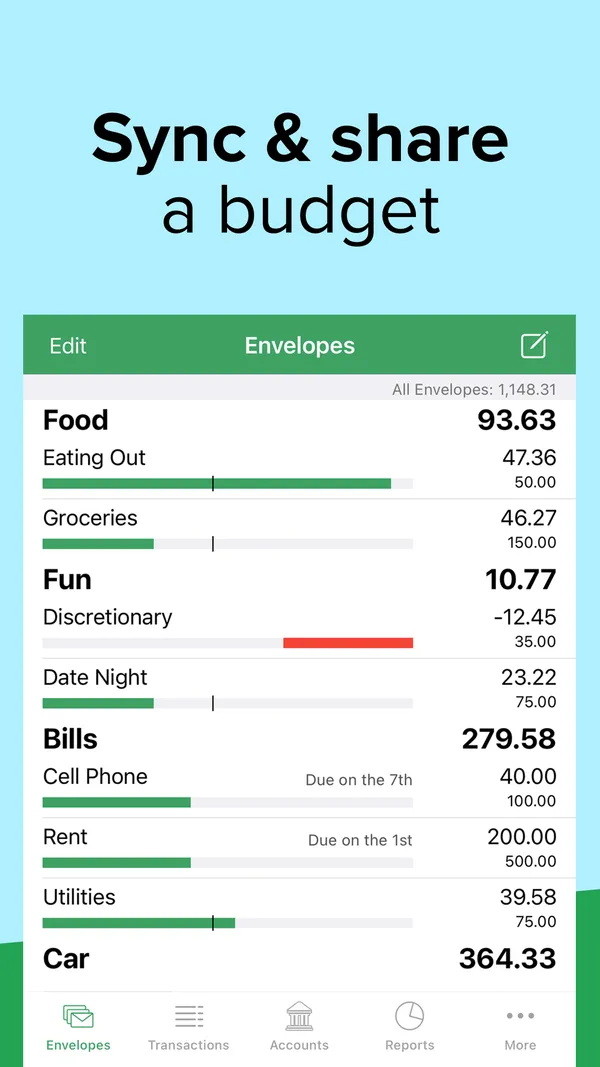

Simplifi
Budgeting app
Visit site for Quicken Simplifi (opens in a new tab)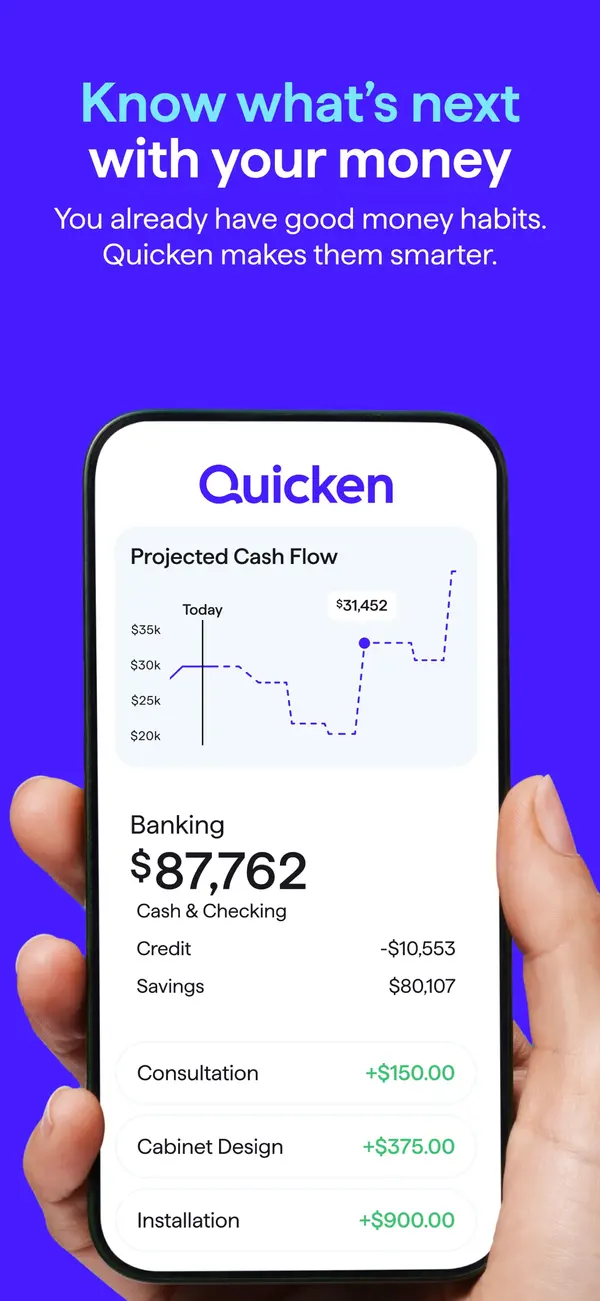

Short answer
- Pick Goodbudget if you want a free version.
- Pick Simplifi if you want a separate login for your partner.
- The biggest difference is partner logins: Simplifi's source says yes, and Goodbudget's says no.
Full disclosure: Taylor Price, who runs Priceless Tay, owns Fifecta, so keep that in mind as you read this comparison.
Goodbudget vs Simplifi at a glance
- Goodbudget
- Price
- $10a month, or a free version
- Free trial
- None
- Rating
- 4.6 of 5App Store, 13,528 ratings
- Platforms
- 3Web, Android, iPhone
- Simplifi
- Price
- $6.99a month, billed yearly
- Free trial
- None
- Rating
- 4.5 of 5App Store, 11,972 ratings
- Platforms
- 2Web, Mobile
What it costs
- Goodbudget
$10a month
Goodbudget has a free version. Goodbudget Premium costs $10 a month or $80 a year.
$80 a year at the yearly list price, or $240 over 3 years, before tax.
Source
goodbudget.com/signup, checked . - Quicken Simplifi
$6.99a month, billed yearly
Quicken Simplifi lists $6.99 a month, billed annually. New members who order directly from Quicken by November 29, 2026 see a first-year offer of $3.99 a month, billed annually.
Source
quicken.com/products/simplifi, checked .
Bars show only when every app here lists a yearly price, so these prices sit side by side without them. Prices are list prices from each app's own page, before tax and any offer.
Features
| Feature | Goodbudget | Simplifi |
|---|---|---|
| Savings goals | Yes | Yes |
| Shared budgets | Yes | Yes |
| Data export | Yes | Yes |
Simplifi also lists AI features and investment tracking.
Sources for these features
Yes means the official site lists it. No means the official site says the app doesn't have it.
- Goodbudget: goodbudget.com/what-you-get, checked Nov 3, 2026.Savings goals: Goal Envelopes take a budget amount and a due date, and Annual Envelopes save for yearly costs. 'With the Free version of Goodbudget, you'll be able to track up to 10 More Envelopes for savings or goals.' Premium is unlimited. goodbudget.com/help/customize-your-goodbudget/goals-and-annuals, checked Nov 3, 2026.Data export: Export CSV from the Transactions list. goodbudget.com/help/customize-your-goodbudget/export-transactions, checked Nov 3, 2026.
- Simplifi: quicken.com/products/simplifi, checked Nov 3, 2026.AI features: Quicken AI Chat: in-product chat that reads your Simplifi data and can make changes you approve. Not available in shared spaces (dataset owner only). support.simplifi.quicken.com/en/articles/13343650-using-quicken-ai-chat, checked Nov 3, 2026.Shared budgets: Spaces and sharing: one other member with their own Quicken ID, no second subscription. support.simplifi.quicken.com/en/articles/6443103-how-to-use-spaces-sharing-in-quicken-simplifi, checked Nov 3, 2026.Data export: CSV export, web app only. support.simplifi.quicken.com/en/articles/3404263-how-to-export-transactions-from-quicken-simplifi, checked Nov 3, 2026.
Goodbudget and Quicken Simplifi, side by side
| Detail | Goodbudget | Simplifi |
|---|---|---|
| Free trialDiffers | GoodbudgetGoodbudget says it isn't offering trials of Premium. There is a Free Forever plan, and you can ask for a refund within the first 30 days of a subscription. Sourceforums.goodbudget.com/t/premium-level/2994, checked . | SimplifiQuicken says Simplifi has no free trial, but offers a 30-day money-back guarantee from the original purchase date for subscriptions bought directly from Quicken. |
| PlatformsDiffers | GoodbudgetGoodbudget lists Web, Android and iPhone. Sourcegoodbudget.com/signup, checked . | SimplifiQuicken Simplifi lists Web and Mobile. Sourcequicken.com/products/simplifi, checked . |
| Bank syncingDiffers | GoodbudgetPremium only. Goodbudget Premium includes automatic bank sync for US banks only, and the free version does not list it. Sourcegoodbudget.com/signup, checked . | SimplifiYes. Quicken says Simplifi connects to over 14k financial institutions. Sourcequicken.com/products/simplifi, checked . |
| App store ratingDiffers | GoodbudgetGoodbudget has 4.6 out of 5 on the App Store from 13,528 ratings. SourceApp Store listing, checked . | SimplifiQuicken Simplifi has 4.5 out of 5 on the App Store from 11,972 ratings. SourceApp Store listing, checked . |
Store ratings are a dated snapshot from each listing, not our score. A row shows only when both apps have a current official source for it. How we source and date this data. Spotted a change? Tell us if something changed.
Weighing a third option? Add up to two more apps and compare up to four side by side.
Screen by screen
Pick a task to see what each app shows for it. App Store and Google Play images are the apps' own marketing, so they can show sample data and staged layouts. Help center images come from the app's support articles. See every app's screens.
Home
Goodbudget
No official screen found yet
Quicken Simplifi
App Store marketing imageApp Store image with the headline "Know what's next with your money" showing a hand holding a phone with a Quicken screen, a Projected Cash Flow chart and Banking balances.App Store listing, as of 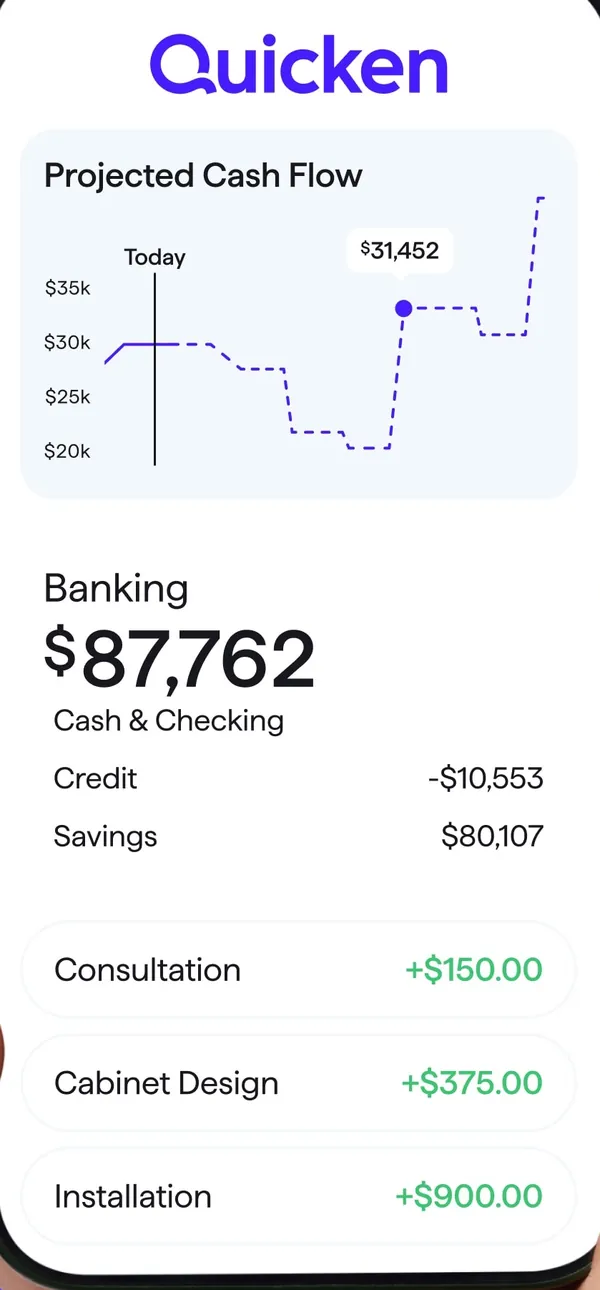
App Store marketing imageA Quicken screen with a Projected Cash Flow chart, Banking balances and three income rows.App Store listing, as of 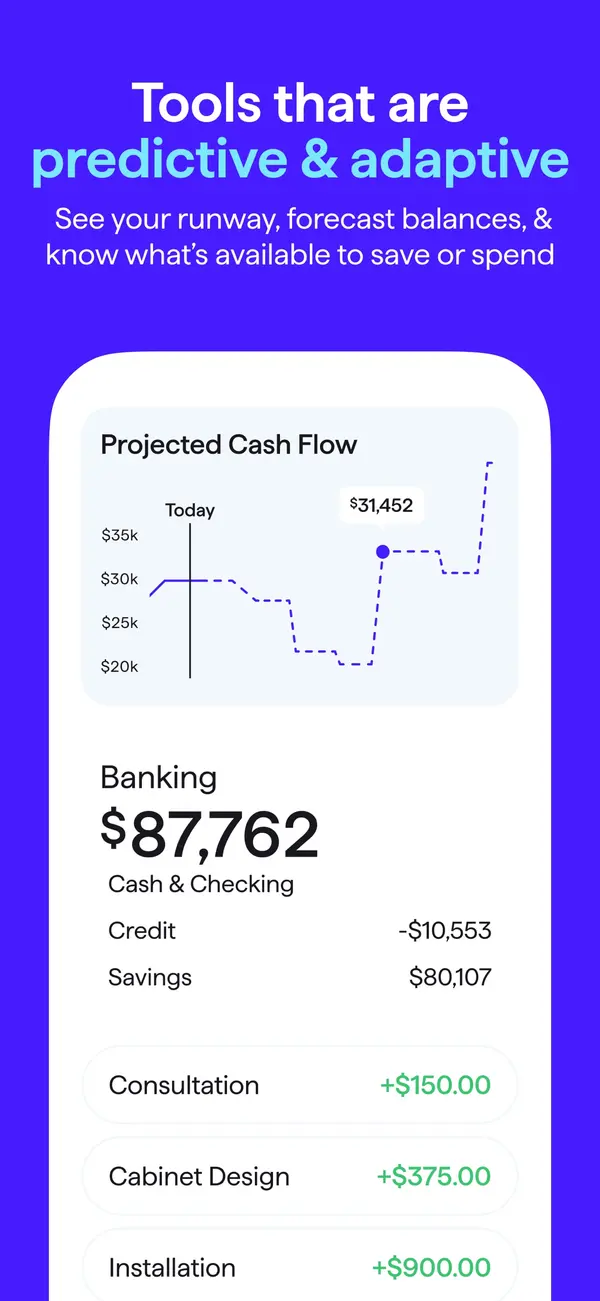
App Store marketing imageApp Store image with the headline "Tools that are predictive & adaptive" showing a Projected Cash Flow chart and Banking balances.App Store listing, as of 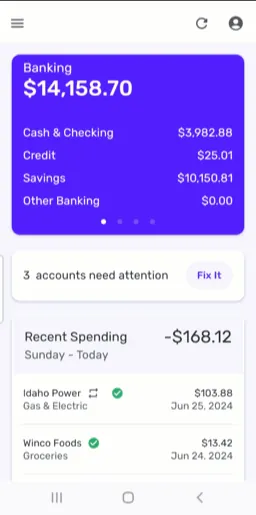
From Simplifi's help centerThe mobile dashboard with a Banking card, a note that 3 accounts need attention and Recent Spending.support.simplifi.quicken.com, as of
Accounts
Goodbudget
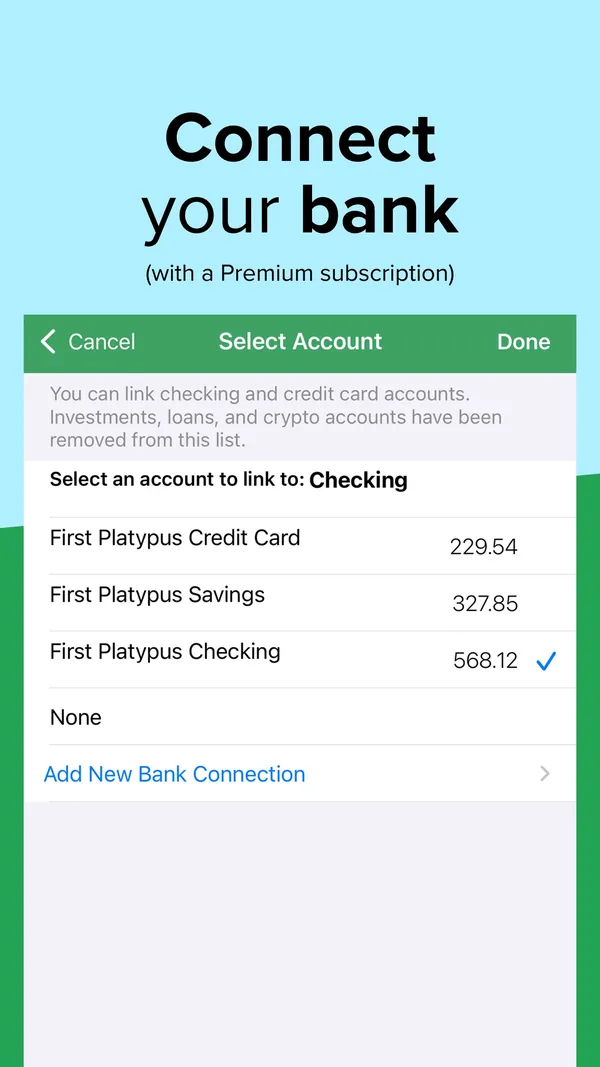
App Store marketing imageApp Store image with the headline "Connect your bank (with a Premium subscription)" showing a Select Account screen.App Store listing, as of 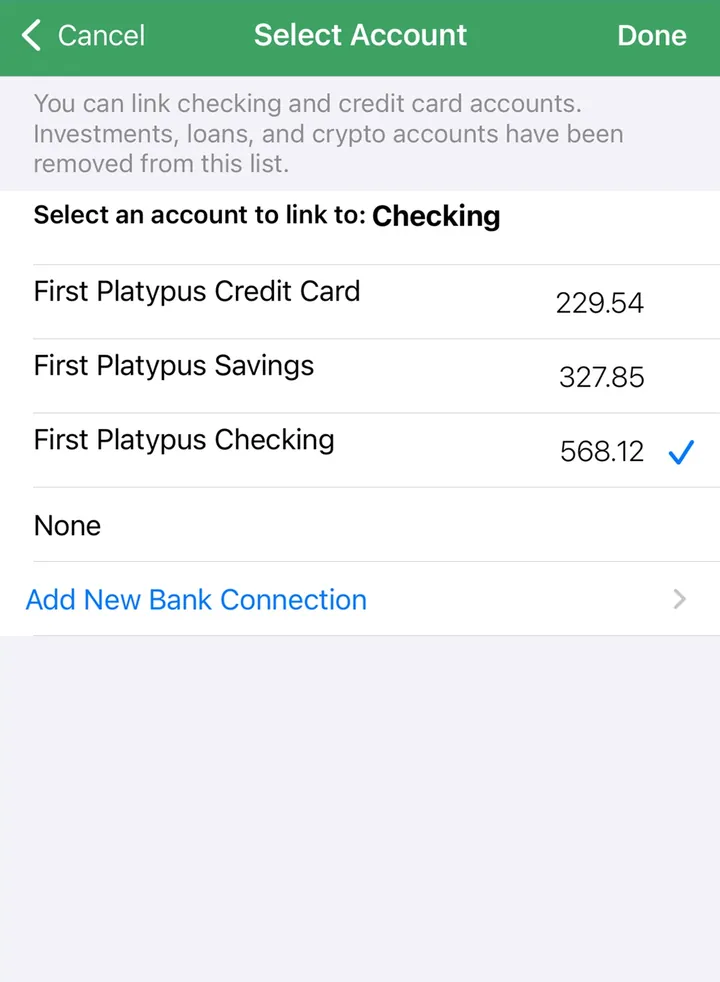
App Store marketing imageA Select Account screen for linking a bank account to Checking, with an Add New Bank Connection link.App Store listing, as of
Quicken Simplifi
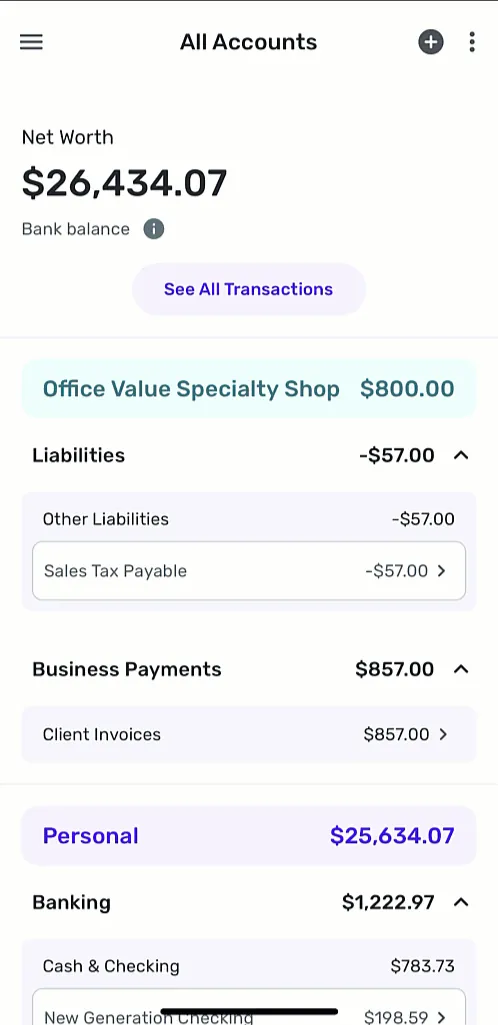
From Simplifi's help centerThe All Accounts screen with net worth, business accounts and personal Banking accounts grouped with balances.support.simplifi.quicken.com, as of
Transactions
Goodbudget
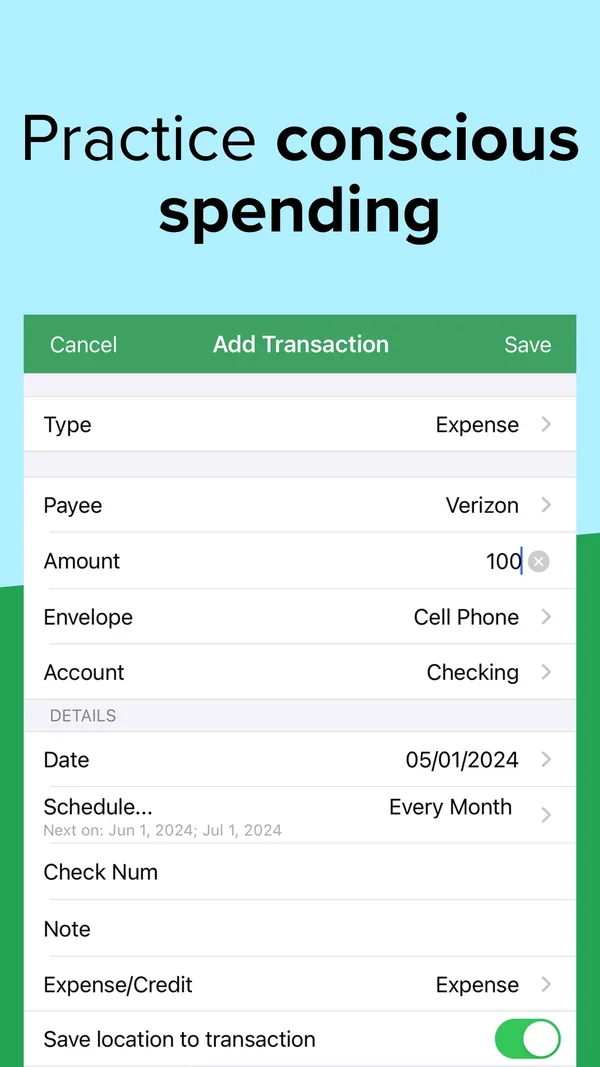
App Store marketing imageApp Store image with the headline "Practice conscious spending" showing an Add Transaction form.App Store listing, as of 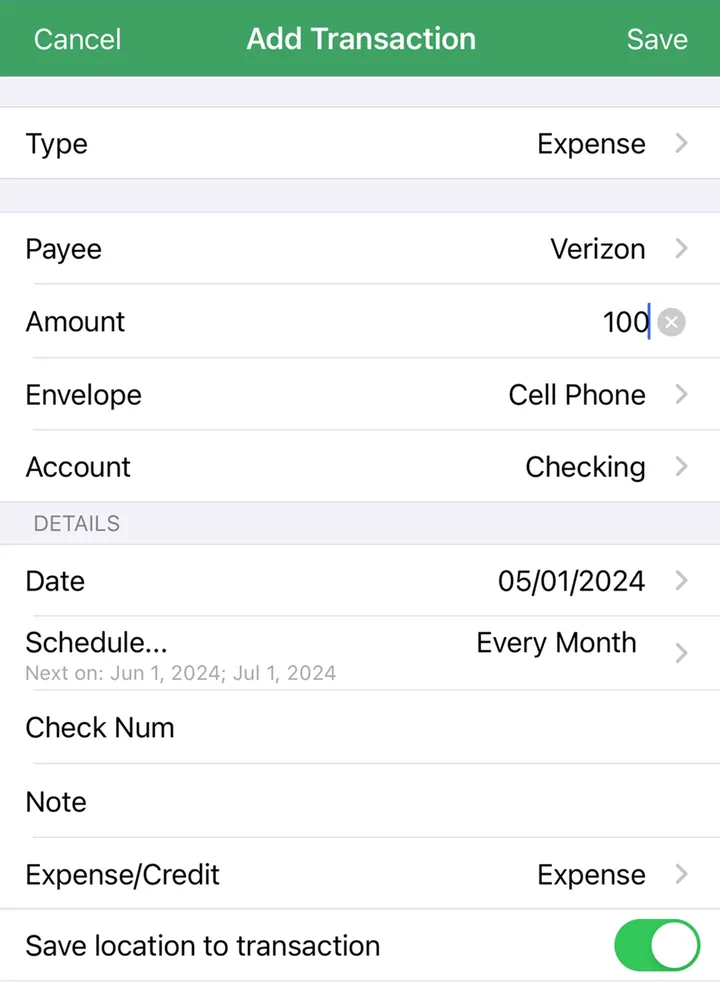
App Store marketing imageAn Add Transaction form with Type, Payee, Amount, Envelope, Account, Date and Schedule fields.App Store listing, as of 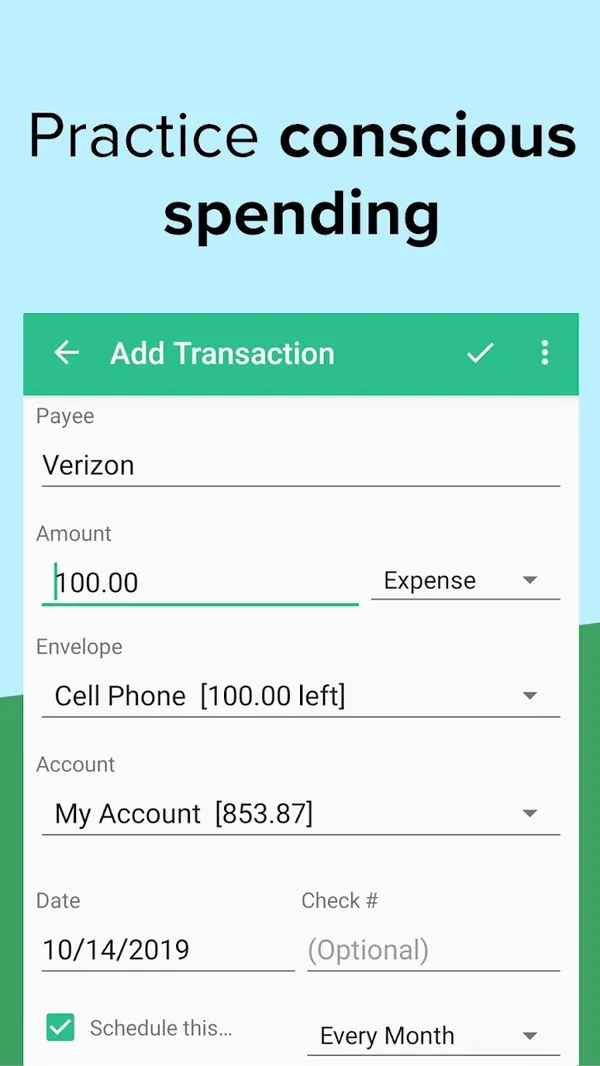
Google Play marketing imageGoogle Play image with the headline "Practice conscious spending" showing the Android Add Transaction form.Google Play listing, as of
Quicken Simplifi
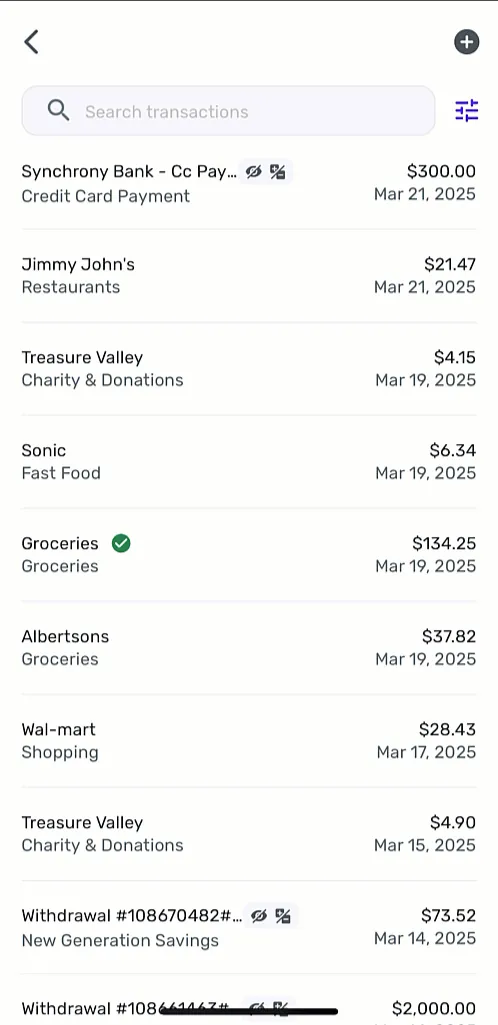
From Simplifi's help centerA transaction list with a search box, each row showing payee, category, amount and date.support.simplifi.quicken.com, as of
Budget
Goodbudget
App Store marketing imageApp Store image with the headline "Sync & share a budget" showing the Envelopes screen with Food, Fun and Bills envelopes and progress bars.App Store listing, as of 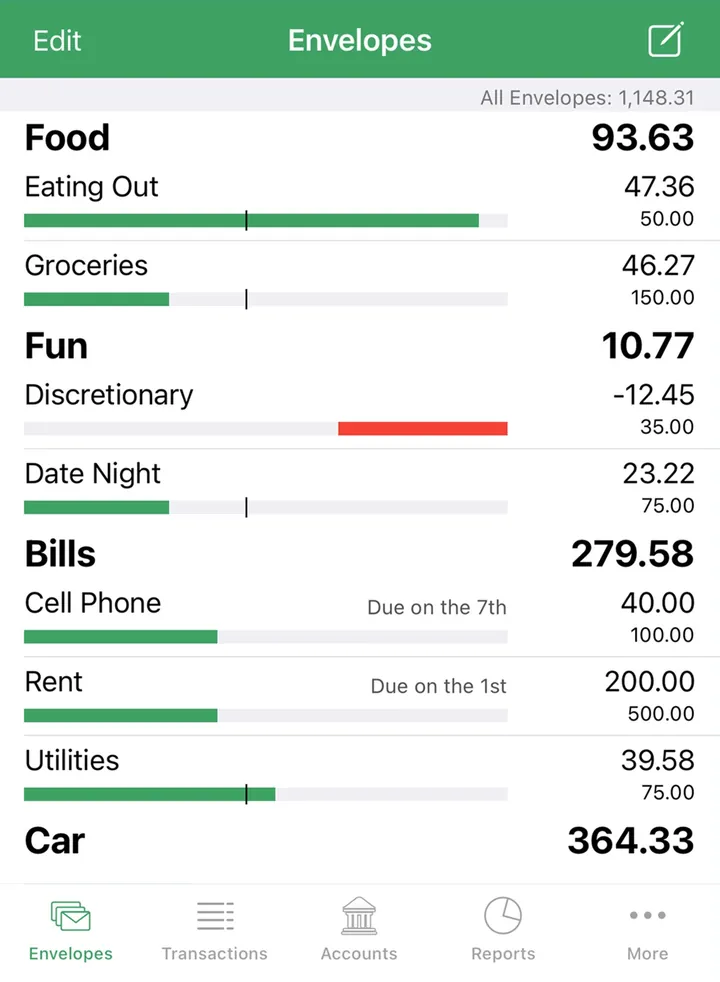
App Store marketing imageThe Envelopes screen with envelope groups, amounts left and bars, and a bottom tab bar.App Store listing, as of 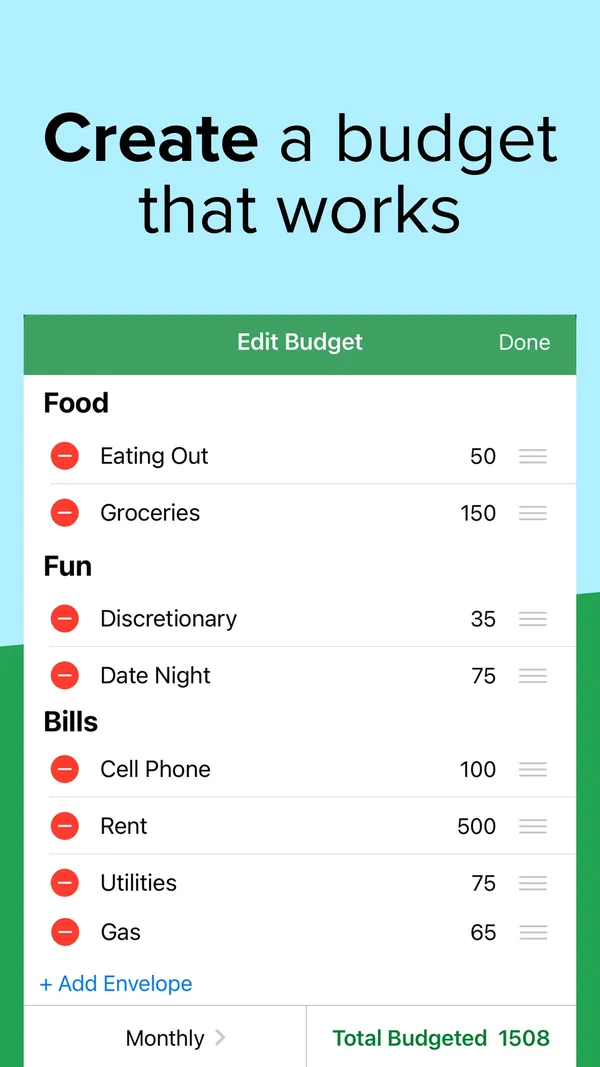
App Store marketing imageApp Store image with the headline "Create a budget that works" showing an Edit Budget screen.App Store listing, as of 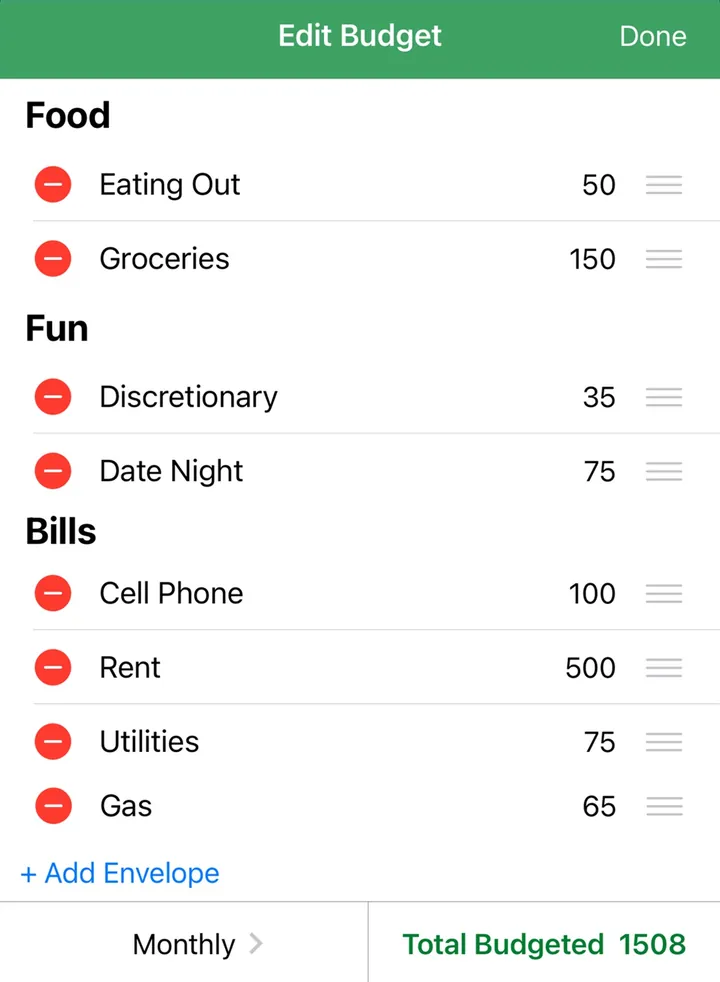
App Store marketing imageAn Edit Budget screen listing envelopes with amounts, an Add Envelope link and Total Budgeted 1508.App Store listing, as of 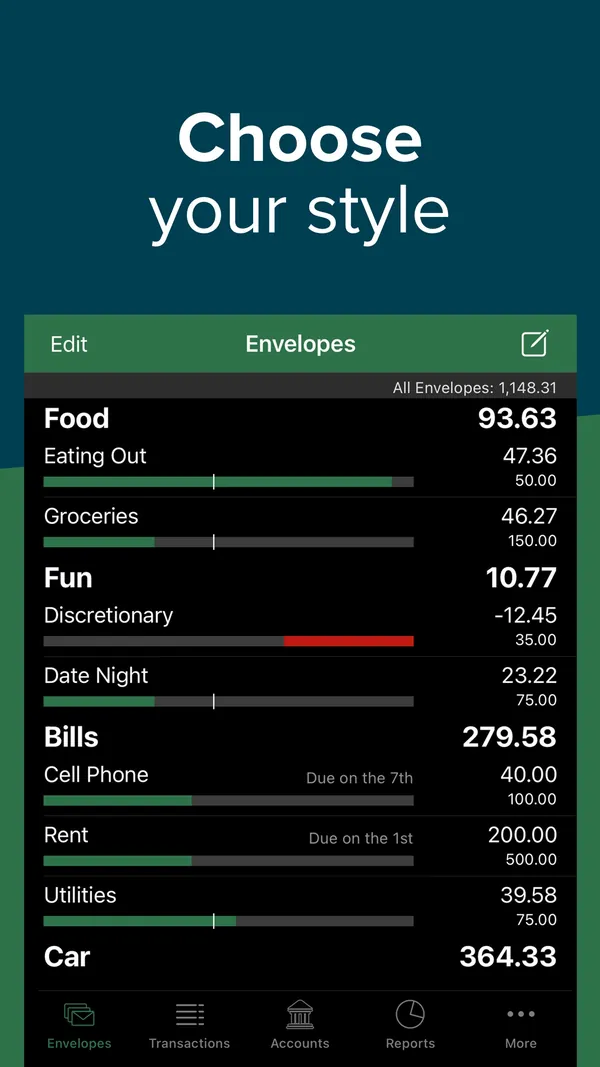
App Store marketing imageApp Store image with the headline "Choose your style" showing the Envelopes screen in dark mode.App Store listing, as of 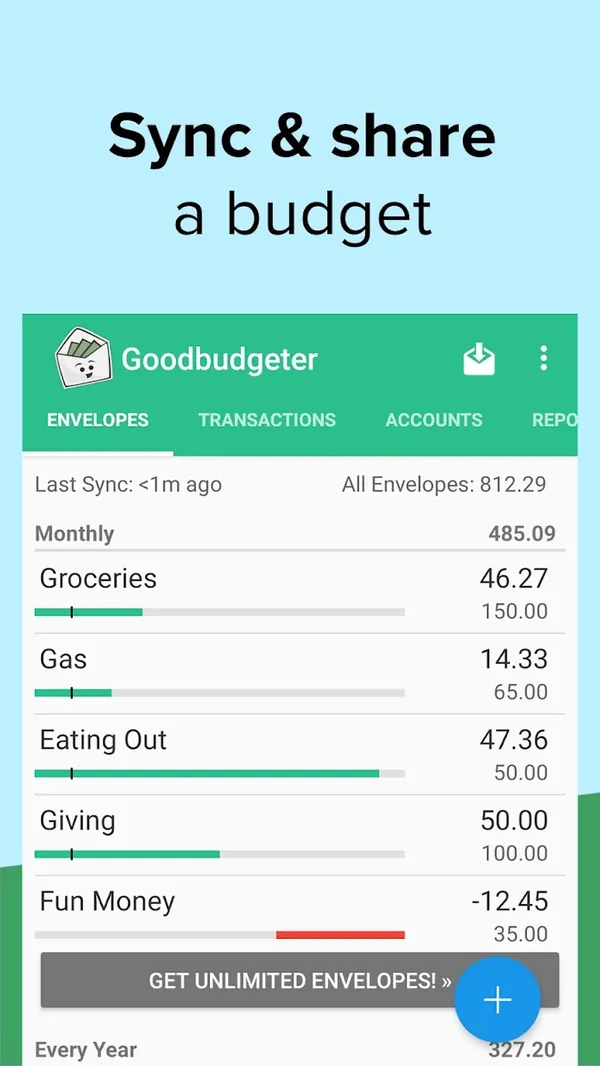
Google Play marketing imageGoogle Play image with the headline "Sync & share a budget" showing the Android Envelopes screen.Google Play listing, as of 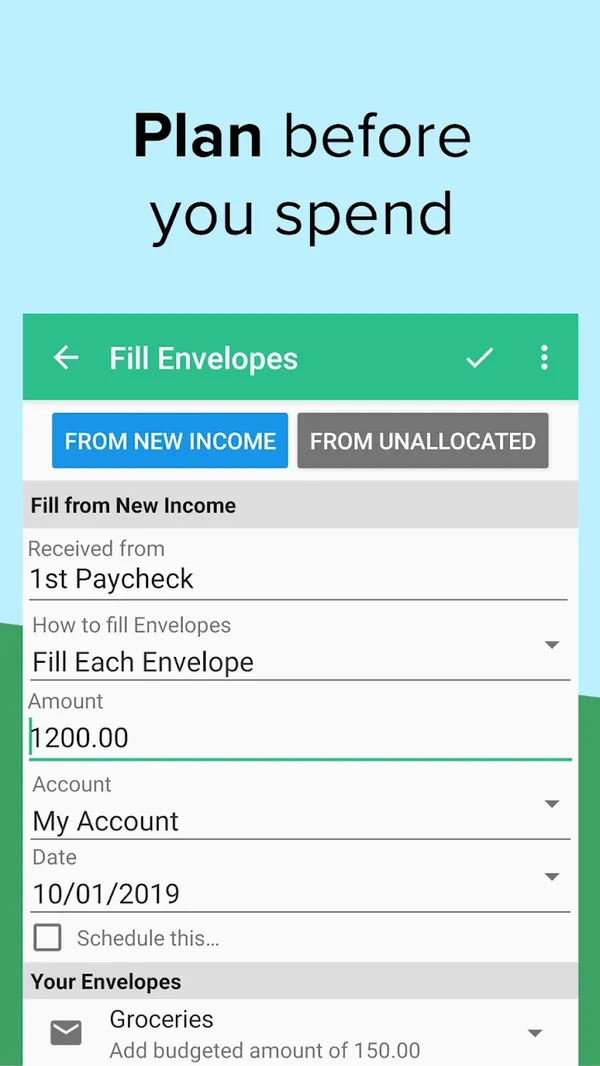
Google Play marketing imageGoogle Play image with the headline "Plan before you spend" showing the Android Fill Envelopes screen.Google Play listing, as of
Quicken Simplifi
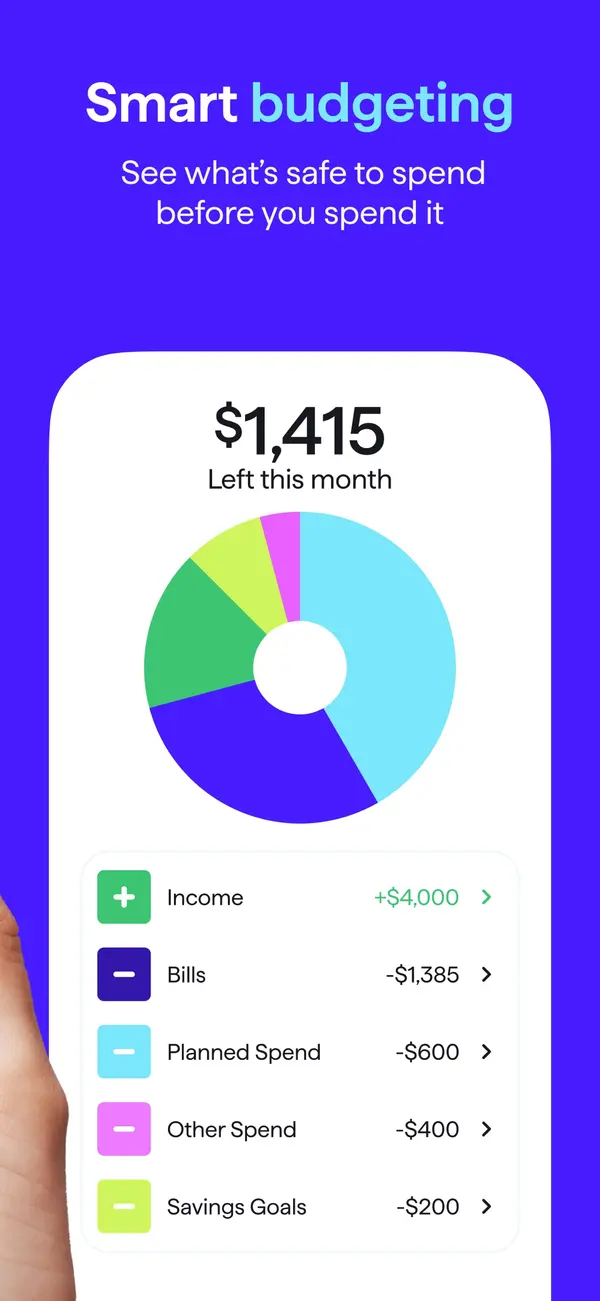
App Store marketing imageApp Store image with the headline "Smart budgeting" showing $1,415 left this month with a donut chart and spending plan rows.App Store listing, as of 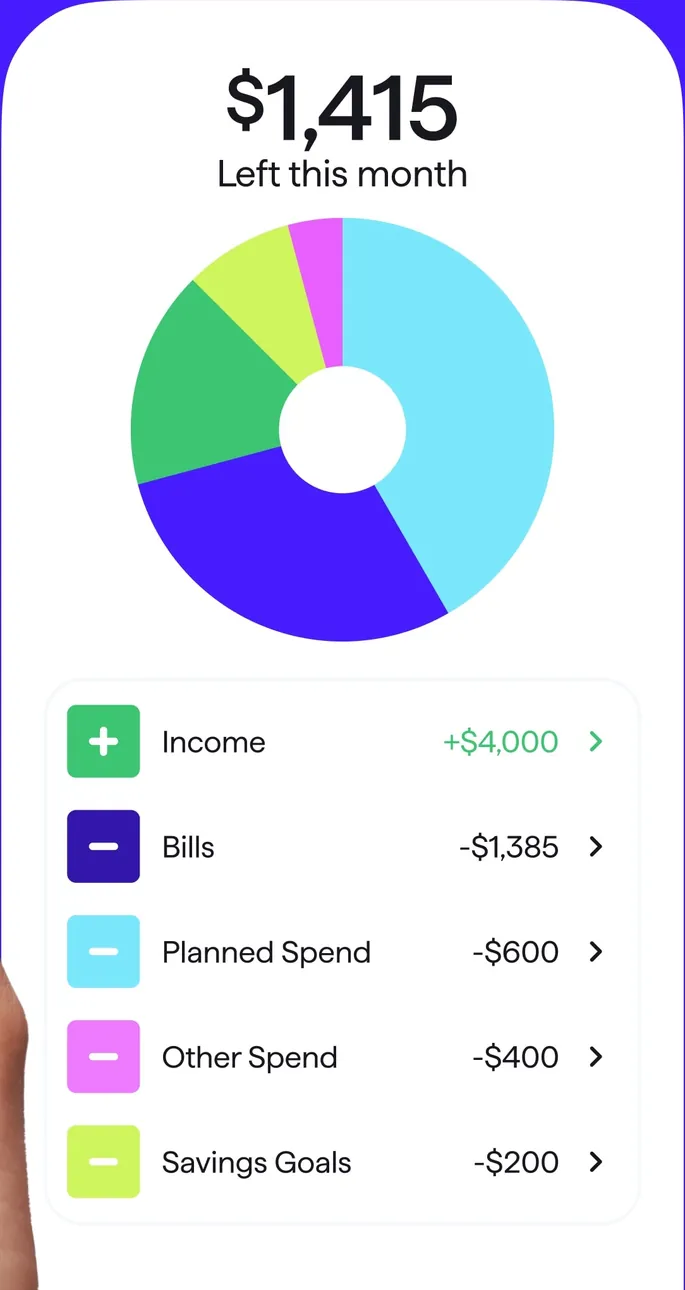
App Store marketing imageA spending plan card: $1,415 left this month, a donut chart, and Income, Bills, Planned Spend, Other Spend and Savings Goals rows.App Store listing, as of 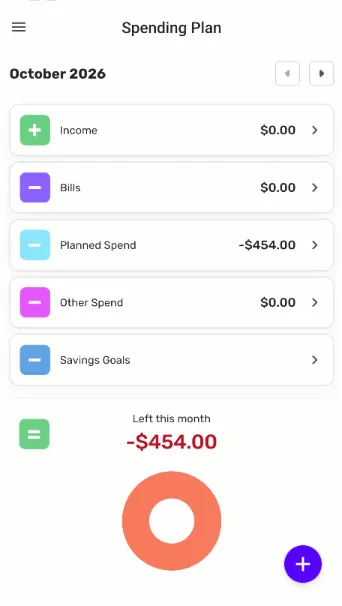
From Simplifi's help centerThe mobile Spending Plan for October 2026 with Income, Bills, Planned Spend, Other Spend and Savings Goals rows and a Left this month ring.support.simplifi.quicken.com, as of 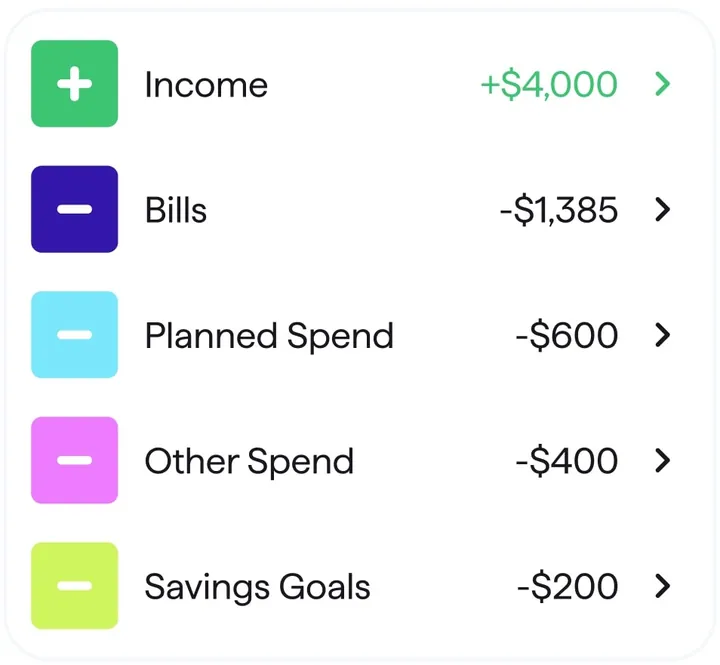
App Store marketing imageSpending plan rows for Income, Bills, Planned Spend, Other Spend and Savings Goals with amounts.App Store listing, as of 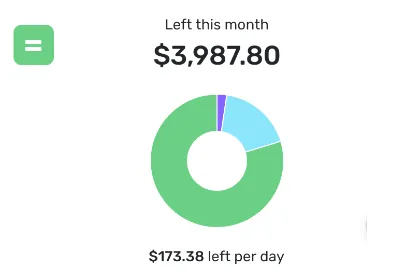
From Simplifi's help centerA Left this month card showing $3,987.80 with a ring chart and $173.38 left per day.support.simplifi.quicken.com, as of
Goals
Goodbudget
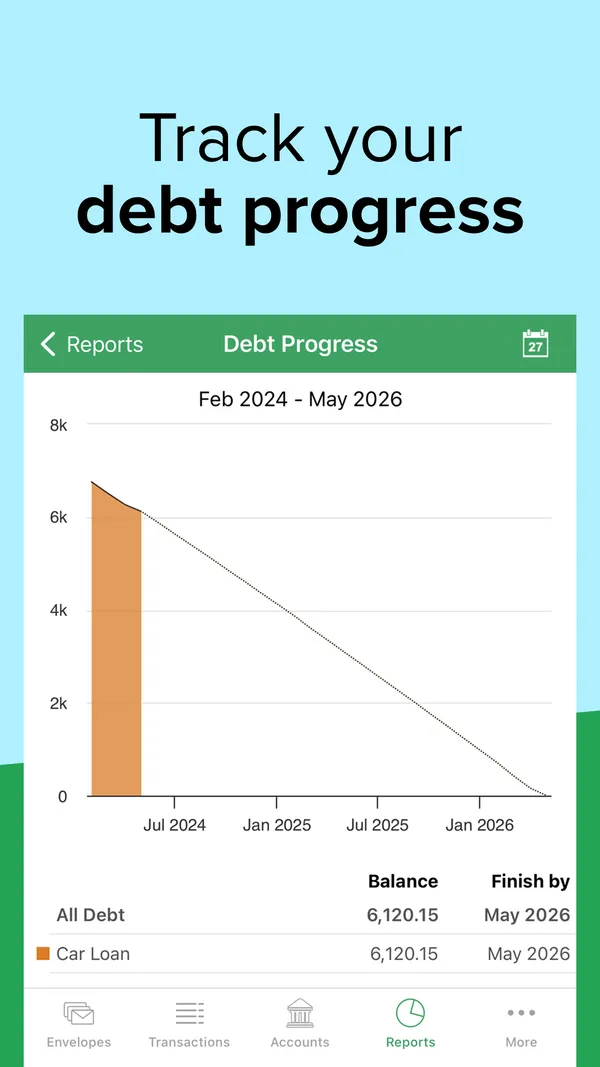
App Store marketing imageApp Store image with the headline "Track your debt progress" showing a Debt Progress chart for a car loan.App Store listing, as of 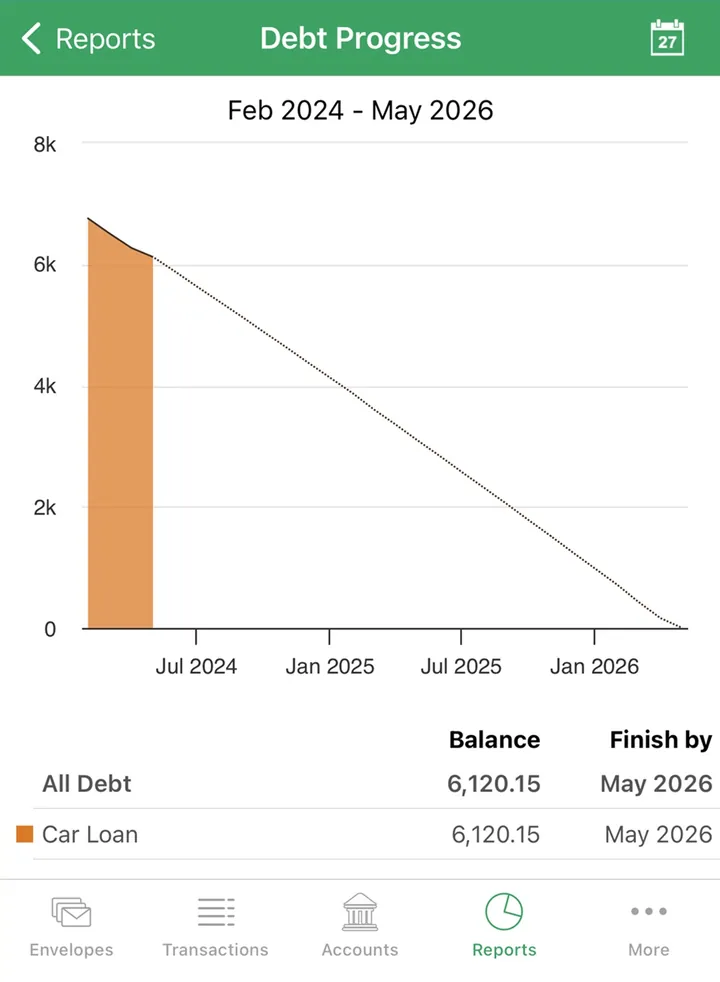
App Store marketing imageA Debt Progress report with a payoff line to 2026 and a table showing the car loan balance and finish date.App Store listing, as of 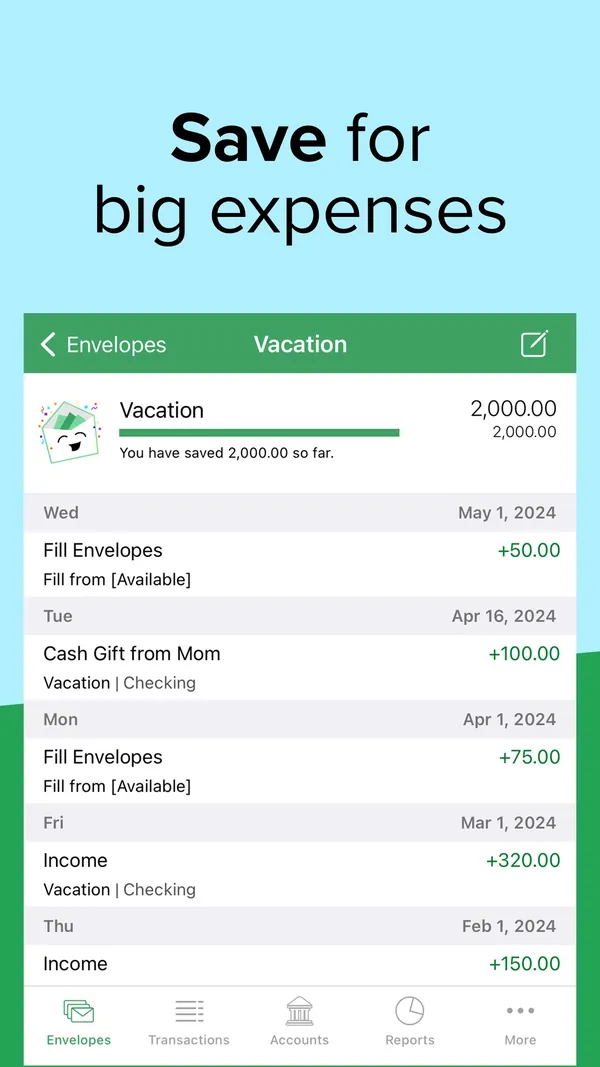
App Store marketing imageApp Store image with the headline "Save for big expenses" showing a Vacation envelope with its history.App Store listing, as of 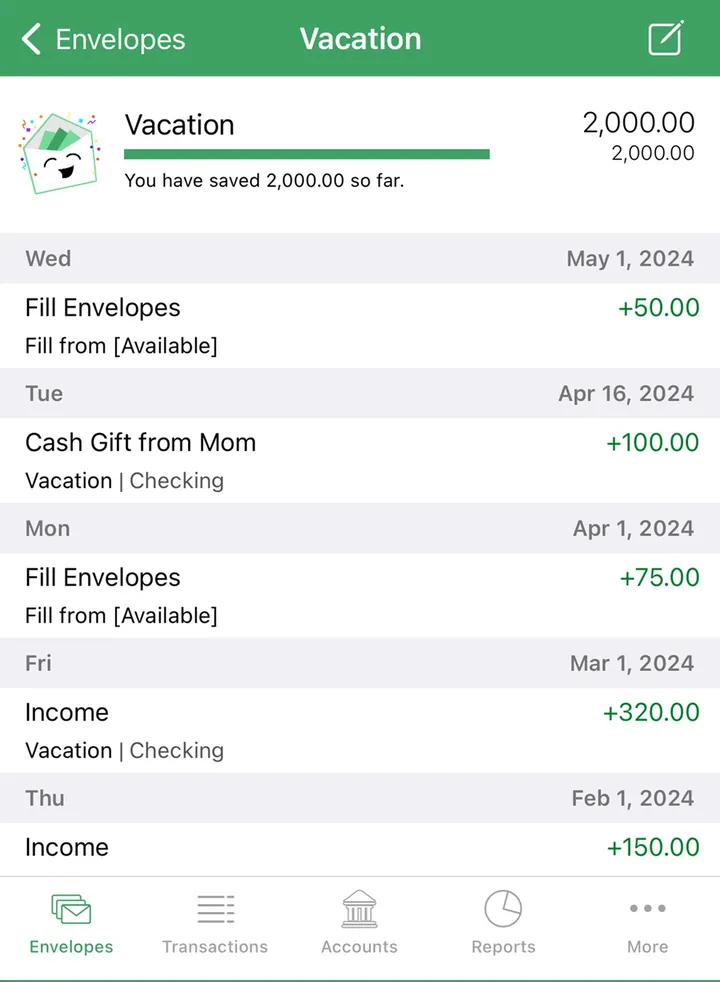
App Store marketing imageA Vacation envelope with 2,000.00 saved and a dated list of fills and income.App Store listing, as of
Quicken Simplifi
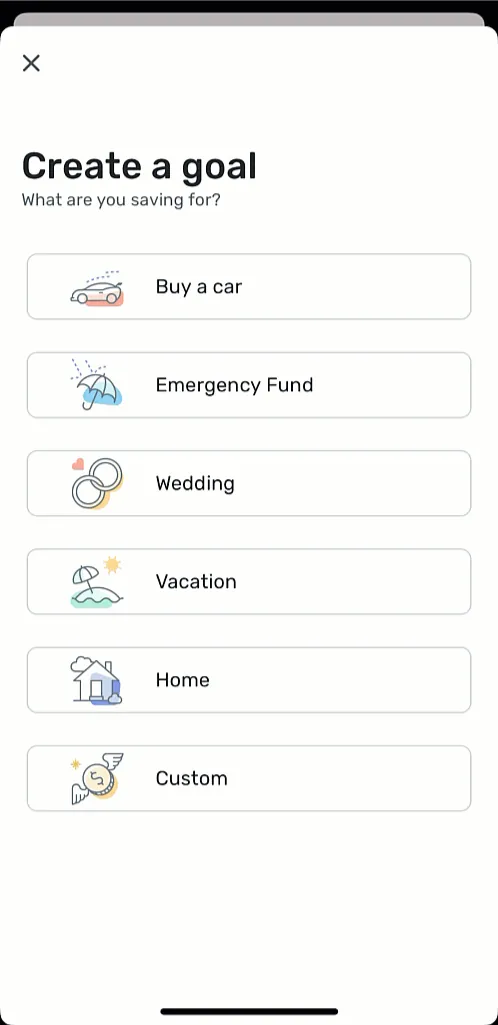
From Simplifi's help centerA Create a goal screen with choices like Buy a car, Emergency Fund, Wedding, Vacation, Home and Custom.support.simplifi.quicken.com, as of 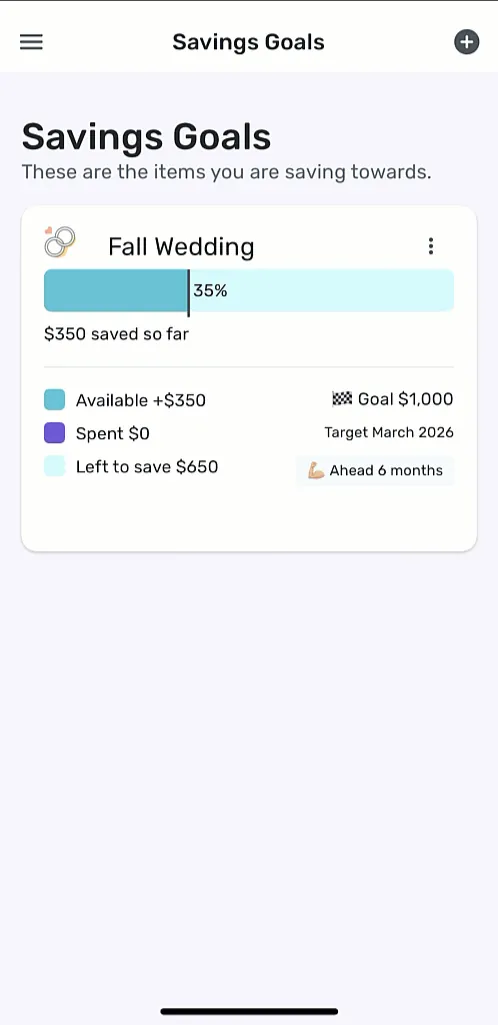
From Simplifi's help centerThe Savings Goals screen with a Fall Wedding goal at 35%, $350 saved and a target date.support.simplifi.quicken.com, as of
Reports and insights
Goodbudget
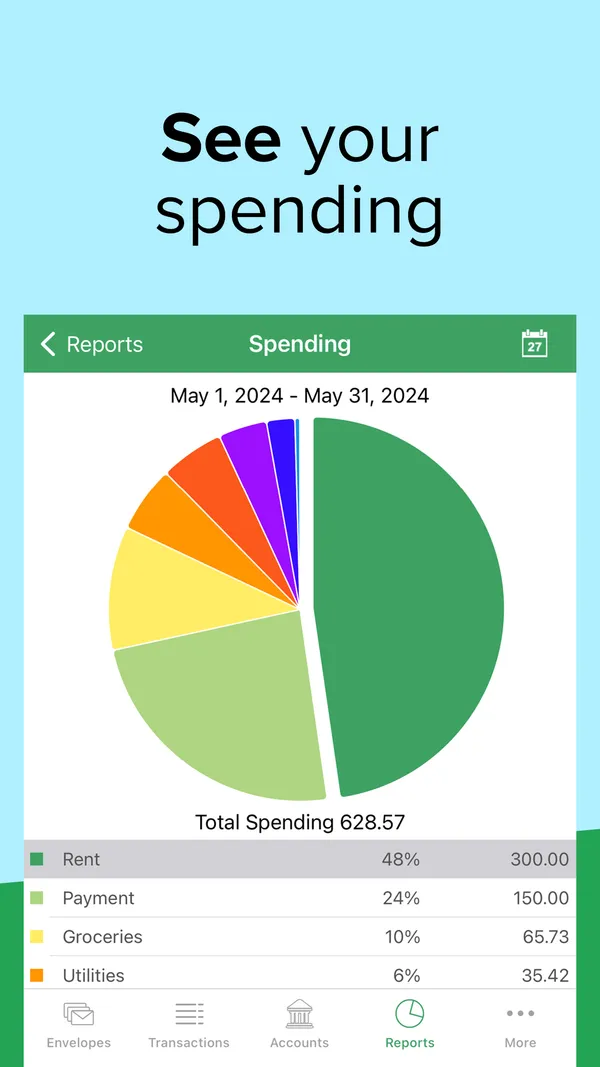
App Store marketing imageApp Store image with the headline "See your spending" showing a Spending report pie chart for May 2024.App Store listing, as of 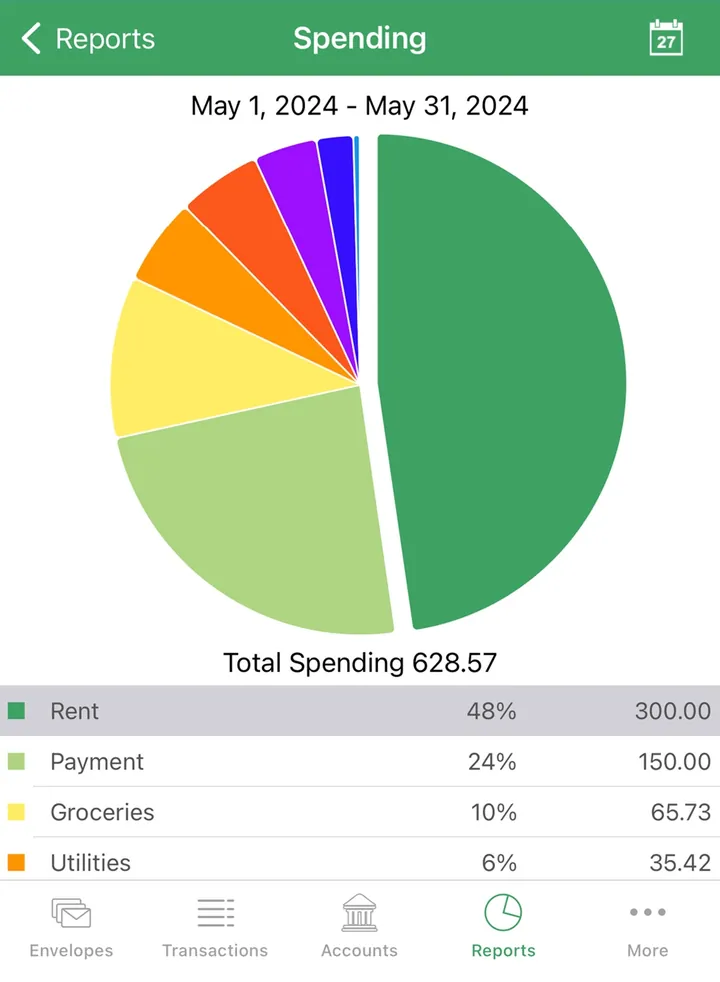
App Store marketing imageA Spending report with a pie chart, total spending of 628.57 and a table of envelopes by share.App Store listing, as of 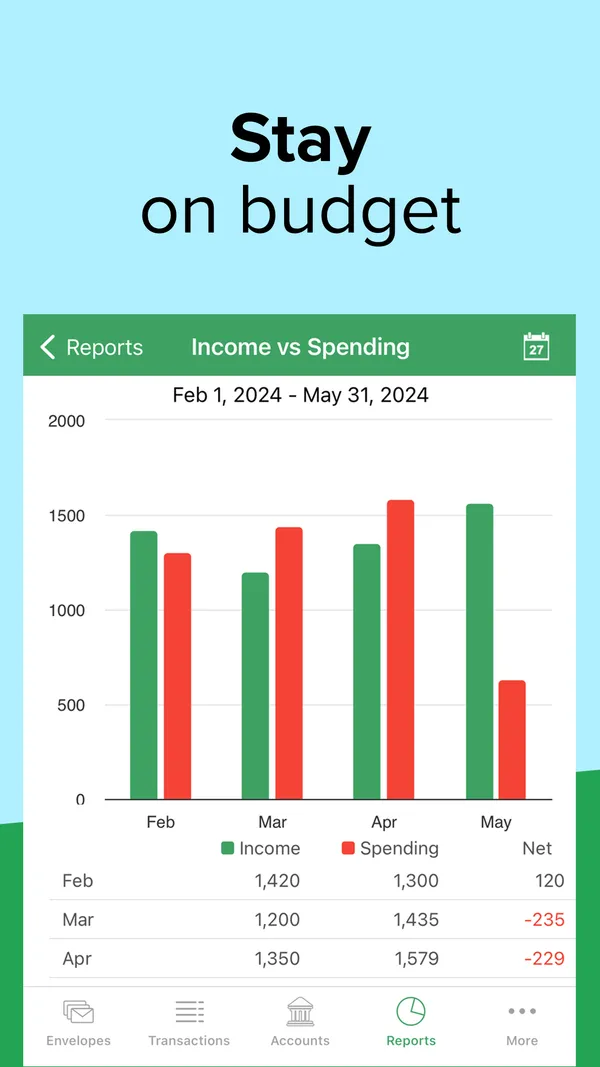
App Store marketing imageApp Store image with the headline "Stay on budget" showing an Income vs Spending report with monthly bars.App Store listing, as of 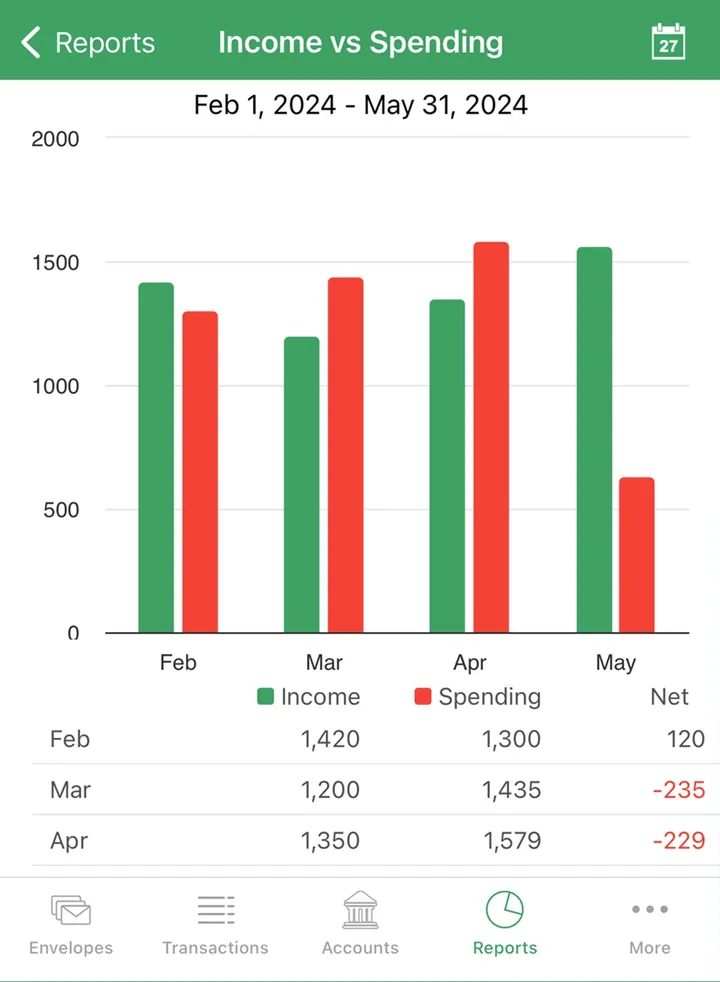
App Store marketing imageAn Income vs Spending report with paired monthly bars and a table of income, spending and net.App Store listing, as of
Quicken Simplifi
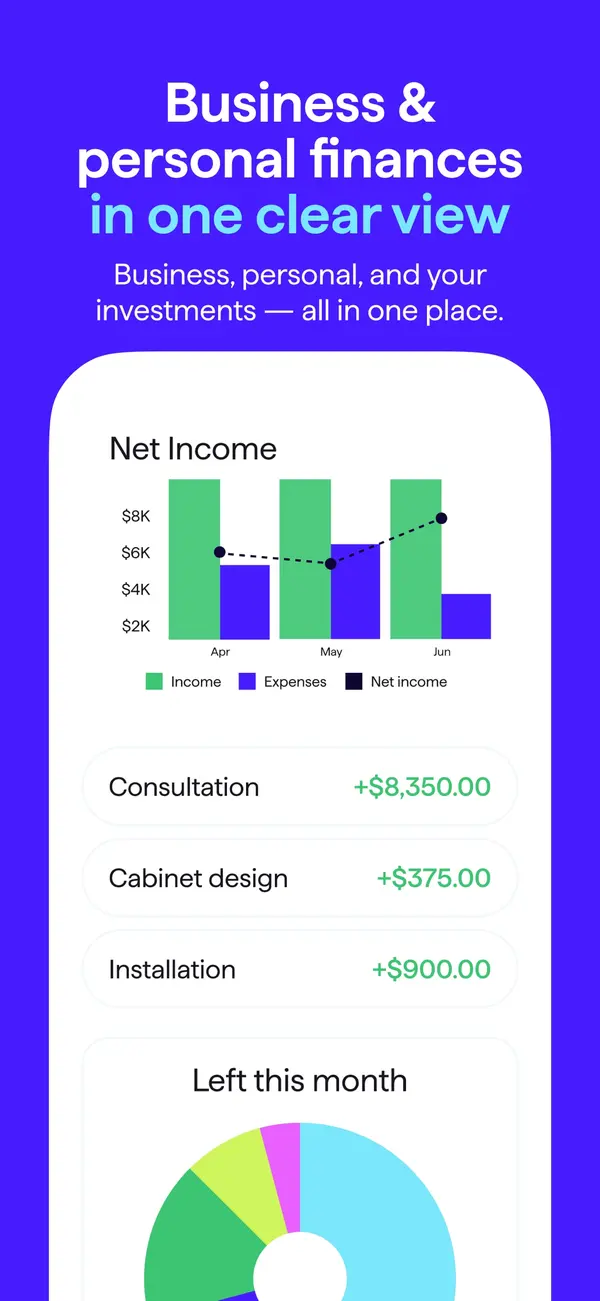
App Store marketing imageApp Store image with the headline "Business & personal finances in one clear view" showing a Net Income chart and income rows.App Store listing, as of 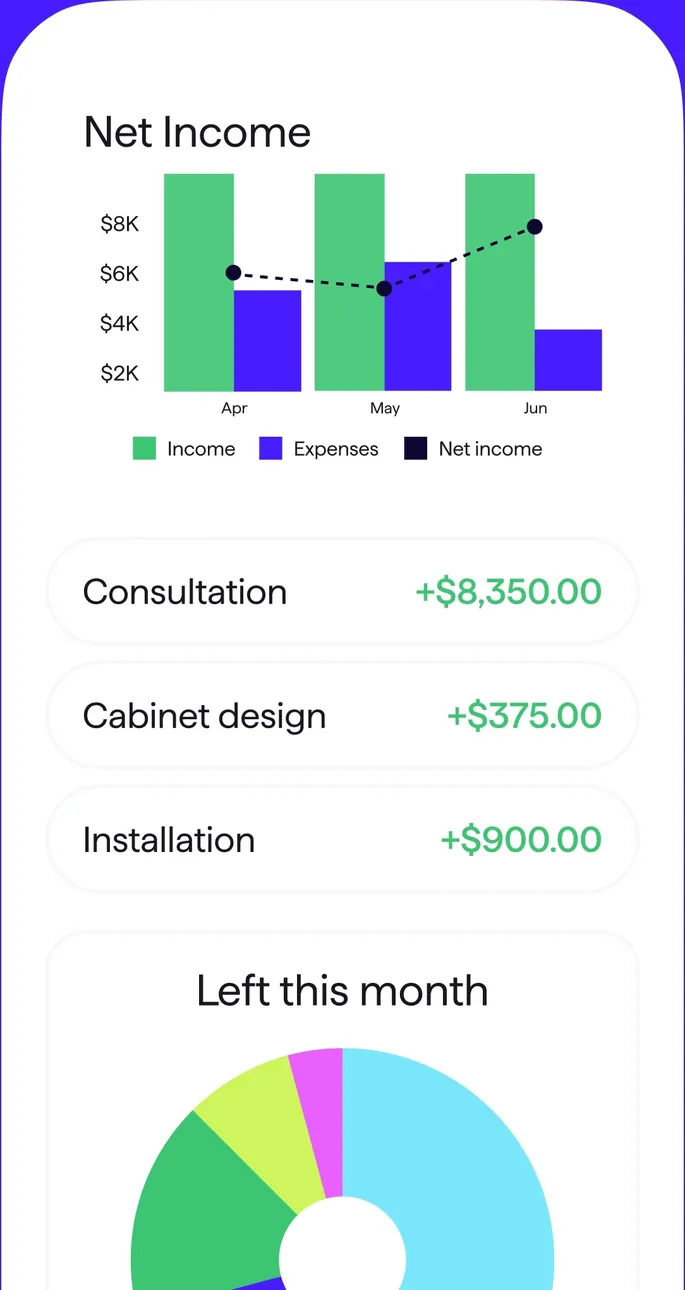
App Store marketing imageA Net Income bar chart by month, three income rows and a Left this month donut.App Store listing, as of 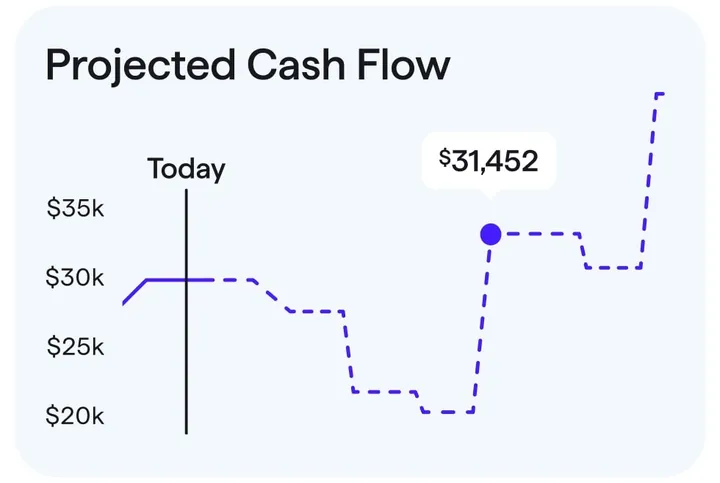
App Store marketing imageA Projected Cash Flow chart with a Today marker and a projected balance of $31,452.App Store listing, as of
Bills and recurring
Goodbudget
No official screen found yet
Quicken Simplifi
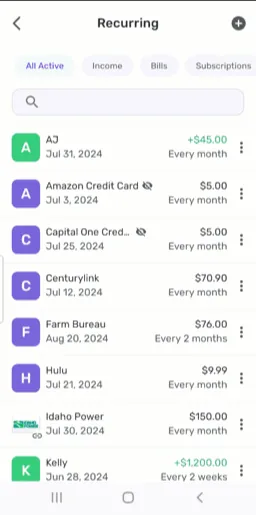
From Simplifi's help centerThe Recurring list with filters for All Active, Income, Bills and Subscriptions and each series' next date and frequency.support.simplifi.quicken.com, as of
Investments
Goodbudget
No official screen found yet
Quicken Simplifi
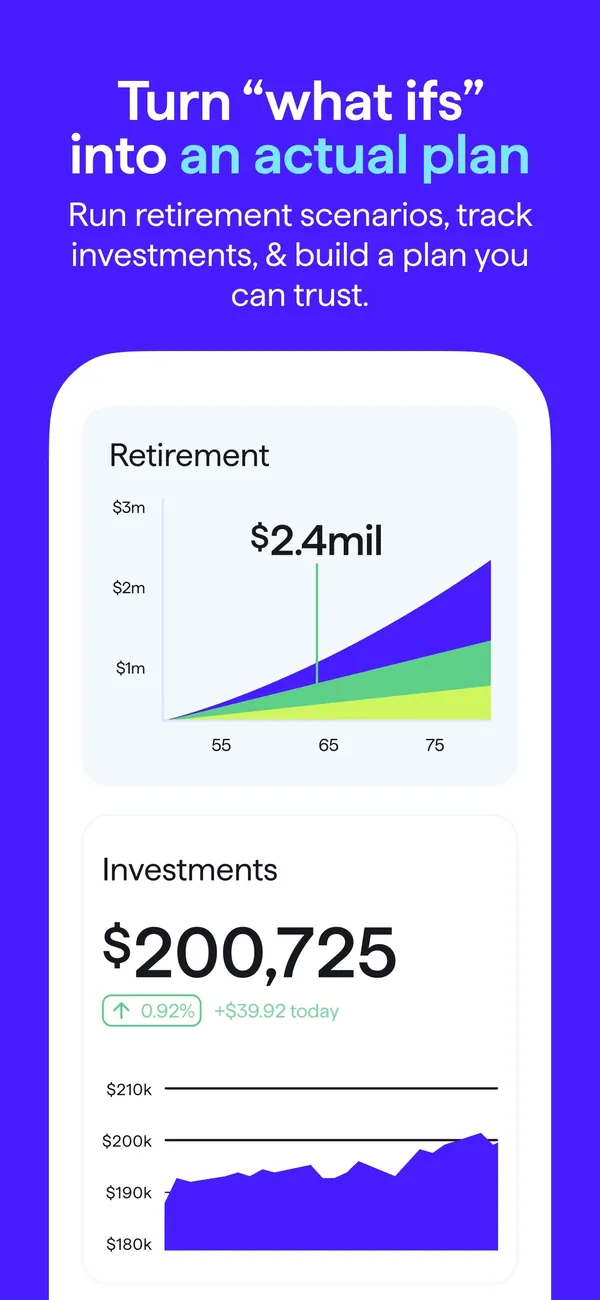
App Store marketing imageApp Store image with the headline "Turn what ifs into an actual plan" showing a Retirement chart and an Investments value.App Store listing, as of 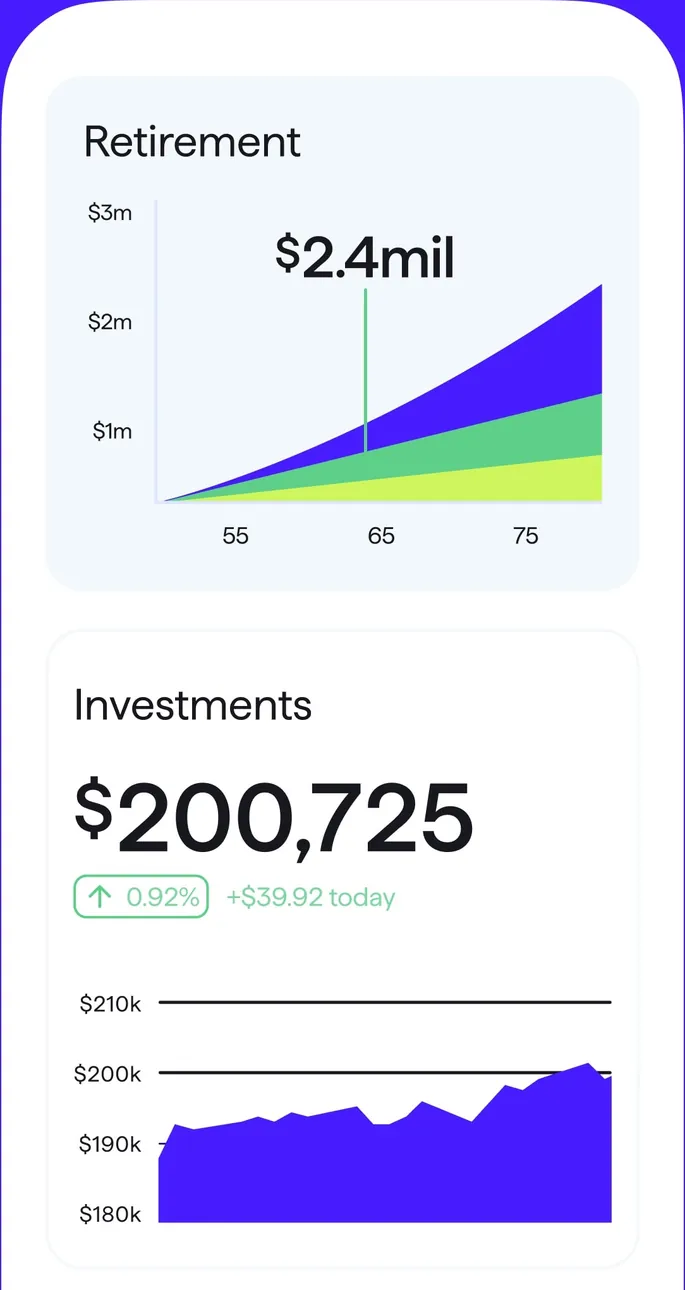
App Store marketing imageA Retirement projection chart and an Investments card with $200,725 and a value chart.App Store listing, as of 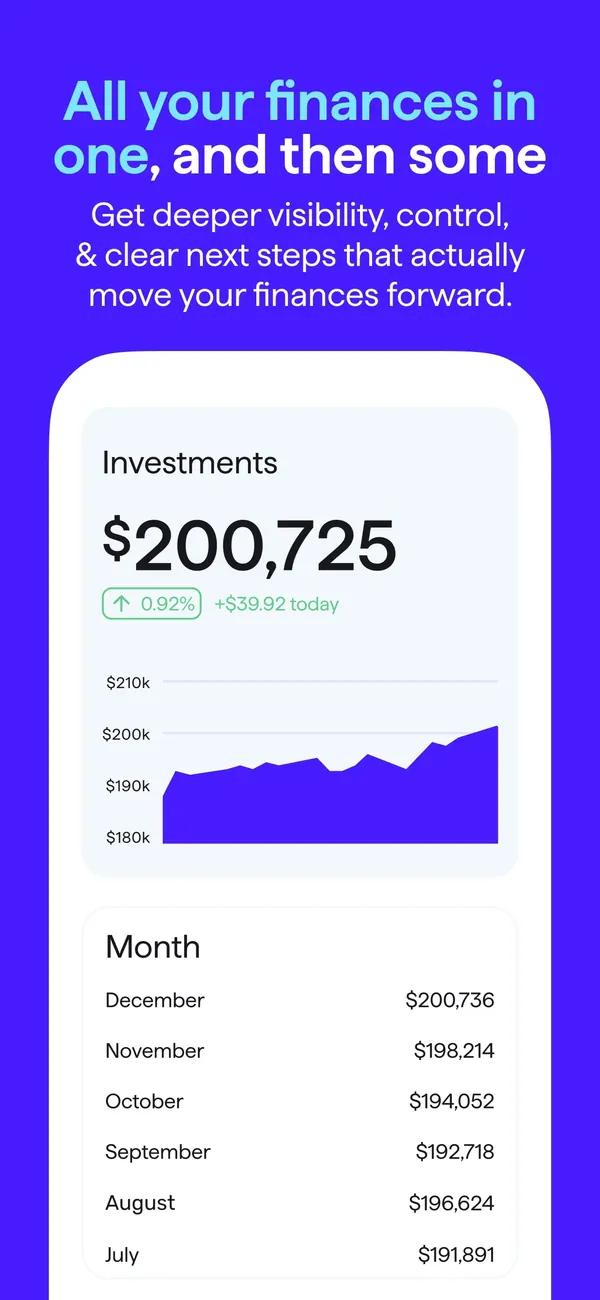
App Store marketing imageApp Store image with the headline "All your finances in one, and then some" showing an Investments value chart and a monthly value list.App Store listing, as of 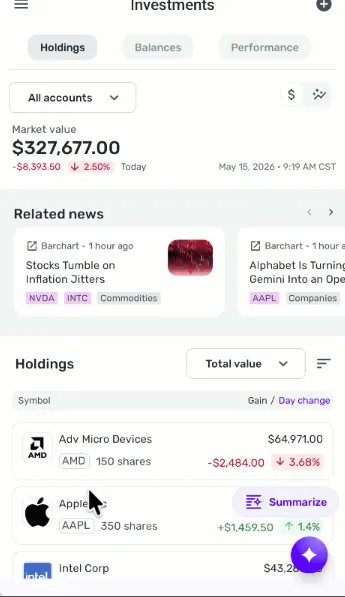
From Simplifi's help centerThe mobile Investments screen with Holdings, Balances and Performance tabs, a market value, related news and holdings.support.simplifi.quicken.com, as of
Sharing with a partner
Goodbudget
No official screen found yet
Quicken Simplifi
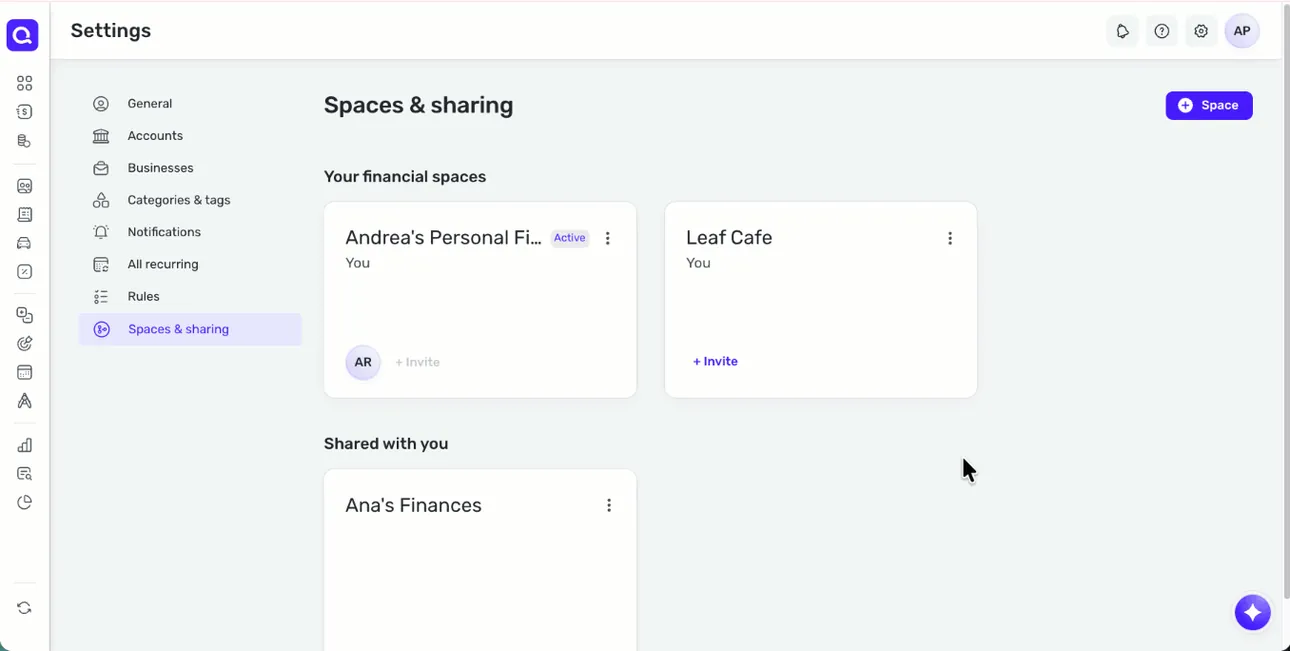
From Simplifi's help centerThe web Spaces & sharing settings with the user's financial spaces and a Shared with you section.support.simplifi.quicken.com, as of 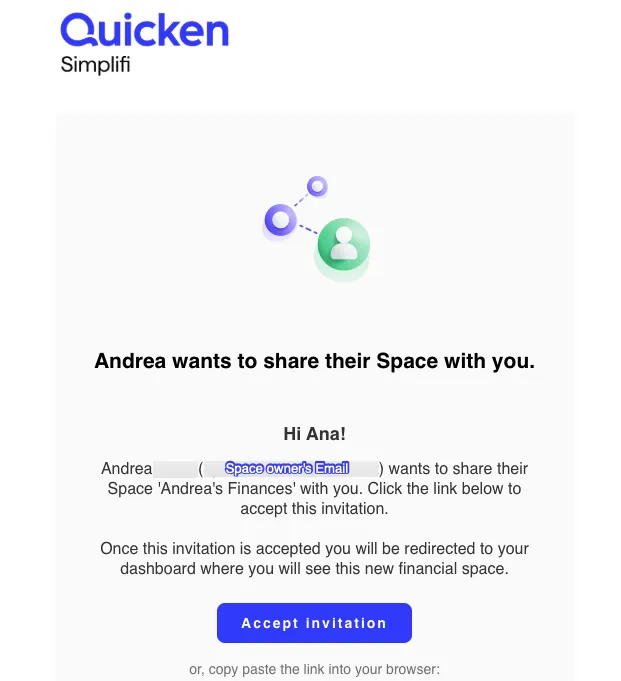
From Simplifi's help centerAn invitation email that says Andrea wants to share their Space, with an Accept invitation button.support.simplifi.quicken.com, as of
Other screens
Goodbudget

App Store marketing imageThe bottom tab bar with Envelopes, Transactions, Accounts, Reports and More.App Store listing, as of
Quicken Simplifi
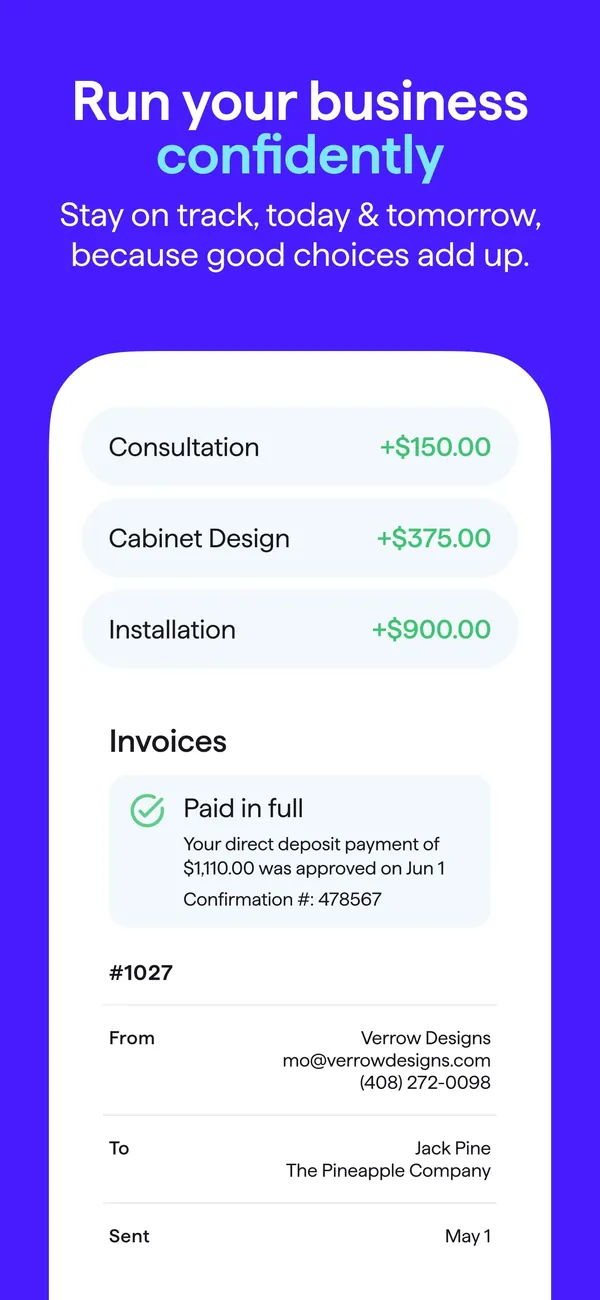
App Store marketing imageApp Store image with the headline "Run your business confidently" showing income rows and an invoice marked Paid in full.App Store listing, as of
Who it's for
Pick the tab that sounds like you. Every answer comes from the app's own pages, and its source opens from the Source link.
Just me
Budgeting on your own? These are the basics people ask about first.
Is it free?
Goodbudget: Goodbudget has a free version. Goodbudget Premium costs $10 a month or $80 a year.
Source
goodbudget.com/signup, checked .Simplifi: Quicken Simplifi lists $6.99 a month, billed annually. New members who order directly from Quicken by November 29, 2026 see a first-year offer of $3.99 a month, billed annually.
Source
quicken.com/products/simplifi, checked .Does it connect to my bank and import transactions?
Goodbudget: Premium only. Goodbudget Premium includes automatic bank sync for US banks only, and the free version does not list it.
Source
goodbudget.com/signup, checked .Simplifi: Yes. Quicken says Simplifi connects to over 14k financial institutions.
Source
quicken.com/products/simplifi, checked .Can I export my data?
Goodbudget: Yes. You can export your data.
Source
In their words: “To export your transaction history in Goodbudget, click on the "Export CSV" link that's above the Transactions list.” goodbudget.com/help/customize-your-goodbudget/export-transactions, checked .Simplifi: Yes. You can export your data.
Source
In their words: “Currently, the only available export format is CSV (Comma-Separated Values), which is compatible with most spreadsheet applications like Excel and Google Sheets.” support.simplifi.quicken.com/en/articles/3404263-how-to-export-transactions-from-quicken-simplifi, checked .Is there support from the app's makers if I need help?
Goodbudget: Yes. Community (Free) and email (Premium).
Source
In their words: “Email support” goodbudget.com/signup, checked .Simplifi: Yes. Live chat, phone and community.
Source
In their words: “You can reach out to our support team via chat, phone, or the Quicken Simplifi Community, each with specific hours.” support.simplifi.quicken.com/en/articles/5077917-how-to-contact-support, checked .
Partners
Sharing money with a partner? Here's how each app handles a second person.
Can my partner use their own login details?
Goodbudget: No. Your partner signs in to your same account.
Source
In their words: “If you've already done that, you'll be able to share your budget with your partner by having them login to Goodbudget on their device using the same username / email address and password you created when you registered.” goodbudget.com/help/mobile-apps/share-budget-w-partner, checked .Simplifi: Yes. Your partner gets their own login.
Source
In their words: “You can share your Quicken Simplifi data with one additional member, who will need their own Quicken ID and password, but does not need their own Quicken Simplifi Subscription.” support.simplifi.quicken.com/en/articles/6443103-how-to-use-spaces-sharing-in-quicken-simplifi, checked .Can we set up joint budgets and goals?
Goodbudget: Yes. You can work toward goals together.
Source
In their words: “When you do that, you'll both be able to add transactions, and make changes to your budget as needed.” goodbudget.com/help/mobile-apps/share-budget-w-partner, checked .Simplifi: Yes. You can work toward goals together.
Source
In their words: “Yep! You can share your Quicken Simplifi account with your partner, financial advisor, or anyone you trust.” quicken.com/products/simplifi, checked .
Family
Bringing in more of the household? Here's what each app says about families and kids. See apps with custodial accounts for kids.
Does it have accounts or features for kids or teens?
Goodbudget: No.
Source
In their words: “The Services are intended solely for users who are eighteen (18) years of age or older.” goodbudget.com/terms-of-use, checked .Simplifi: No.
Source
In their words: “To access and/or use the Products and Services you acknowledge that you are at least 18 years of age” quicken.com/simplifi/terms, checked .
Freelancer
Paid on an uneven schedule or running a side hustle? Here's what each app offers. See apps with a SEP IRA or Solo 401(k).
Can I track irregular income without messing up my monthly budget?
Goodbudget: Yes. It has official guidance for budgeting irregular income.
Source
In their words: “If you get small or irregular paychecks, you can let them collect in Available.” goodbudget.com/help/budgeting-with-goodbudget/unallocated-money, checked .Simplifi: Yes. It has official guidance for budgeting irregular income.
Source
In their words: “In some months, your income may differ from what's tracked through Recurring Series transactions-for example, if you receive a bonus, have a fixed income, want to carry over unused funds from the previous month, or your income fluctuates. In these cases, you can manually set a custom income amount in your Spending Plan in Quicken Simplifi.” support.simplifi.quicken.com/en/articles/5528672-how-do-i-set-a-custom-income-amount-in-the-spending-plan, checked .Can I export my transactions for tax prep?
Goodbudget: Yes. You can export your transactions for tax prep.
Source
In their words: “we can give you a few pointers on how to use Goodbudget reports alongside your tax software so the process is a little smoother” goodbudget.com/blog/2026/03/gb-bulletin-gb-cant-file-your-taxes-for-you, checked .Simplifi: Yes. You can export your transactions for tax prep.
Source
In their words: “The Taxes report also supports TXF and TXJ formats for use with tax preparation software.” support.simplifi.quicken.com/en/articles/4592676-using-reports-in-quicken-simplifi, checked .
Business
Running a small business? Here's what each app says about business money.
Can I export my transactions for tax prep?
Goodbudget: Yes. You can export your transactions for tax prep.
Source
In their words: “we can give you a few pointers on how to use Goodbudget reports alongside your tax software so the process is a little smoother” goodbudget.com/blog/2026/03/gb-bulletin-gb-cant-file-your-taxes-for-you, checked .Simplifi: Yes. You can export your transactions for tax prep.
Source
In their words: “The Taxes report also supports TXF and TXJ formats for use with tax preparation software.” support.simplifi.quicken.com/en/articles/4592676-using-reports-in-quicken-simplifi, checked .Can I share my finances with my accountant?
Goodbudget: Yes. You can export your data and send the file.
Source
In their words: “To export your transaction history in Goodbudget, click on the "Export CSV" link that's above the Transactions list.” goodbudget.com/help/customize-your-goodbudget/export-transactions, checked .Simplifi: Yes. You can export your data and send the file.
Source
In their words: “Currently, the only available export format is CSV (Comma-Separated Values), which is compatible with most spreadsheet applications like Excel and Google Sheets.” support.simplifi.quicken.com/en/articles/3404263-how-to-export-transactions-from-quicken-simplifi, checked .
A question shows only when every app here has a current official source that answers it. We only say no when the app's own page does.
Which fits your Money Type?
There are four Money Types: Strategist, Spender, Saver and Scrambler. Each card matches one type to what the sources say about these two apps.
 Strategist
Simplifi lists investment tracking. That fits a Strategist, who wants to watch the whole plan grow.
First fix: Save the Raise.
 Spender
Both Goodbudget and Simplifi list goals. A goal gives a Spender a reason to pause before buying, which is the Sleep on It fix.
First fix: Sleep on It.
 Saver
Neither app's sources confirm a feature we match to this type yet, so the quiz is the better place to start.
First fix: Put It to Work.
 Scrambler
Both Goodbudget and Simplifi list bank syncing. Seeing every account in one place helps a Scrambler pay bills first.
First fix: Bills First.
Not sure which one you are? Take the free Money Types quiz. It takes about two minutes.
Full disclosure: Taylor Price, who runs Priceless Tay, owns Fifecta, so keep that in mind as you read this comparison.
Another option: Fifecta
If neither Goodbudget nor Simplifi feels right, here is one more option to look at. Fifecta gives every paycheck a plan with FUNDS, and it starts from your Money Type, so the plan matches how you already handle money.
What real users say
These are other people's opinions, not Priceless Tay's. We quote public reviews and posts word for word, link each one and show its date, but we haven't checked the claims in them. A post counts toward a theme when it uses one of that theme's keywords, so a mention can be praise or a complaint.
What Simplifi users say
Based on 34 App Store reviews, 18 Reddit posts and 2 Hacker News posts dated Oct 2025 to Oct 2026, read Oct 2026. We collected the Reddit data with Apify, a scraping service, on Oct 24, 2026.
- Of the 54 reviews and posts we read, 17 mention how easy or hard the app is to use.
- Of the 54 reviews and posts we read, 15 mention the price, fees or the subscription.
- Of the 54 reviews and posts we read, 8 mention syncing or connecting accounts.
Positive
“...Simplifi by far is the easiest to use and has the most intuitive UI.”
Critical
“Quicken Simplifi has been a huge disappointment. I have multiple high-usage accounts that have lost connectivity...”
Positive
“...I've used Simplifi, Monarch and Copilot Money and Simplifi was the best of all those 3 IMO.”
Where these come from
- Simplifi reviews on the App Store, read Oct 24, 2026. This listing is the Quicken app, so we kept only reviews dated inside the window that name Simplifi (34 of the 209 in the feed).
- Hacker News search for Simplifi, read Oct 24, 2026. Public search of comments and posts. 5 named the app; we kept 2 where the writer shares their own use of it.
- Reddit search for Simplifi, collected Oct 24, 2026. Collected with Apify (harshmaur/reddit-scraper) on Oct 24 2026: a keyword search for "Quicken Simplifi", posts and comments from after Oct 24 2025. It returned 98, most of them about something else. We kept 18 where the writer shares their own use of the app or a clear opinion of it. We left out moderators, bots, company accounts, referral posts and people promoting their own apps.
- YouTube search for Simplifi, collected Oct 24, 2026. Collected with Apify (streamers/youtube-scraper) on Oct 24 2026: a search for "Quicken Simplifi review" from the past year, up to 8 videos. It returned 8. We kept 0 and left out the app's own channel, sponsored videos, videos with affiliate or referral links and videos about a different product. We count themes from each video's title, description and captions, but we don't quote videos, because the captions we have carry no timestamps.
- u/err_404_smooth_brain in r/simplifimoney on Reddit, Oct 24, 2026.
- u/AMinthPM in r/MoneyDiariesACTIVE on Reddit, Oct 22, 2026.
- u/Physical-Incident553 in r/personalfinance on Reddit, Oct 22, 2026.
- u/pepe_teh_king_prawn in r/MoneyDiariesACTIVE on Reddit, Oct 22, 2026.
- u/deathoftheendless_ in r/MoneyDiariesACTIVE on Reddit, Oct 22, 2026.
- u/theyhis in r/budgetingforbeginners on Reddit, Oct 21, 2026.
- u/Forded_Fiction24 in r/investingforbeginners on Reddit, Oct 14, 2026.
- u/fishiesaurus in r/DaveRamsey on Reddit, Oct 13, 2026.
- u/Inner_Difficulty_381 in r/simplifimoney on Reddit, Sep 30, 2026.
- u/Training_Falcon_3432 in r/simplifimoney on Reddit, Sep 30, 2026.
- u/HungryPeanutButter in r/Fire on Reddit, Sep 27, 2026.
- u/Moar-Points-100M in r/ufl on Reddit, Sep 26, 2026.
- u/HenFruitEater in r/MonarchMoney on Reddit, Sep 23, 2026.
- u/tracker141 in r/simplifimoney on Reddit, Sep 17, 2026.
- u/Jc_Worley in r/simplifimoney on Reddit, Sep 11, 2026.
- u/Arutig3 in r/MonarchMoney on Reddit, Aug 26, 2026.
- u/bwtharp in r/simplifimoney on Reddit, Aug 21, 2026.
- u/Veronica6765 in r/copilotmoney on Reddit, Aug 11, 2026.
- DazWilkin on Hacker News, Mar 20, 2026.
- whattheheckheck on Hacker News, Jan 2, 2026.
FAQ
How much does Goodbudget cost?
Goodbudget has a free version. Goodbudget Premium costs $10 a month or $80 a year. We checked this on Nov 3, 2026.
How much does Simplifi cost?
Quicken Simplifi lists $6.99 a month, billed annually. New members who order directly from Quicken by November 29, 2026 see a first-year offer of $3.99 a month, billed annually. We checked this on Nov 3, 2026.
Does Goodbudget have a free trial?
Goodbudget says it isn't offering trials of Premium. There is a Free Forever plan, and you can ask for a refund within the first 30 days of a subscription. We checked this on Nov 3, 2026.
Does Simplifi have a free trial?
Quicken says Simplifi has no free trial, but offers a 30-day money-back guarantee from the original purchase date for subscriptions bought directly from Quicken. We checked this on Nov 3, 2026.
More comparisons
Similar comparisons






Keep comparing
- Read our Quicken Simplifi review.
- See Goodbudget alternatives, closest category first.
- See Simplifi alternatives, closest category first.
- Browse our guide to the best budgeting apps.
- Want the bigger picture? Compare more money apps.
Full disclosure: Taylor Price, who runs Priceless Tay, owns Fifecta, so keep that in mind as you read this comparison.
Want a plan built on your Money Type?
Fifecta gives every paycheck a plan with FUNDS, so you know where each dollar goes.
Sources and confidence
- Last checked
- Sourced facts
- 12 facts, each linked and dated
Goodbudget6 sourced facts, last checked Nov 3, 2026
- Price and feesgoodbudget.com/signup, as of Nov 3, 2026
- Free trialforums.goodbudget.com/t/premium-level/2994, as of Nov 3, 2026
- Platformsgoodbudget.com/signup, as of Nov 3, 2026
- Bank syncinggoodbudget.com/signup, as of Nov 3, 2026
- Featuresgoodbudget.com/what-you-get, as of Nov 3, 2026
- App store ratingApp Store listing, as of Nov 3, 2026
Quicken Simplifi6 sourced facts, last checked Nov 3, 2026
- Price and feesquicken.com/products/simplifi, as of Nov 3, 2026
- Free trialsupport.simplifi.quicken.com/en/articles/3363727-quicken-simplifi-subscription-questions, as of Nov 3, 2026
- Platformsquicken.com/products/simplifi, as of Nov 3, 2026
- Bank syncingquicken.com/products/simplifi, as of Nov 3, 2026
- Featuresquicken.com/products/simplifi, as of Nov 3, 2026
- App store ratingApp Store listing, as of Nov 3, 2026
Each fact links to the official page it came from, with the date we checked it. Once a fact is older than 30 days, it comes off the page until we check it again. How we source, date and index this data.
This is education, not financial advice.