
Debt payoff comparison
Changed vs Rocket Money
Updated
Full disclosure: Taylor Price, who runs Priceless Tay, owns Fifecta, so keep that in mind as you read this comparison.

Short answer
Changed is a debt payoff app and Rocket Money is a budgeting app. Changed lists plans from $6 a month on its website, while Rocket Money has a free version. We checked both on Oct 24, 2026, and the official sources differ on 4 of the 10 rows in the table below.
Changed vs Rocket Money at a glance
Changed is a debt payoff app and Rocket Money is a budgeting app. This page puts what each company's official pages and app store listings say side by side, with the date we checked every fact. The sources differ on 4 of the 10 rows in the table below.
Price and fees
Changed lists plans from $6 a month on its website. Rocket Money has a free version. Premium uses a pay what you think is fair price that Rocket Money says typically ranges from $7 to $14 a month, and Premium+ costs $15 a month. We checked both on Oct 24, 2026.
Platforms
Changed lists iOS. Rocket Money lists iOS, Android and Web. We checked both on Oct 24, 2026.
Bank syncing
Changed links your loans and the bank and spending accounts you want it to track for round-ups. Rocket Money says it connects to your accounts through Plaid. We checked both on Oct 24, 2026.
Payoff methods
Changed lists these payoff methods: Debt Snowball, Debt Avalanche and Custom Plans. We haven't verified this for Rocket Money yet, so check the official site for Rocket Money before you decide. We checked Changed on Oct 24, 2026.
Debt-free date
Yes. Changed says its built-in debt calculator estimates your payoff timeline and how much interest you can save. We haven't verified this for Rocket Money yet, so check the official site for Rocket Money before you decide. We checked Changed on Oct 24, 2026.
Extra payments
Yes. You can schedule extra payments or send one-off Boost payments, on top of the round-ups from your purchases. We haven't verified this for Rocket Money yet, so check the official site for Rocket Money before you decide. We checked Changed on Oct 24, 2026.
Features
Rocket Money lists goals, shared budgets, AI features and data export. We haven't verified the features for Changed yet. We checked Rocket Money on Oct 24, 2026.
App store rating
Changed has 4.6 out of 5 on the App Store from 5,654 ratings. Rocket Money has 4.5 out of 5 on the App Store from 401,884 ratings. We checked both on Oct 24, 2026. Store ratings are a dated snapshot from each listing, not our score.
What it costs
 Changed
Changed lists plans from $6 a month on its website.
As of · gochanged.com
 Rocket Money
Rocket Money has a free version. Premium uses a pay what you think is fair price that Rocket Money says typically ranges from $7 to $14 a month, and Premium+ costs $15 a month.
Bars show only when every app here lists a yearly price, so these prices sit side by side without them. Prices are list prices from each app's own page, before tax and any offer.
At a glance
Free trial
- Changed
- Not verified yet
- Rocket Money
- Not verified yet
Source
- Changed: Not verified yet.
- Rocket Money: Not verified yet.
App Store rating
- Changed
- 4.65,654 ratings
- Rocket Money
- 4.5401,884 ratings
Source
- Changed has 4.6 out of 5 on the App Store from 5,654 ratings. App Store listing, as of Oct 24, 2026.
- Rocket Money has 4.5 out of 5 on the App Store from 401,884 ratings. App Store listing, as of Oct 24, 2026.
Platforms
- Changed
- iOS
- Rocket Money
- iOS
- Android
- Web
Source
- Changed lists iOS. App Store listing, as of Oct 24, 2026.
- Rocket Money lists iOS, Android and Web. rocketmoney.com/learn/personal-finance/how-much-does-rocket-money-cost, as of Oct 24, 2026.
Bank syncing
- Changed
- Yes
- Rocket Money
- Yes
Source
- Yes. Changed links your loans and the bank and spending accounts you want it to track for round-ups. gochanged.com/how-it-works, as of Oct 24, 2026.
- Yes. Rocket Money says it connects to your accounts through Plaid. rocketmoney.com/learn/personal-finance/how-much-does-rocket-money-cost, as of Oct 24, 2026.
Payoff methods
- Changed
- Debt Snowball
- Debt Avalanche
- Custom Plans
- Rocket Money
- Not verified yet
Source
- Changed lists these payoff methods: Debt Snowball, Debt Avalanche and Custom Plans. App Store listing, as of Oct 24, 2026.
- Rocket Money: Not verified yet.
Debt-free date
- Changed
- Yes
- Rocket Money
- Not verified yet
Source
- Yes. Changed says its built-in debt calculator estimates your payoff timeline and how much interest you can save. App Store listing, as of Oct 24, 2026.
- Rocket Money: Not verified yet.
Extra payments
- Changed
- Yes
- Rocket Money
- Not verified yet
Source
- Yes. You can schedule extra payments or send one-off Boost payments, on top of the round-ups from your purchases. gochanged.com/how-it-works, as of Oct 24, 2026.
- Rocket Money: Not verified yet.
Payment reminders
- Changed
- Not verified yet
- Rocket Money
- Not verified yet
Source
- Changed: Not verified yet.
- Rocket Money: Not verified yet.
Features
| Feature | Changed | Rocket Money |
|---|---|---|
| AI features | Not verified yet | Listed by the source |
| Savings goals | Not verified yet | Listed by the source |
| Shared budgets | Not verified yet | Listed by the source |
| Data export | Not verified yet | Listed by the source |
✓ means the official site lists it. ? means we haven't verified it yet, not that the app lacks it. Rocket Money: rocketmoney.com/learn/personal-finance/how-much-does-rocket-money-cost, as of Oct 24, 2026.
Screen by screen
Pick a task to see what each app shows for it. App Store and Google Play images are the apps' own marketing, so they can show sample data and staged layouts. Help center images come from the app's support articles. See every app's screens.
Home
Changed
No official screen found yet
Rocket Money
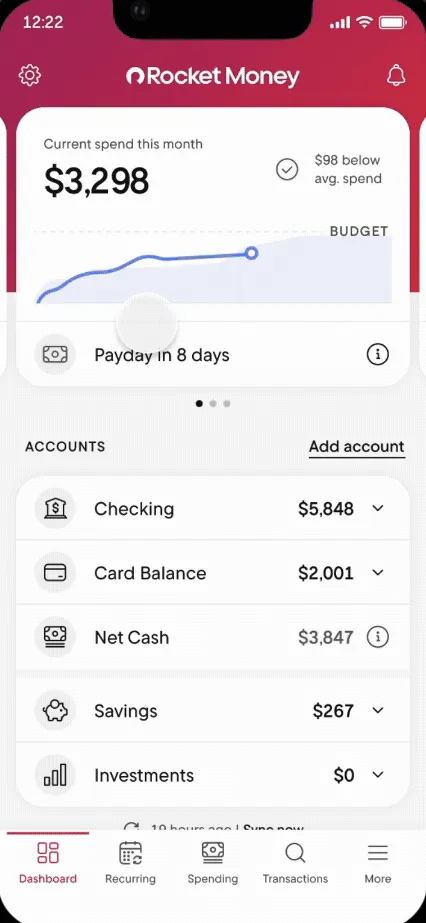
From Rocket Money's help centerThe Dashboard with current spend this month, a Payday in 8 days row and account balances.help.rocketmoney.com, as of
Accounts
Changed
No official screen found yet
Rocket Money
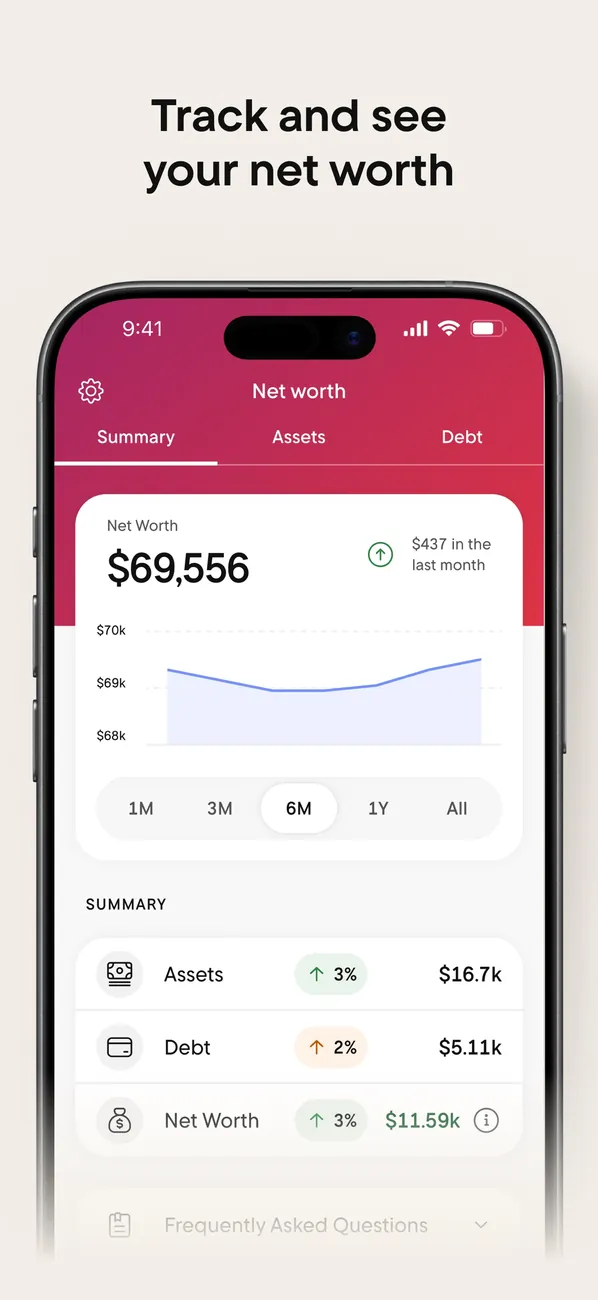
App Store marketing imageApp Store image with the headline "Track and see your net worth" showing the Net worth tab.App Store listing, as of 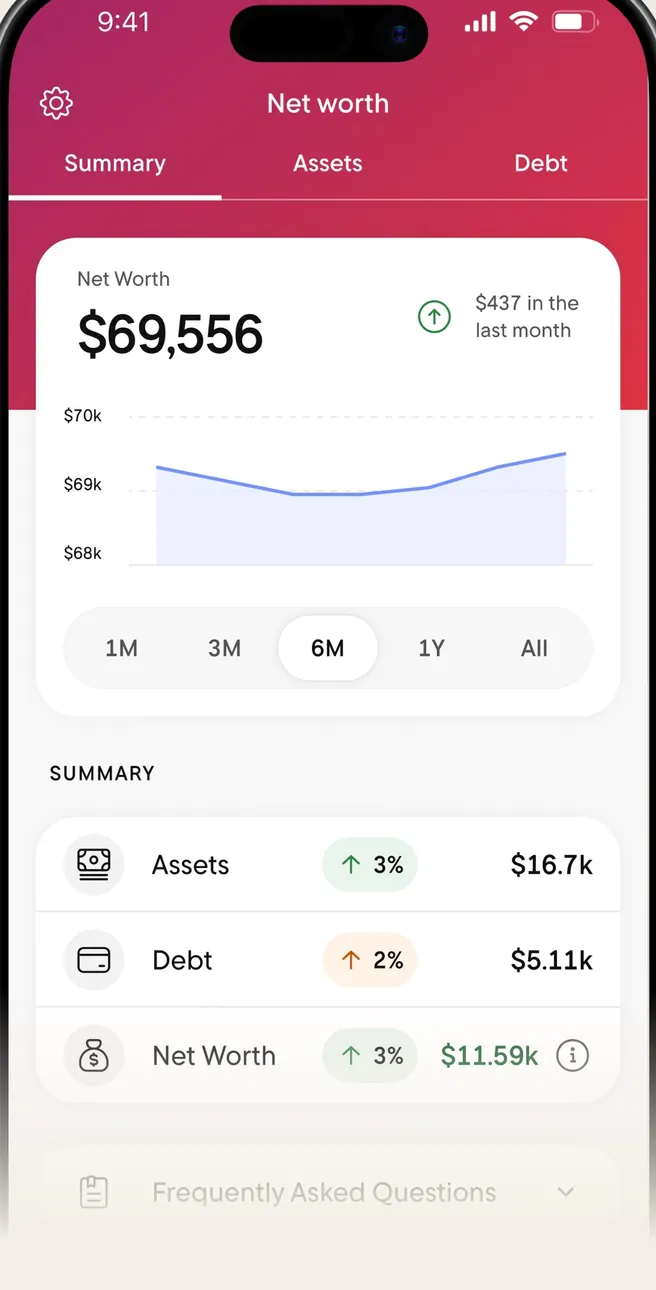
App Store marketing imageThe Net worth tab: $69,556 with a line chart and a Summary of Assets, Debt and Net Worth.App Store listing, as of 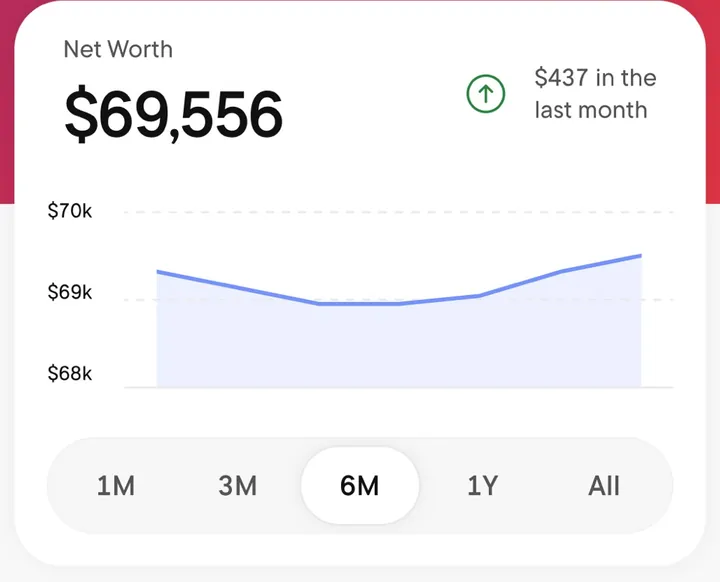
App Store marketing imageA Net Worth card with $69,556, a line chart and time range buttons from 1M to All.App Store listing, as of
Transactions
Changed
No official screen found yet
Rocket Money
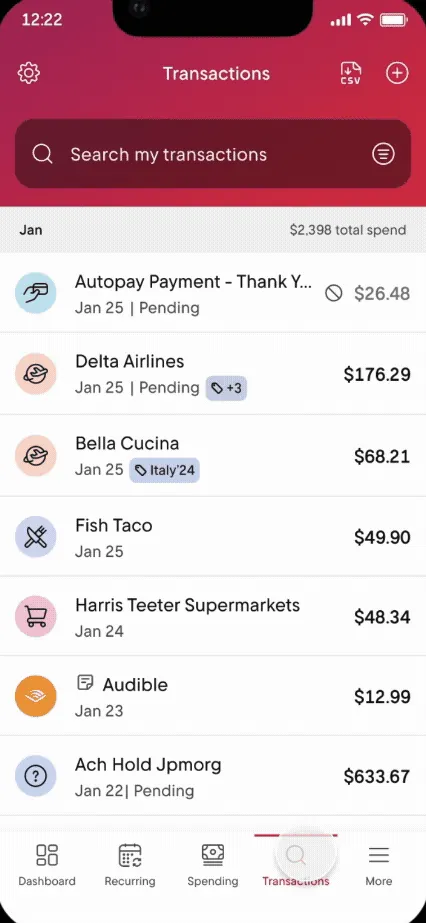
From Rocket Money's help centerThe Transactions tab with a search box and a list of transactions with icons and amounts.help.rocketmoney.com, as of 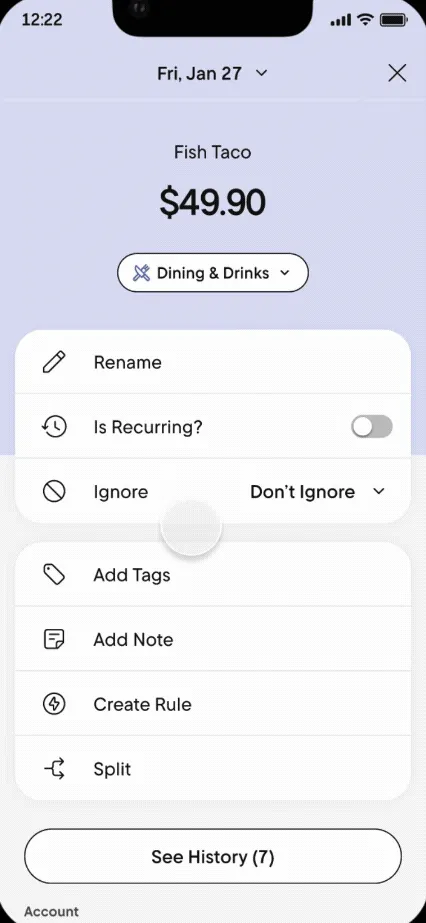
From Rocket Money's help centerA transaction detail for Fish Taco with options to rename, mark recurring, ignore, add tags, add a note, create a rule or split.help.rocketmoney.com, as of 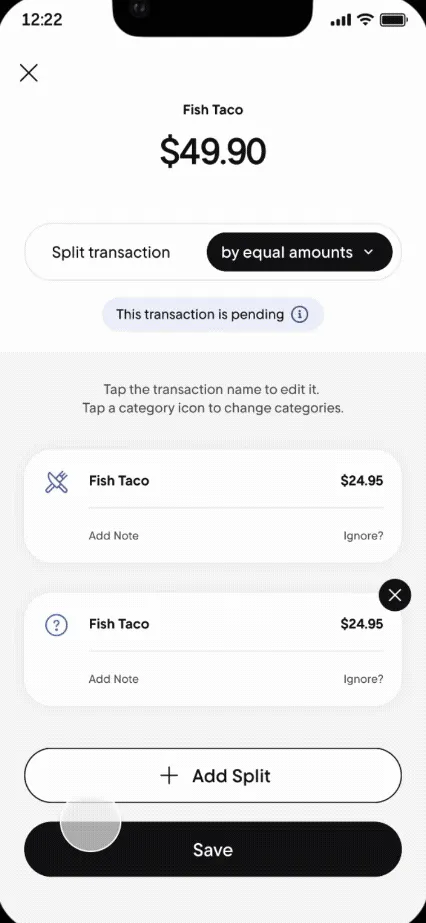
From Rocket Money's help centerA Split transaction screen dividing $49.90 by equal amounts into two parts.help.rocketmoney.com, as of
Budget
Changed
No official screen found yet
Rocket Money
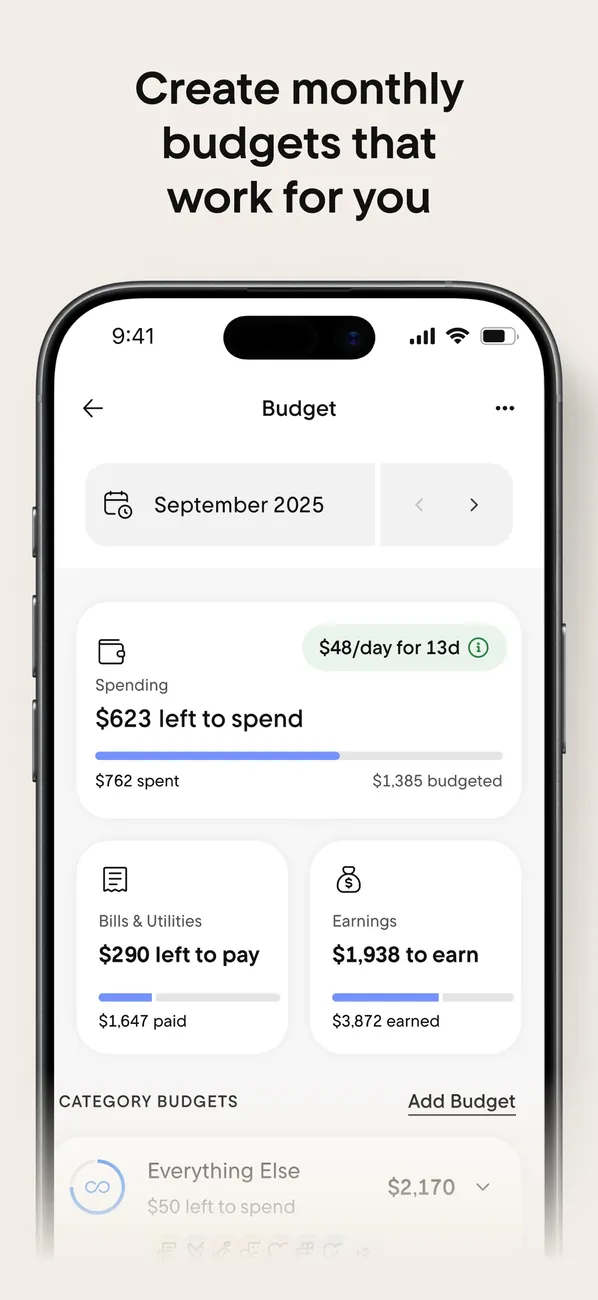
App Store marketing imageApp Store image with the headline "Create monthly budgets that work for you" showing the Budget screen for September 2025.App Store listing, as of 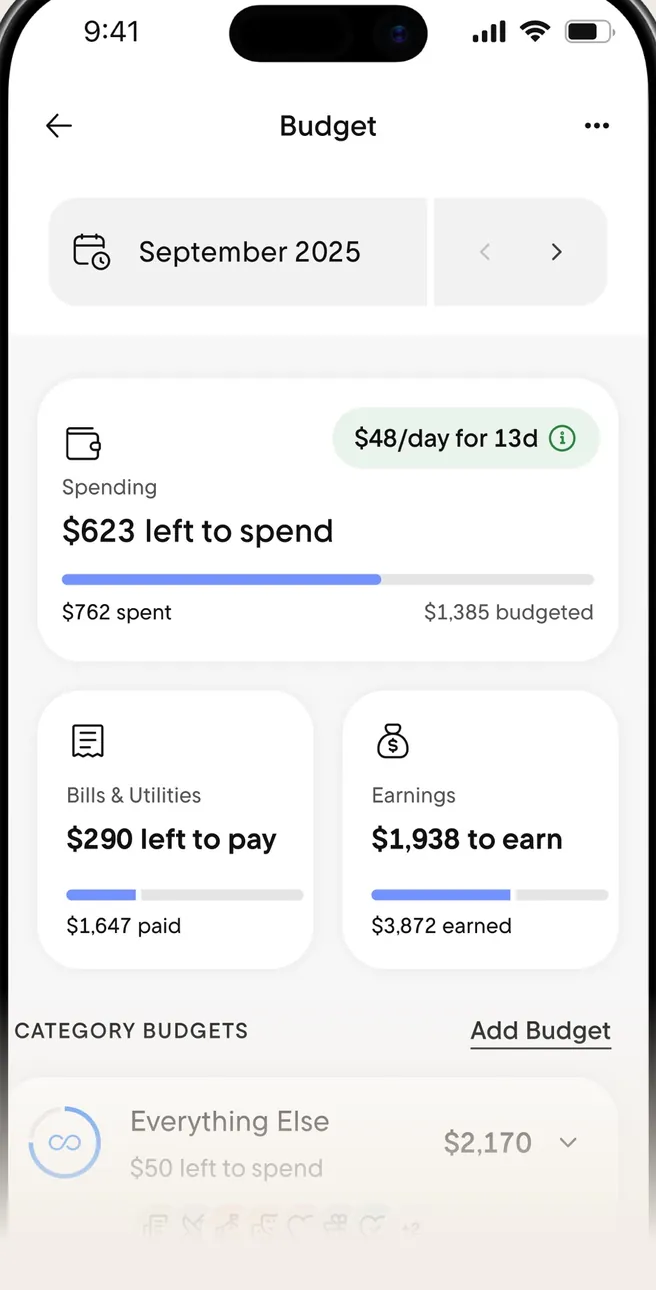
App Store marketing imageThe Budget screen: $623 left to spend, Bills & Utilities and Earnings cards, and Category Budgets.App Store listing, as of 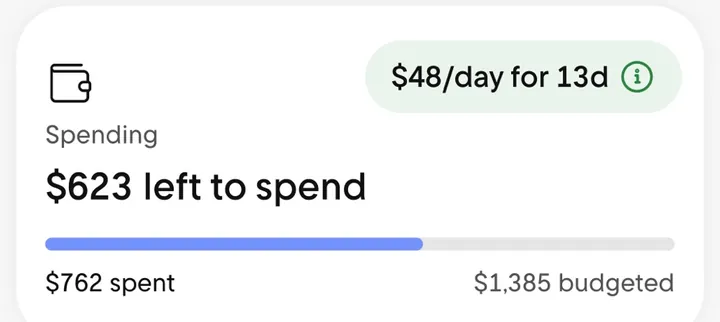
App Store marketing imageA Spending card reading $623 left to spend with a progress bar and a $48/day for 13d note.App Store listing, as of
Categories
Changed
No official screen found yet
Rocket Money
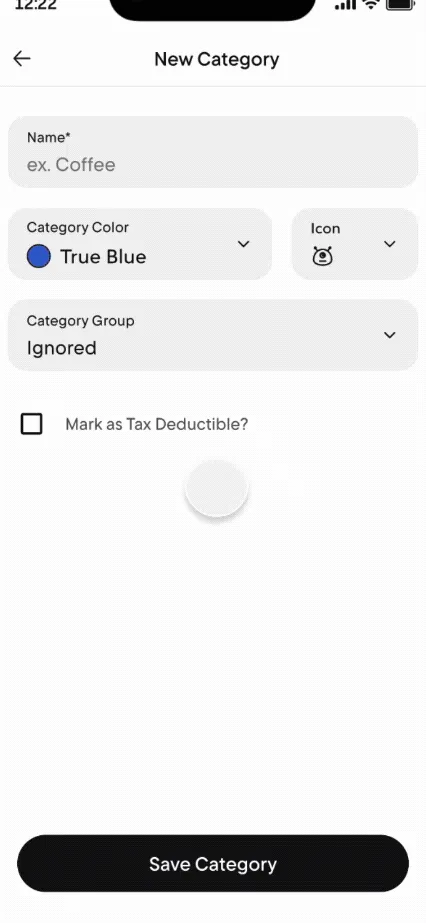
From Rocket Money's help centerA New Category form with name, color, icon and category group fields and a Save Category button.help.rocketmoney.com, as of
Goals
Changed
No official screen found yet
Rocket Money
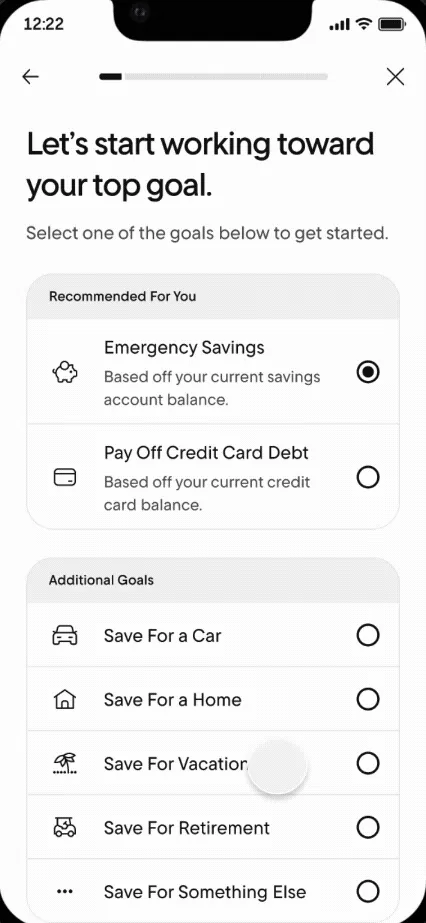
From Rocket Money's help centerA goal setup screen listing Emergency Savings, Pay Off Credit Card Debt and other goals to choose from.help.rocketmoney.com, as of 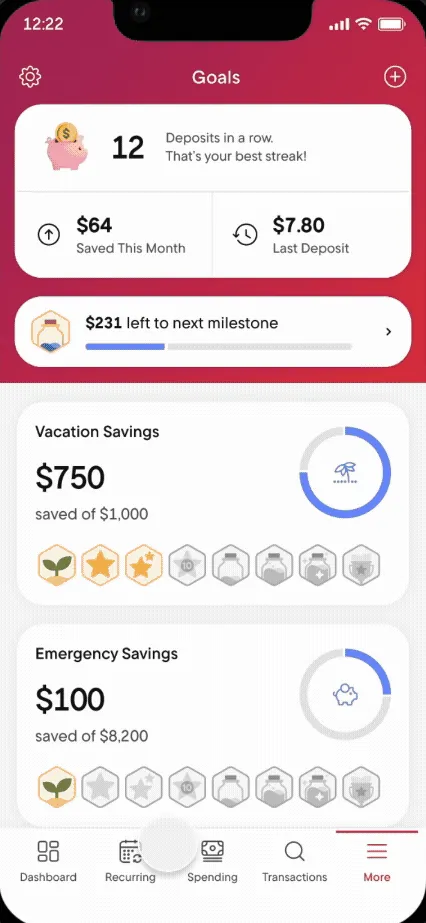
From Rocket Money's help centerThe Goals screen with a deposit streak, Vacation Savings and Emergency Savings progress and milestone badges.help.rocketmoney.com, as of
Reports and insights
Changed
No official screen found yet
Rocket Money
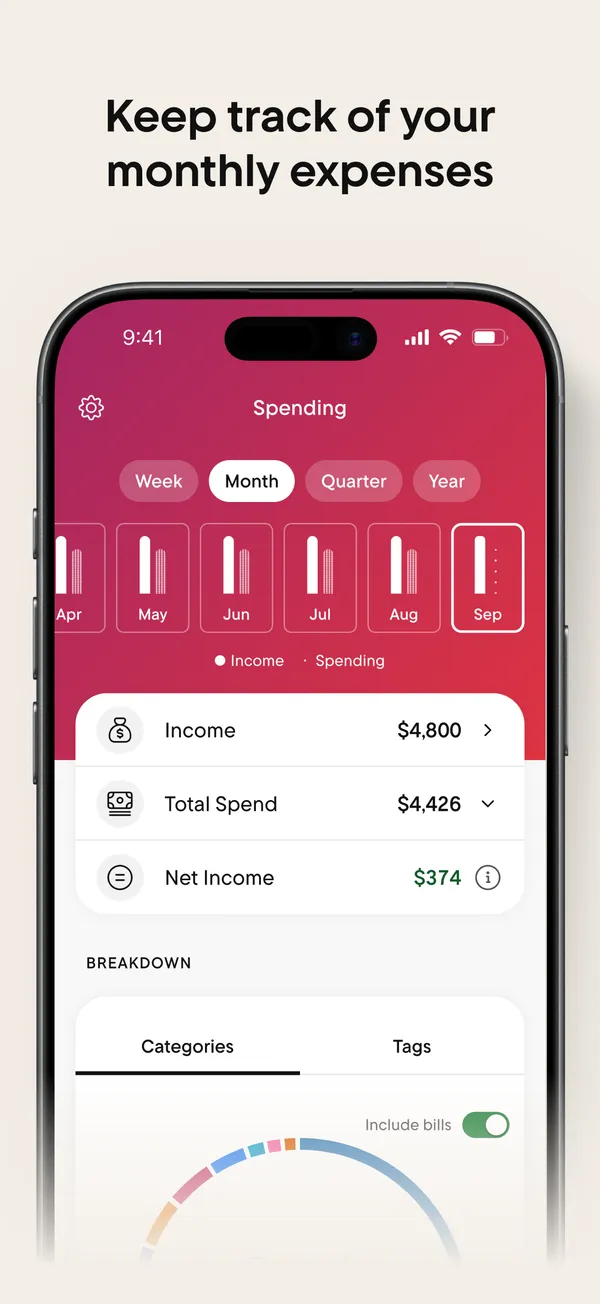
App Store marketing imageApp Store image with the headline "Keep track of your monthly expenses" showing the Spending tab.App Store listing, as of 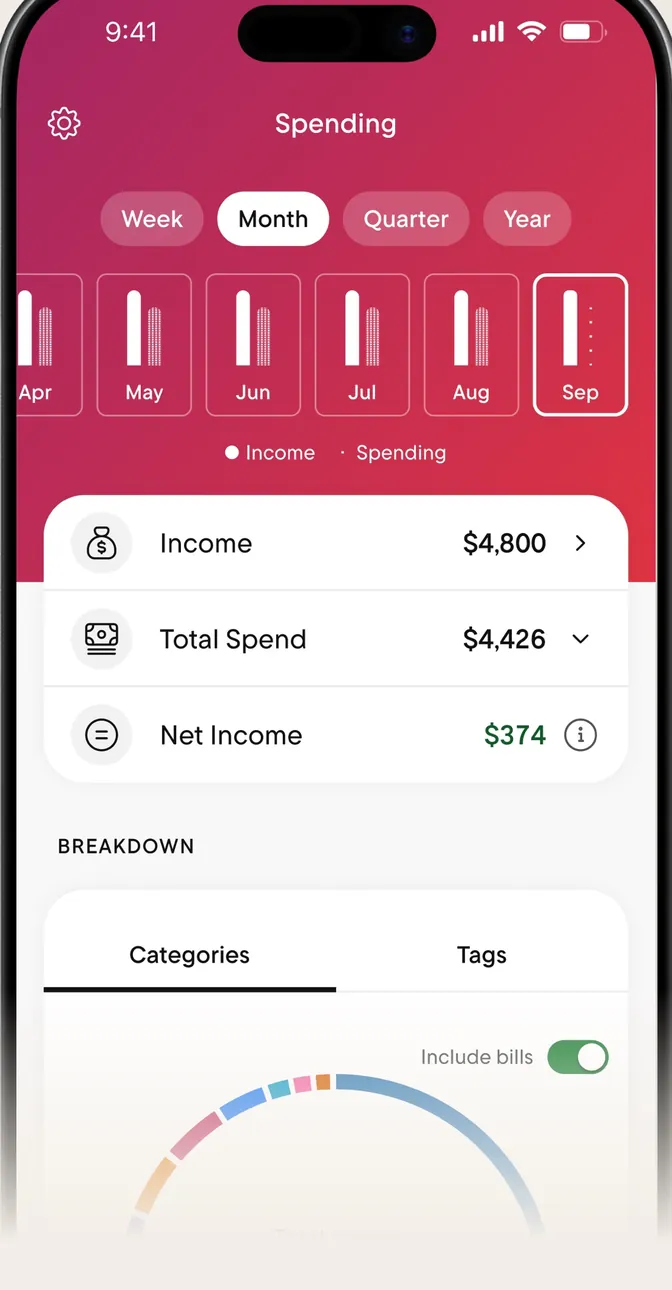
App Store marketing imageThe Spending tab with Week, Month, Quarter and Year buttons, monthly bars, and Income, Total Spend and Net Income rows.App Store listing, as of 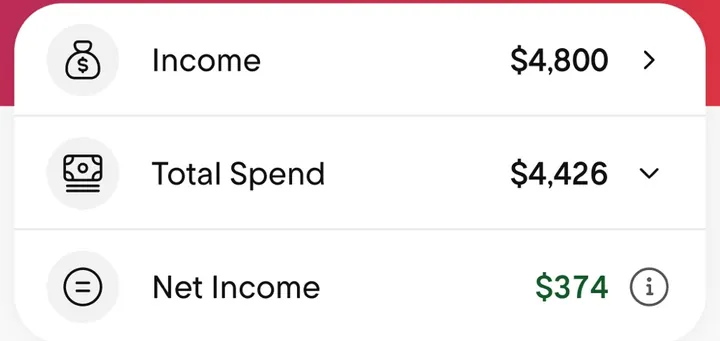
App Store marketing imageThree rows: Income $4,800, Total Spend $4,426 and Net Income $374.App Store listing, as of
Bills and recurring
Changed
No official screen found yet
Rocket Money
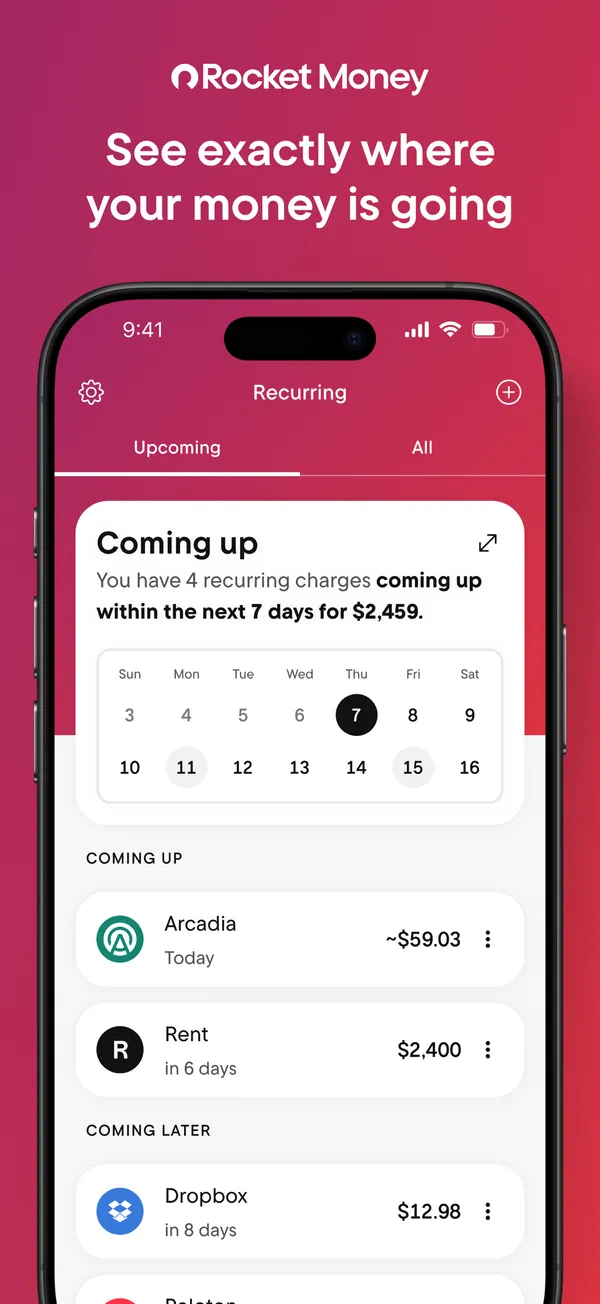
App Store marketing imageApp Store image with the headline "See exactly where your money is going" showing the Recurring tab with a Coming up calendar.App Store listing, as of 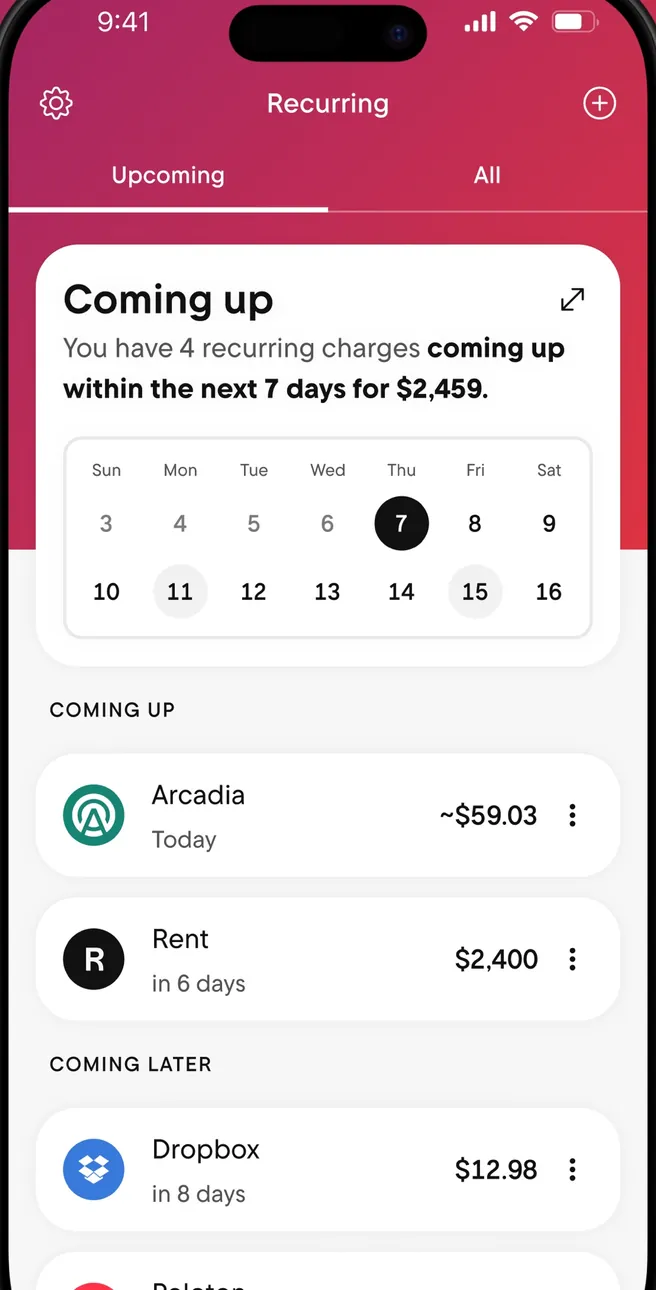
App Store marketing imageThe Recurring tab: a Coming up card with a week calendar, then Coming Up and Coming Later charges.App Store listing, as of 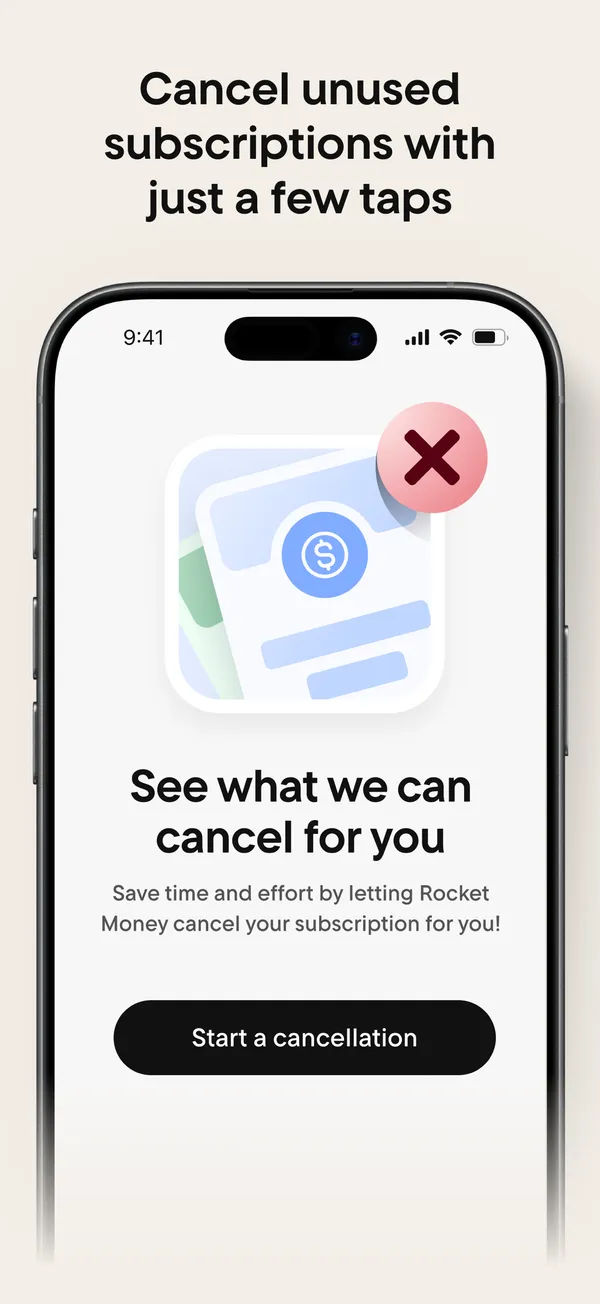
App Store marketing imageApp Store image with the headline "Cancel unused subscriptions with just a few taps" showing a "See what we can cancel for you" screen.App Store listing, as of 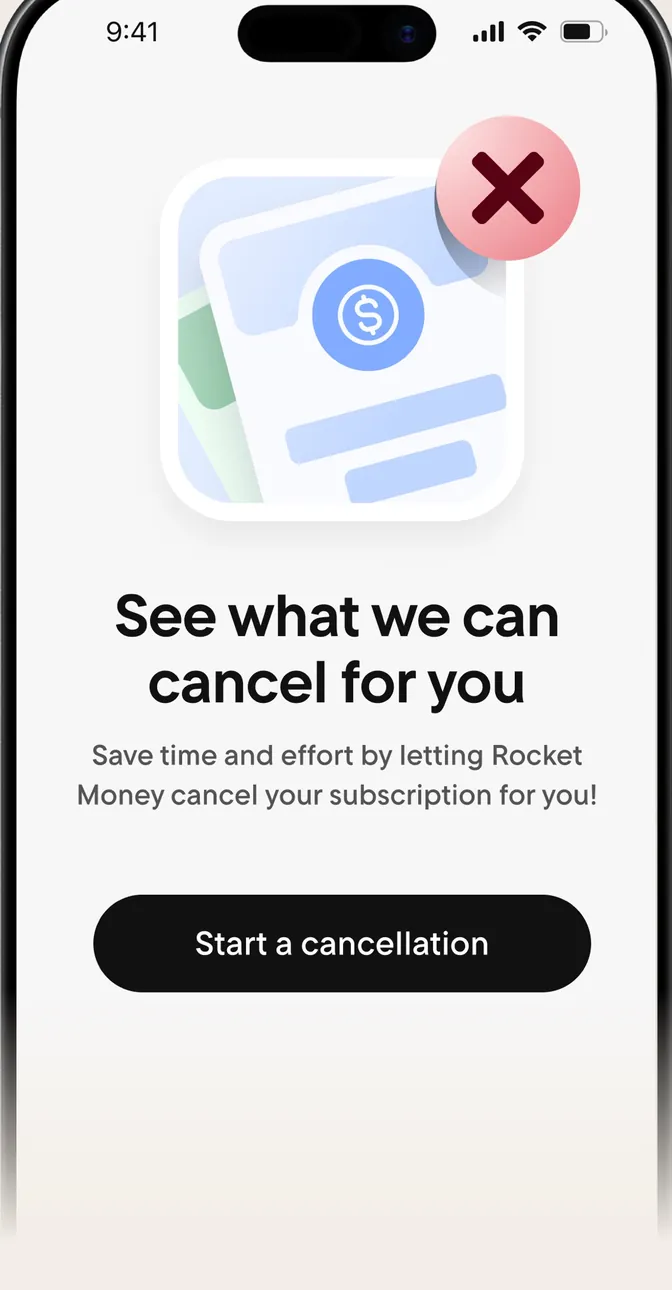
App Store marketing imageA screen reading "See what we can cancel for you" with a Start a cancellation button.App Store listing, as of 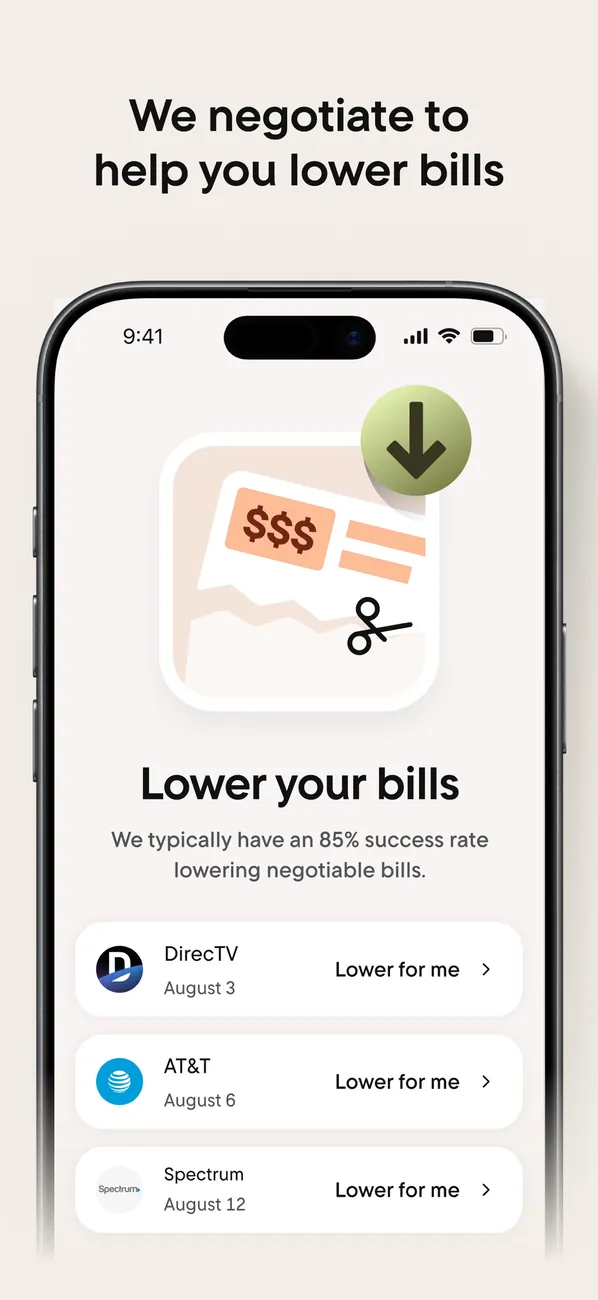
App Store marketing imageApp Store image with the headline "We negotiate to help you lower bills" showing a Lower your bills screen.App Store listing, as of 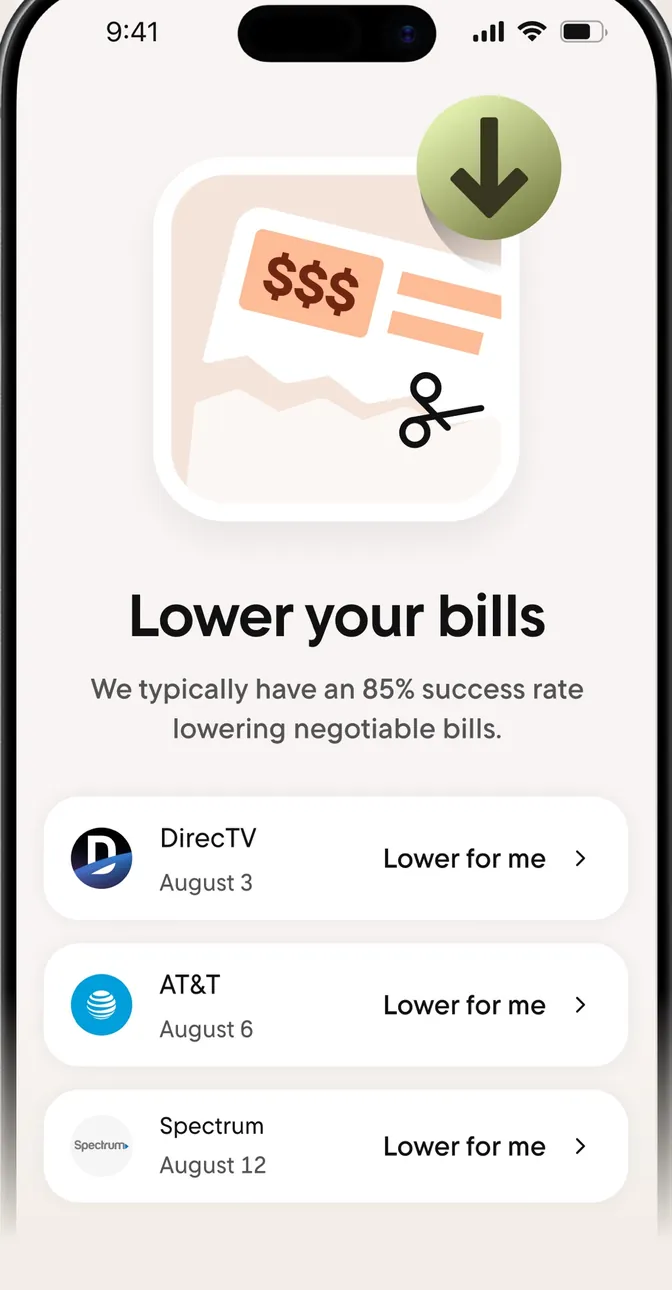
App Store marketing imageA Lower your bills screen with bills from DirecTV, AT&T and Spectrum, each with a "Lower for me" button.App Store listing, as of 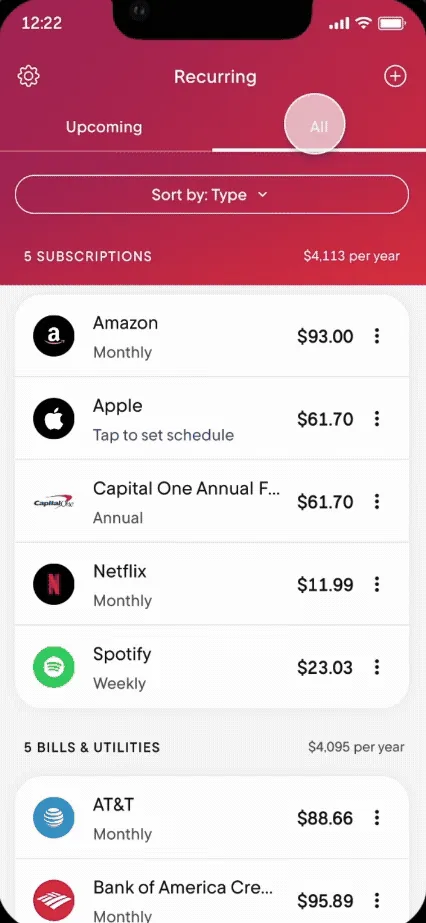
From Rocket Money's help centerThe Recurring tab on All, listing subscriptions and bills with amounts and how often they charge.help.rocketmoney.com, as of 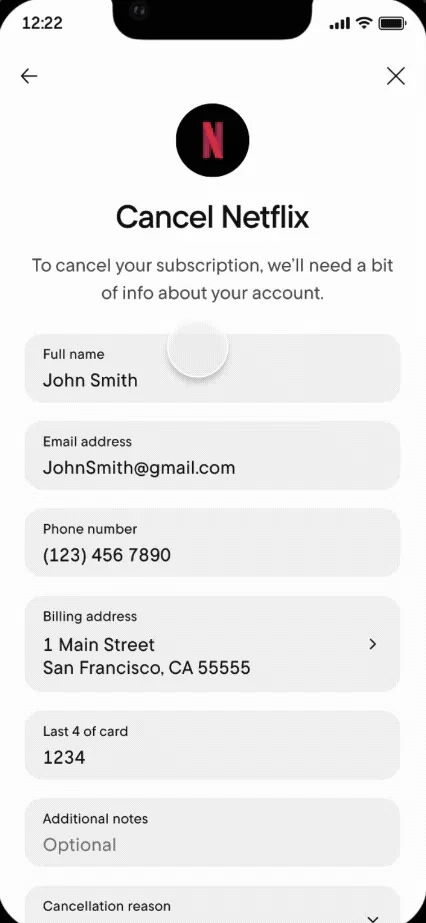
From Rocket Money's help centerA Cancel Netflix form asking for name, email, phone, billing address and the last 4 digits of the card.help.rocketmoney.com, as of 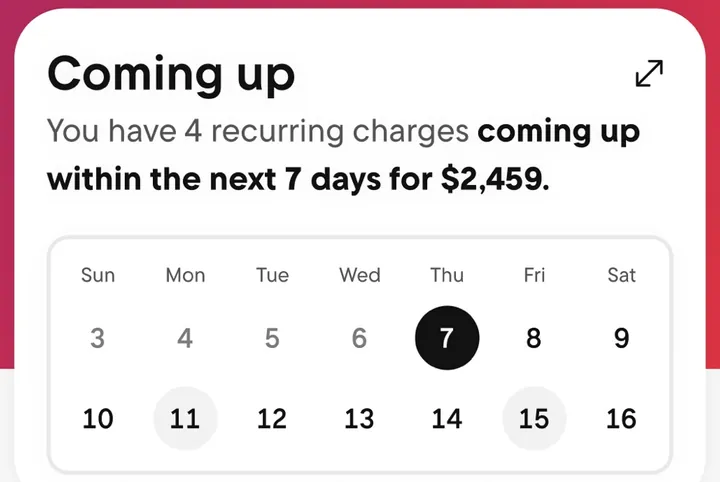
App Store marketing imageA Coming up card that says 4 recurring charges are due in the next 7 days, above a two-week calendar.App Store listing, as of
Sharing with a partner
Changed
No official screen found yet
Rocket Money
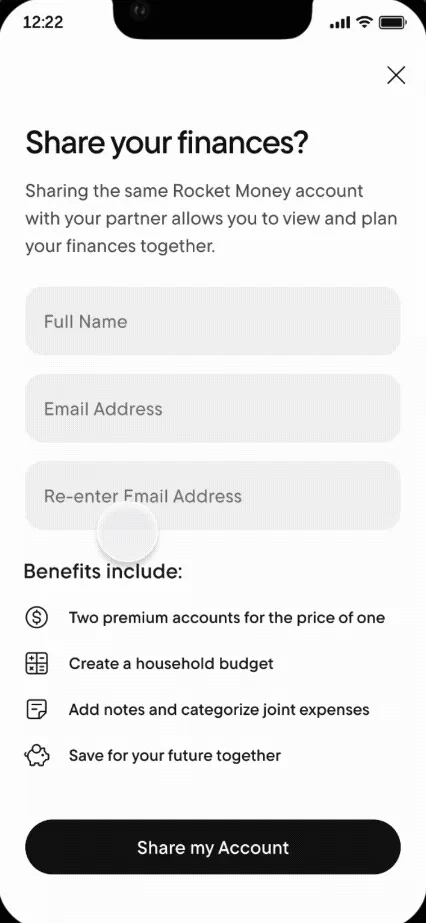
From Rocket Money's help centerA "Share your finances?" screen with Full Name and Email Address fields and a Share my Account button.help.rocketmoney.com, as of 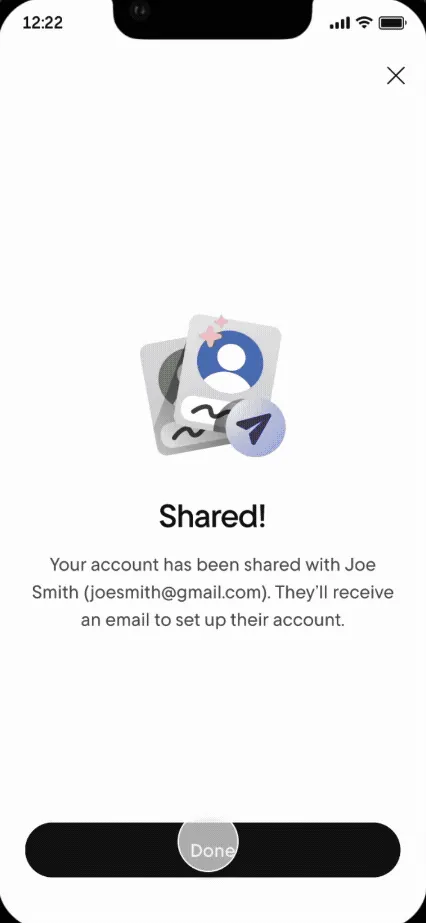
From Rocket Money's help centerA "Shared!" confirmation saying the account was shared and the partner will get an email.help.rocketmoney.com, as of
AI assistant
Changed
No official screen found yet
Rocket Money
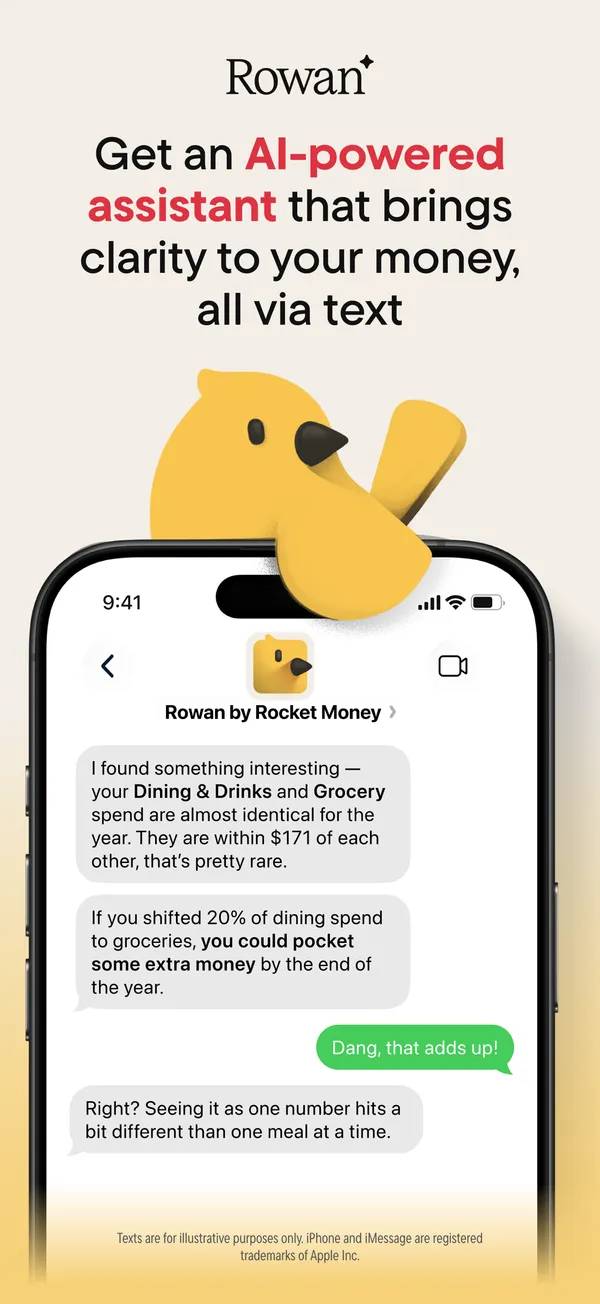
App Store marketing imageApp Store image with the headline about an AI-powered assistant showing a text chat with Rowan by Rocket Money.App Store listing, as of 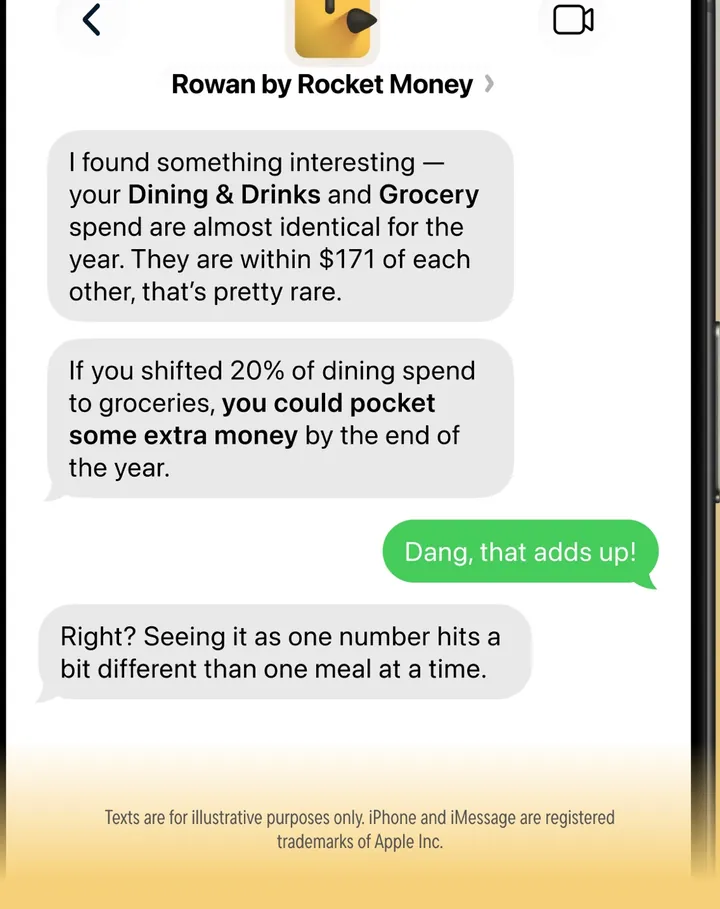
App Store marketing imageA text conversation where Rowan comments on Dining & Drinks and Grocery spending and the user replies.App Store listing, as of
Other screens
Changed
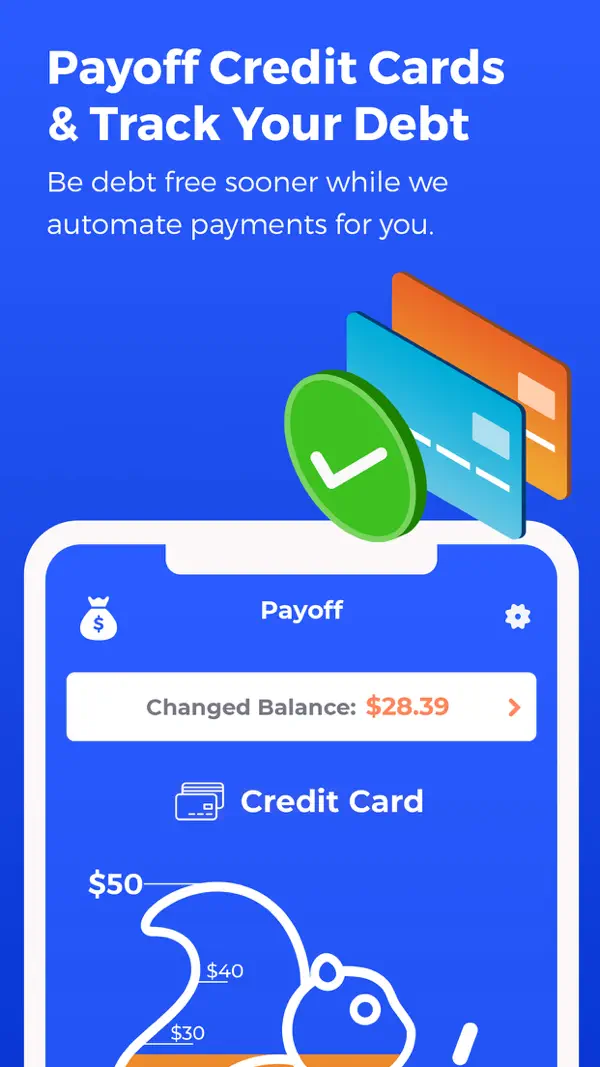
App Store marketing imageApp Store image 1 of 4 from the Changed listing.App Store listing, as of 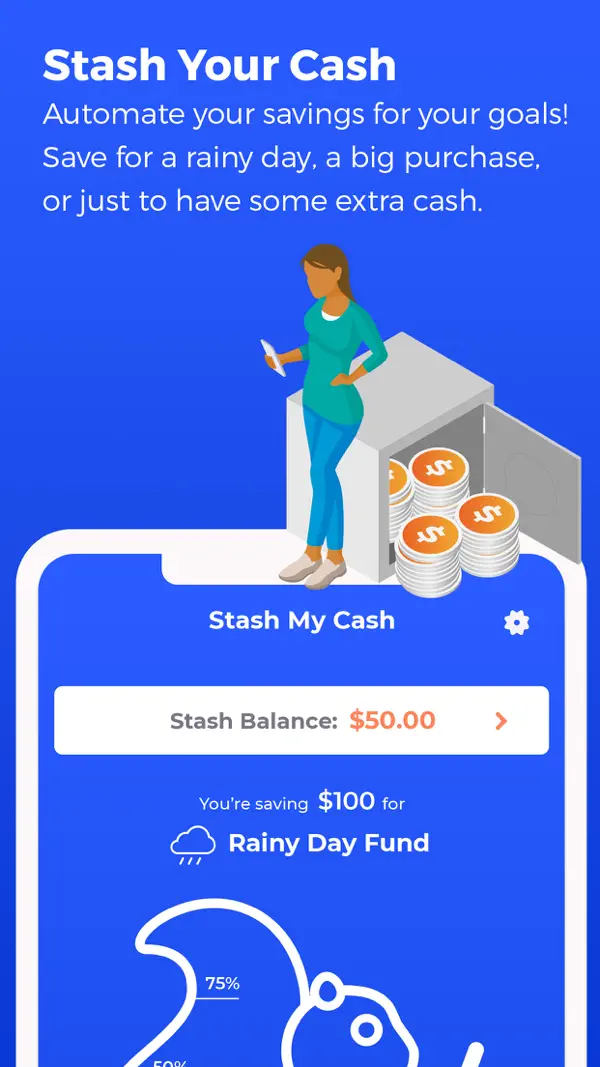
App Store marketing imageApp Store image 2 of 4 from the Changed listing.App Store listing, as of 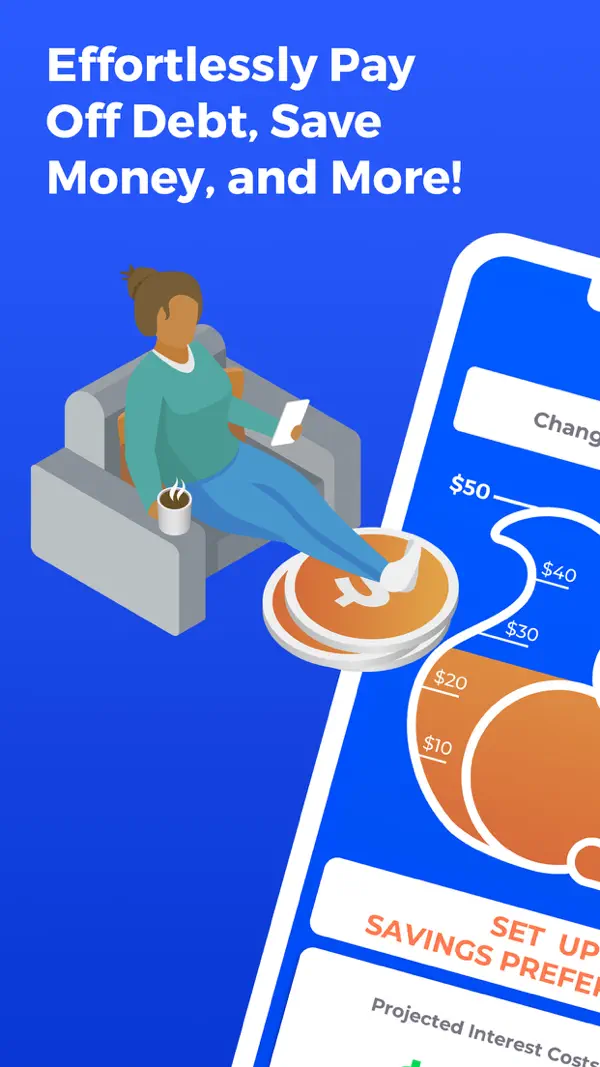
App Store marketing imageApp Store image 3 of 4 from the Changed listing.App Store listing, as of 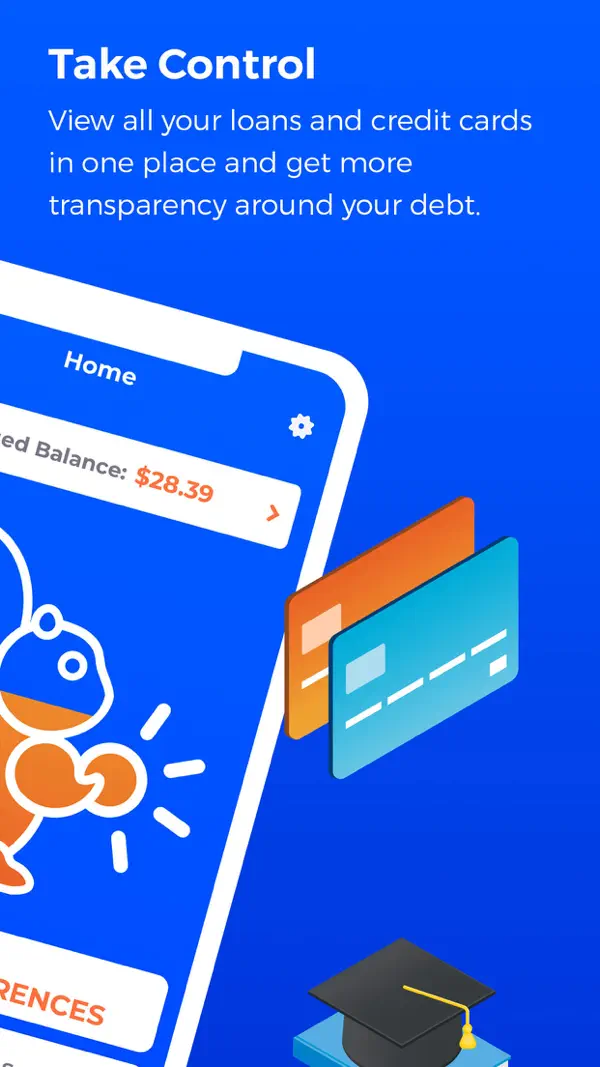
App Store marketing imageApp Store image 4 of 4 from the Changed listing.App Store listing, as of
Rocket Money
No official screen found yet
Changed and Rocket Money, side by side
Rows marked “Differs” are where the official sources say different things, and 4 rows do here.
Swipe the table sideways to see both apps.
| Field | ChangedDebt payoff appChanged is a debt payoff app that rounds up your purchases and sends the spare change to your debts as extra payments.Visit Changed's site | Rocket MoneyBudgeting appRocket Money is a budgeting app that tracks your spending and subscriptions, with a free version and paid Premium and Premium+ tiers.Visit Rocket Money's site |
|---|---|---|
| Price and feesDiffers | Changed lists plans from $6 a month on its website.As of Oct 24, 2026. Source: gochanged.com | Rocket Money has a free version. Premium uses a pay what you think is fair price that Rocket Money says typically ranges from $7 to $14 a month, and Premium+ costs $15 a month.As of Oct 24, 2026. Source: rocketmoney.com/learn/personal-finance/how-much-does-rocket-money-cost |
| Free trial | Not verified yet. | Not verified yet. |
| PlatformsDiffers | Changed lists iOS.As of Oct 24, 2026. Source: App Store listing | Rocket Money lists iOS, Android and Web.As of Oct 24, 2026. Source: rocketmoney.com/learn/personal-finance/how-much-does-rocket-money-cost |
| Bank syncingDiffers | Yes. Changed links your loans and the bank and spending accounts you want it to track for round-ups.As of Oct 24, 2026. Source: gochanged.com/how-it-works | Yes. Rocket Money says it connects to your accounts through Plaid.As of Oct 24, 2026. Source: rocketmoney.com/learn/personal-finance/how-much-does-rocket-money-cost |
| Payoff methods | Changed lists these payoff methods: Debt Snowball, Debt Avalanche and Custom Plans.As of Oct 24, 2026. Source: App Store listing | Not verified yet. |
| Debt-free date | Yes. Changed says its built-in debt calculator estimates your payoff timeline and how much interest you can save.As of Oct 24, 2026. Source: App Store listing | Not verified yet. |
| Extra payments | Yes. You can schedule extra payments or send one-off Boost payments, on top of the round-ups from your purchases.As of Oct 24, 2026. Source: gochanged.com/how-it-works | Not verified yet. |
| Payment reminders | Not verified yet. | Not verified yet. |
| Features | Not verified yet. |
|
| App store ratingDiffers | Changed has 4.6 out of 5 on the App Store from 5,654 ratings.As of Oct 24, 2026. Source: App Store listing | Rocket Money has 4.5 out of 5 on the App Store from 401,884 ratings.As of Oct 24, 2026. Source: App Store listing |
App store ratings are a dated snapshot from each store listing, not our score. “Not verified yet” means we don't have a current official source for that line. How we source and date this data. Spotted a change? Tell us if something changed.
Weighing a third option? Add up to two more apps to this table and compare up to four side by side.
Who it's for
Pick the tab that sounds like you. The questions come from app help centers, FAQ pages and user forums, and every answer comes from the app's own pages, with the date we checked it.
Just me
Budgeting on your own? These are the basics people ask about first.
Is it free?
Rocket Money
Rocket Money has a free version. Premium uses a pay what you think is fair price that Rocket Money says typically ranges from $7 to $14 a month, and Premium+ costs $15 a month.
As of . Source: rocketmoney.com
Does it connect to my bank and import transactions?
Changed
Yes. Changed links your loans and the bank and spending accounts you want it to track for round-ups.
As of . Source: gochanged.com
Rocket Money
Yes. Rocket Money says it connects to your accounts through Plaid.
As of . Source: rocketmoney.com
Can I export my data?
Changed
Not verified yet
Rocket Money
Yes. You can export your data.
In their words: “You can also add notes to any transaction (helpful for remembering context months later), create manual transactions for cash purchases or accounts you prefer not to link, and export filtered transaction lists to CSV files for further analysis or tax preparation.”
As of . Source: rocketmoney.com
Is there support from the app's makers if I need help?
Changed
Yes. Message form and help center.
In their words: “Didn't find the answers you're looking for? Need some additional help? We're here to answer the questions you have.”
As of . Source: gochanged.com
Rocket Money
Yes. In-app chat and email.
In their words: “However, as we are an app-based service, all our support is currently provided digitally.”
As of . Source: help.rocketmoney.com
Partners
Sharing money with a partner? Here's how each app handles a second person.
Can my partner use their own login details?
Changed
Not verified yet
Rocket Money
Yes. Your partner gets their own login.
In their words: “Each partner receives their own unique login credentials and can set their own multi-factor authentication (MFA) preferences for added security.”
As of . Source: help.rocketmoney.com
How many people can share one account?
Changed
Not verified yet
Rocket Money
Up to 2 people, including you.
In their words: “Currently, Account Sharing is designed for two people-typically a primary account holder and one partner.”
As of . Source: help.rocketmoney.com
Can we keep shared and individual views?
Changed
Not verified yet
Rocket Money
No. You both see the same shared view.
In their words: “Collaborate on finances by sharing your account with trusted family members or financial advisors - they'll see everything you see, making financial planning a team effort.”
As of . Source: help.rocketmoney.com
Can we set up joint budgets and goals?
Changed
Not verified yet
Rocket Money
Yes. You can work toward goals together.
In their words: “Create Financial Goals and save toward shared priorities, such as an emergency fund or vacation.”
As of . Source: help.rocketmoney.com
Family
Bringing in more of the household? Here's what each app says about families and kids. See apps with custodial accounts for kids.
How many people can share one account?
Changed
Not verified yet
Rocket Money
Up to 2 people, including you.
In their words: “Currently, Account Sharing is designed for two people-typically a primary account holder and one partner.”
As of . Source: help.rocketmoney.com
Freelancer
Paid on an uneven schedule or running a side hustle? Here's what each app offers. See apps with a SEP IRA or Solo 401(k).
Can I mix business and personal expenses in this app?
Changed
Not verified yet
Rocket Money
Yes. You can track business spending next to personal spending.
In their words: “Create as many customized budget categories from your linked accounts as you need for different aspects of your life - whether that be from your personal expenses, family finances, or business costs.”
As of . Source: help.rocketmoney.com
Can I export my transactions for tax prep?
Changed
Not verified yet
Rocket Money
Yes. You can export your transactions for tax prep.
In their words: “Download your transaction data for specific time periods, perfect for tax preparation, personal record-keeping, or detailed financial analysis.”
As of . Source: help.rocketmoney.com
Business
Running a small business? Here's what each app says about business money.
Can I mix business and personal expenses in this app?
Changed
Not verified yet
Rocket Money
Yes. You can track business spending next to personal spending.
In their words: “Create as many customized budget categories from your linked accounts as you need for different aspects of your life - whether that be from your personal expenses, family finances, or business costs.”
As of . Source: help.rocketmoney.com
Can I export my transactions for tax prep?
Changed
Not verified yet
Rocket Money
Yes. You can export your transactions for tax prep.
In their words: “Download your transaction data for specific time periods, perfect for tax preparation, personal record-keeping, or detailed financial analysis.”
As of . Source: help.rocketmoney.com
Can I share my finances with my accountant?
Changed
Not verified yet
Rocket Money
Yes. You can export your data and send the file.
In their words: “You can also add notes to any transaction (helpful for remembering context months later), create manual transactions for cash purchases or accounts you prefer not to link, and export filtered transaction lists to CSV files for further analysis or tax preparation.”
As of . Source: rocketmoney.com
“Not verified yet” means we haven't found a current official source that answers it, not that the app can't. We only say no when the app's own page does.
Which fits your Money Type?
There are four Money Types: Strategist, Spender, Saver and Scrambler. Each card matches one type to what the sources say about these two apps.
 Strategist
Neither app's sources confirm a feature we match to this type yet, so the quiz is the better place to start.
First fix: Save the Raise.
 Spender
Rocket Money lists goals. A goal gives a Spender a reason to pause before buying, which is the Sleep on It fix.
First fix: Sleep on It.
 Saver
SaverNeither app's sources confirm a feature we match to this type yet, so the quiz is the better place to start.
First fix: Put It to Work.
 Scrambler
Both Changed and Rocket Money list bank syncing. Seeing every account in one place helps a Scrambler pay bills first.
First fix: Bills First.
Not sure which one you are? Take the free Money Types quiz. It takes about two minutes.
Full disclosure: Taylor Price, who runs Priceless Tay, owns Fifecta, so keep that in mind as you read this comparison.
Another option: Fifecta
If neither Changed nor Rocket Money feels right, here is one more option to look at. Fifecta gives every paycheck a plan with FUNDS, and it starts from your Money Type, so the plan matches how you already handle money.
FAQ
How much does Changed cost?
Changed lists plans from $6 a month on its website. We checked this on Oct 24, 2026.
How much does Rocket Money cost?
Rocket Money has a free version. Premium uses a pay what you think is fair price that Rocket Money says typically ranges from $7 to $14 a month, and Premium+ costs $15 a month. We checked this on Oct 24, 2026.
What is Changed's app store rating?
Changed has 4.6 out of 5 on the App Store from 5,654 ratings. That's a snapshot from the store listing on Oct 24, 2026, not our score.
What is Rocket Money's app store rating?
Rocket Money has 4.5 out of 5 on the App Store from 401,884 ratings. That's a snapshot from the store listing on Oct 24, 2026, not our score.
Similar comparisons
- ChangedDebt payoff app
 EveryDollarBudgeting app
Changed vs EveryDollar
See Changed and EveryDollar side by side, with every fact dated.
Data side by side - ChangedDebt payoff app
 YNABBudgeting app
Changed vs YNAB
See Changed and YNAB side by side, with every fact dated.
Data side by side  Debt Payoff PlannerDebt payoff appEveryDollarBudgeting app
Debt Payoff Planner vs EveryDollar
See Debt Payoff Planner and EveryDollar side by side, with every fact dated.
Data side by side- Debt Payoff PlannerDebt payoff appYNABBudgeting app
Debt Payoff Planner vs YNAB
See Debt Payoff Planner and YNAB side by side, with every fact dated.
Data side by side - EveryDollarBudgeting app
 Undebt.itDebt payoff app
EveryDollar vs Undebt.it
See EveryDollar and Undebt.it side by side, with every fact dated.
Data side by side - Undebt.itDebt payoff appYNABBudgeting app
Undebt.it vs YNAB
See Undebt.it and YNAB side by side, with every fact dated.
Data side by side - ChangedDebt payoff appDebt Payoff PlannerDebt payoff app
Changed vs Debt Payoff Planner
See Changed and Debt Payoff Planner side by side, with every fact dated.
Data side by side - ChangedDebt payoff appUndebt.itDebt payoff app
Changed vs Undebt.it
See Changed and Undebt.it side by side, with every fact dated.
Data side by side - Debt Payoff PlannerDebt payoff appUndebt.itDebt payoff app
Debt Payoff Planner vs Undebt.it
See Debt Payoff Planner and Undebt.it side by side, with every fact dated.
Data side by side
Keep comparing
- See Changed alternatives, closest category first.
- See Rocket Money alternatives, closest category first.
- Want the bigger picture? Compare more money apps.
Full disclosure: Taylor Price, who runs Priceless Tay, owns Fifecta, so keep that in mind as you read this comparison.
Want a plan built on your Money Type?
Fifecta gives every paycheck a plan with FUNDS, so you know where each dollar goes.
Sources and confidence
- Last checked
- Not verified yet
- 3 of 15 facts
Changed7 of 9 verified, 2 not verified yet, last checked Oct 24, 2026
- Price and feesgochanged.com, as of Oct 24, 2026
- Free trialNot verified yet
- PlatformsApp Store listing, as of Oct 24, 2026
- Bank syncinggochanged.com/how-it-works, as of Oct 24, 2026
- Payoff methodsApp Store listing, as of Oct 24, 2026
- Debt-free dateApp Store listing, as of Oct 24, 2026
- Extra paymentsgochanged.com/how-it-works, as of Oct 24, 2026
- Payment remindersNot verified yet
- App store ratingApp Store listing, as of Oct 24, 2026
Rocket Money5 of 6 verified, 1 not verified yet, last checked Oct 24, 2026
- Price and feesrocketmoney.com/learn/personal-finance/how-much-does-rocket-money-cost, as of Oct 24, 2026
- Free trialNot verified yet
- Platformsrocketmoney.com/learn/personal-finance/how-much-does-rocket-money-cost, as of Oct 24, 2026
- Bank syncingrocketmoney.com/learn/personal-finance/how-much-does-rocket-money-cost, as of Oct 24, 2026
- Featuresrocketmoney.com/learn/personal-finance/how-much-does-rocket-money-cost, as of Oct 24, 2026
- App store ratingApp Store listing, as of Oct 24, 2026
Each fact links to the official page it came from, with the date we checked it. Once a fact is older than its app's window (8 days for apps whose rates change often, 35 days for the rest), it reads “Not verified yet” until we check it again. How we source, date and index this data.
This is education, not financial advice.