Debt payoff comparison
Changed vs Debt Payoff Planner
Updated
Data as of
Changed checked Debt Payoff Planner checked
I earn commissions from some links.

Changed
Debt payoff app
Visit site for Changed (opens in a new tab)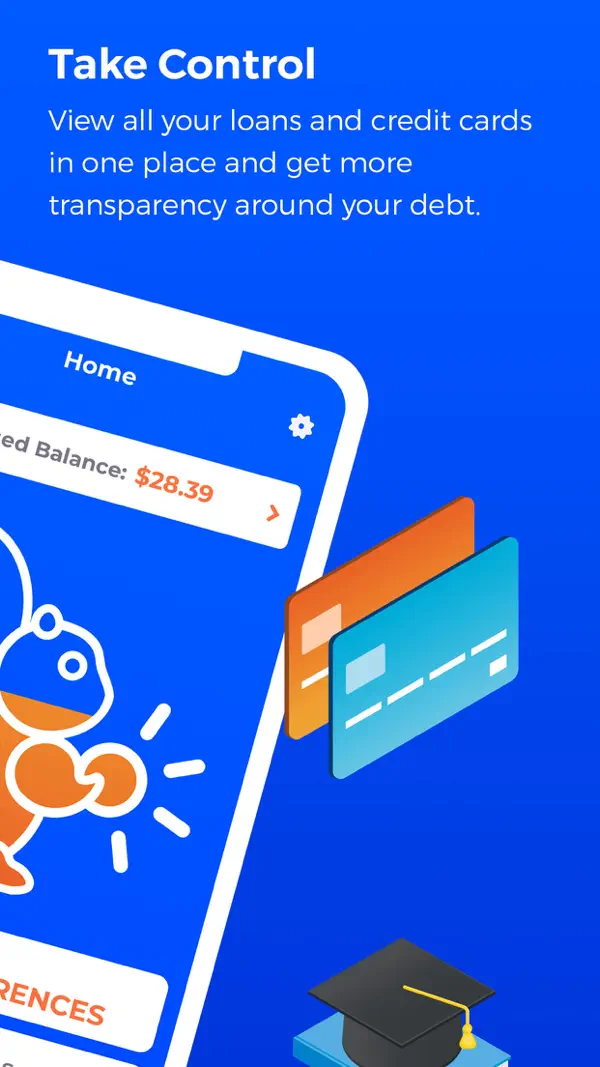

Debt Payoff Planner
Debt payoff app
Visit site for Debt Payoff Planner (opens in a new tab)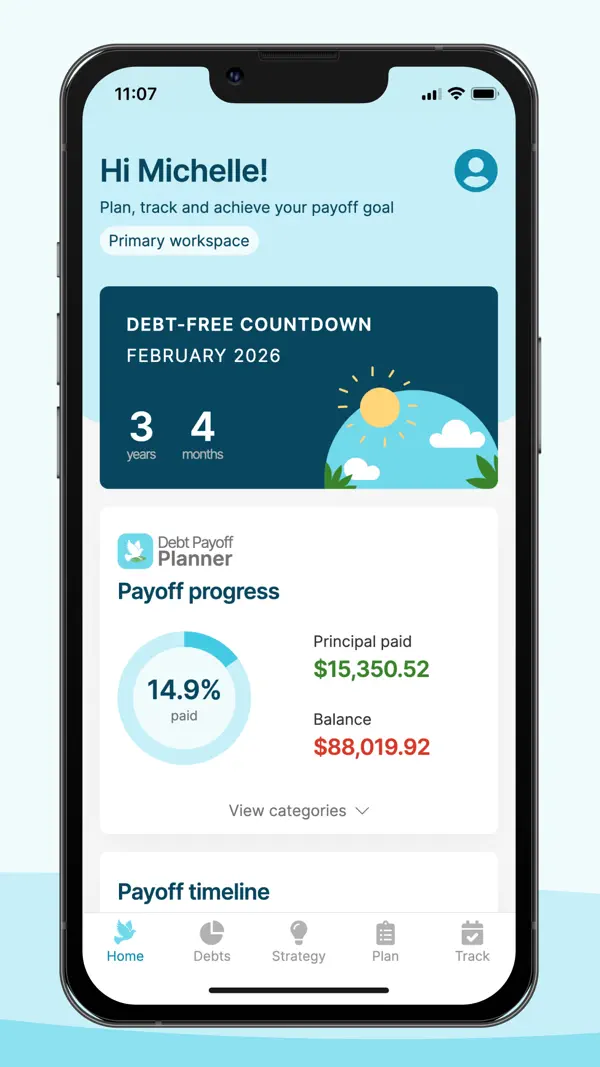

Short answer
- Pick Changed if you want bank syncing.
- Pick Debt Payoff Planner if you want a free version.
- The biggest difference is bank syncing: Changed connects to your bank, and Debt Payoff Planner says it doesn't.
Full disclosure: Taylor Price, who runs Priceless Tay, owns Fifecta, so keep that in mind as you read this comparison.
Changed vs Debt Payoff Planner at a glance
- Changed
- Rating
- 4.6 of 5App Store, 5,680 ratings
- Platforms
- 1iOS
- Debt Payoff Planner
- Rating
- 4.7 of 5App Store, 7,403 ratings
- Platforms
- 3Web, iOS, Android
What it costs
- Changed
$6a month
Changed's plans page lists Basic at $6 a month, Plus at $9 a month and Premium at $15 a month.
Source
gochanged.com/changed-plans, checked . - Debt Payoff Planner
Debt Payoff Planner has a free plan. Its website lists the Pro plan from $2 a month.
Source
debtpayoffplanner.com, checked .
Bars show only when every app here lists a yearly price, so these prices sit side by side without them. Prices are list prices from each app's own page, before tax and any offer.
Changed and Debt Payoff Planner, side by side
| Detail | Changed | Debt Payoff Planner |
|---|---|---|
| PlatformsDiffers | ChangedChanged lists iOS. SourceApp Store listing, checked . | Debt Payoff PlannerDebt Payoff Planner lists Web, iOS and Android. Sourcedebtpayoffplanner.com, checked . |
| Bank syncingDiffers | ChangedYes. Changed links your loans and the bank and spending accounts you want it to track for round-ups. Sourcegochanged.com/how-it-works, checked . | Debt Payoff PlannerNo. Debt Payoff Planner says the app will not connect to any of your accounts, so you record each payment yourself. Sourcedebtpayoffplanner.com/support, checked . |
| Payoff methodsDiffers | ChangedChanged lists these payoff methods: Debt Snowball, Debt Avalanche and Custom Plans. SourceApp Store listing, checked . | Debt Payoff PlannerDebt Payoff Planner lists these payoff methods: Debt Avalanche, Debt Snowball and Custom. Sourcedebtpayoffplanner.com/overview, checked . |
| Debt-free dateDiffers | ChangedYes. Changed says its built-in debt calculator estimates your payoff timeline and how much interest you can save. SourceApp Store listing, checked . | Debt Payoff PlannerYes. Debt Payoff Planner gives you a step-by-step plan with a debt-free date. Sourcedebtpayoffplanner.com, checked . |
| Extra paymentsDiffers | ChangedYes. You can schedule extra payments or send one-off Boost payments, on top of the round-ups from your purchases. Sourcegochanged.com/how-it-works, checked . | Debt Payoff PlannerYes. You can add an extra payment above your minimums, monthly or biweekly, and see how it changes your plan. Sourcedebtpayoffplanner.com/overview, checked . |
| App store ratingDiffers | ChangedChanged has 4.6 out of 5 on the App Store from 5,680 ratings. SourceApp Store listing, checked . | Debt Payoff PlannerDebt Payoff Planner has 4.7 out of 5 on the App Store from 7,403 ratings. SourceApp Store listing, checked . |
Store ratings are a dated snapshot from each listing, not our score. A row shows only when both apps have a current official source for it. How we source and date this data. Spotted a change? Tell us if something changed.
Weighing a third option? Add up to two more apps and compare up to four side by side.
Screen by screen
Pick a task to see what each app shows for it. App Store and Google Play images are the apps' own marketing, so they can show sample data and staged layouts. Help center images come from the app's support articles. See every app's screens.
Home
Changed
App Store marketing imageApp Store image with the headline "Take Control" showing a tilted Home screen with a Changed Balance.App Store listing, as of
Debt Payoff Planner
App Store marketing imageApp Store image showing the home screen with a Debt-free countdown and Payoff progress.App Store listing, as of 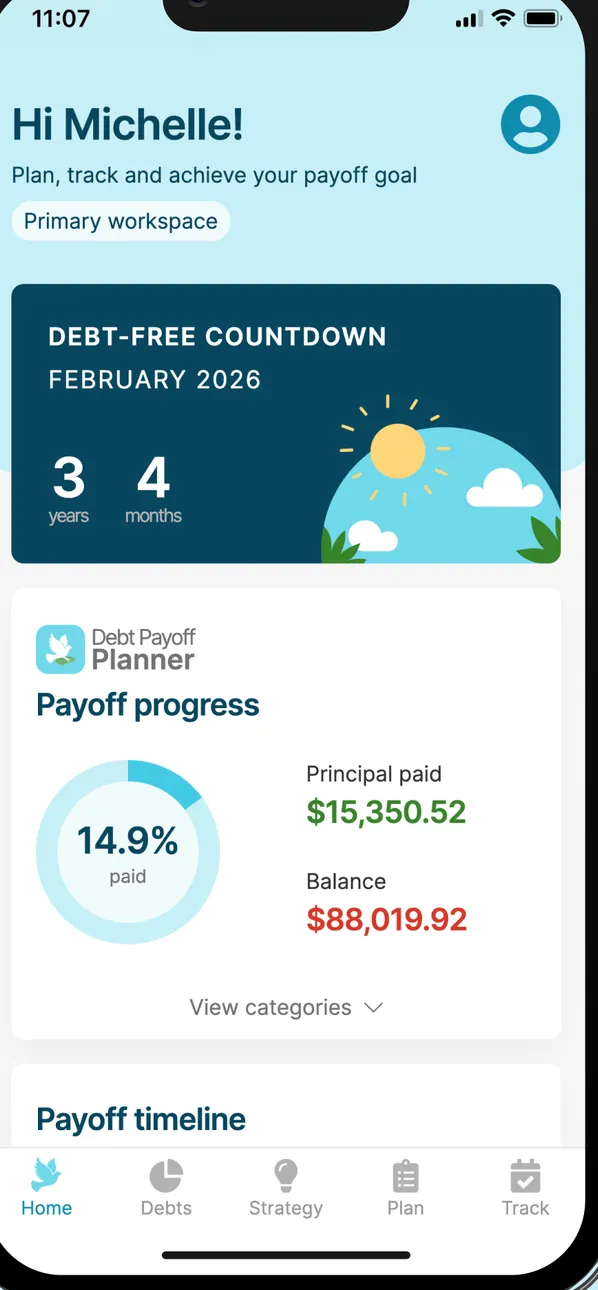
App Store marketing imageThe home screen: Hi Michelle!, a Debt-free countdown to February 2026 of 3 years 4 months, Payoff progress at 14.9% paid with $15,350.52 principal paid and an $88,019.92 balance, and the tab bar.App Store listing, as of
Accounts
Changed
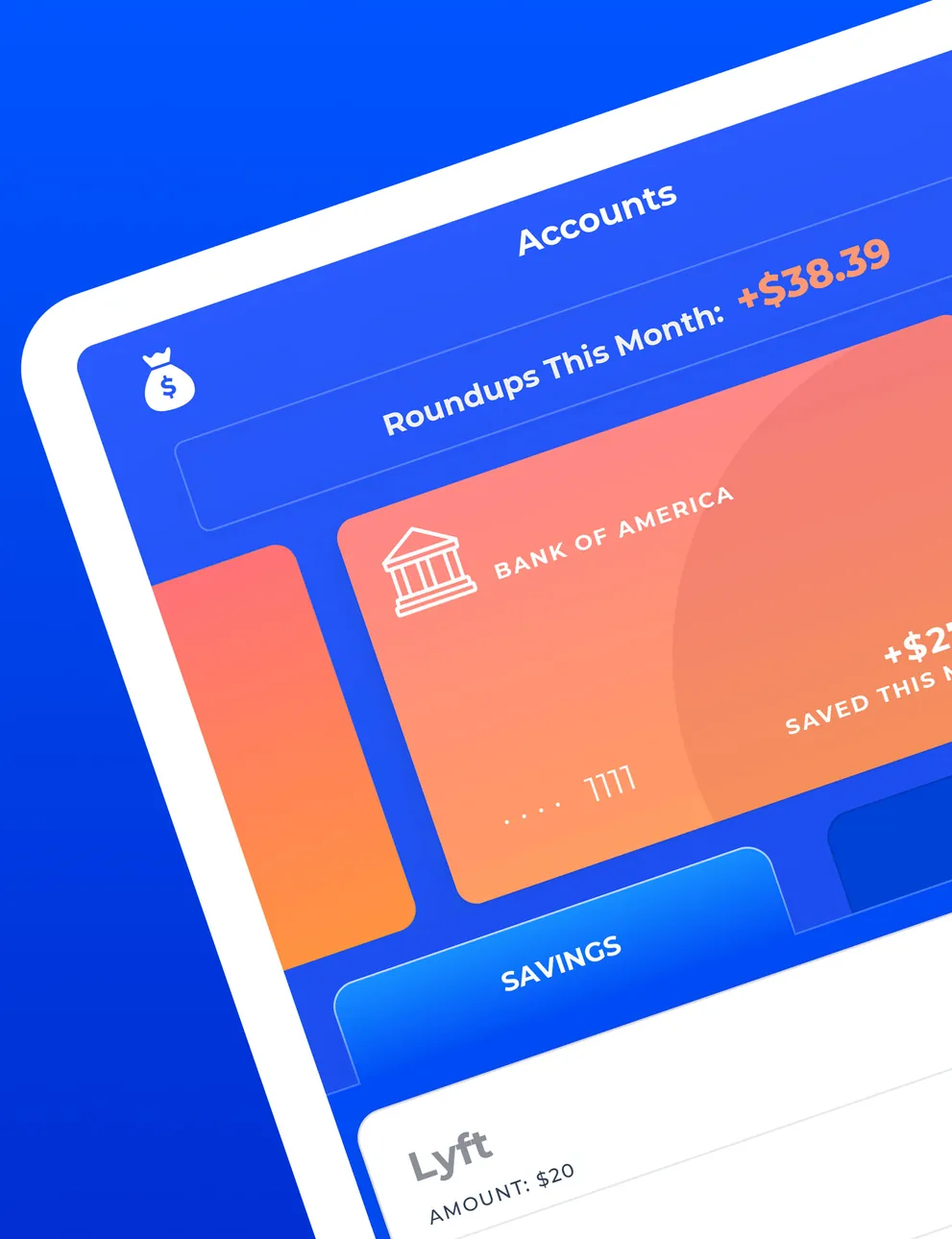
App Store marketing imageA tilted iPad Accounts screen with Roundups This Month +$38.39, a Bank of America account card, a Savings tab and a Lyft round-up row.App Store listing, as of
Debt Payoff Planner
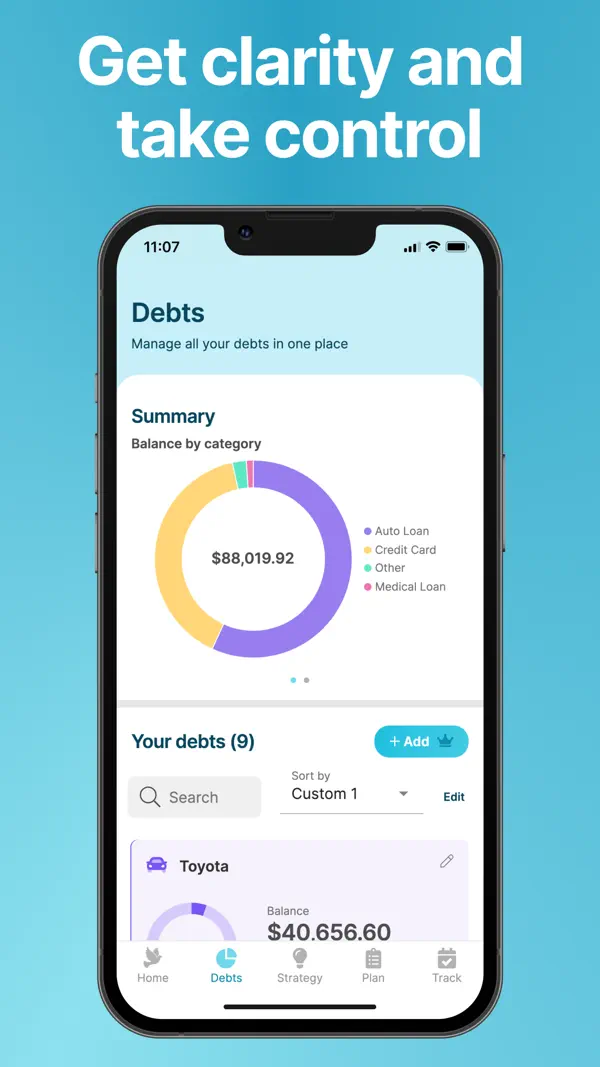
App Store marketing imageApp Store image with the headline "Get clarity and take control" showing a Debts screen with a balance by category donut chart.App Store listing, as of 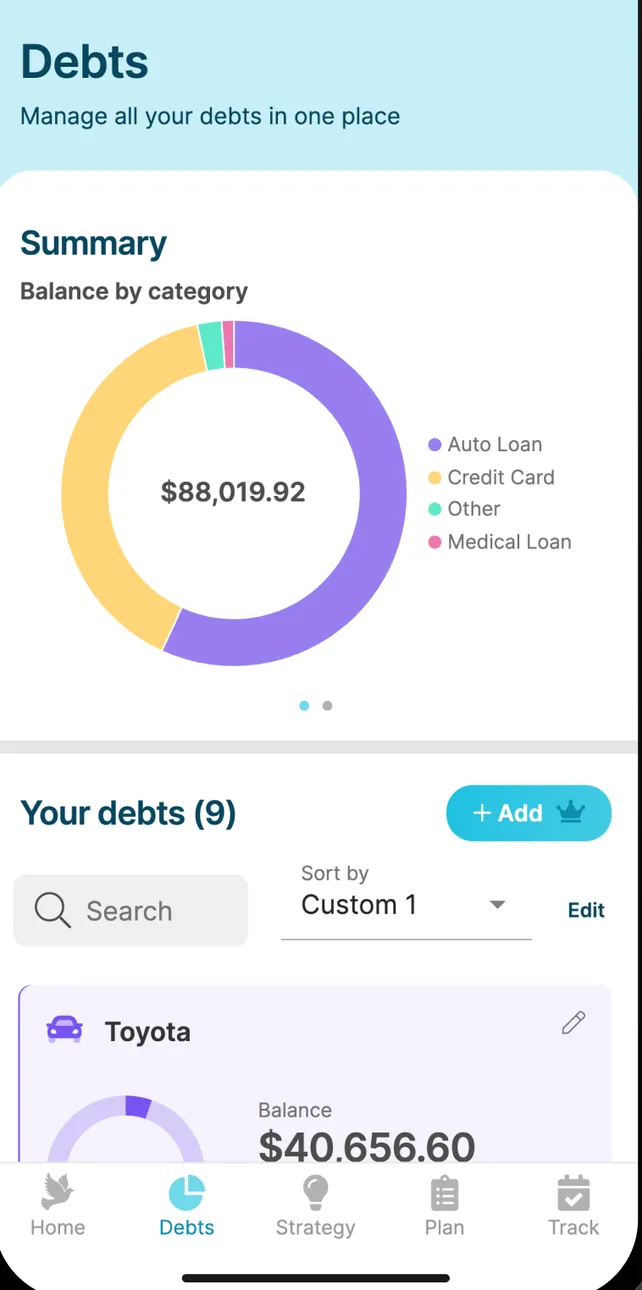
App Store marketing imageThe Debts screen: a Summary donut of $88,019.92 by category, Your debts (9) with search and sort, and a Toyota loan at $40,656.60.App Store listing, as of 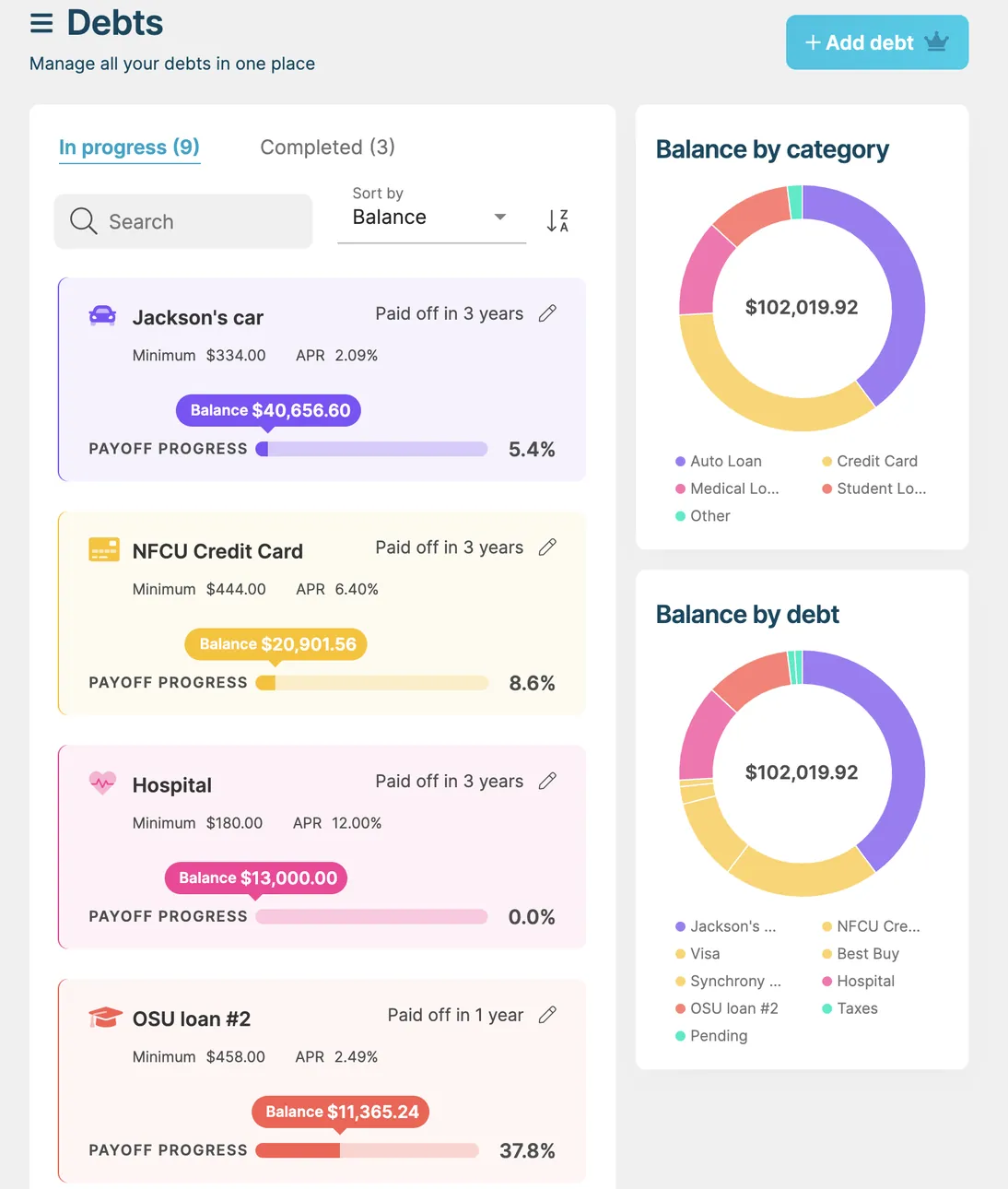
App Store marketing imageThe iPad Debts screen: In progress and Completed tabs, debt cards for Jackson's car, an NFCU credit card and a hospital bill with payoff progress, and Balance by category and Balance by debt donut charts.App Store listing, as of
Transactions
Changed
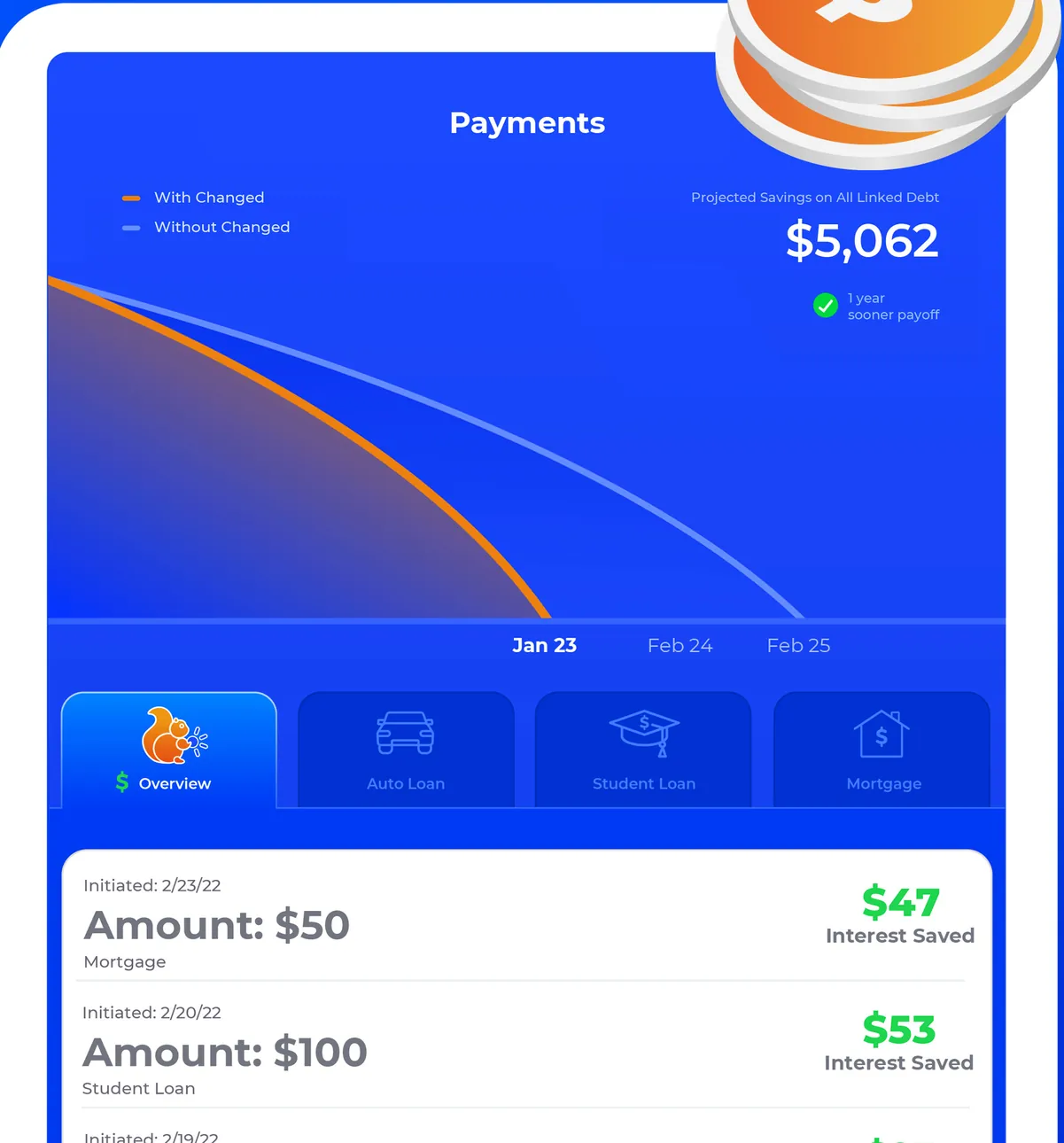
App Store marketing imageThe iPad Payments screen: projected savings of $5,062 with a With Changed and Without Changed chart, Overview and loan type tabs, and payments of $50 and $100 with interest saved of $47 and $53.App Store listing, as of 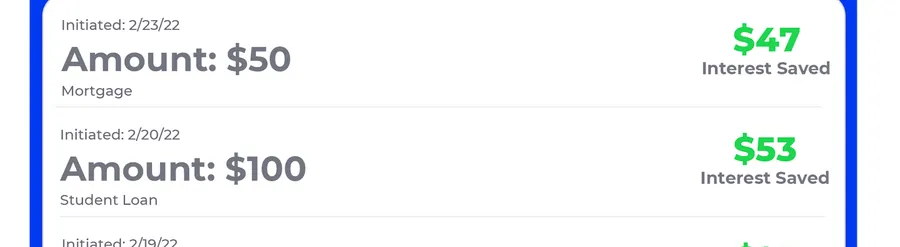
App Store marketing imagePayment rows: Amount $50 with $47 interest saved and Amount $100 with $53 interest saved.App Store listing, as of
Debt Payoff Planner
No official screen found yet
Goals
Changed
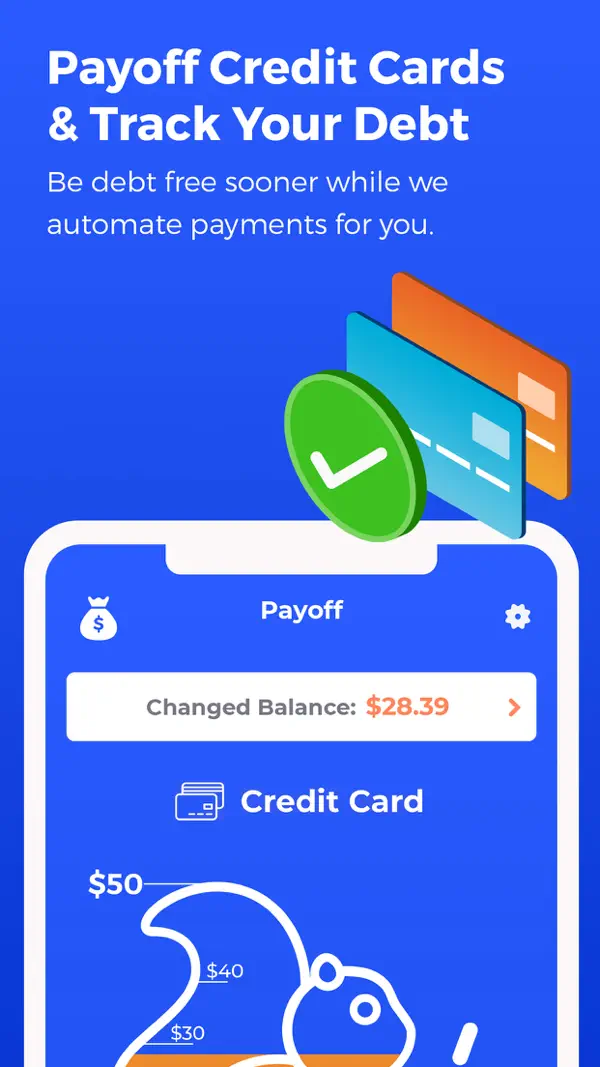
App Store marketing imageApp Store image with the headline "Payoff Credit Cards & Track Your Debt" showing the Payoff screen with a Changed Balance and a credit card progress graphic.App Store listing, as of 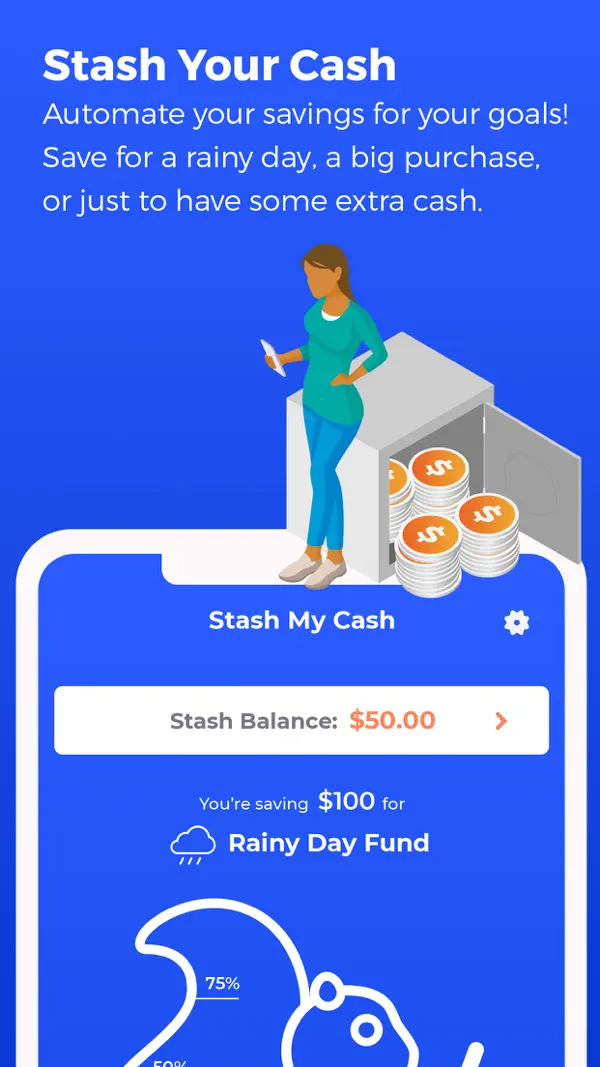
App Store marketing imageApp Store image with the headline "Stash Your Cash" showing a Stash My Cash screen saving for a Rainy Day Fund.App Store listing, as of 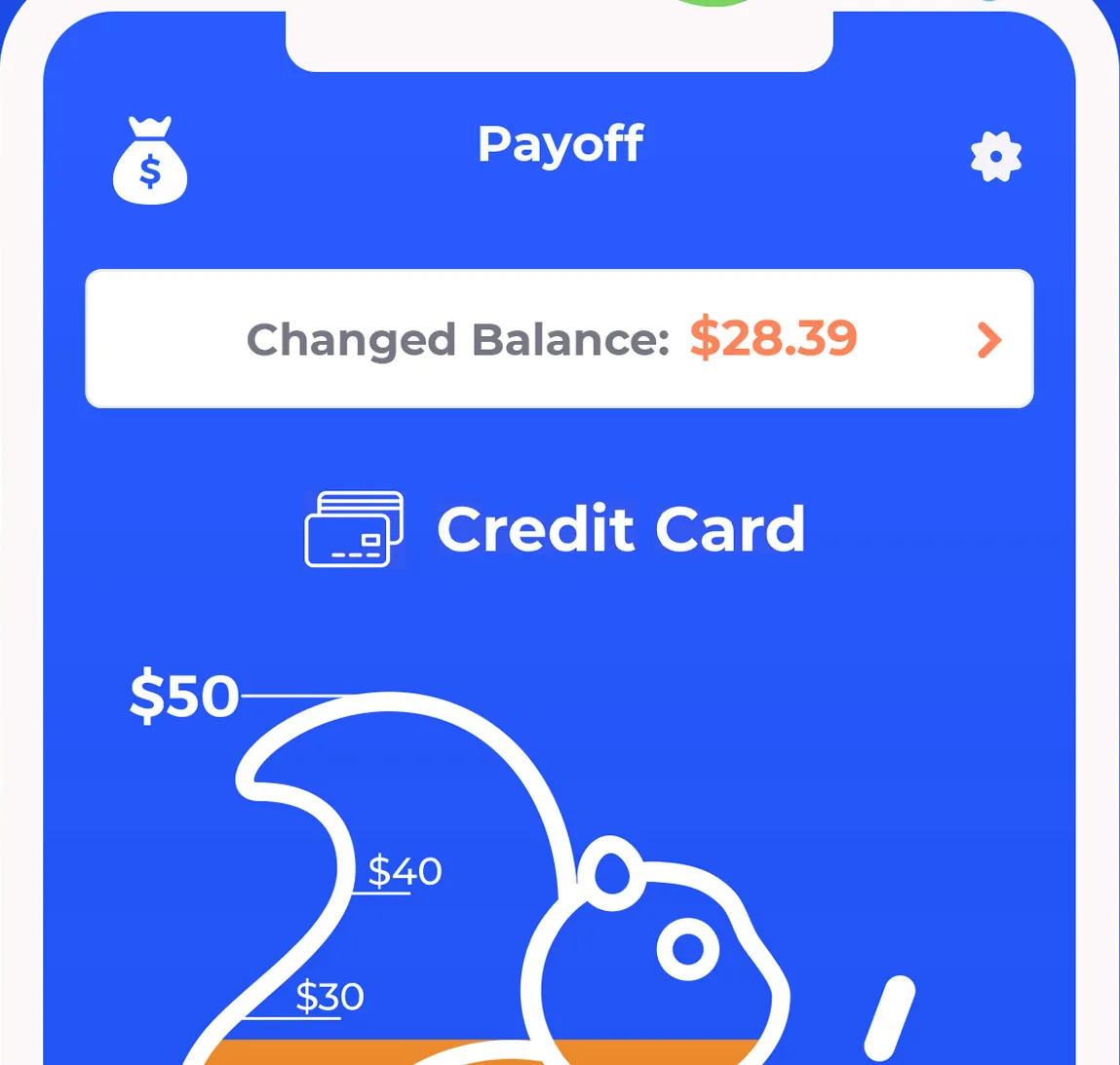
App Store marketing imageThe top of the Payoff screen: Changed Balance $28.39, a Credit Card label and a squirrel-shaped progress graphic marked $50, $40 and $30.App Store listing, as of 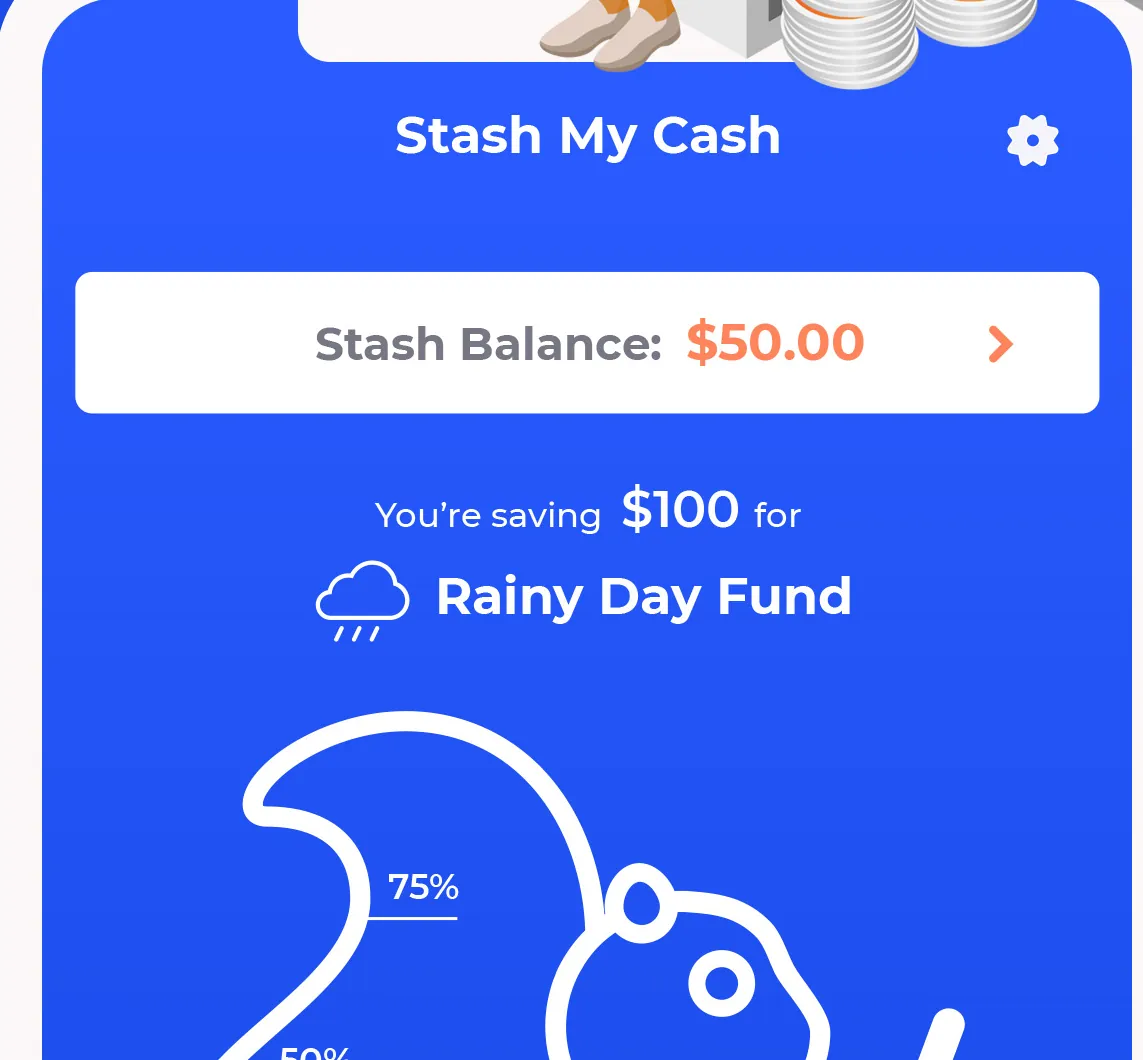
App Store marketing imageThe top of the Stash My Cash screen: Stash Balance $50.00, "You're saving $100 for Rainy Day Fund" and a progress graphic at 75%.App Store listing, as of 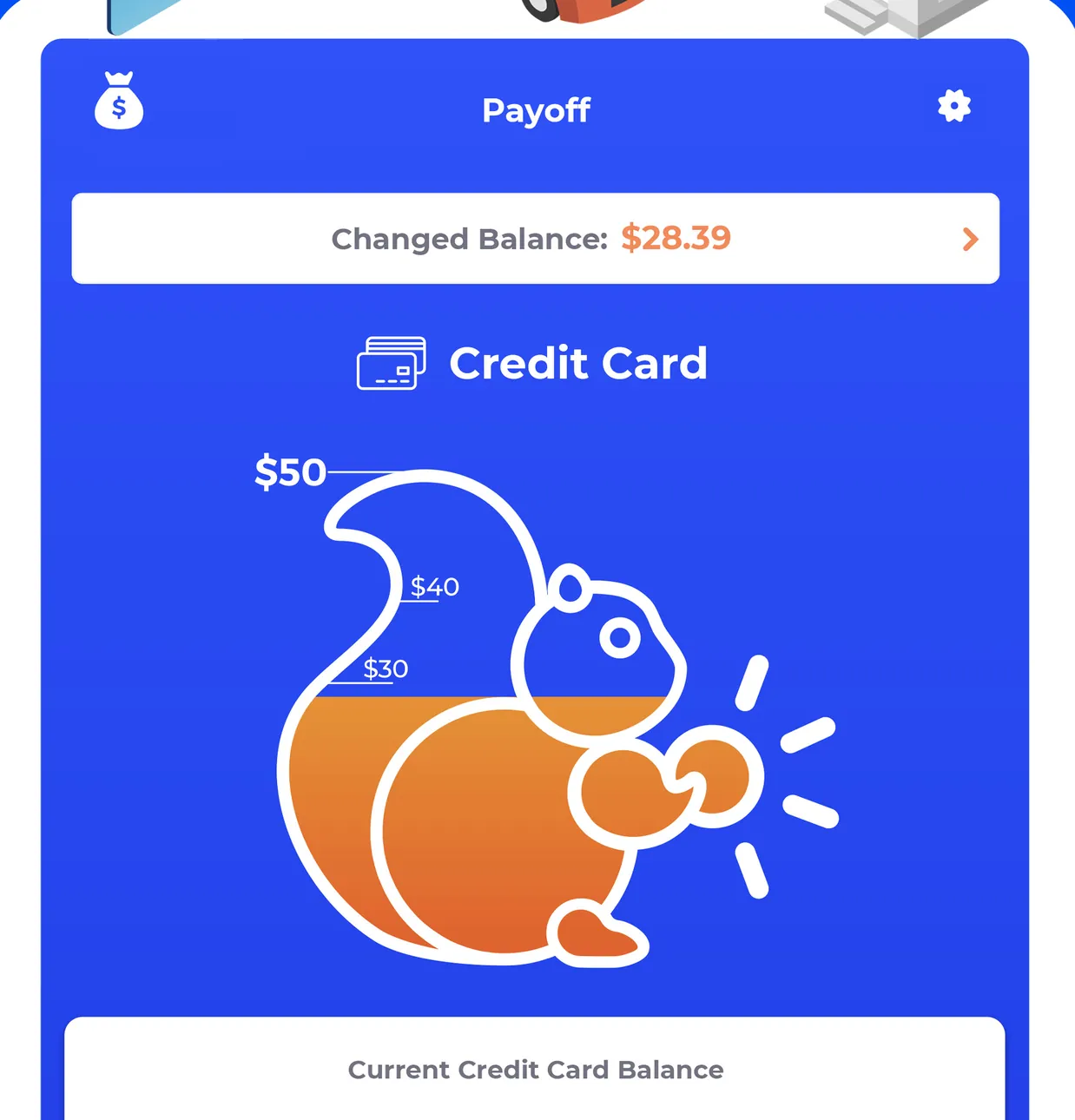
App Store marketing imageThe iPad Payoff screen: Changed Balance $28.39, Credit Card, a squirrel progress graphic from $30 to $50 and a Current Credit Card Balance row.App Store listing, as of
Debt Payoff Planner
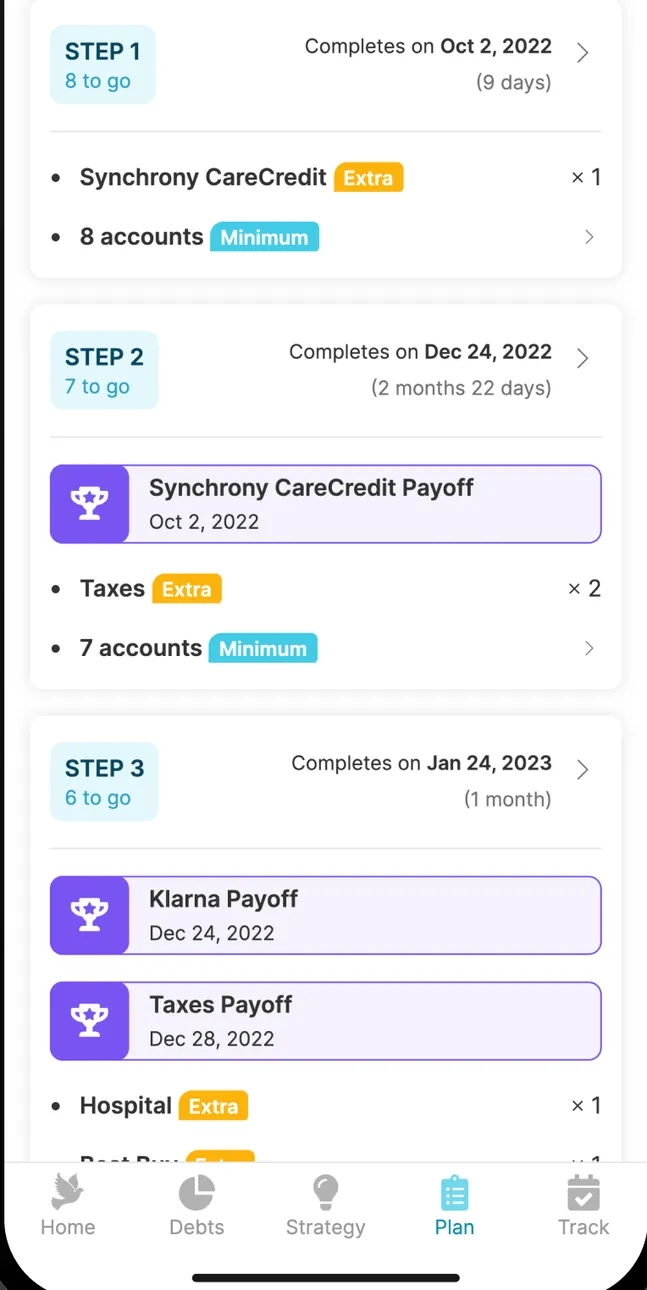
App Store marketing imageA step-by-step payoff plan: Step 1 Synchrony CareCredit payoff by Oct 2, 2022, Step 2 and Step 3 with Klarna and Taxes payoffs and the accounts paid in each step.App Store listing, as of 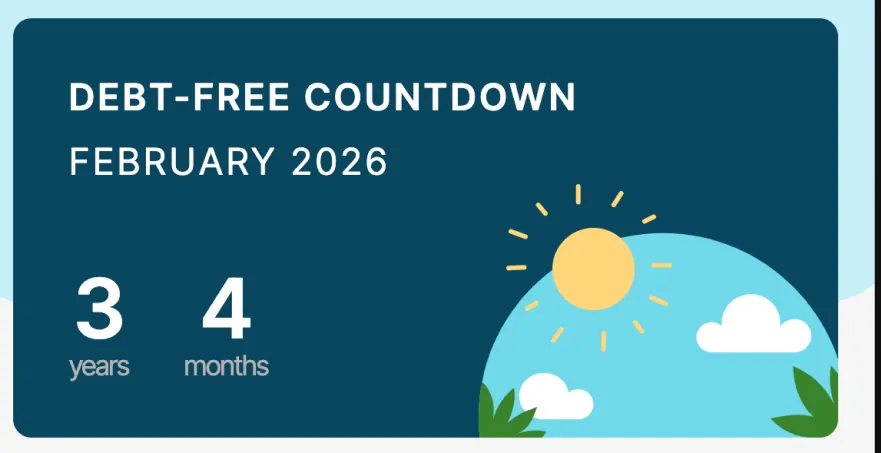
App Store marketing imageA Debt-free countdown card: February 2026, 3 years and 4 months away, with an illustrated sun over hills.App Store listing, as of 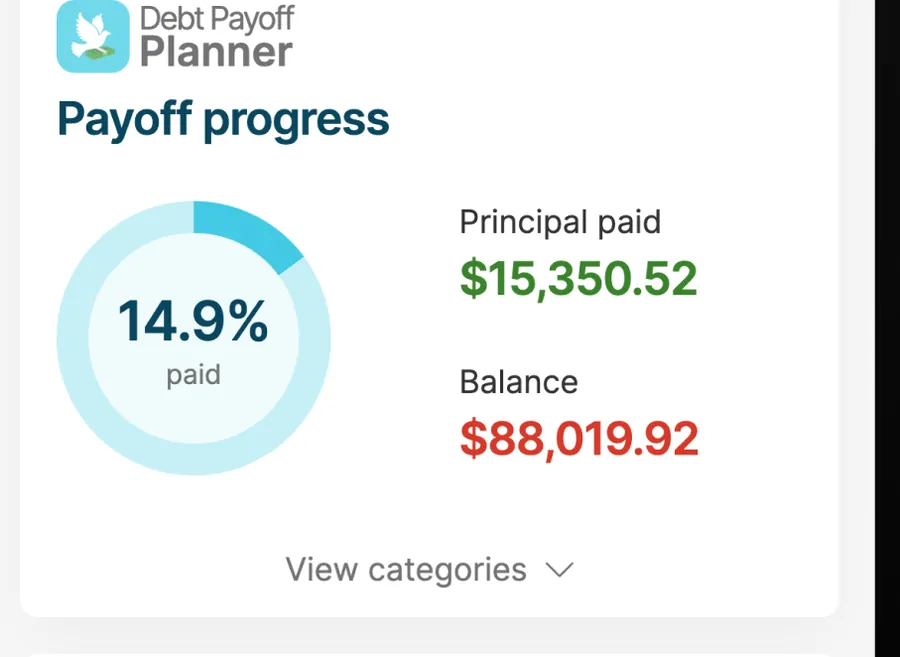
App Store marketing imagePayoff progress: a ring at 14.9% paid, principal paid $15,350.52 and balance $88,019.92.App Store listing, as of
Reports and insights
Changed
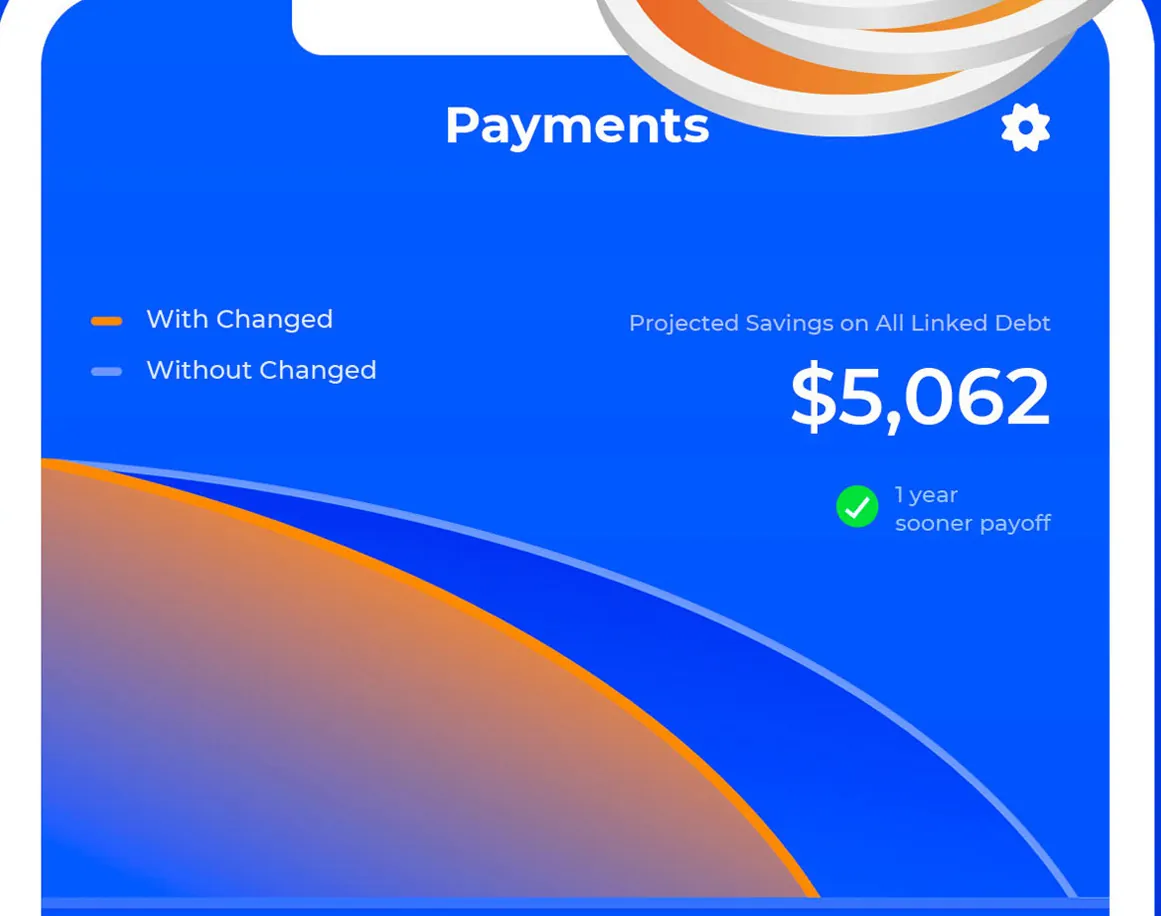
App Store marketing imageThe top of the Payments screen: a With Changed and Without Changed chart, projected savings on all linked debt of $5,062 and a 1 year sooner payoff note.App Store listing, as of 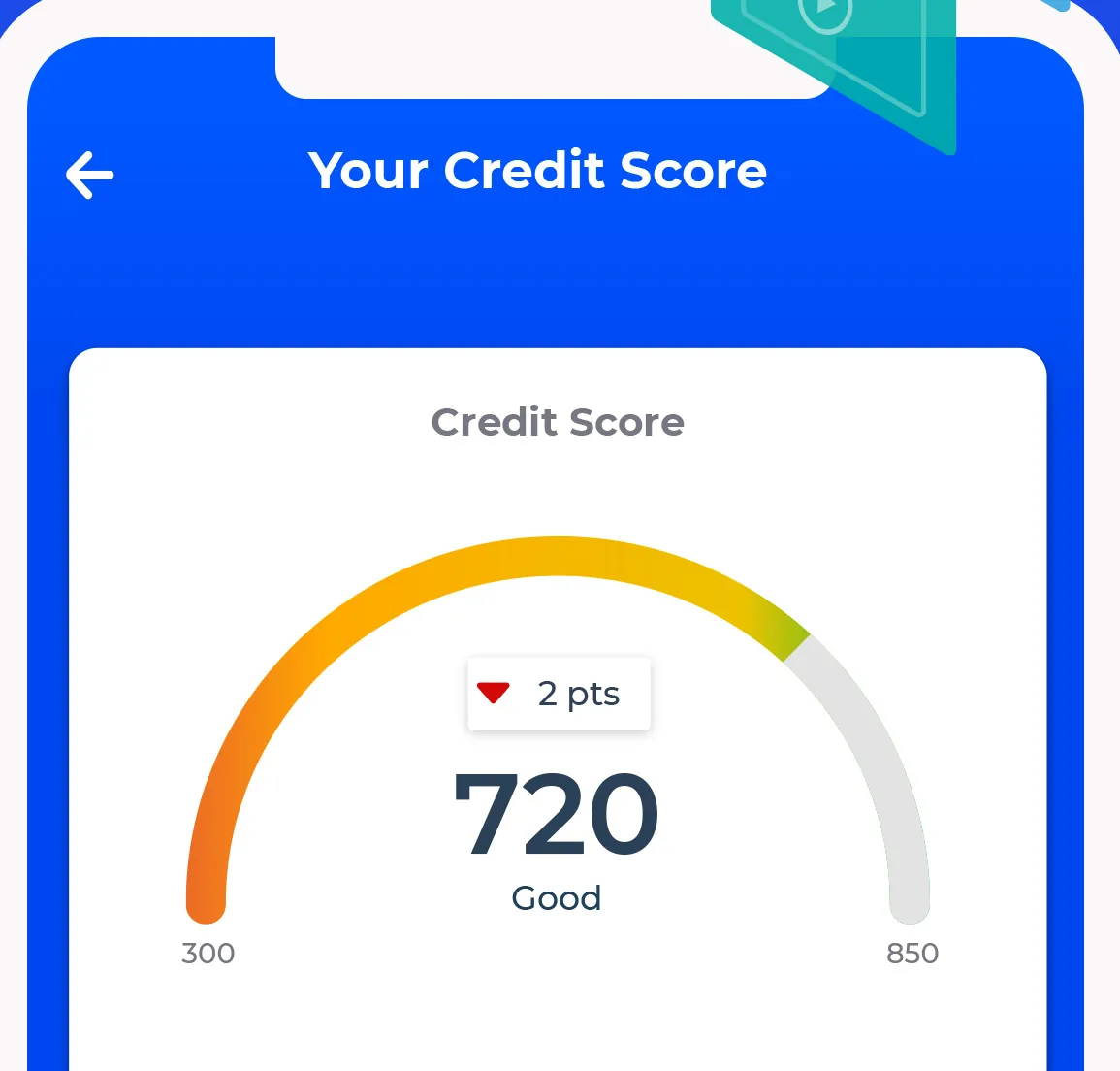
App Store marketing imageThe top of Your Credit Score: a gauge reading 720, Good, down 2 pts.App Store listing, as of
Debt Payoff Planner
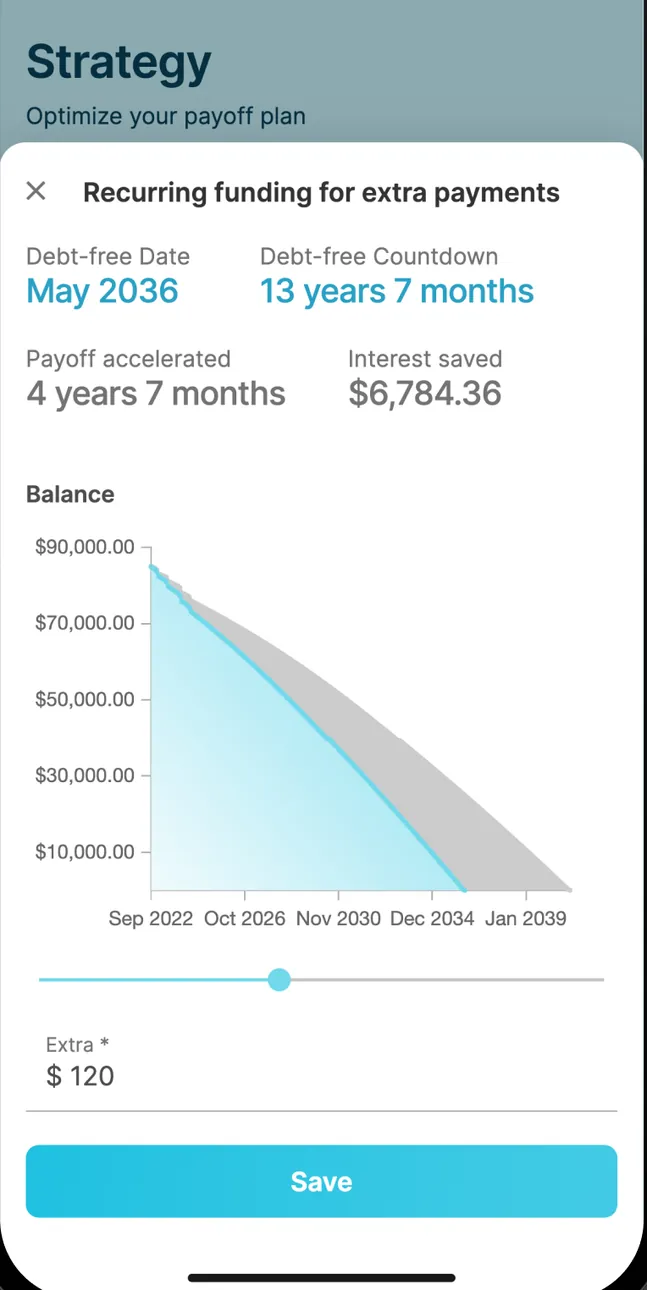
App Store marketing imageRecurring funding for extra payments on the Strategy screen: debt-free date May 2036, a 13 years 7 months countdown, payoff accelerated by 4 years 7 months, $6,784.36 interest saved, a balance chart, an Extra $120 field and a Save button.App Store listing, as of 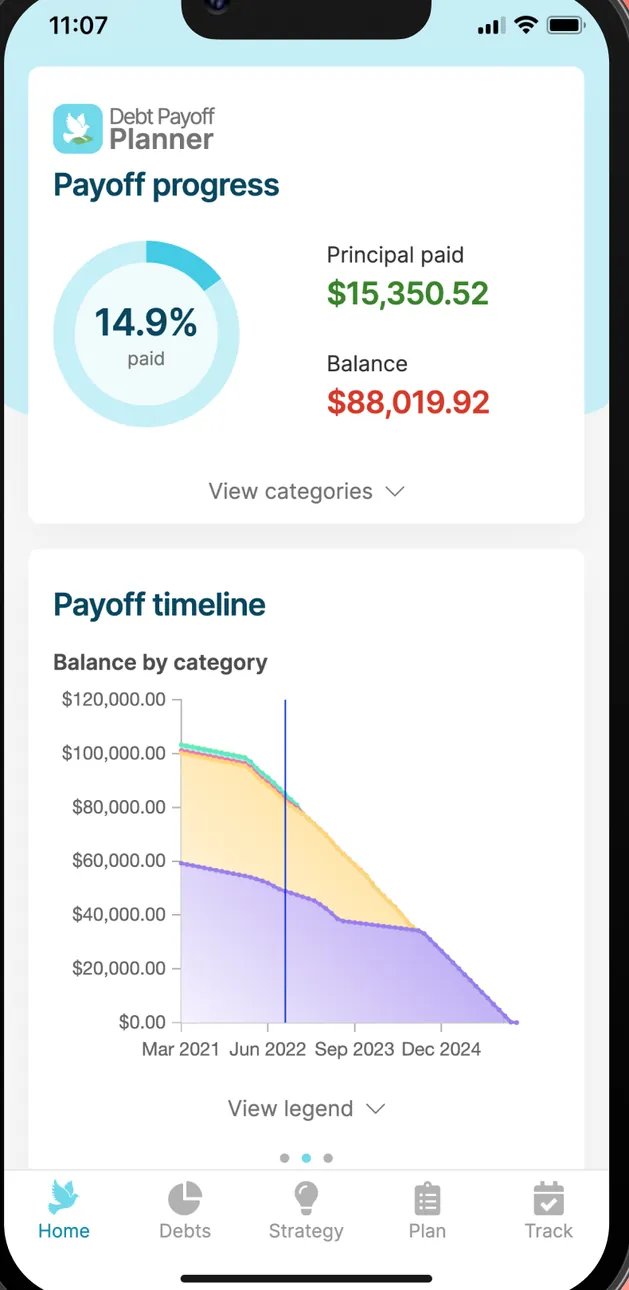
App Store marketing imagePayoff progress at 14.9% with principal paid and balance, and a Payoff timeline chart of balance by category from 2021 to 2024.App Store listing, as of
Bills and recurring
Changed
No official screen found yet
Debt Payoff Planner
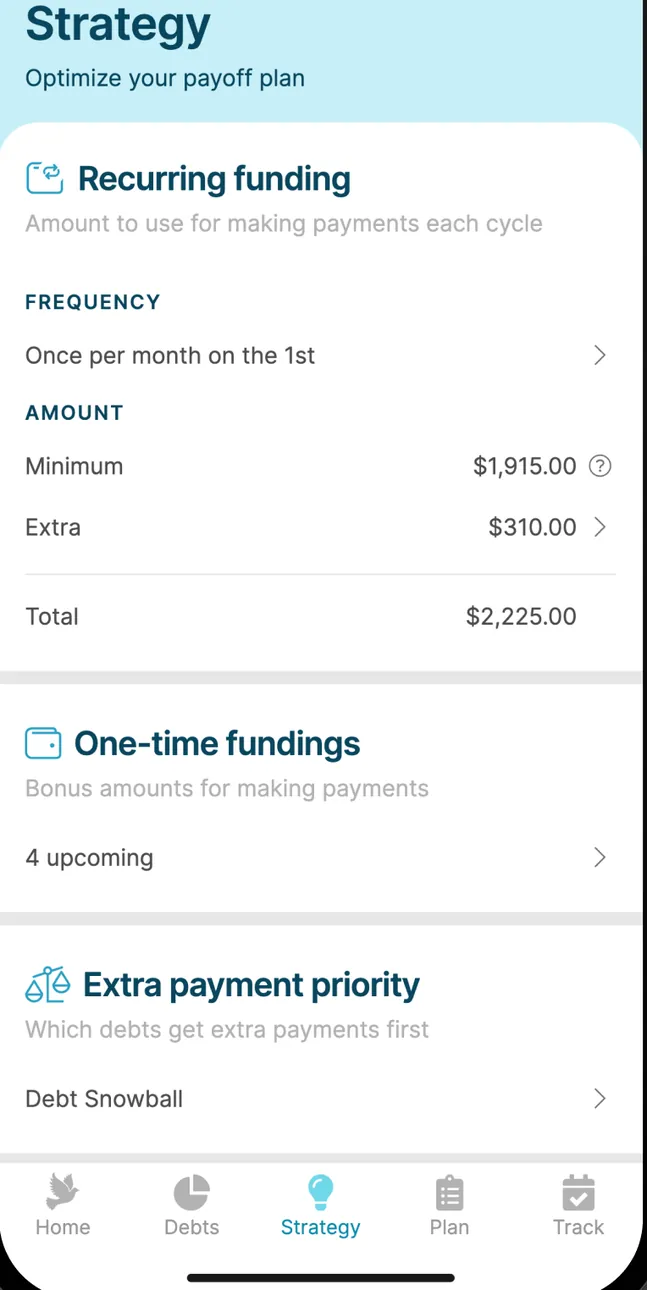
App Store marketing imageThe Strategy screen: Recurring funding once per month on the 1st with minimum and extra amounts totaling $2,225.00, One-time fundings and Extra payment priority set to Debt Snowball.App Store listing, as of 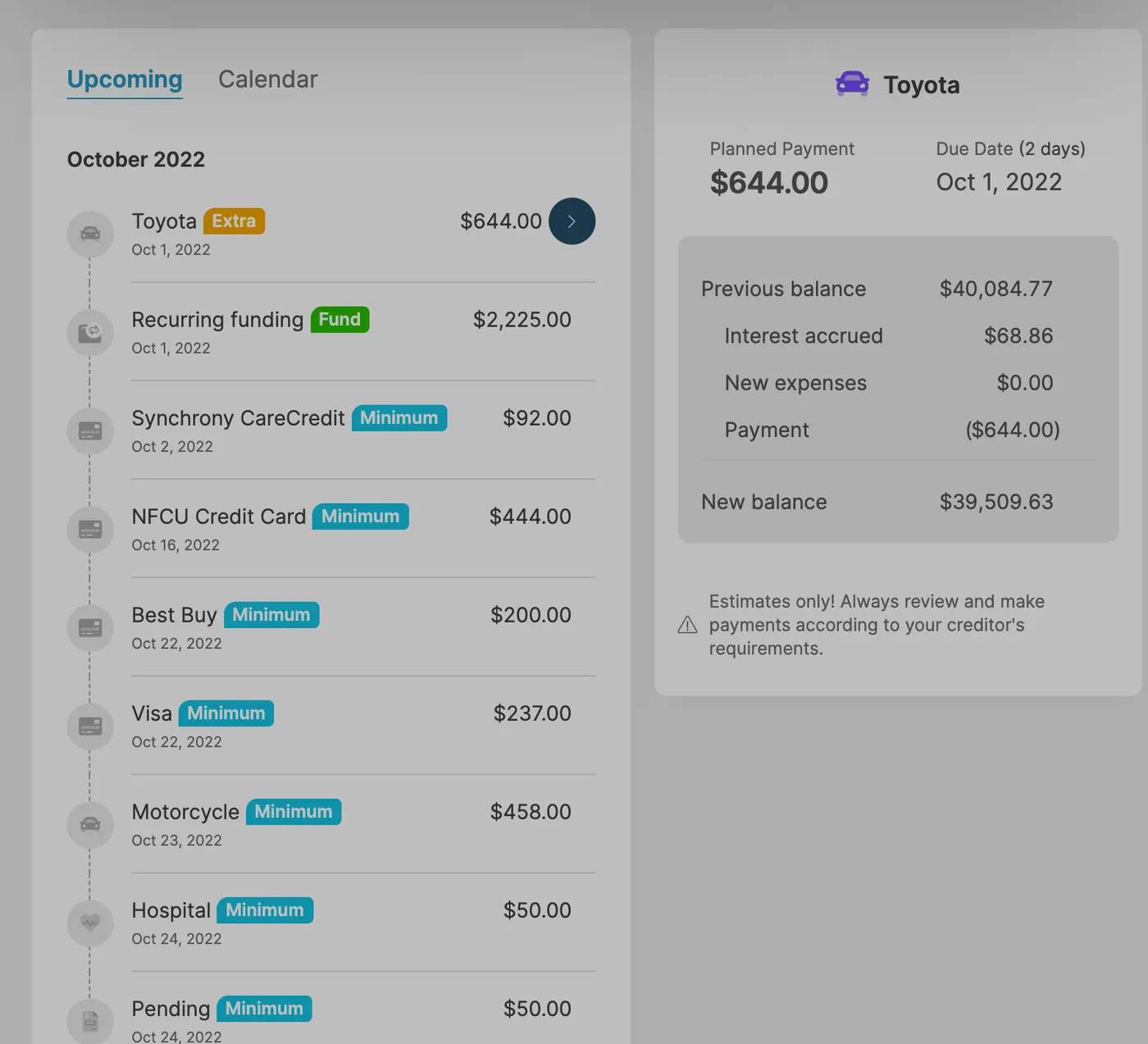
App Store marketing imageAn iPad payment schedule on Upcoming for October 2022 with payments to Toyota, recurring funding, Synchrony CareCredit, NFCU Credit Card and more, next to a Toyota payment detail.App Store listing, as of
Other screens
Changed
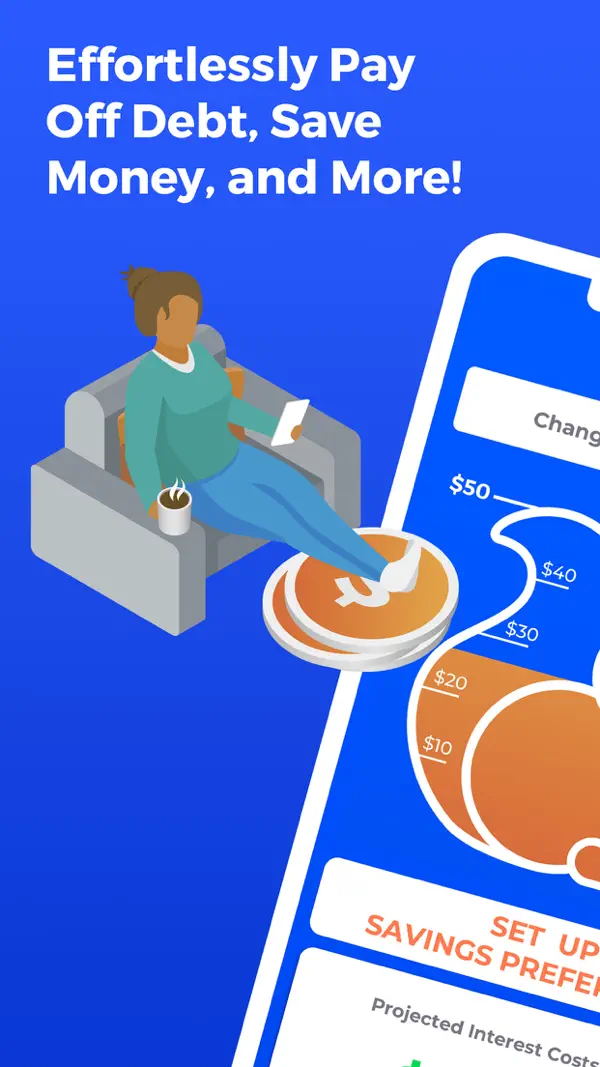
App Store marketing imageApp Store image with the headline "Effortlessly Pay Off Debt, Save Money, and More!" showing a tilted phone and an illustrated person on a couch.App Store listing, as of
Debt Payoff Planner
App Store marketing imageApp Store image with the headline "Quickly get a plan to payoff debt" and Good Morning America and Forbes logos.App Store listing, as of 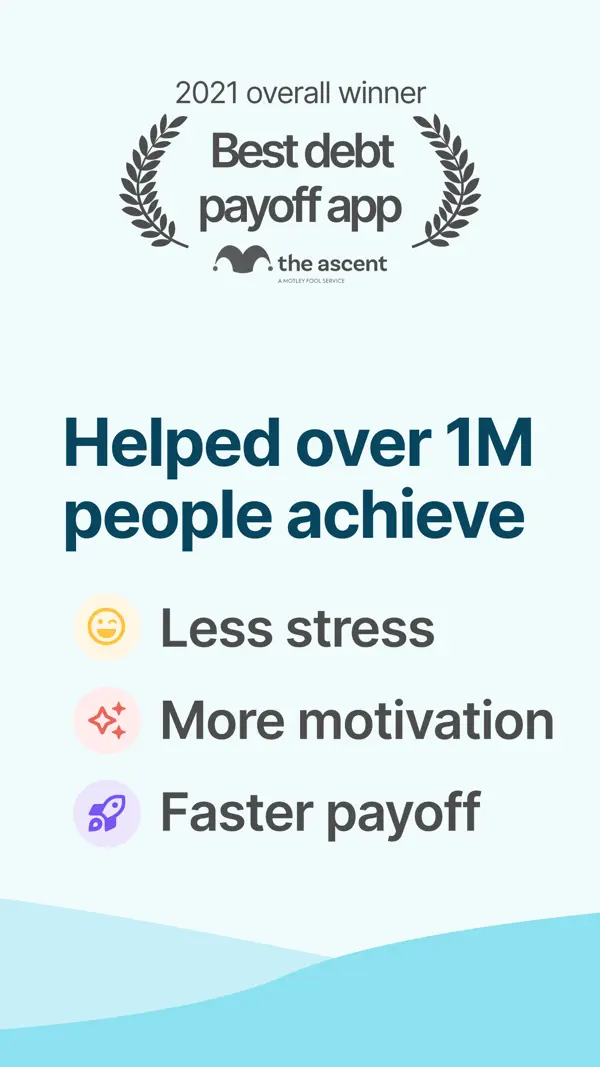
App Store marketing imageApp Store image with a 2021 Best debt payoff app award from The Ascent and the line "Helped over 1M people achieve" less stress, more motivation and faster payoff.App Store listing, as of
Who it's for
Pick the tab that sounds like you. Every answer comes from the app's own pages, and its source opens from the Source link.
Just me
Budgeting on your own? These are the basics people ask about first.
Is it free?
Changed: Changed's plans page lists Basic at $6 a month, Plus at $9 a month and Premium at $15 a month.
Source
gochanged.com/changed-plans, checked .Debt Payoff Planner: Debt Payoff Planner has a free plan. Its website lists the Pro plan from $2 a month.
Source
debtpayoffplanner.com, checked .Does it connect to my bank and import transactions?
Changed: Yes. Changed links your loans and the bank and spending accounts you want it to track for round-ups.
Source
gochanged.com/how-it-works, checked .Debt Payoff Planner: No. Debt Payoff Planner says the app will not connect to any of your accounts, so you record each payment yourself.
Source
debtpayoffplanner.com/support, checked .Is there support from the app's makers if I need help?
Changed: Yes. Message form and help center.
Source
In their words: “Didn't find the answers you're looking for? Need some additional help? We're here to answer the questions you have.” gochanged.com/support, checked .Debt Payoff Planner: Yes. Email.
Source
In their words: “If you have any questions, comments, or suggestions, please email our support team at support@debtpayoffplanner.com” debtpayoffplanner.com/support, checked .
Family
Bringing in more of the household? Here's what each app says about families and kids. See apps with custodial accounts for kids.
Does it have accounts or features for kids or teens?
Changed: No.
Source
In their words: “REPRESENT THAT YOU ARE EIGHTEEN (18) YEARS OF AGE OR OLDER” gochanged.com/terms-of-use, checked .Debt Payoff Planner: No.
Source
In their words: “you guarantee that you are above the age of 18” debtpayoffplanner.com/terms-of-service, checked .
A question shows only when every app here has a current official source that answers it. We only say no when the app's own page does.
Which fits your Money Type?
There are four Money Types: Strategist, Spender, Saver and Scrambler. Each card matches one type to what the sources say about these two apps.
 Strategist
Neither app's sources confirm a feature we match to this type yet, so the quiz is the better place to start.
First fix: Save the Raise.
 Spender
Neither app's sources confirm a feature we match to this type yet, so the quiz is the better place to start.
First fix: Sleep on It.
 Saver
Neither app's sources confirm a feature we match to this type yet, so the quiz is the better place to start.
First fix: Put It to Work.
 Scrambler
Changed lists bank syncing. Seeing every account in one place helps a Scrambler pay bills first.
First fix: Bills First.
Not sure which one you are? Take the free Money Types quiz. It takes about two minutes.
Full disclosure: Taylor Price, who runs Priceless Tay, owns Fifecta, so keep that in mind as you read this comparison.
Another option: Fifecta
If neither Changed nor Debt Payoff Planner feels right, here is one more option to look at. Fifecta gives every paycheck a plan with FUNDS, and it starts from your Money Type, so the plan matches how you already handle money.
FAQ
How much does Changed cost?
Changed's plans page lists Basic at $6 a month, Plus at $9 a month and Premium at $15 a month. We checked this on Nov 3, 2026.
How much does Debt Payoff Planner cost?
Debt Payoff Planner has a free plan. Its website lists the Pro plan from $2 a month. We checked this on Nov 3, 2026.
What is Changed's app store rating?
Changed has 4.6 out of 5 on the App Store from 5,680 ratings. That's a snapshot from the store listing on Nov 3, 2026, not our score.
What is Debt Payoff Planner's app store rating?
Debt Payoff Planner has 4.7 out of 5 on the App Store from 7,403 ratings. That's a snapshot from the store listing on Nov 3, 2026, not our score.
More comparisons
Similar comparisons





Keep comparing
- See Changed alternatives, closest category first.
- See Debt Payoff Planner alternatives, closest category first.
- Want the bigger picture? Compare more money apps.
Full disclosure: Taylor Price, who runs Priceless Tay, owns Fifecta, so keep that in mind as you read this comparison.
Want a plan built on your Money Type?
Fifecta gives every paycheck a plan with FUNDS, so you know where each dollar goes.
Sources and confidence
- Last checked
- Sourced facts
- 14 facts, each linked and dated
Changed7 sourced facts, last checked Nov 3, 2026
- Price and feesgochanged.com/changed-plans, as of Nov 3, 2026
- PlatformsApp Store listing, as of Nov 3, 2026
- Bank syncinggochanged.com/how-it-works, as of Nov 3, 2026
- Payoff methodsApp Store listing, as of Nov 3, 2026
- Debt-free dateApp Store listing, as of Nov 3, 2026
- Extra paymentsgochanged.com/how-it-works, as of Nov 3, 2026
- App store ratingApp Store listing, as of Nov 3, 2026
Debt Payoff Planner7 sourced facts, last checked Nov 3, 2026
- Price and feesdebtpayoffplanner.com, as of Nov 3, 2026
- Platformsdebtpayoffplanner.com, as of Nov 3, 2026
- Bank syncingdebtpayoffplanner.com/support, as of Nov 3, 2026
- Payoff methodsdebtpayoffplanner.com/overview, as of Nov 3, 2026
- Debt-free datedebtpayoffplanner.com, as of Nov 3, 2026
- Extra paymentsdebtpayoffplanner.com/overview, as of Nov 3, 2026
- App store ratingApp Store listing, as of Nov 3, 2026
Each fact links to the official page it came from, with the date we checked it. Once a fact is older than 30 days, it comes off the page until we check it again. How we source, date and index this data.
This is education, not financial advice.