Budgeting comparison
EveryDollar vs Monarch Money
Updated
Data as of
EveryDollar checked Monarch Money checked
I earn commissions from some links.

EveryDollar
Budgeting app
Visit site for EveryDollar (opens in a new tab)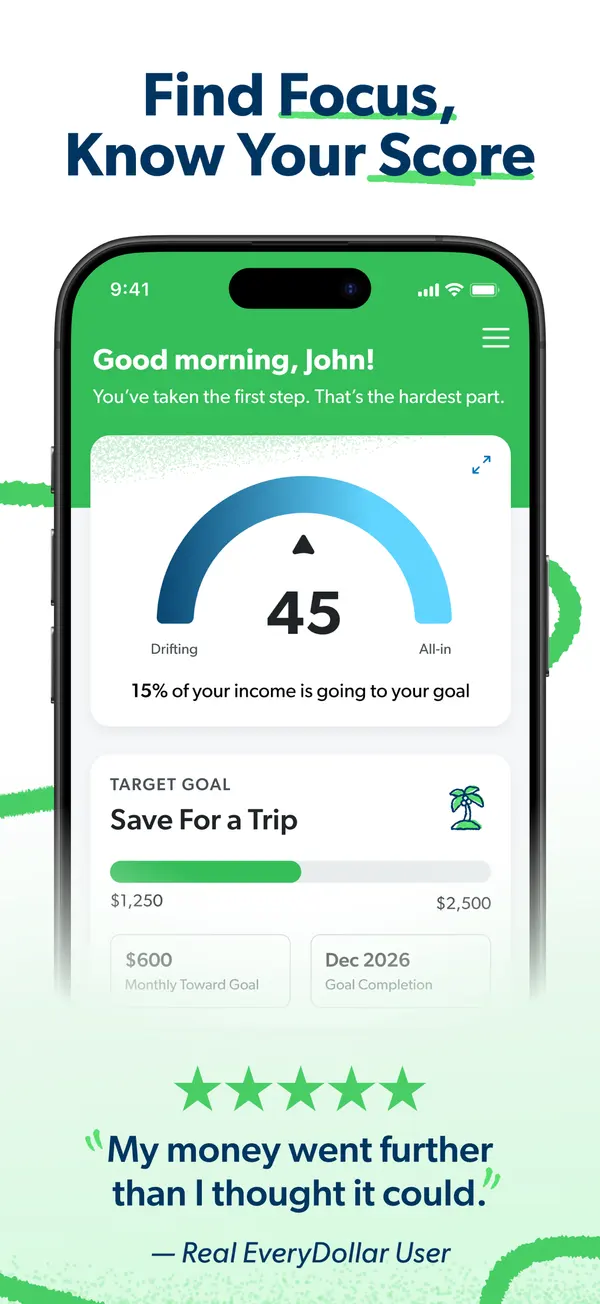

Monarch Money
Budgeting app
Visit site for Monarch Money (opens in a new tab)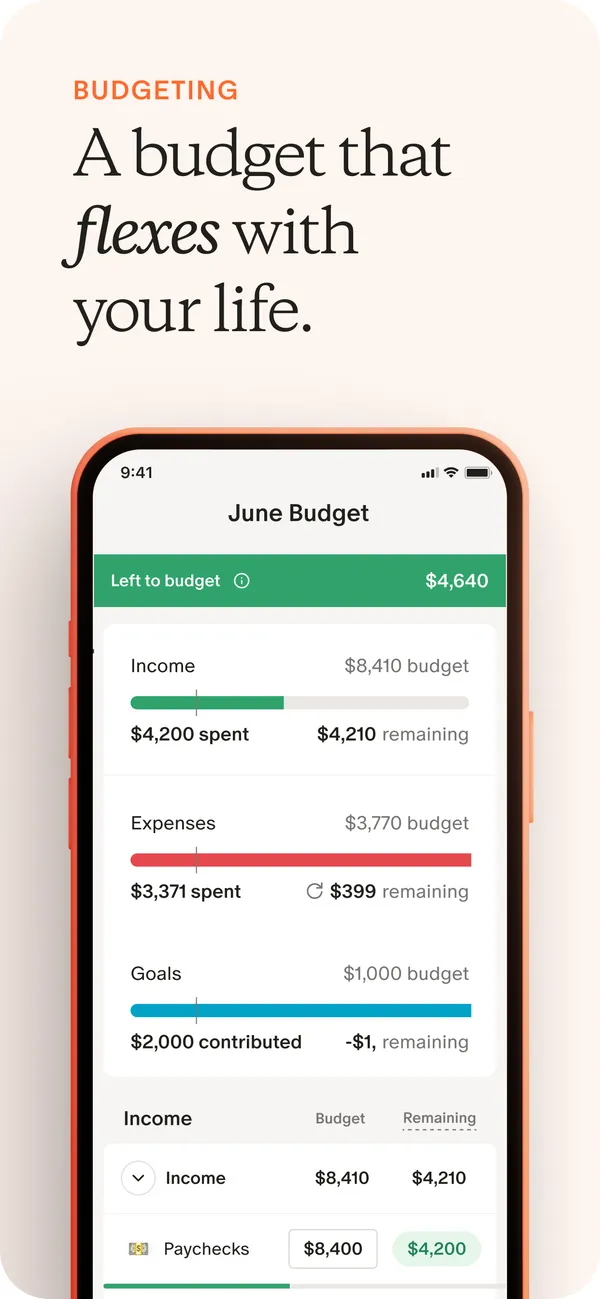

Short answer
- Pick EveryDollar if you want a free version or a longer free trial (14 days, compared with 7).
- Pick Monarch Money if you want shared and individual views, business spending tracked next to personal spending, or the higher App Store rating (4.9, compared with 4.7).
- The biggest difference is price: EveryDollar has a free version, and Monarch Money lists $14.99 a month.
Full disclosure: Taylor Price, who runs Priceless Tay, owns Fifecta, so keep that in mind as you read this comparison.
EveryDollar vs Monarch Money at a glance
- EveryDollar
- Price
- $17.99a month, or a free version
- Free trial
- 14 days
- Rating
- 4.7 of 5App Store, 84,203 ratings
- Platforms
- 3iOS, Android, Computer
- Monarch Money
- Price
- $14.99a month
- Free trial
- 7 days
- Rating
- 4.9 of 5App Store, 116,791 ratings
- Platforms
- 3Web, iOS, Android
What it costs
- EveryDollar
$17.99a month
EveryDollar has a free version. After a 14-day free trial, premium costs $79.99 a year billed annually, or $17.99 a month billed monthly.
$79.99 a year at the yearly list price, or $239.97 over 3 years, before tax.
Source
everydollar.com, checked . - Monarch MoneyLower price
$14.99a month
Monarch Core costs $14.99 a month, or $99.99 a year billed annually. Monarch Plus costs $199.99 a year billed annually.
$99.99 a year at the yearly list price, or $299.97 over 3 years, before tax.
Source
monarch.com/pricing, checked .
Bars compare each app's yearly list price. "Lower price" marks the lowest monthly price the sources list. It's a number, not our pick. Prices are list prices from each app's own page, before tax and any offer.
Features
| Feature | EveryDollar | Monarch Money |
|---|---|---|
| Savings goals | Yes | Yes |
| Shared budgets | Yes | Yes |
| Investment tracking | Yes | Yes |
| Data export | Yes | Yes |
Monarch Money also lists AI features and API or MCP access.
Sources for these features
Yes means the official site lists it. No means the official site says the app doesn't have it.
- EveryDollar: ramseysolutions.com/money/everydollar, checked Nov 3, 2026.Shared budgets: The household feature lets couples manage one budget together with separate emails. ramseysolutions.com/money/everydollar, checked Nov 3, 2026.Investment tracking: Balances from 'a handful of investment accounts', shown as a convenience; the Financial Roadmap net worth includes retirement balances. everydollar.help.ramseysolutions.com/hc/en-us/articles/15937984047117-Investment-Contributions-in-EveryDollar, checked Nov 3, 2026.
- Monarch Money: monarch.com/pricing, checked Nov 3, 2026.Data export: CSV download of transaction and balance history, on the web. help.monarch.com/hc/en-us/articles/15526600975764-Downloading-Transaction-or-Account-History, checked Nov 3, 2026.API or MCP: Official MCP connector (server https://api.monarch.com/mcp) for Claude, ChatGPT, Cursor and Gemini CLI; read access, writes with permission. Finicity data not available through it. help.monarch.com/hc/en-us/articles/50207234679956-Monarch-MCP-Connector, checked Nov 3, 2026.
EveryDollar and Monarch Money, side by side
| Detail | EveryDollar | Monarch Money |
|---|---|---|
| Free trialDiffers | EveryDollarEveryDollar premium starts with a 14-day free trial for new users. Sourceeverydollar.com, checked . | Monarch MoneyMonarch offers a free 7-day trial, and you need a payment method to start it. Sourcemonarch.com/pricing, checked . |
| PlatformsDiffers | EveryDollarEveryDollar lists iOS, Android and Computer. Sourceramseysolutions.com/money/everydollar, checked . | Monarch MoneyMonarch Money lists Web, iOS and Android. Sourcemonarch.com, checked . |
| Bank syncingDiffers | EveryDollarPremium only. EveryDollar premium connects your bank through Mastercard Connect and Plaid, and the free version uses manual entry. Sourceramseysolutions.com/money/everydollar, checked . | Monarch MoneyYes. Monarch says it syncs with multiple financial data providers to connect with more than 13,000 financial institutions. Sourcemonarch.com, checked . |
| App store ratingDiffers | EveryDollarEveryDollar has 4.7 out of 5 on the App Store from 84,203 ratings. SourceApp Store listing, checked . | Monarch MoneyMonarch Money has 4.9 out of 5 on the App Store from 116,791 ratings. SourceApp Store listing, checked . |
Store ratings are a dated snapshot from each listing, not our score. A row shows only when both apps have a current official source for it. How we source and date this data. Spotted a change? Tell us if something changed.
Weighing a third option? Add up to two more apps and compare up to four side by side.
Screen by screen
Pick a task to see what each app shows for it. App Store and Google Play images are the apps' own marketing, so they can show sample data and staged layouts. Help center images come from the app's support articles. See every app's screens.
Home
EveryDollar
App Store marketing imageApp Store image with the headline "Find Focus, Know Your Score" showing a home screen with a score gauge of 45 and a Save For a Trip goal.App Store listing, as of 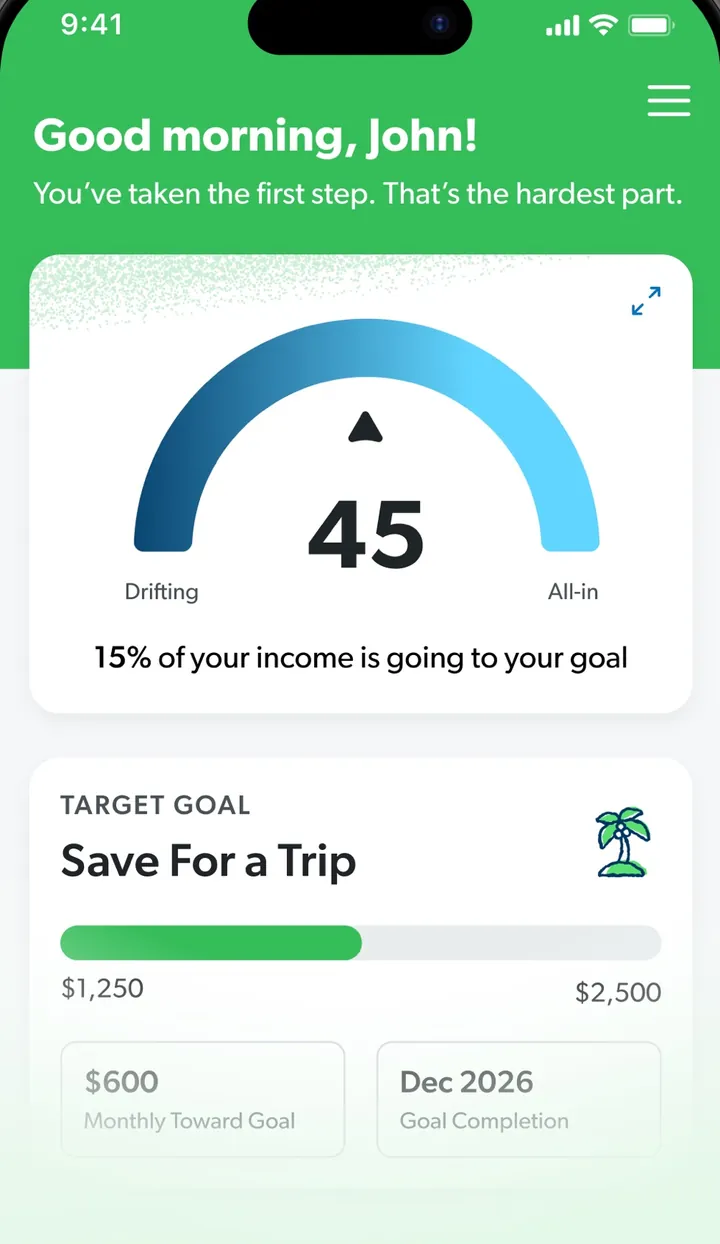
App Store marketing imageA screen greeting John with a gauge reading 45 and a Target Goal card for Save For a Trip.App Store listing, as of
Monarch Money
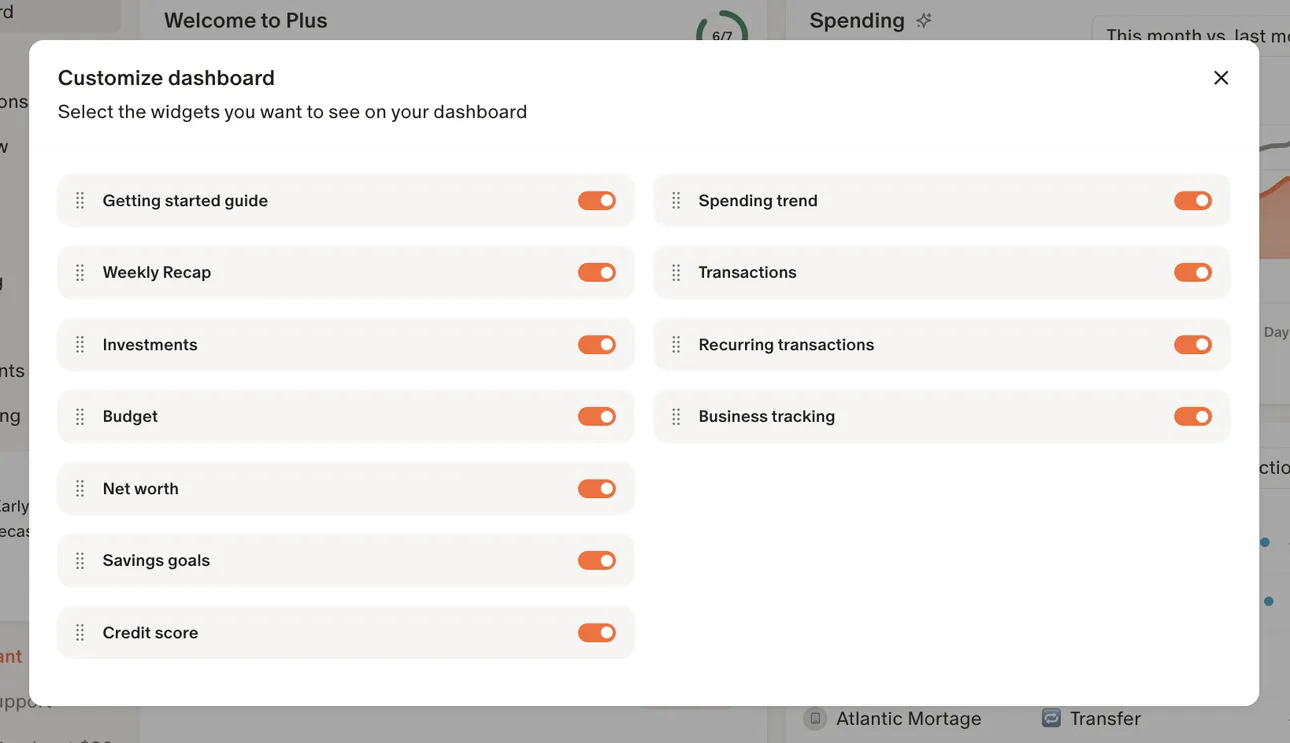
From Monarch Money's help centerA Customize dashboard dialog with toggles for widgets such as Getting started guide, Investments, Budget, Net worth and Spending trend.help.monarch.com, as of
Accounts
EveryDollar
No official screen found yet
Monarch Money
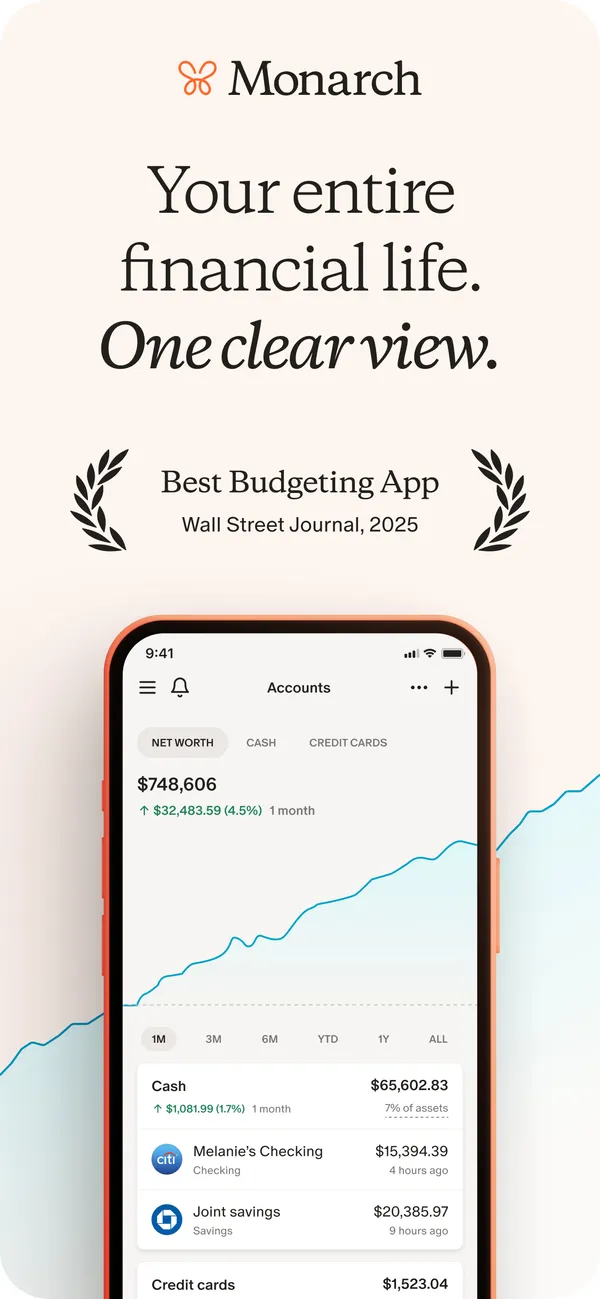
App Store marketing imageApp Store image with the headline "Your entire financial life. One clear view." showing the Accounts screen with a net worth chart and account rows.App Store listing, as of 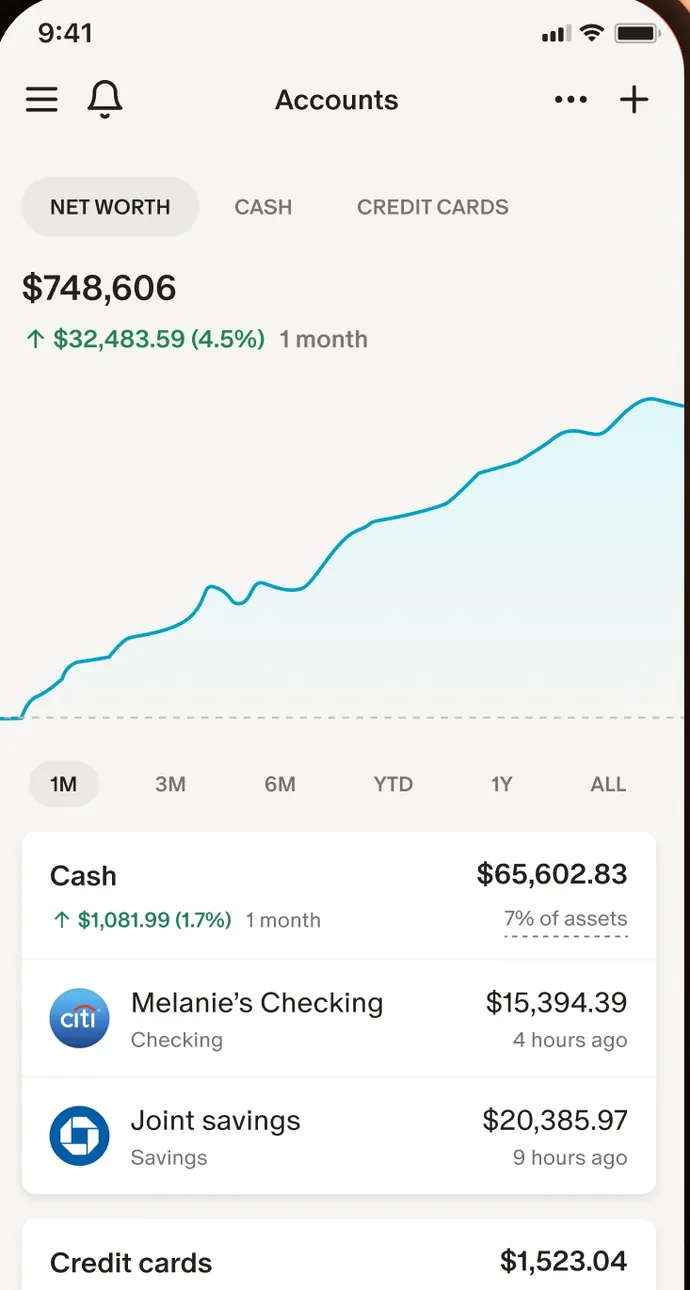
App Store marketing imageThe Accounts screen: net worth of $748,606 with a line chart, time range buttons and Cash account rows.App Store listing, as of
Transactions
EveryDollar
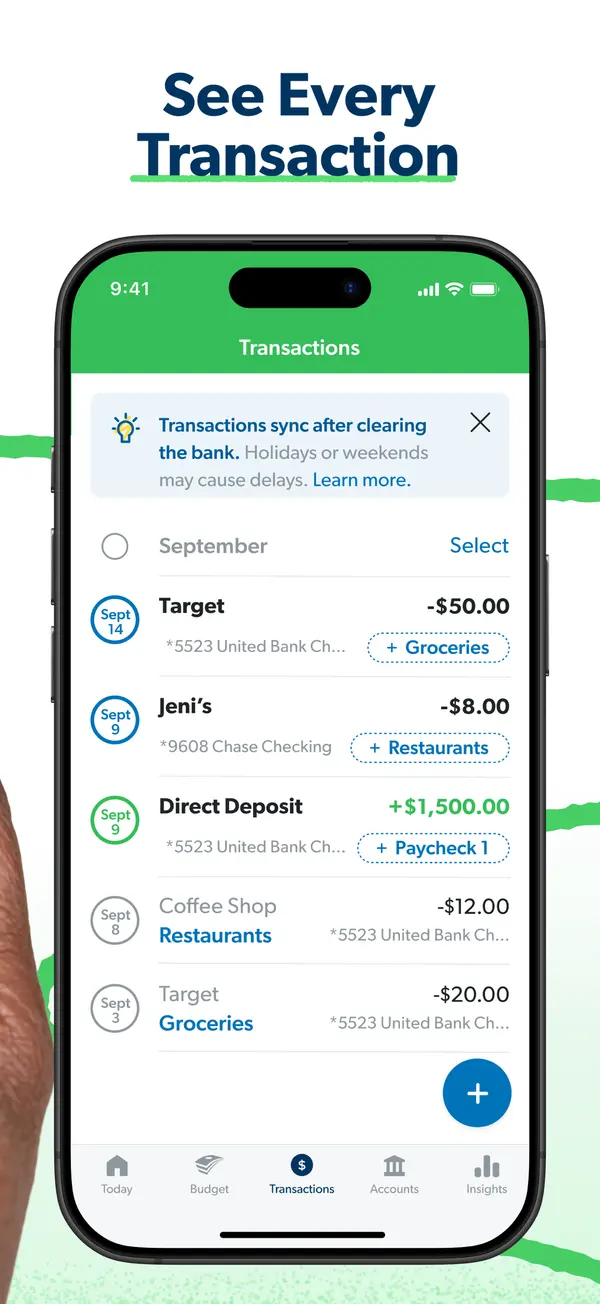
App Store marketing imageApp Store image with the headline "See Every Transaction" showing the Transactions screen.App Store listing, as of 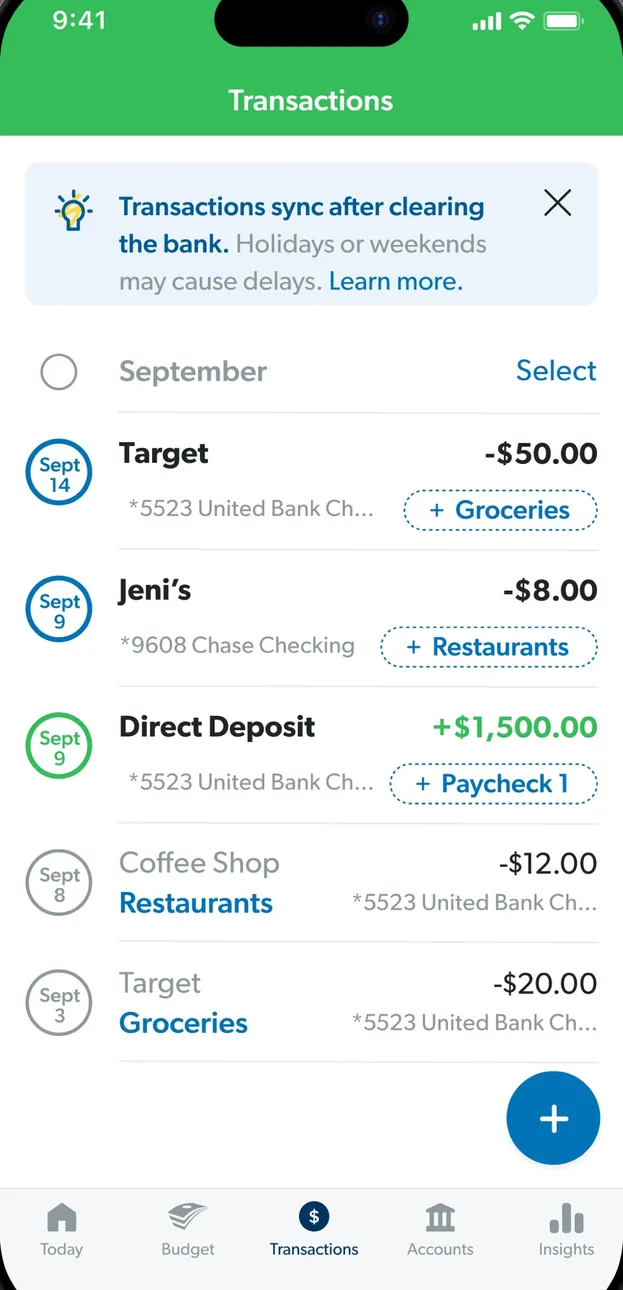
App Store marketing imageThe Transactions screen: a note that transactions sync after clearing, then September transactions with budget item tags.App Store listing, as of 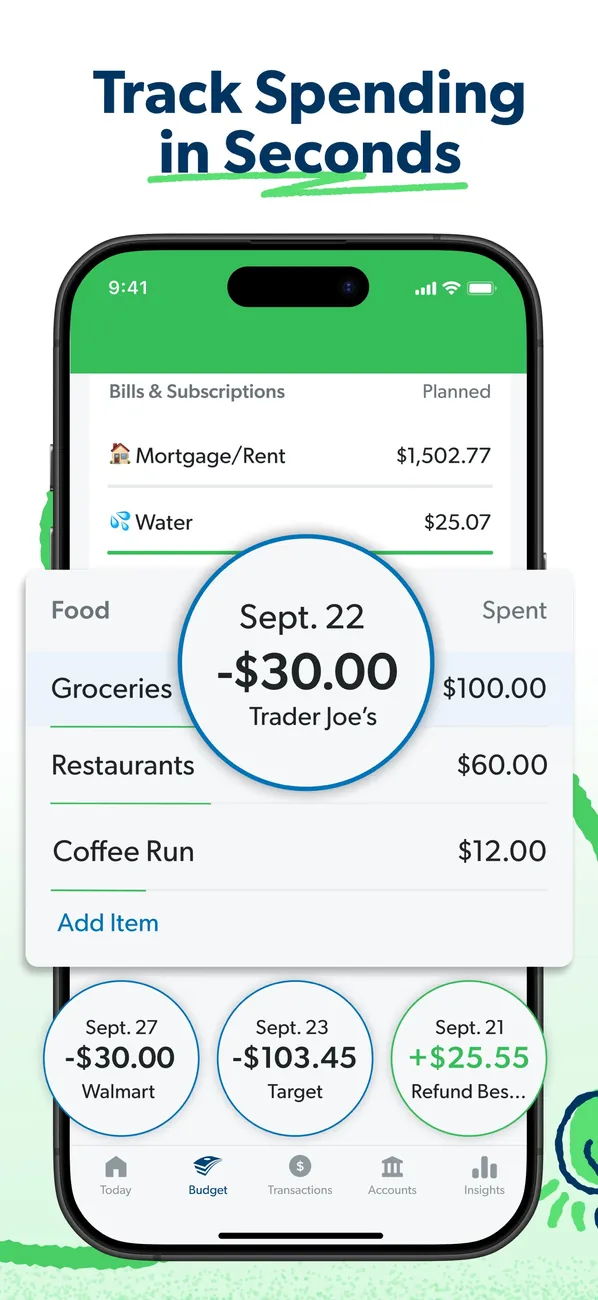
App Store marketing imageApp Store image with the headline "Track Spending in Seconds" showing budget rows with transaction bubbles for Trader Joe's, Walmart and Target.App Store listing, as of 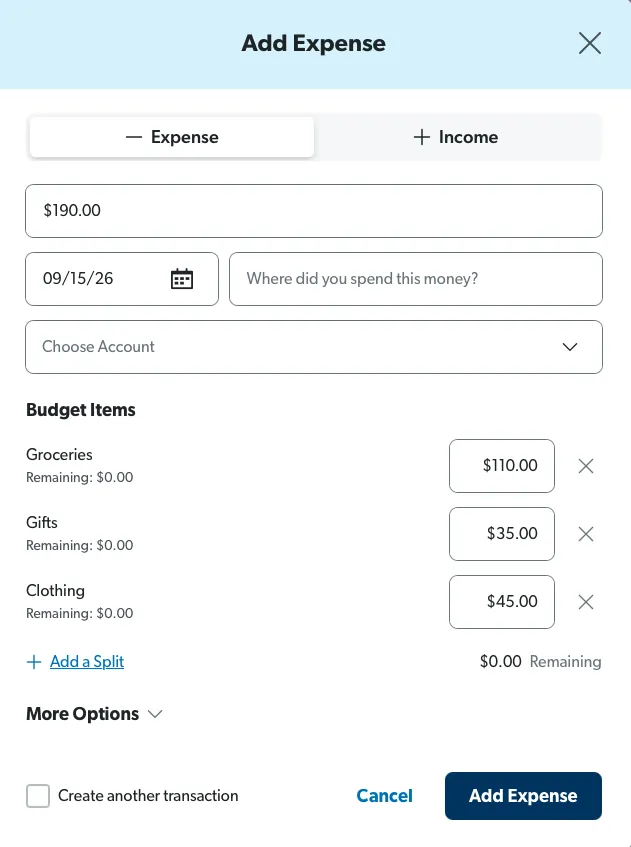
From EveryDollar's help centerAn Add Expense form on the web split across Groceries, Gifts and Clothing with amounts for each.everydollar.help.ramseysolutions.com, as of 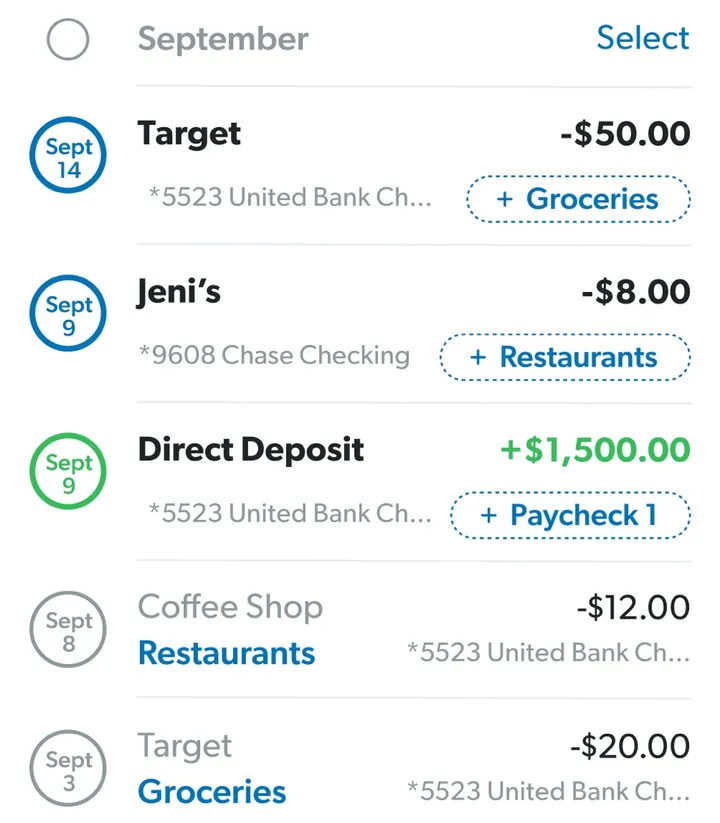
App Store marketing imageTransaction rows such as Target, Jeni's and a Direct Deposit, each with an amount and a budget item tag like Groceries.App Store listing, as of
Monarch Money
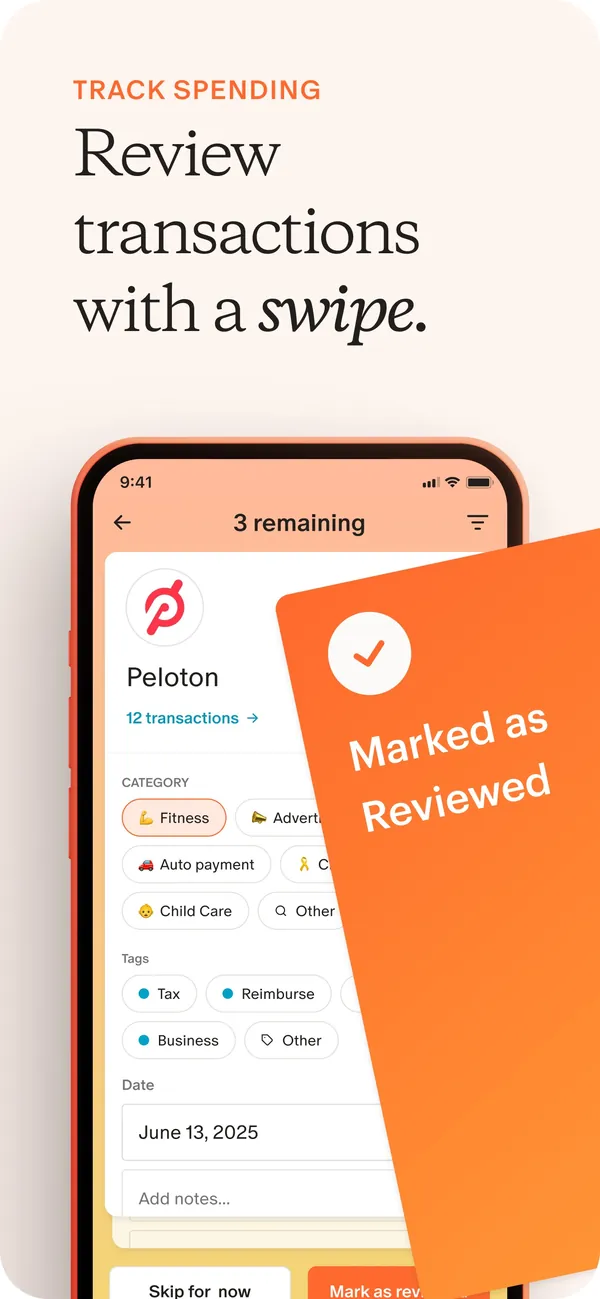
App Store marketing imageApp Store image with the headline "Review transactions with a swipe." showing a transaction review card for Peloton with a "Marked as Reviewed" card over it.App Store listing, as of
Budget
EveryDollar
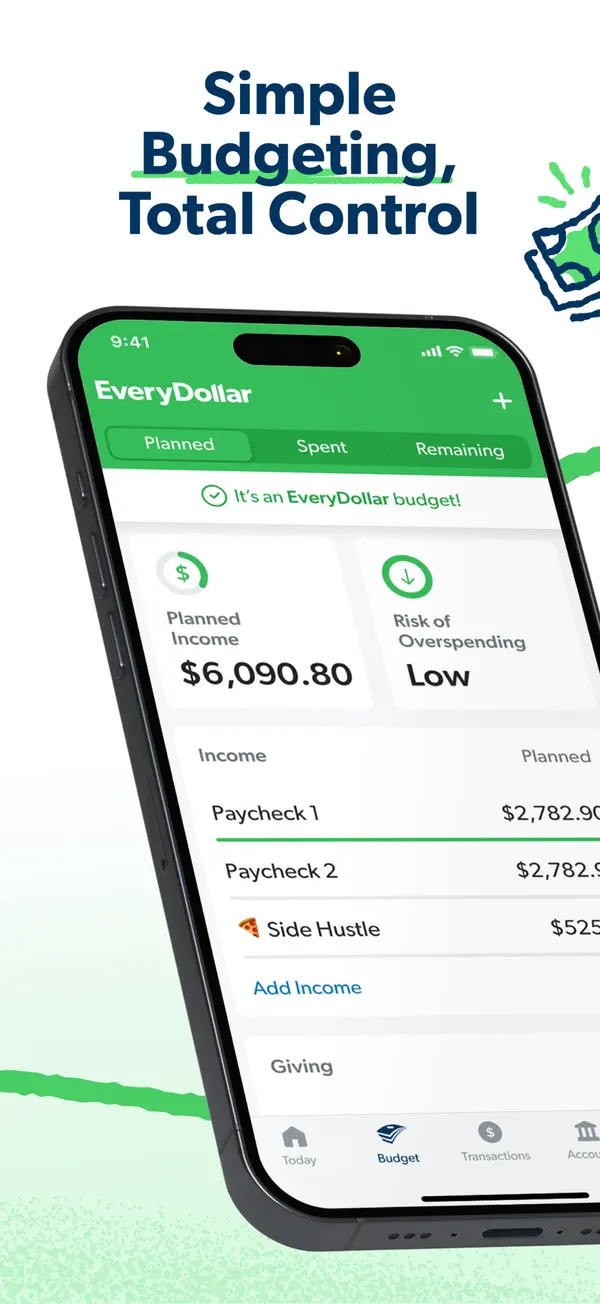
App Store marketing imageApp Store image with the headline "Simple Budgeting, Total Control" over a tilted phone showing the budget with Planned Income and Risk of Overspending.App Store listing, as of 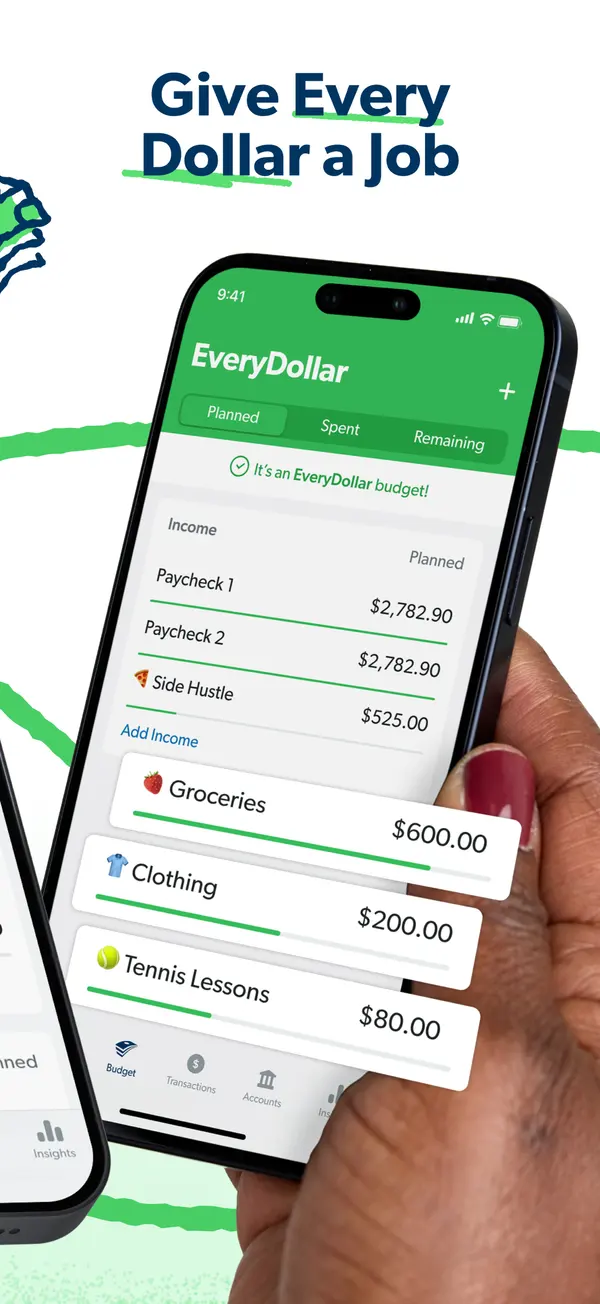
App Store marketing imageApp Store image with the headline "Give Every Dollar a Job" showing a hand holding a phone with income rows and budget items like Groceries and Clothing.App Store listing, as of 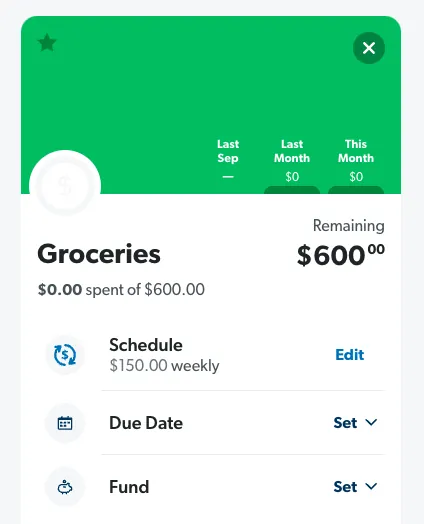
From EveryDollar's help centerA Groceries budget item with $600 remaining and Schedule, Due Date and Fund rows.everydollar.help.ramseysolutions.com, as of 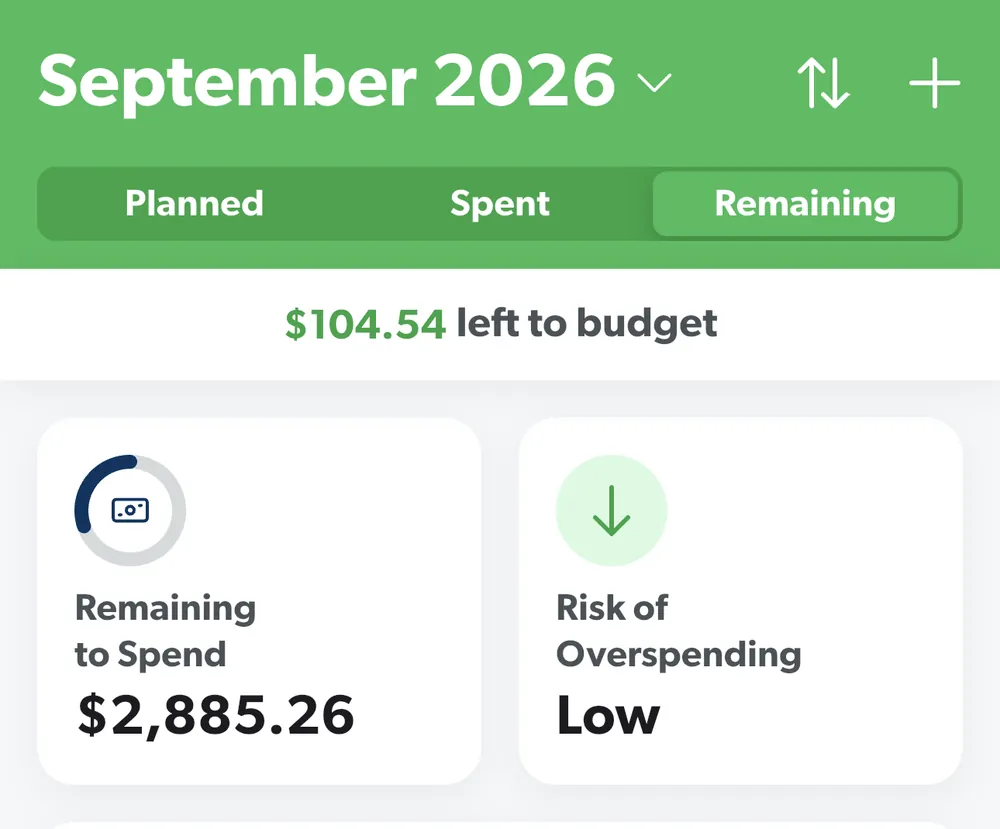
From EveryDollar's help centerThe budget header for September 2026 with Planned, Spent and Remaining tabs, $104.54 left to budget and two summary tiles.everydollar.help.ramseysolutions.com, as of 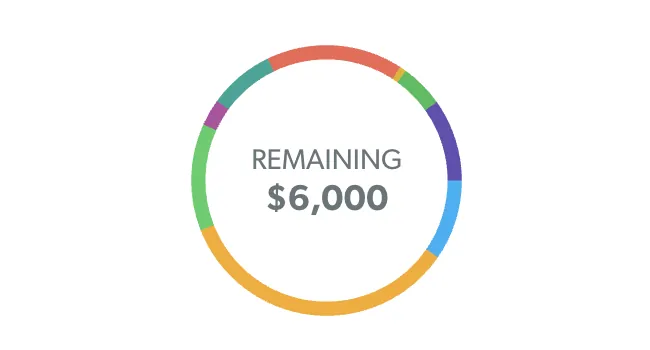
From EveryDollar's help centerA colored ring with $6,000 Remaining in the middle.everydollar.help.ramseysolutions.com, as of
Monarch Money
App Store marketing imageApp Store image with the headline "A budget that flexes with your life" showing the June Budget screen.App Store listing, as of 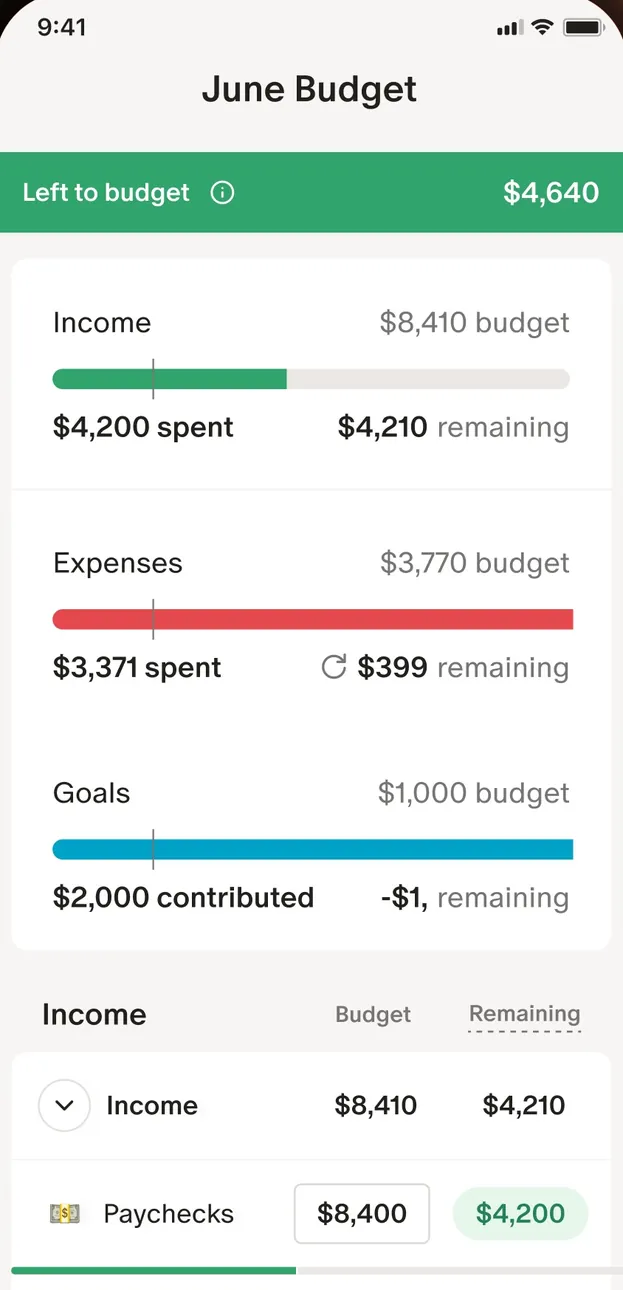
App Store marketing imageThe June Budget screen: $4,640 left to budget, then Income, Expenses and Goals bars and an Income table.App Store listing, as of 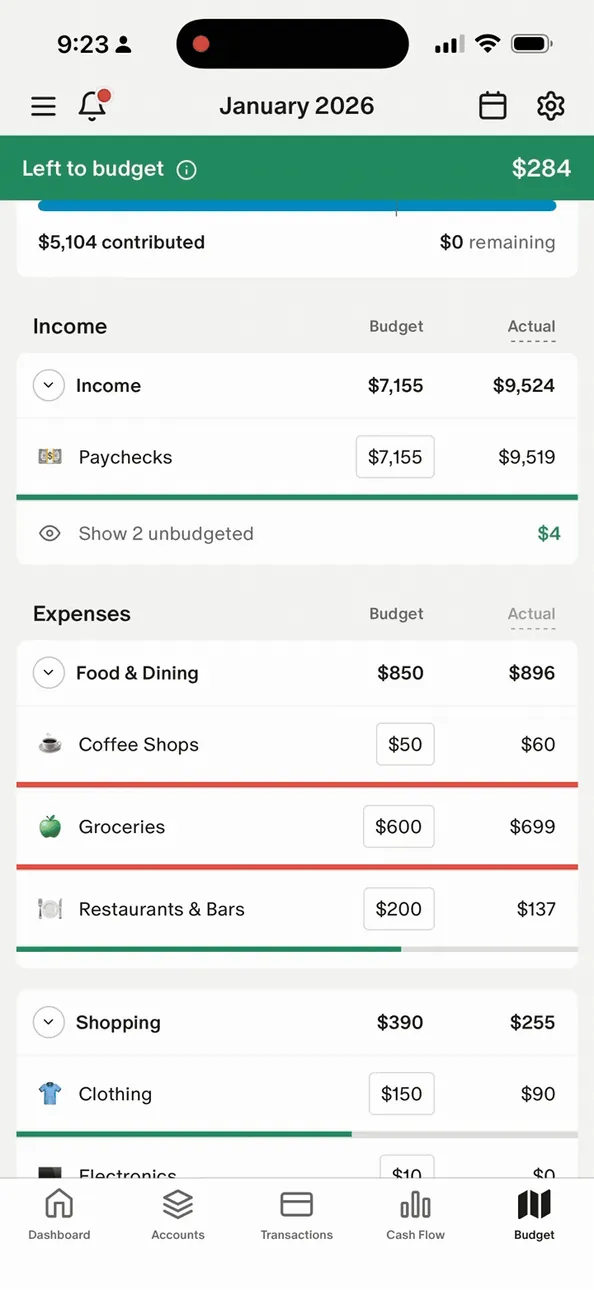
From Monarch Money's help centerThe mobile January 2026 budget with Left to budget at the top and Income and Expenses tables.help.monarch.com, as of 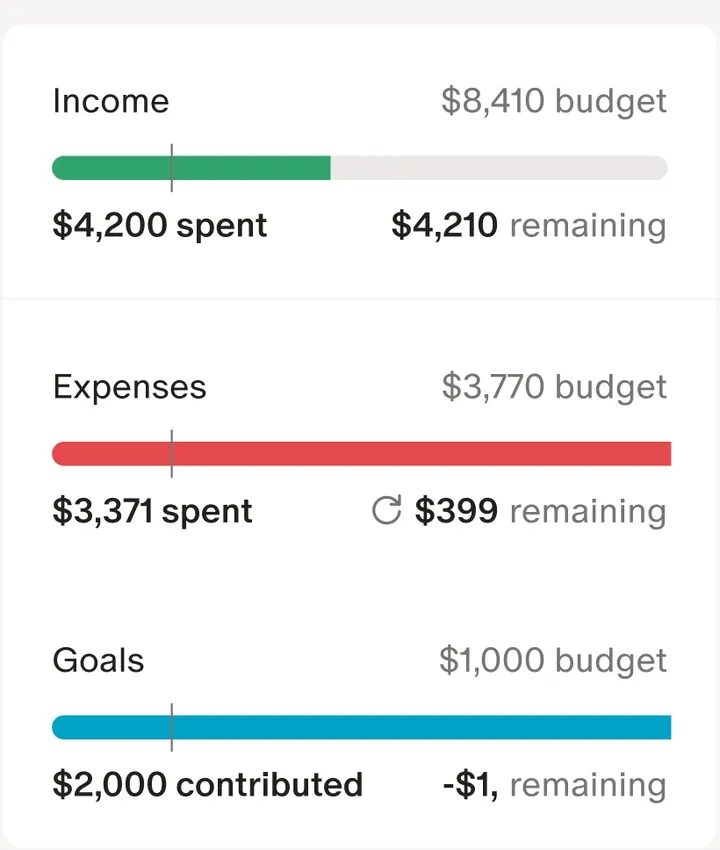
App Store marketing imageThree budget bars for Income, Expenses and Goals, each with spent or contributed and remaining amounts.App Store listing, as of 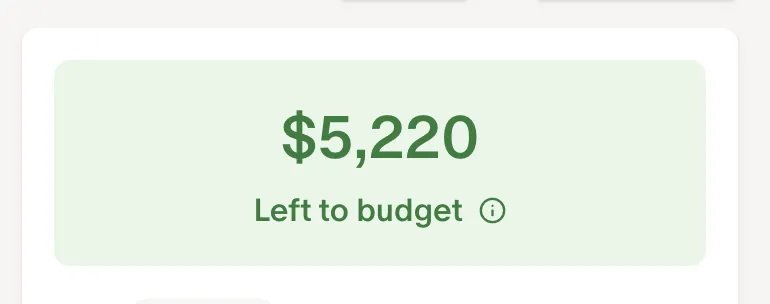
From Monarch Money's help centerA green card reading $5,220 Left to budget.help.monarch.com, as of 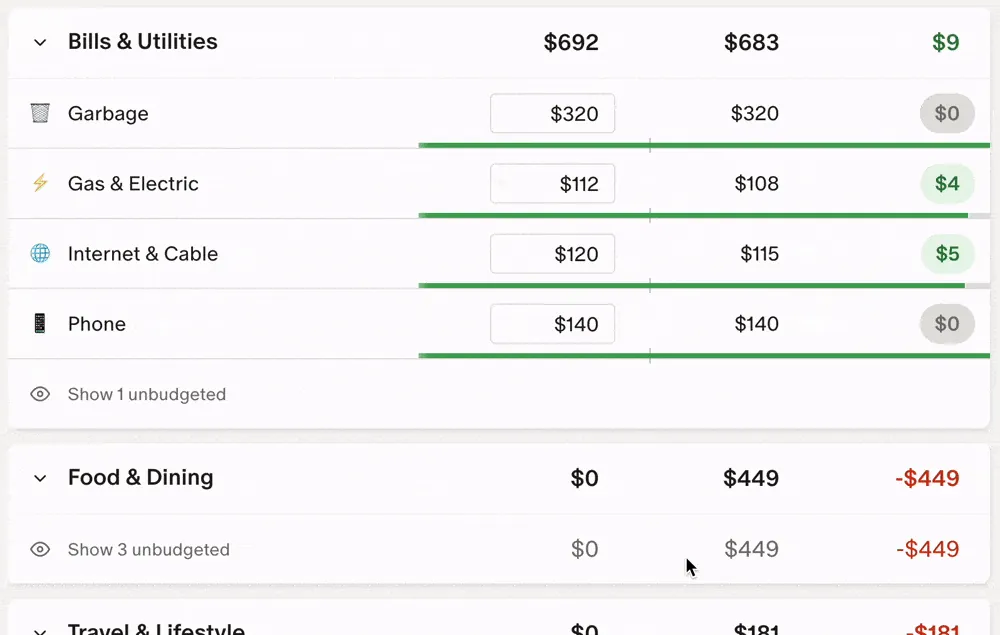
From Monarch Money's help centerBudget rows under Bills & Utilities and Food & Dining with budget, actual and remaining columns and progress bars.help.monarch.com, as of
Goals
EveryDollar
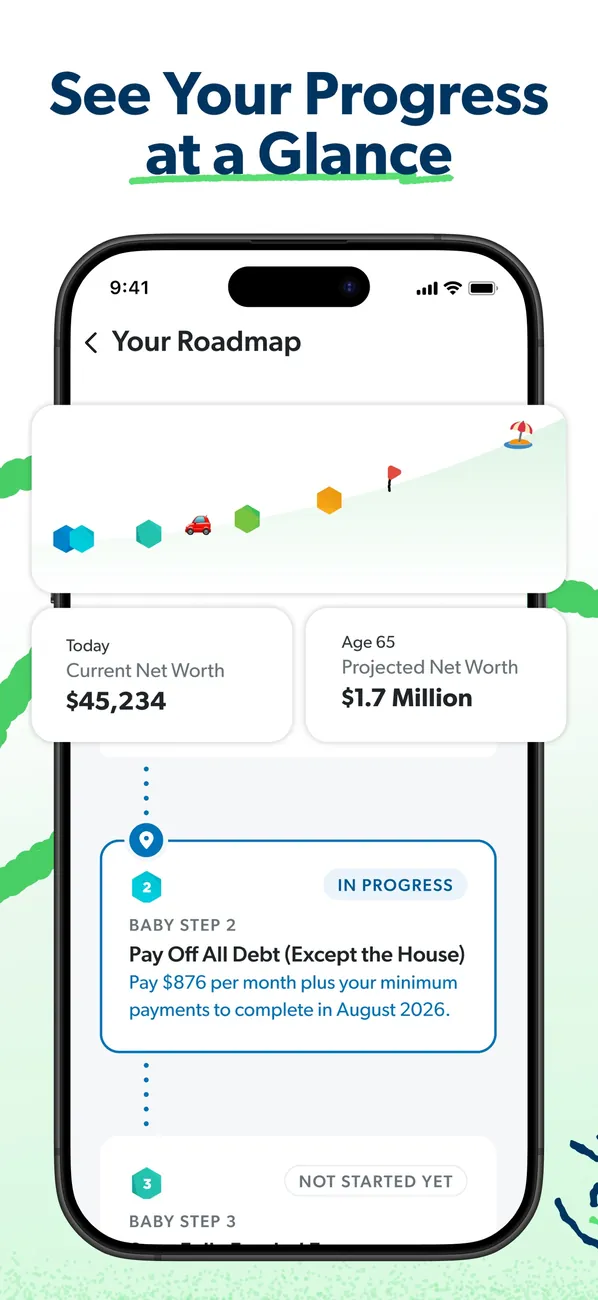
App Store marketing imageApp Store image with the headline "See Your Progress at a Glance" showing Your Roadmap with net worth today and projected at 65.App Store listing, as of 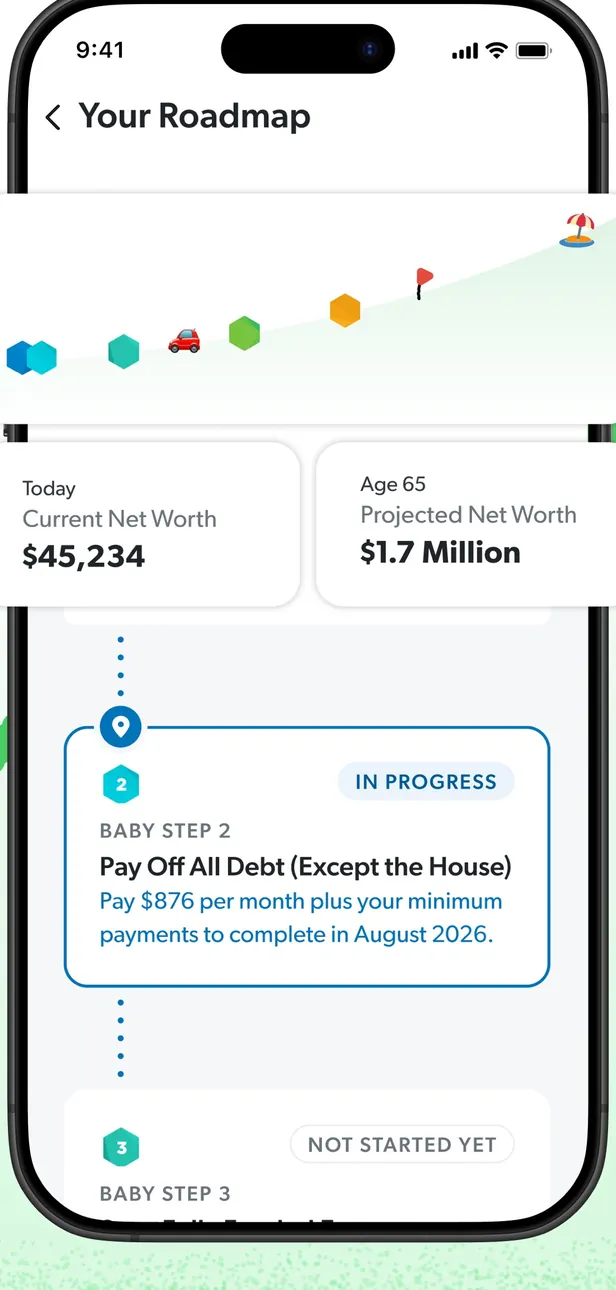
App Store marketing imageYour Roadmap: a progress path, current and projected net worth, and Baby Step cards marked In Progress and Not Started Yet.App Store listing, as of 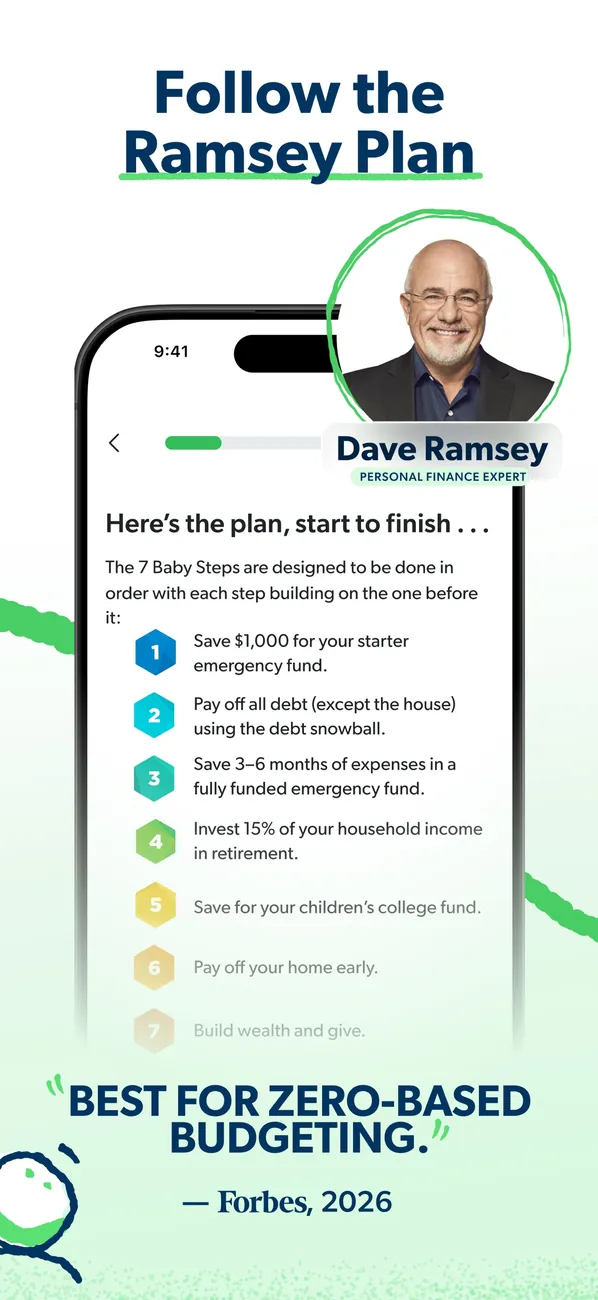
App Store marketing imageApp Store image with the headline "Follow the Ramsey Plan" showing a list of the 7 Baby Steps beside a photo of Dave Ramsey.App Store listing, as of 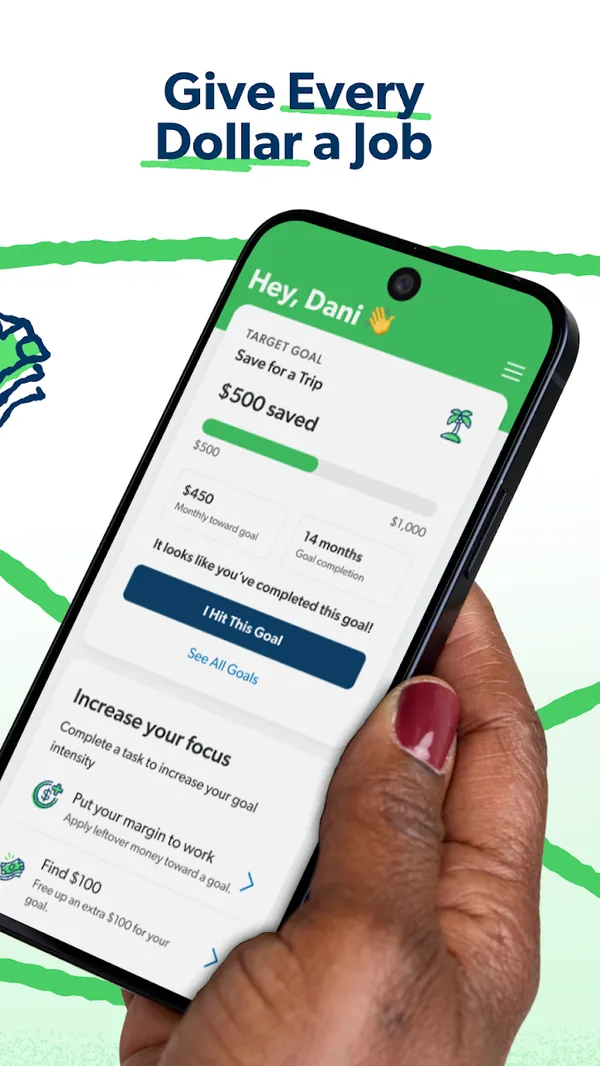
Google Play marketing imageGoogle Play image with the headline "Give Every Dollar a Job" showing a phone with a Save for a Trip goal and an Increase your focus list.Google Play listing, as of 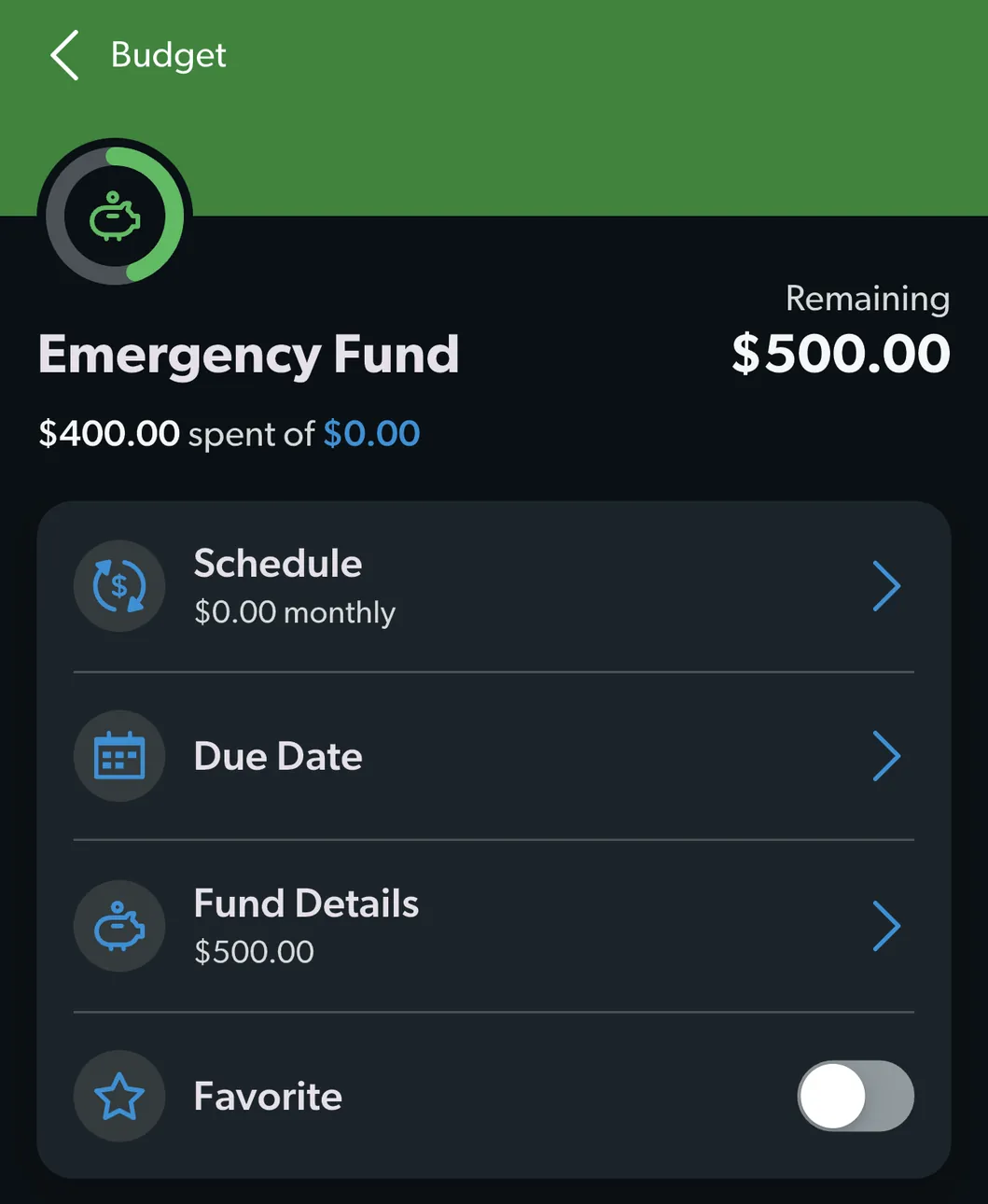
From EveryDollar's help centerAn Emergency Fund budget item with $500.00 remaining and rows for Schedule, Due Date, Fund Details and Favorite.everydollar.help.ramseysolutions.com, as of 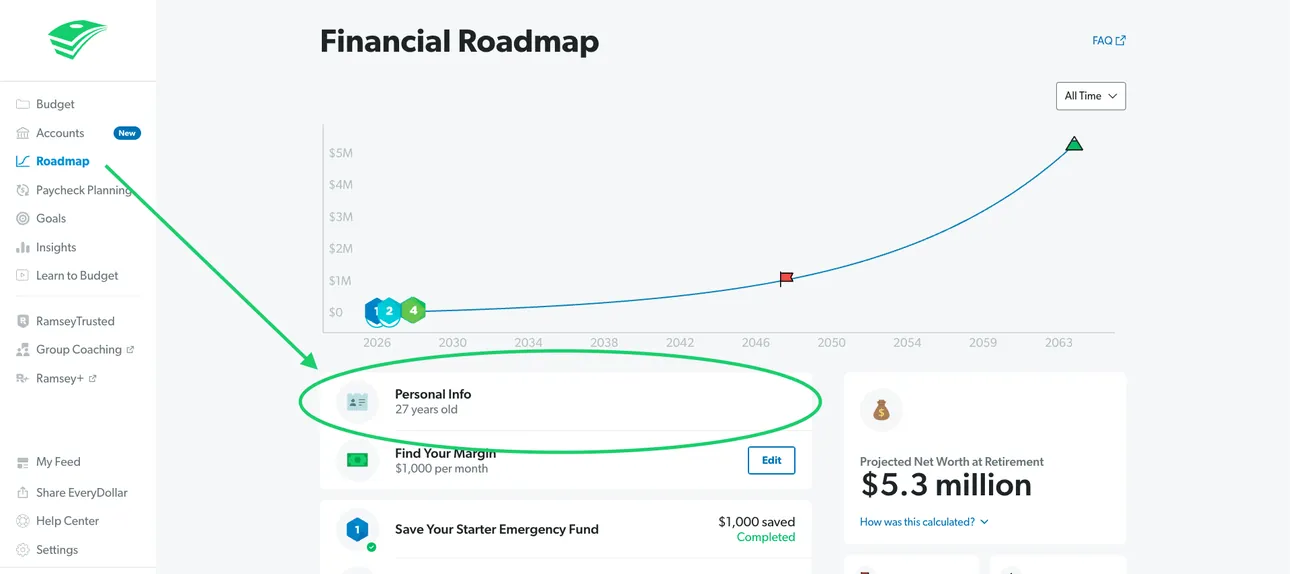
From EveryDollar's help centerThe web Financial Roadmap with a projected net worth line and Personal Info highlighted.everydollar.help.ramseysolutions.com, as of 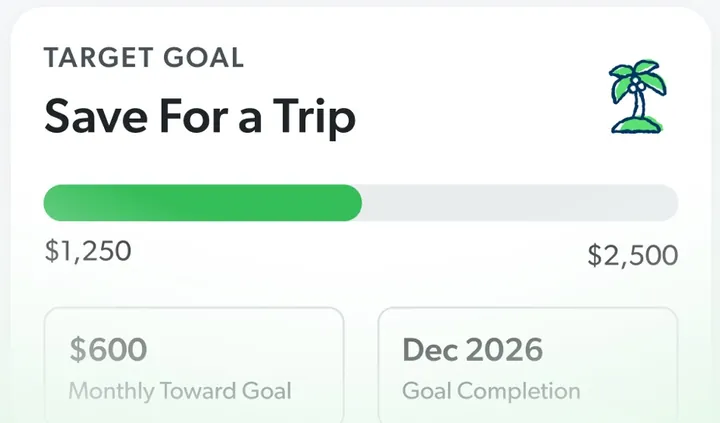
App Store marketing imageA Target Goal card for Save For a Trip with a progress bar from $1,250 to $2,500, a monthly amount and a completion date.App Store listing, as of 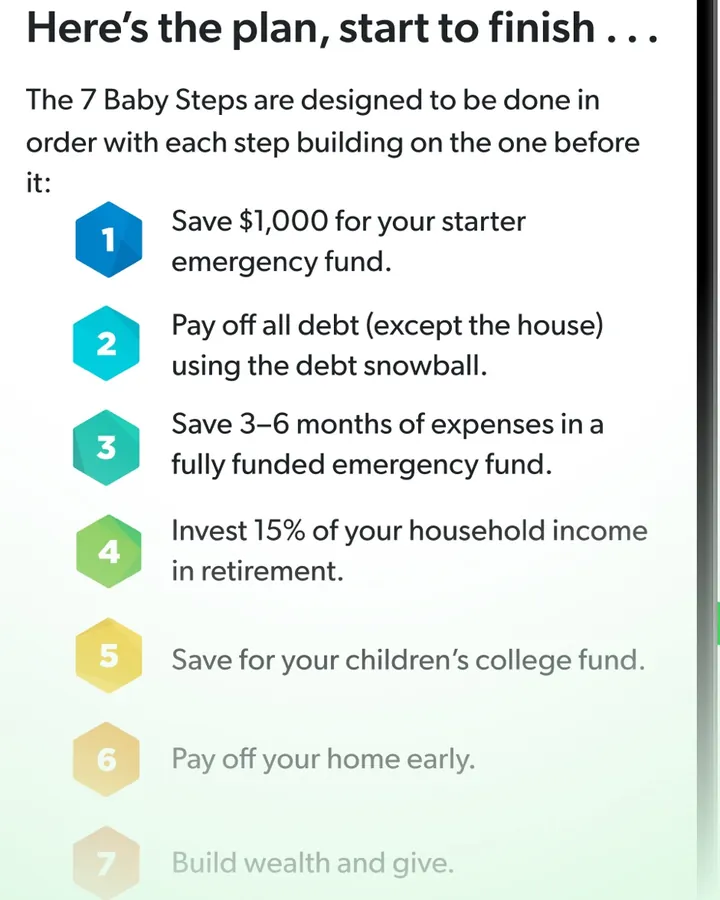
App Store marketing imageA numbered list of the 7 Baby Steps, starting with "Save $1,000 for your starter emergency fund."App Store listing, as of 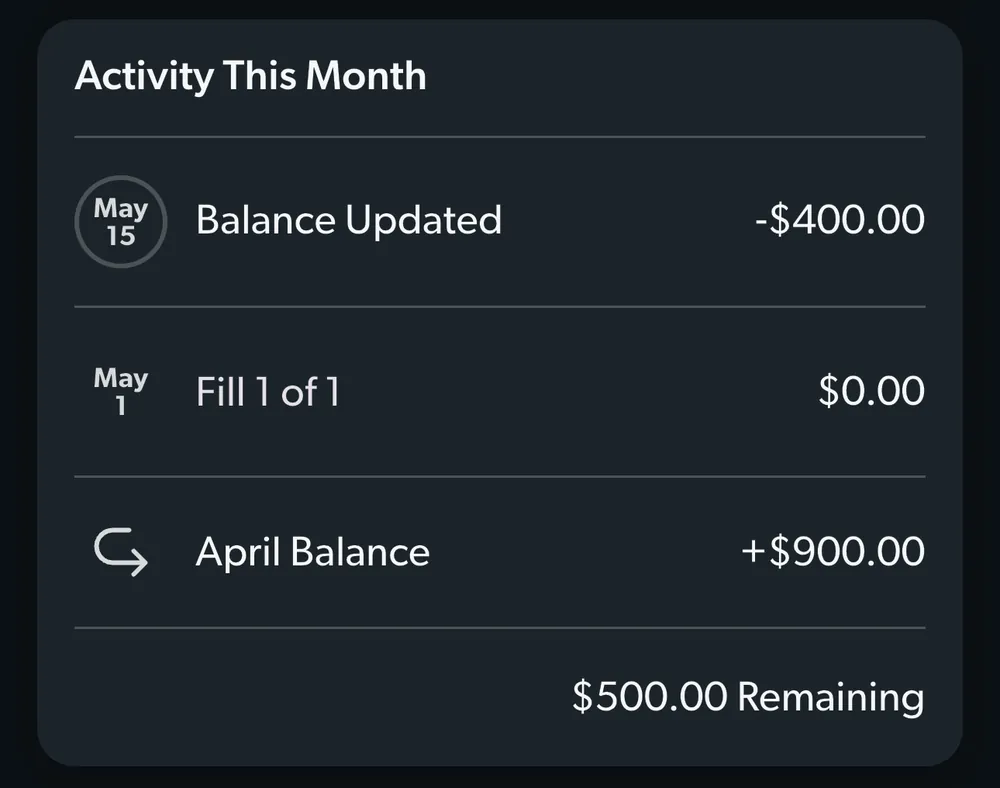
From EveryDollar's help centerAn Activity This Month card for a fund with a balance update, a fill and the April balance.everydollar.help.ramseysolutions.com, as of
Monarch Money
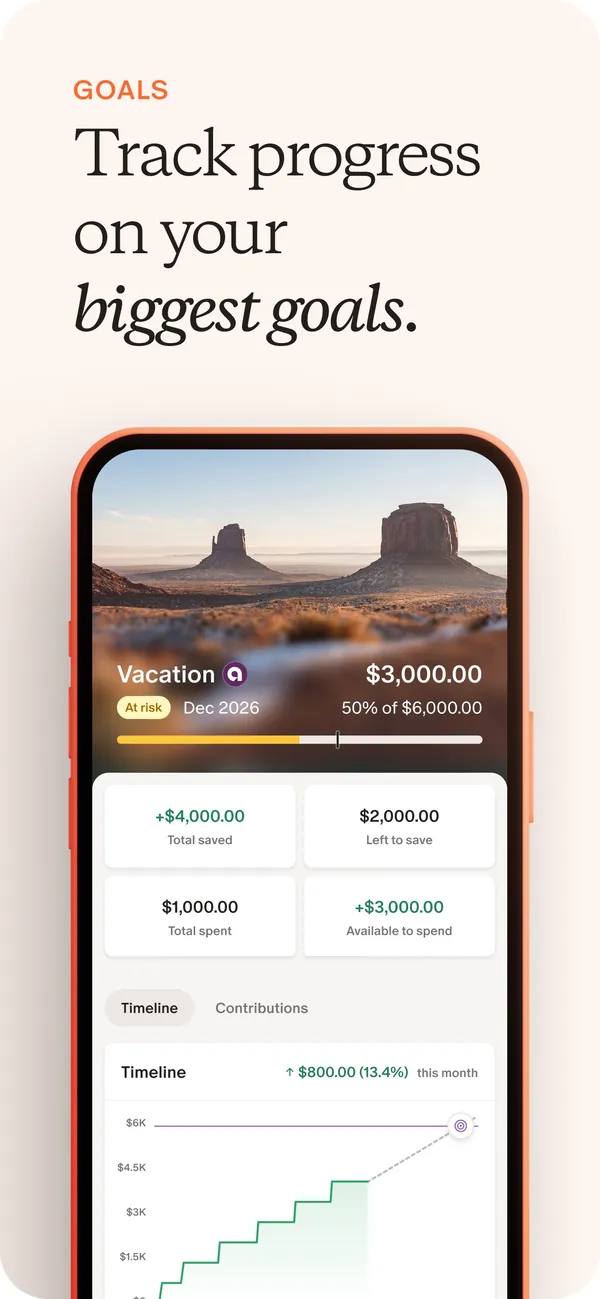
App Store marketing imageApp Store image with the headline "Track progress on your biggest goals" showing a Vacation goal with amounts saved and a timeline chart.App Store listing, as of 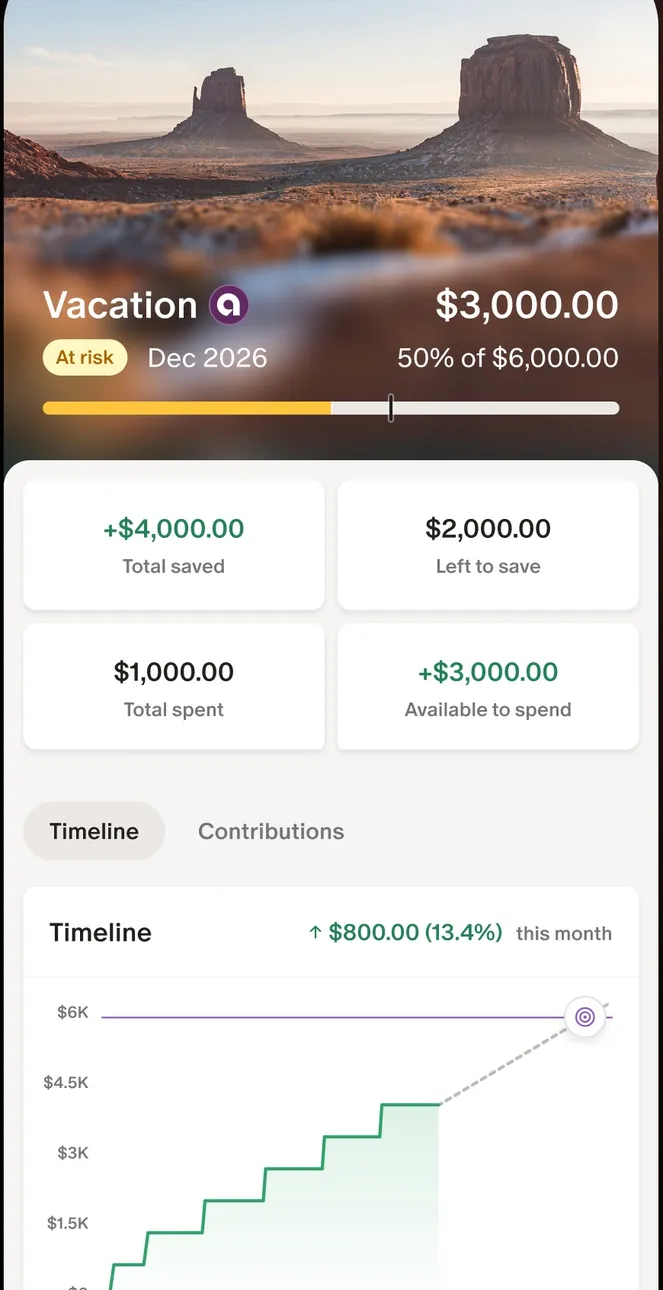
App Store marketing imageThe Vacation goal screen: $3,000.00 of $6,000.00, four amount tiles and a stepped timeline chart.App Store listing, as of 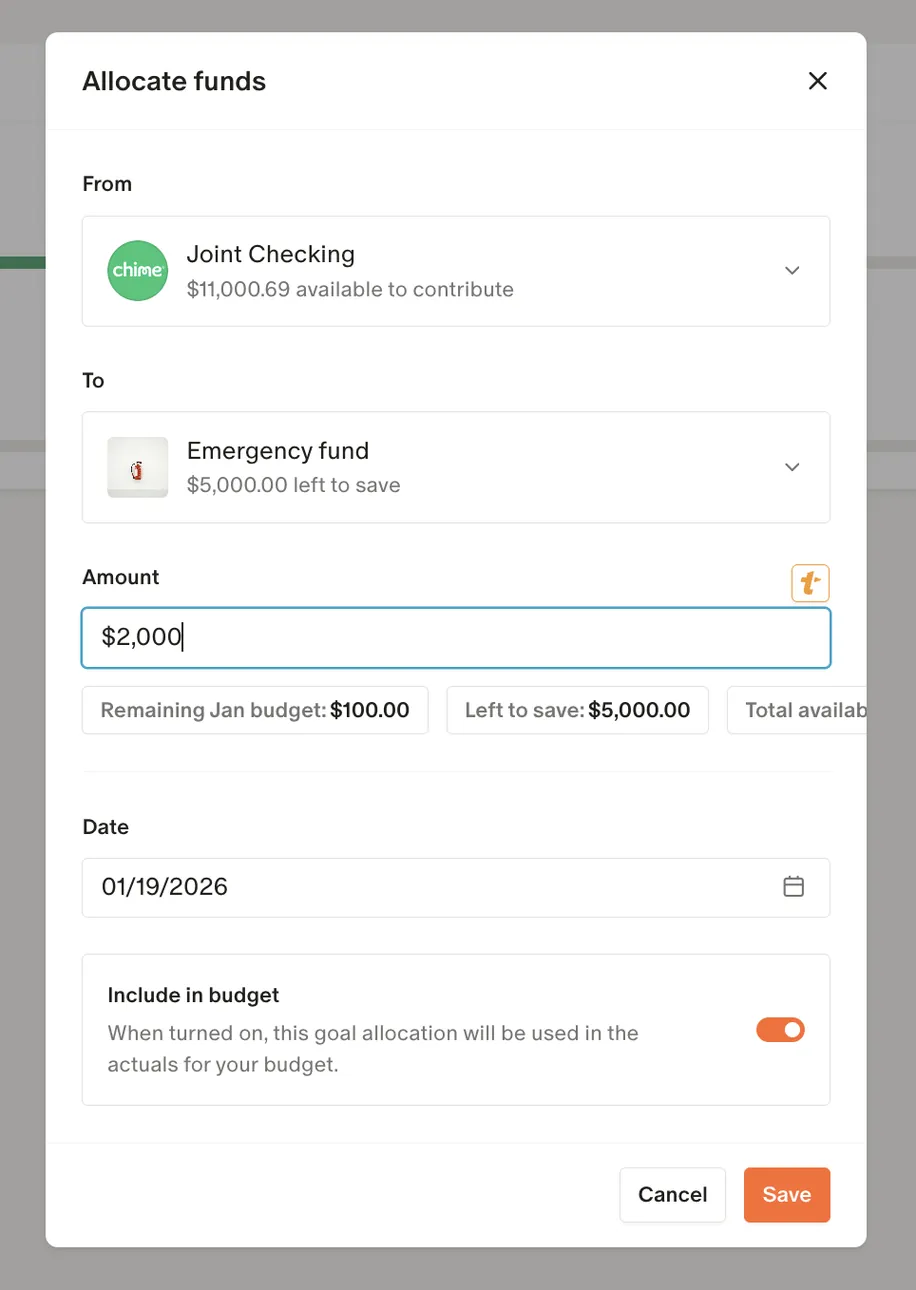
From Monarch Money's help centerAn Allocate funds dialog moving $2,000 from Joint Checking to an Emergency fund goal.help.monarch.com, as of 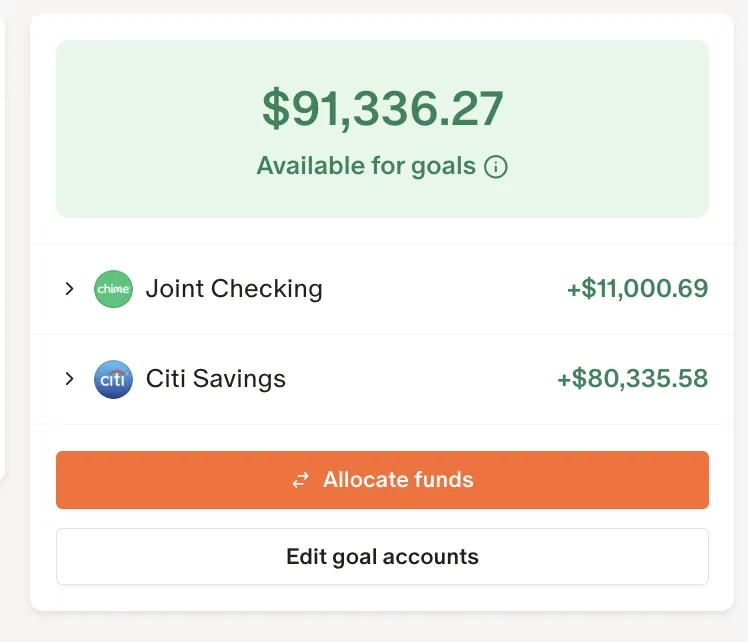
From Monarch Money's help centerA card showing $91,336.27 available for goals, two accounts, and Allocate funds and Edit goal accounts buttons.help.monarch.com, as of
Reports and insights
EveryDollar
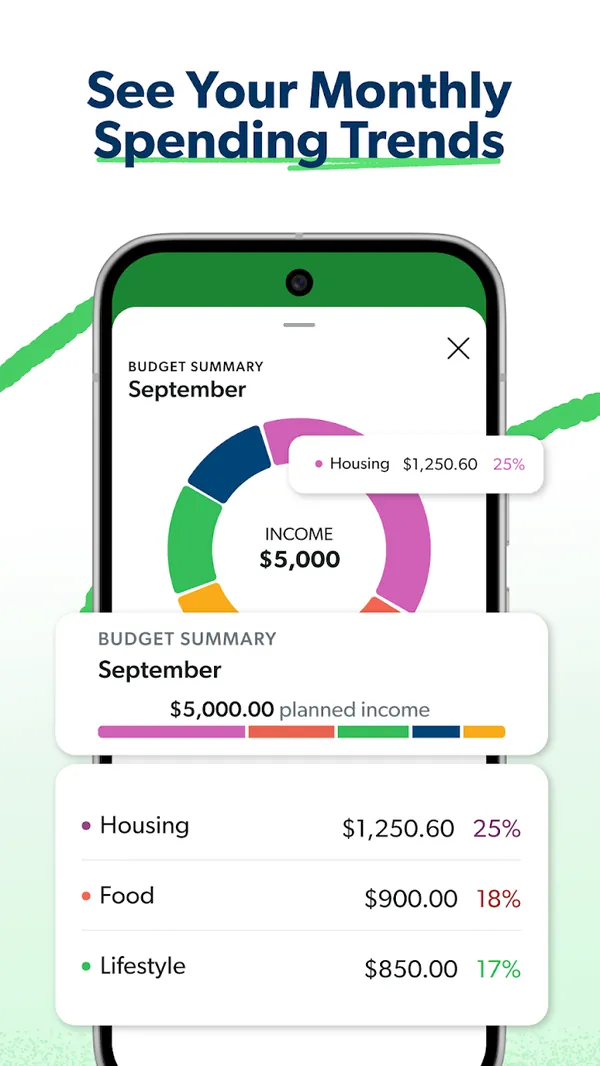
Google Play marketing imageGoogle Play image with the headline "See Your Monthly Spending Trends" showing a Budget Summary donut chart with Housing, Food and Lifestyle percentages.Google Play listing, as of
Monarch Money
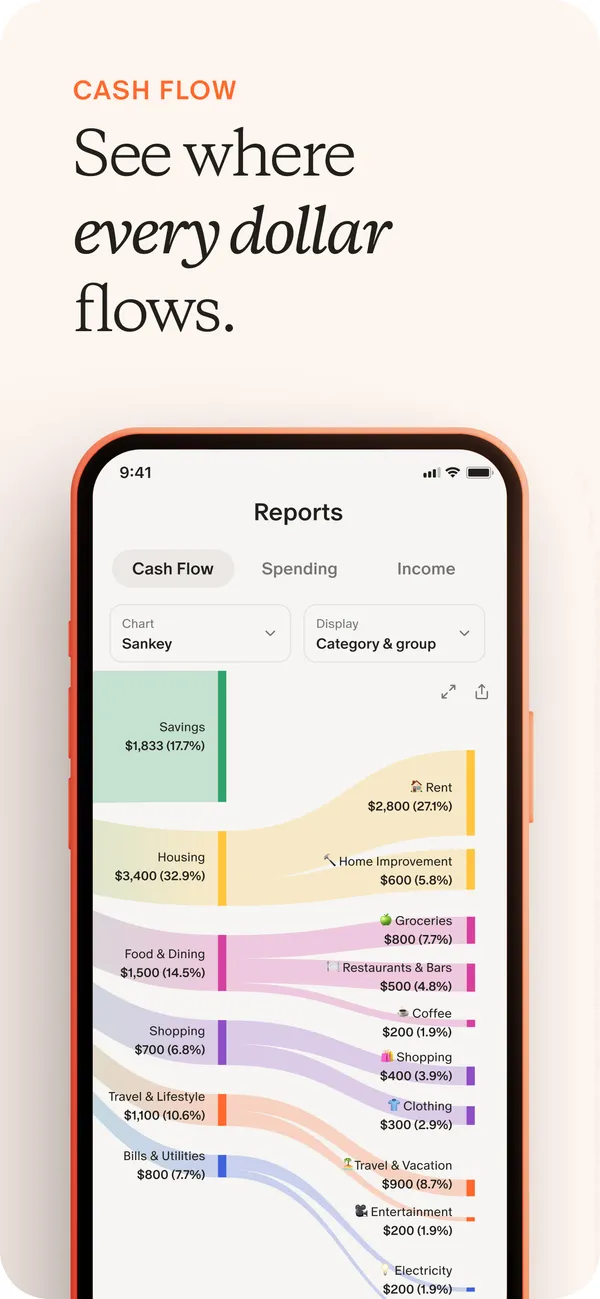
App Store marketing imageApp Store image with the headline "See where every dollar flows" showing a Reports screen with a Sankey cash flow chart.App Store listing, as of 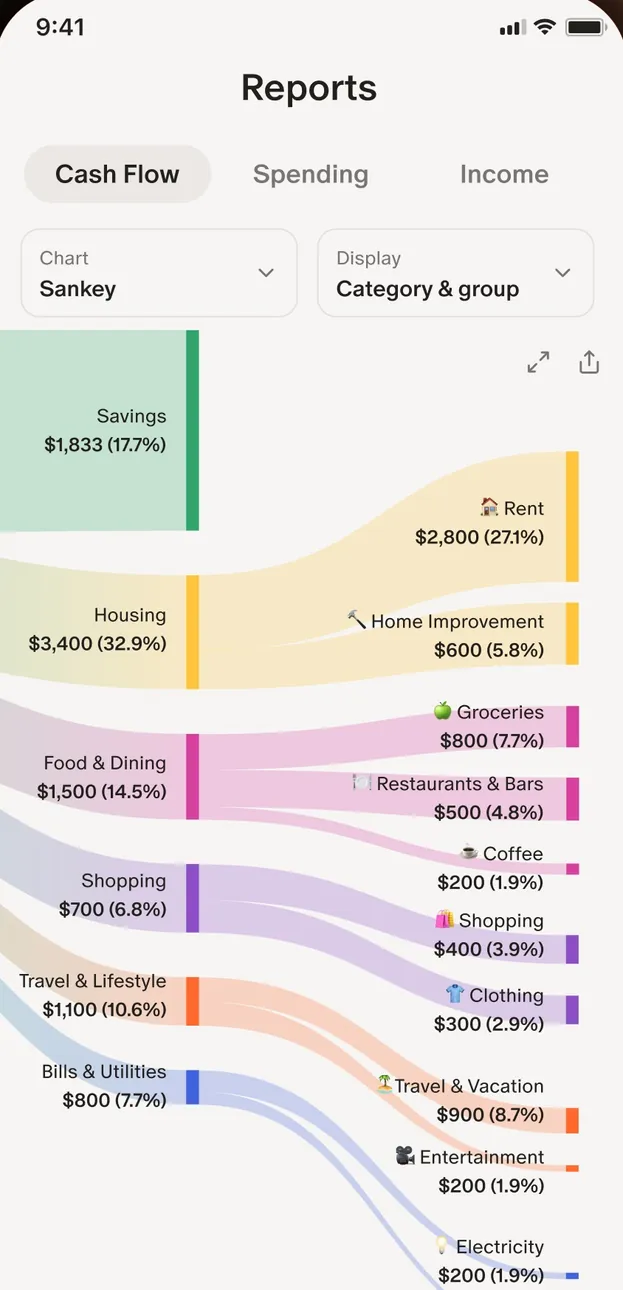
App Store marketing imageThe Reports screen with Cash Flow, Spending and Income tabs and a Sankey chart from income into categories like Housing and Food & Dining.App Store listing, as of 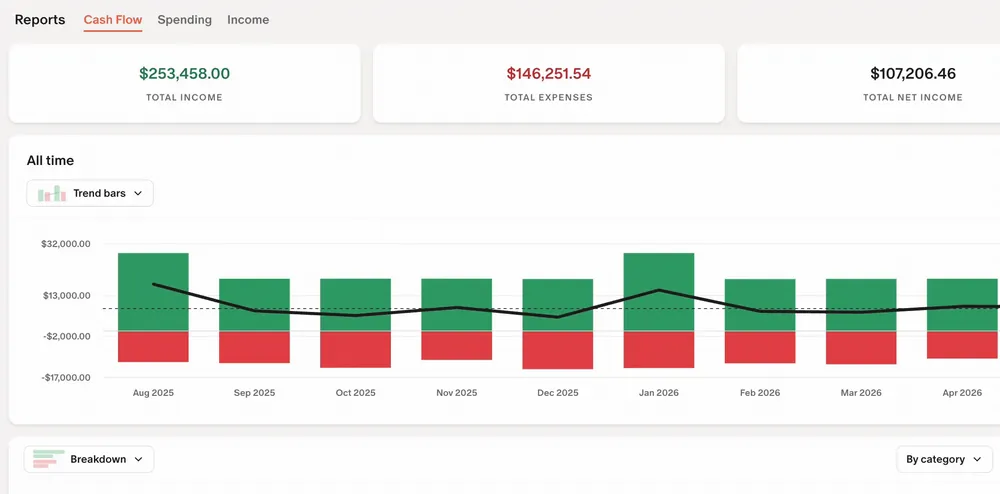
From Monarch Money's help centerThe web Reports Cash Flow view with income, expense and net totals and a bar chart by month.help.monarch.com, as of
Bills and recurring
EveryDollar
No official screen found yet
Monarch Money
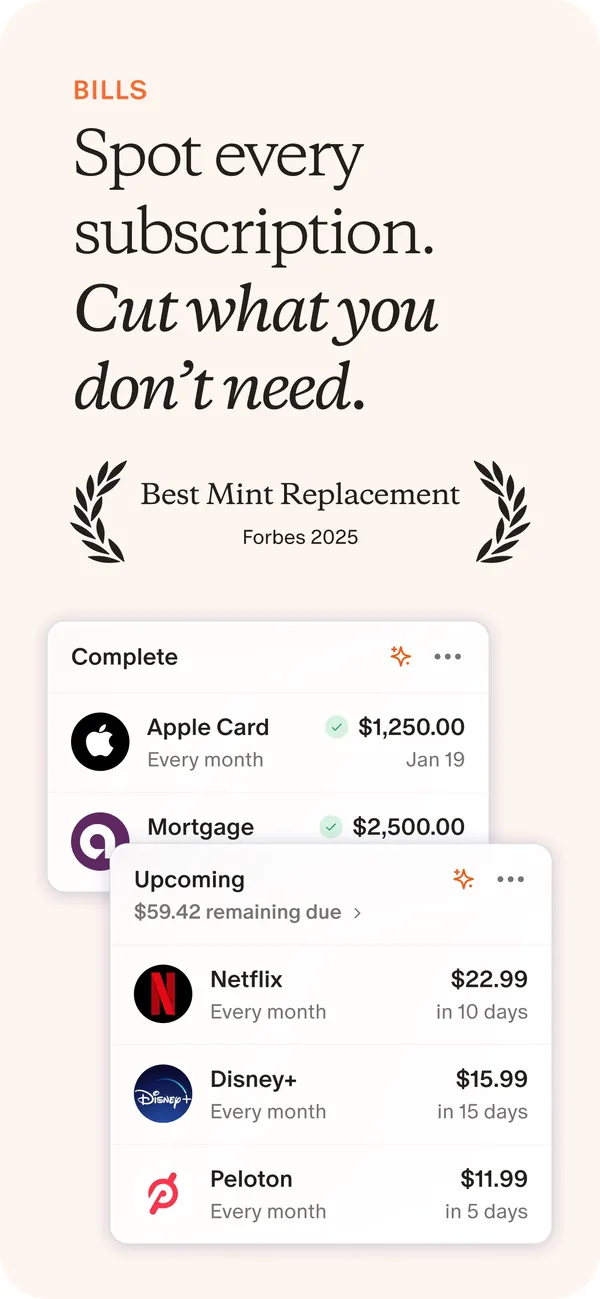
App Store marketing imageApp Store image with the headline "Spot every subscription. Cut what you don't need." showing Complete and Upcoming bill cards.App Store listing, as of 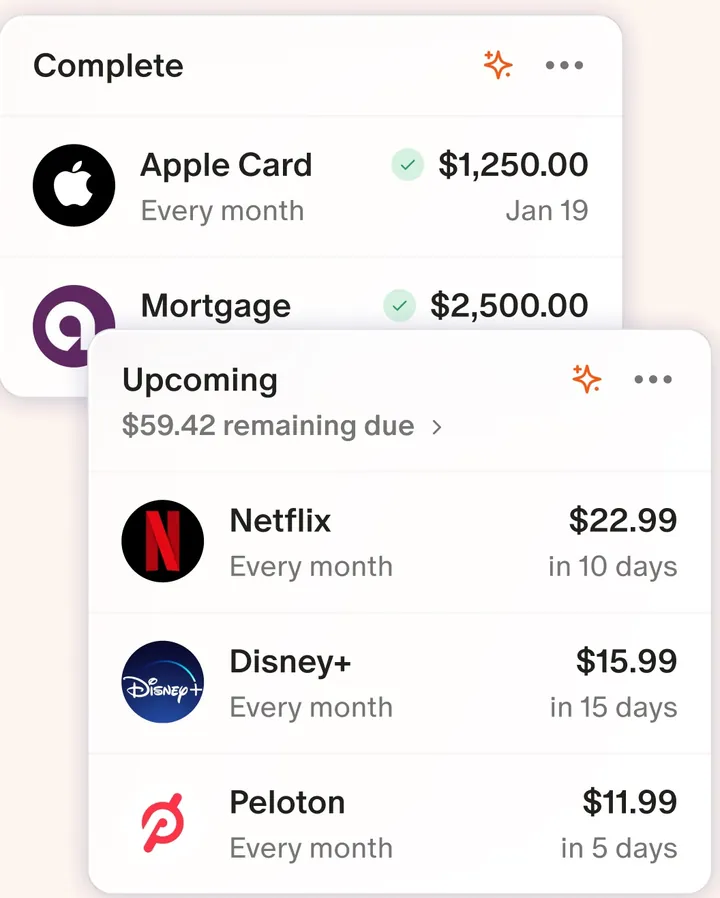
App Store marketing imageTwo cards: Complete bills like Apple Card and Mortgage, and Upcoming charges like Netflix, Disney+ and Peloton with due dates.App Store listing, as of 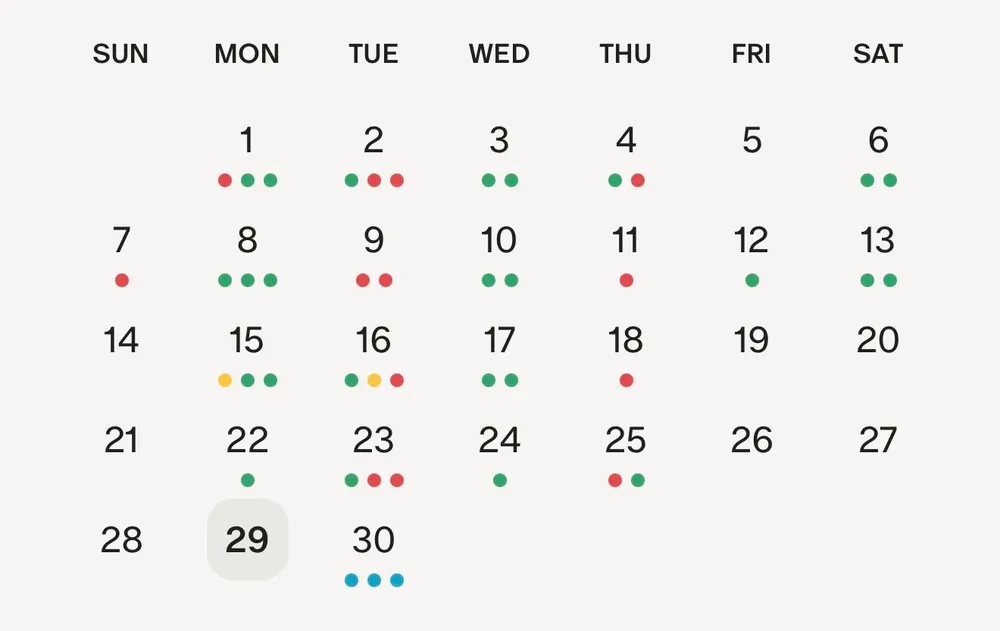
From Monarch Money's help centerA monthly calendar with colored dots under the days that have recurring items.help.monarch.com, as of
Investments
EveryDollar
No official screen found yet
Monarch Money
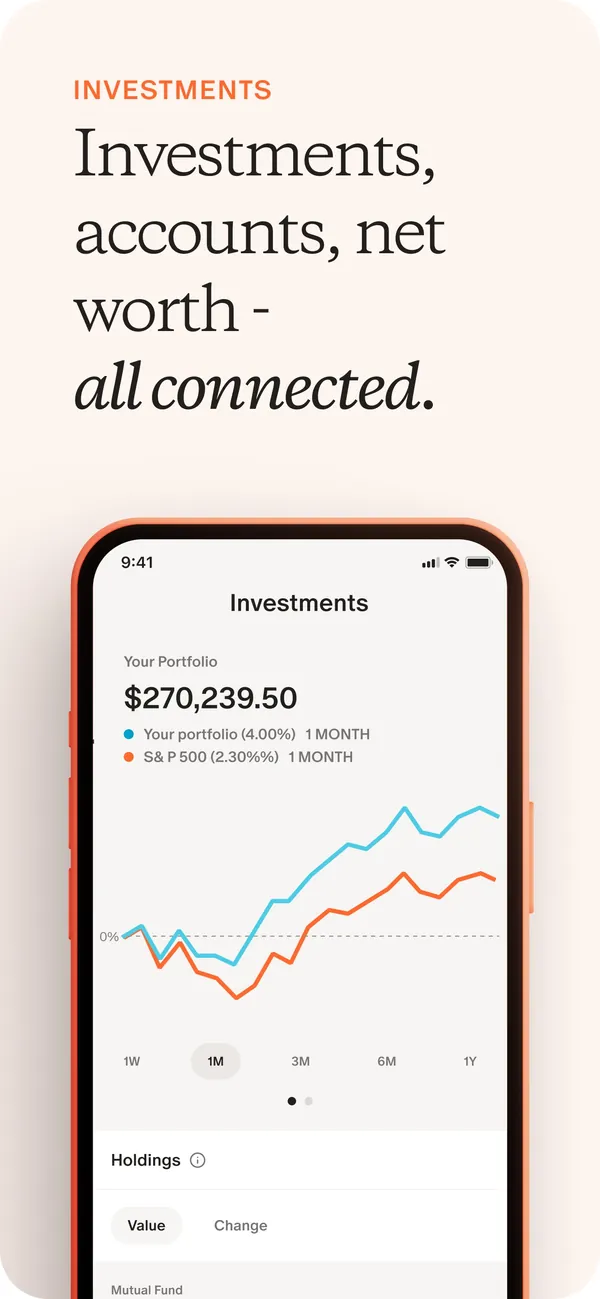
App Store marketing imageApp Store image with the headline "Investments, accounts, net worth - all connected." showing the Investments screen with a portfolio chart.App Store listing, as of 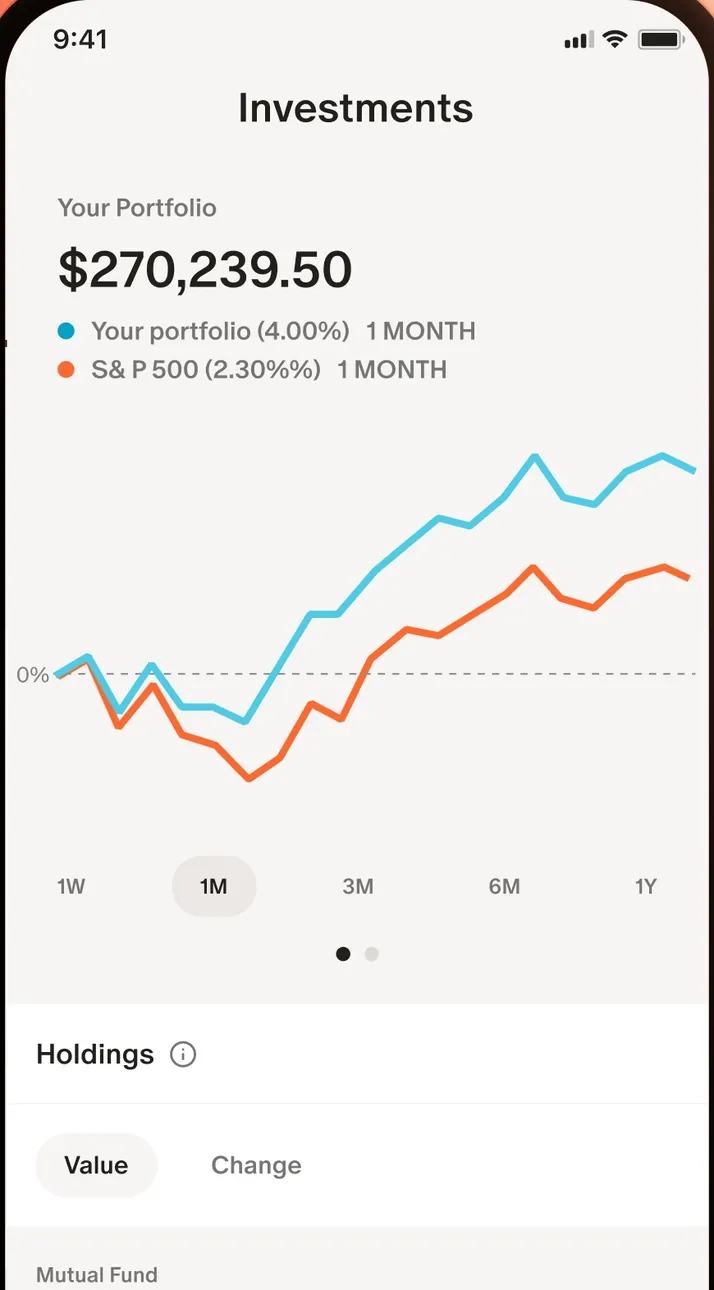
App Store marketing imageThe Investments screen: a $270,239.50 portfolio value and a chart comparing the portfolio with the S&P 500.App Store listing, as of
Sharing with a partner
EveryDollar
No official screen found yet
Monarch Money
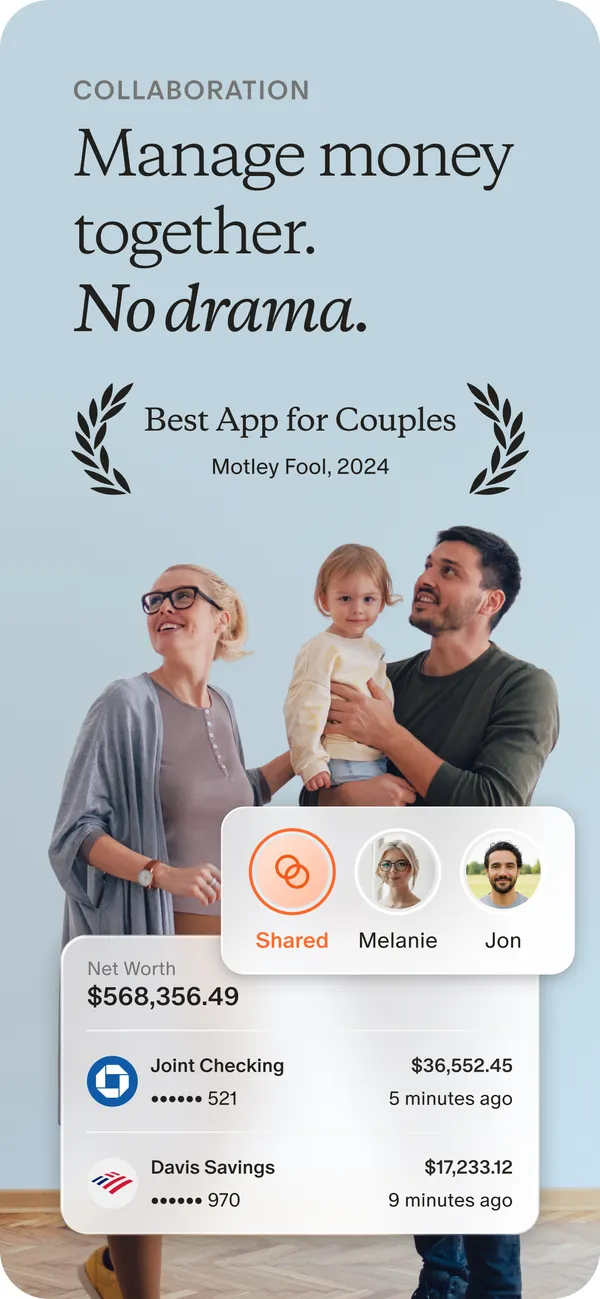
App Store marketing imageApp Store image with the headline "Manage money together. No drama." showing a photo of a family with cards for Shared, Melanie and Jon and two account rows.App Store listing, as of 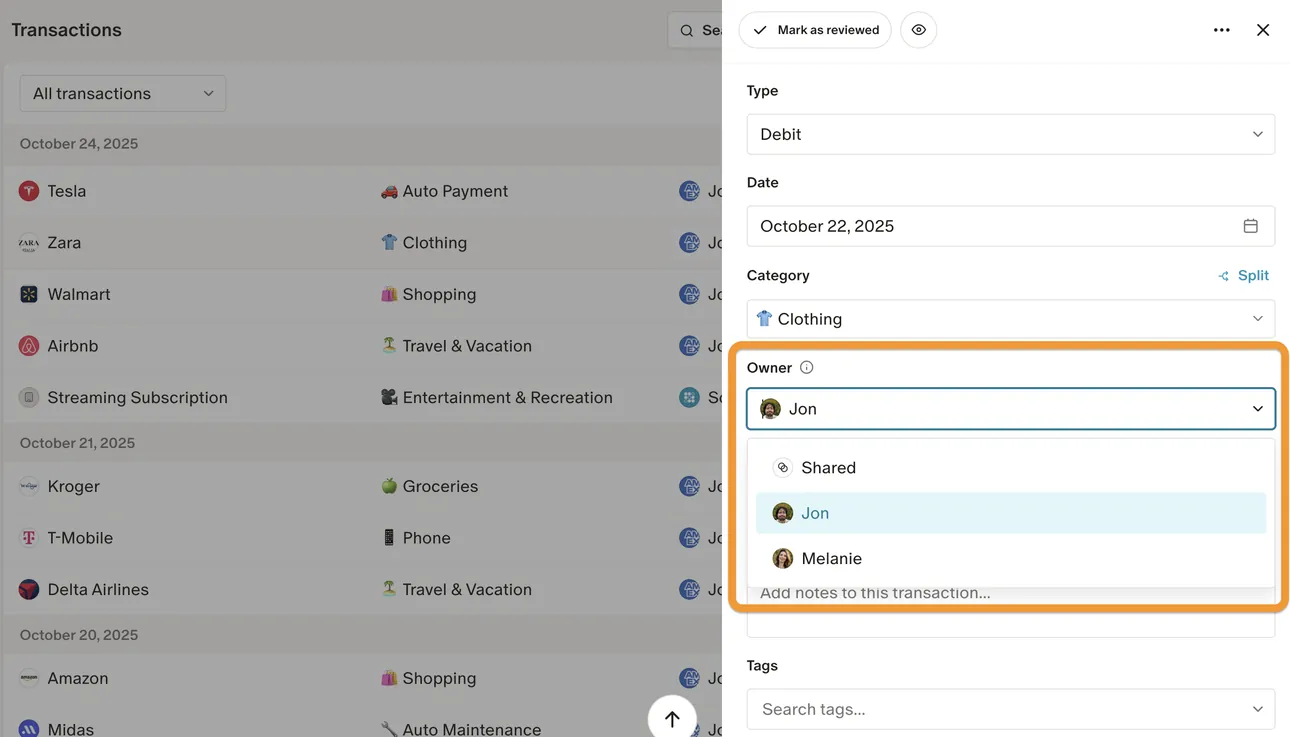
From Monarch Money's help centerThe web Transactions page with a transaction open and an Owner menu offering Shared, Jon and Melanie.help.monarch.com, as of 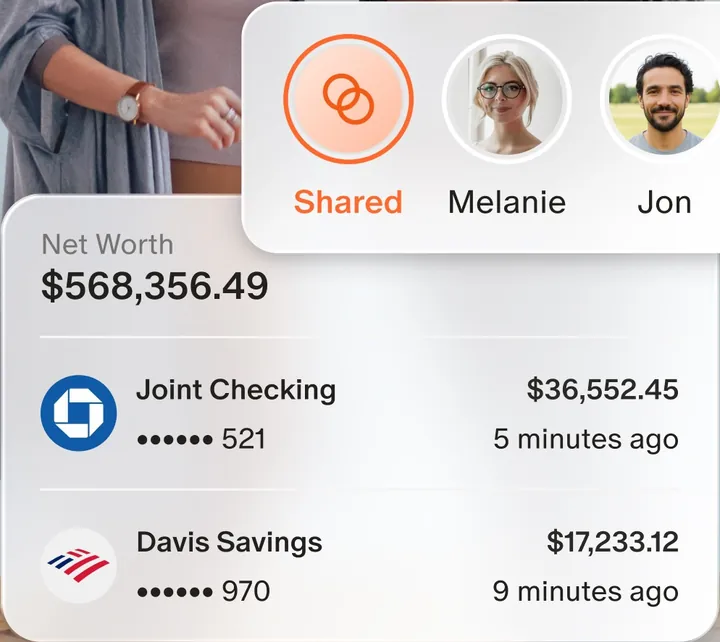
App Store marketing imageAn owner switcher with Shared, Melanie and Jon, above a Net Worth card with a joint checking and a savings account.App Store listing, as of 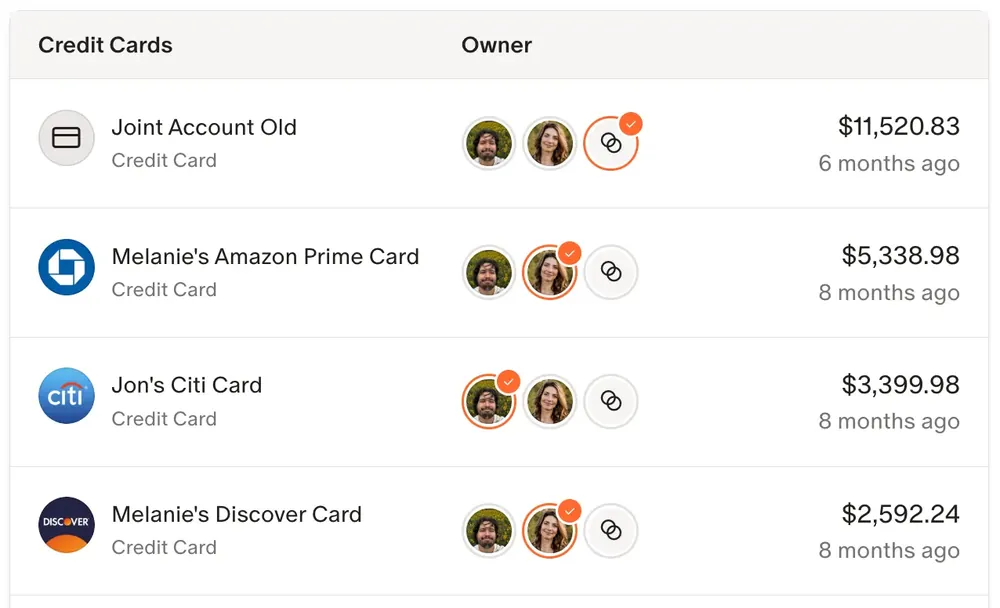
From Monarch Money's help centerA credit card list where each card has owner avatars and a balance.help.monarch.com, as of
Getting started
EveryDollar
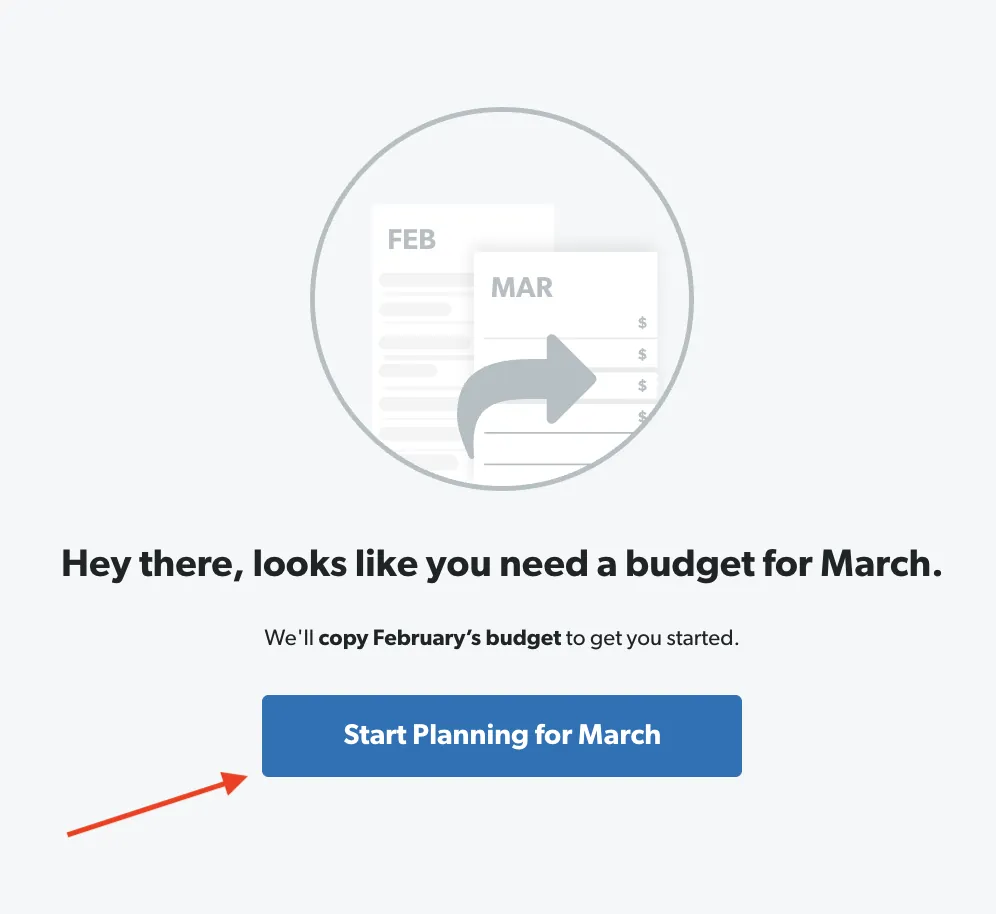
From EveryDollar's help centerA screen saying "Hey there, looks like you need a budget for March" with a Start Planning for March button.everydollar.help.ramseysolutions.com, as of
Monarch Money
No official screen found yet
AI assistant
EveryDollar
No official screen found yet
Monarch Money
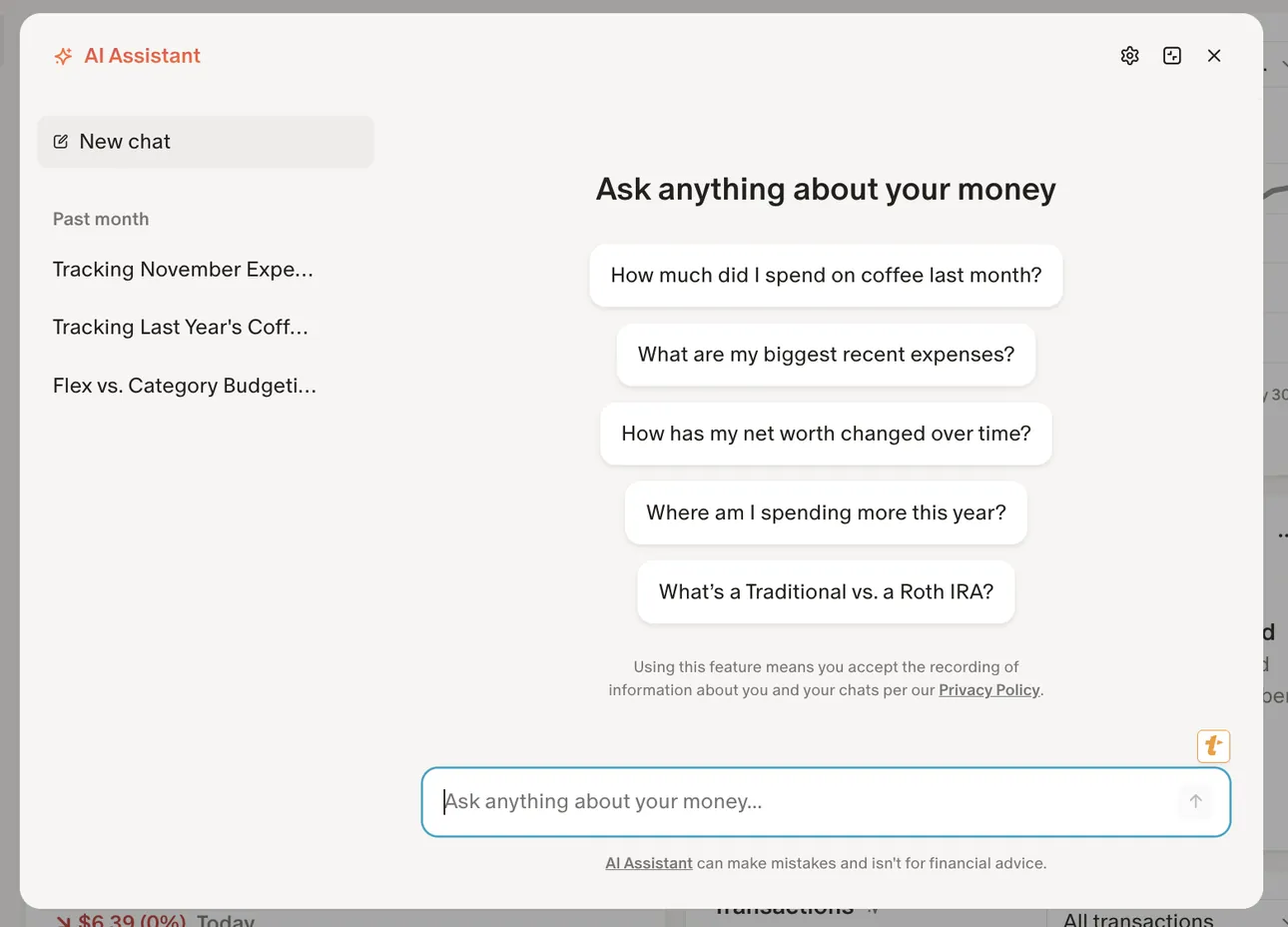
From Monarch Money's help centerThe AI Assistant panel on the web with past chats on the left and suggested questions like "How much did I spend on coffee last month?"help.monarch.com, as of
Other screens
EveryDollar

App Store marketing imageApp Store image with the headline "Join 10 Million Taking Control" showing a Debt card and a photo of a couple.App Store listing, as of 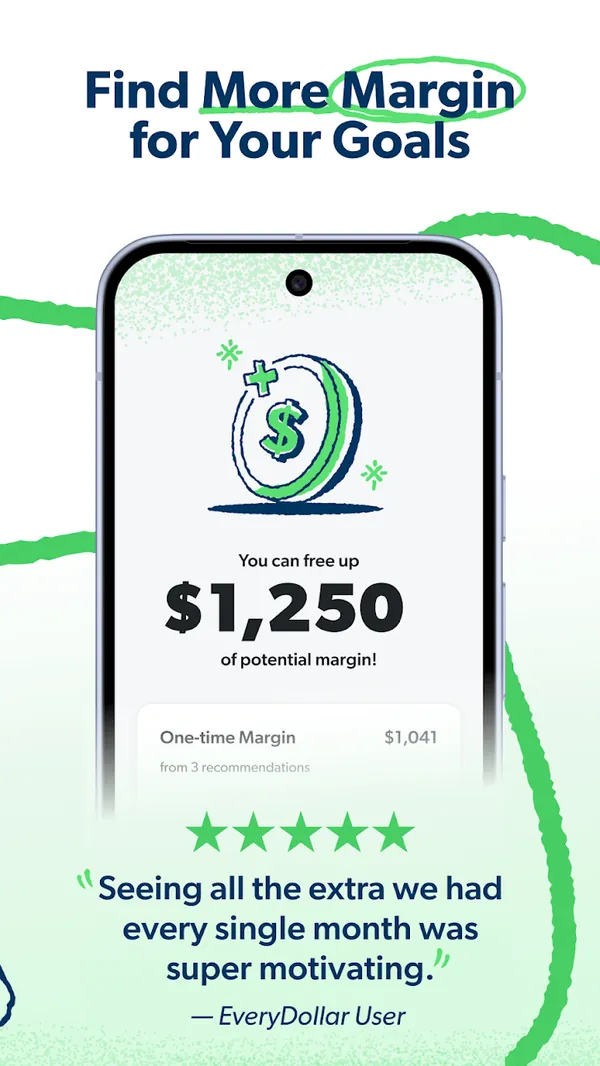
Google Play marketing imageGoogle Play image with the headline "Find More Margin for Your Goals" showing a screen that says you can free up $1,250 of potential margin.Google Play listing, as of 
App Store marketing imageThe bottom tab bar with Today, Budget, Transactions, Accounts and Insights.App Store listing, as of
Monarch Money
No official screen found yet
Who it's for
Pick the tab that sounds like you. Every answer comes from the app's own pages, and its source opens from the Source link.
Just me
Budgeting on your own? These are the basics people ask about first.
Is it free?
EveryDollar: EveryDollar has a free version. After a 14-day free trial, premium costs $79.99 a year billed annually, or $17.99 a month billed monthly.
Source
everydollar.com, checked .Monarch Money: Monarch Core costs $14.99 a month, or $99.99 a year billed annually. Monarch Plus costs $199.99 a year billed annually.
Source
monarch.com/pricing, checked .Does it connect to my bank and import transactions?
EveryDollar: Premium only. EveryDollar premium connects your bank through Mastercard Connect and Plaid, and the free version uses manual entry.
Source
ramseysolutions.com/money/everydollar, checked .Monarch Money: Yes. Monarch says it syncs with multiple financial data providers to connect with more than 13,000 financial institutions.
Source
monarch.com, checked .Can I export my data?
EveryDollar: Yes. You can export your data.
Source
In their words: “After transactions have been tracked, EveryDollar Premium users can use EveryDollar.com to export and download each month's transactions as a CSV file (month by month, but not the whole year at once).” everydollar.help.ramseysolutions.com/hc/en-us/articles/360040571391-Export-Tracked-Transactions, checked .Monarch Money: Yes. You can export your data.
Source
In their words: “You can download your transaction and balance history from Monarch as a CSV file for your own records, for taxes, or to use in a spreadsheet.” help.monarch.com/hc/en-us/articles/15526600975764-Downloading-Transaction-or-Account-History, checked .Is there support from the app's makers if I need help?
EveryDollar: Yes. Live person (free) and coaching (premium).
Source
In their words: “Get support from a live person if you need help.” ramseysolutions.com/money/everydollar, checked .Monarch Money: Yes. In-app help (instant answer) and support ticket.
Source
In their words: “Click Contact Support to get an instant answer or submit a ticket.” help.monarch.com/hc/en-us/articles/19985735202068-Monarch-FAQs, checked .
Partners
Sharing money with a partner? Here's how each app handles a second person.
Can my partner use their own login details?
EveryDollar: Yes. Your partner gets their own login.
Source
In their words: “Yes! The household feature lets couples manage one budget together, even if you each sign in with separate emails.” ramseysolutions.com/money/everydollar, checked .Monarch Money: Yes. Your partner gets their own login.
Source
In their words: “Partners will each have their own login, but can view each other's data and contribute their own accounts and transactions to a shared space.” monarch.com/features/collaboration, checked .Can we keep shared and individual views?
EveryDollar: No. You both see the same shared view.
Source
In their words: “both people will see and edit the household owner's budget (the person sending the invitation)” everydollar.help.ramseysolutions.com/hc/en-us/articles/36246135475469-Household-Inviting-a-Spouse-To-Share-a-Budget, checked .Monarch Money: Yes. You can keep shared and individual views.
Source
In their words: “Shared Views allows you to assign ownership to accounts and transactions, making it simple to personalize what you see without losing sight of the bigger picture.” help.monarch.com/hc/en-us/articles/42228648365076-Shared-Views-in-Monarch, checked .Can we set up joint budgets and goals?
EveryDollar: Yes. You can work toward goals together.
Source
In their words: “Yes! The household feature lets couples manage one budget together, even if you each sign in with separate emails.” ramseysolutions.com/money/everydollar, checked .Monarch Money: Yes. You can work toward goals together.
Source
In their words: “Contribute toward goals together in Monarch, even if you keep your money in separate accounts.” monarch.com/features/collaboration, checked .
Freelancer
Paid on an uneven schedule or running a side hustle? Here's what each app offers. See apps with a SEP IRA or Solo 401(k).
Can I track irregular income without messing up my monthly budget?
EveryDollar: Yes. It has official guidance for budgeting irregular income.
Source
In their words: “If your income varies month to month, whether you work on commission, freelance, or have an irregular pay schedule, it's important to budget carefully to avoid overspending.” everydollar.help.ramseysolutions.com/hc/en-us/articles/28911263245965-Budgeting-With-Irregular-Income, checked .Monarch Money: Yes. It has official guidance for budgeting irregular income.
Source
In their words: “If your income is variable, you'll need to estimate your annual earnings.” help.monarch.com/hc/en-us/articles/32125337244052-Using-Flex-Budgeting, checked .Can I mix business and personal expenses in this app?
EveryDollar: No.
Source
In their words: “A second budget (maybe for a business or someone else) will require an additional Ramsey account to be created using a different email address.” everydollar.help.ramseysolutions.com/hc/en-us/articles/22369336558349-Multiple-Budgets, checked .Monarch Money: Yes. You can track business spending next to personal spending.
Source
In their words: “Business tracking is available to Monarch Plus members.” help.monarch.com/hc/en-us/articles/48344411171092-Business-Tracking, checked .
Business
Running a small business? Here's what each app says about business money.
Can I mix business and personal expenses in this app?
EveryDollar: No.
Source
In their words: “A second budget (maybe for a business or someone else) will require an additional Ramsey account to be created using a different email address.” everydollar.help.ramseysolutions.com/hc/en-us/articles/22369336558349-Multiple-Budgets, checked .Monarch Money: Yes. You can track business spending next to personal spending.
Source
In their words: “Business tracking is available to Monarch Plus members.” help.monarch.com/hc/en-us/articles/48344411171092-Business-Tracking, checked .Can I share my finances with my accountant?
EveryDollar: Yes. You can export your data and send the file.
Source
In their words: “After transactions have been tracked, EveryDollar Premium users can use EveryDollar.com to export and download each month's transactions as a CSV file (month by month, but not the whole year at once).” everydollar.help.ramseysolutions.com/hc/en-us/articles/360040571391-Export-Tracked-Transactions, checked .Monarch Money: Yes. You can export your data and send the file.
Source
In their words: “You can download your transaction and balance history from Monarch as a CSV file for your own records, for taxes, or to use in a spreadsheet.” help.monarch.com/hc/en-us/articles/15526600975764-Downloading-Transaction-or-Account-History, checked .
A question shows only when every app here has a current official source that answers it. We only say no when the app's own page does.
Which fits your Money Type?
There are four Money Types: Strategist, Spender, Saver and Scrambler. Each card matches one type to what the sources say about these two apps.
 Strategist
Both EveryDollar and Monarch Money list investment tracking. That fits a Strategist, who wants to watch the whole plan grow.
First fix: Save the Raise.
 Spender
Both EveryDollar and Monarch Money list goals. A goal gives a Spender a reason to pause before buying, which is the Sleep on It fix.
First fix: Sleep on It.
 Saver
Neither app's sources confirm a feature we match to this type yet, so the quiz is the better place to start.
First fix: Put It to Work.
 Scrambler
Both EveryDollar and Monarch Money list bank syncing. Seeing every account in one place helps a Scrambler pay bills first.
First fix: Bills First.
Not sure which one you are? Take the free Money Types quiz. It takes about two minutes.
Full disclosure: Taylor Price, who runs Priceless Tay, owns Fifecta, so keep that in mind as you read this comparison.
Another option: Fifecta
If neither EveryDollar nor Monarch Money feels right, here is one more option to look at. Fifecta gives every paycheck a plan with FUNDS, and it starts from your Money Type, so the plan matches how you already handle money.
What real users say
These are other people's opinions, not Priceless Tay's. We quote public reviews and posts word for word, link each one and show its date, but we haven't checked the claims in them. A post counts toward a theme when it uses one of that theme's keywords, so a mention can be praise or a complaint.
What EveryDollar users say
Based on 437 App Store reviews and 4 YouTube videos dated Oct 2025 to Oct 2026, read Oct 2026. We collected the YouTube data with Apify, a scraping service, on Oct 24, 2026.
- Of the 441 reviews, posts and videos we read, 80 mention how easy or hard the app is to use.
- Of the 441 reviews, posts and videos we read, 77 mention the price, fees or the subscription.
- Of the 441 reviews, posts and videos we read, 55 mention debt, money stress or feeling in control.
Positive
“It makes it super easy to budget with my husband. ... we have had zero money fights”
Positive
“There’s a peace of mind that comes with having your finances under control and seeing your debts paid off.”
Critical
“Anything worthwhile in this app that would be helpful in budgeting is behind a paywall”
Where these come from
- EveryDollar reviews on the App Store, read Oct 24, 2026. The public feed returns the 500 most recent US reviews. We kept every one dated inside the window.
- Hacker News search for EveryDollar, read Oct 24, 2026. Public search of comments and posts. 1 named the app; we kept 0 where the writer shares their own use of it.
- Reddit search for EveryDollar, collected Oct 24, 2026. Collected with Apify (harshmaur/reddit-scraper) on Oct 24 2026: a keyword search for "EveryDollar", posts and comments from after Oct 24 2025. It returned 81, most of them about something else. We kept 0 where the writer shares their own use of the app or a clear opinion of it. We left out moderators, bots, company accounts, referral posts and people promoting their own apps.
- YouTube search for EveryDollar, collected Oct 24, 2026. Collected with Apify (streamers/youtube-scraper) on Oct 24 2026: a search for "EveryDollar review" from the past year, up to 8 videos. It returned 8. We kept 4 and left out the app's own channel, sponsored videos, videos with affiliate or referral links and videos about a different product. We count themes from each video's title, description and captions, but we don't quote videos, because the captions we have carry no timestamps.
- "EveryDollar Review [UPDATED] - They Don't Tell You This!" by Answer This on YouTube, Oct 16, 2026.
- "EveryDollar Review: Is This Budgeting App Worth Using?" by Misa Reviews on YouTube, Aug 29, 2026.
- "EveryDollar Review - Watch Before Using" by HelperDog on YouTube, Apr 11, 2026.
- "EveryDollar Review - Watch Before Using" by HelperDog on YouTube, Mar 16, 2026.
FAQ
How much does EveryDollar cost?
EveryDollar has a free version. After a 14-day free trial, premium costs $79.99 a year billed annually, or $17.99 a month billed monthly. We checked this on Nov 3, 2026.
How much does Monarch Money cost?
Monarch Core costs $14.99 a month, or $99.99 a year billed annually. Monarch Plus costs $199.99 a year billed annually. We checked this on Nov 3, 2026.
Does EveryDollar have a free trial?
EveryDollar premium starts with a 14-day free trial for new users. We checked this on Nov 3, 2026.
Does Monarch Money have a free trial?
Monarch offers a free 7-day trial, and you need a payment method to start it. We checked this on Nov 3, 2026.
More comparisons
Similar comparisons






Keep comparing
- Read our EveryDollar review.
- See EveryDollar alternatives, closest category first.
- See Monarch Money alternatives, closest category first.
- Browse our guide to the best budgeting apps.
- Want the bigger picture? Compare more money apps.
Full disclosure: Taylor Price, who runs Priceless Tay, owns Fifecta, so keep that in mind as you read this comparison.
Want a plan built on your Money Type?
Fifecta gives every paycheck a plan with FUNDS, so you know where each dollar goes.
Sources and confidence
- Last checked
- Sourced facts
- 12 facts, each linked and dated
EveryDollar6 sourced facts, last checked Nov 3, 2026
- Price and feeseverydollar.com, as of Nov 3, 2026
- Free trialeverydollar.com, as of Nov 3, 2026
- Platformsramseysolutions.com/money/everydollar, as of Nov 3, 2026
- Bank syncingramseysolutions.com/money/everydollar, as of Nov 3, 2026
- Featuresramseysolutions.com/money/everydollar, as of Nov 3, 2026
- App store ratingApp Store listing, as of Nov 3, 2026
Monarch Money6 sourced facts, last checked Nov 3, 2026
- Price and feesmonarch.com/pricing, as of Nov 3, 2026
- Free trialmonarch.com/pricing, as of Nov 3, 2026
- Platformsmonarch.com, as of Nov 3, 2026
- Bank syncingmonarch.com, as of Nov 3, 2026
- Featuresmonarch.com/pricing, as of Nov 3, 2026
- App store ratingApp Store listing, as of Nov 3, 2026
Each fact links to the official page it came from, with the date we checked it. Once a fact is older than 30 days, it comes off the page until we check it again. How we source, date and index this data.
This is education, not financial advice.