Budgeting MCP
Fifecta vs YNAB MCP
Updated
Fifecta checked YNAB checked
I earn commissions from some links.

Fifecta
Budgeting app
Visit site for Fifecta (opens in a new tab)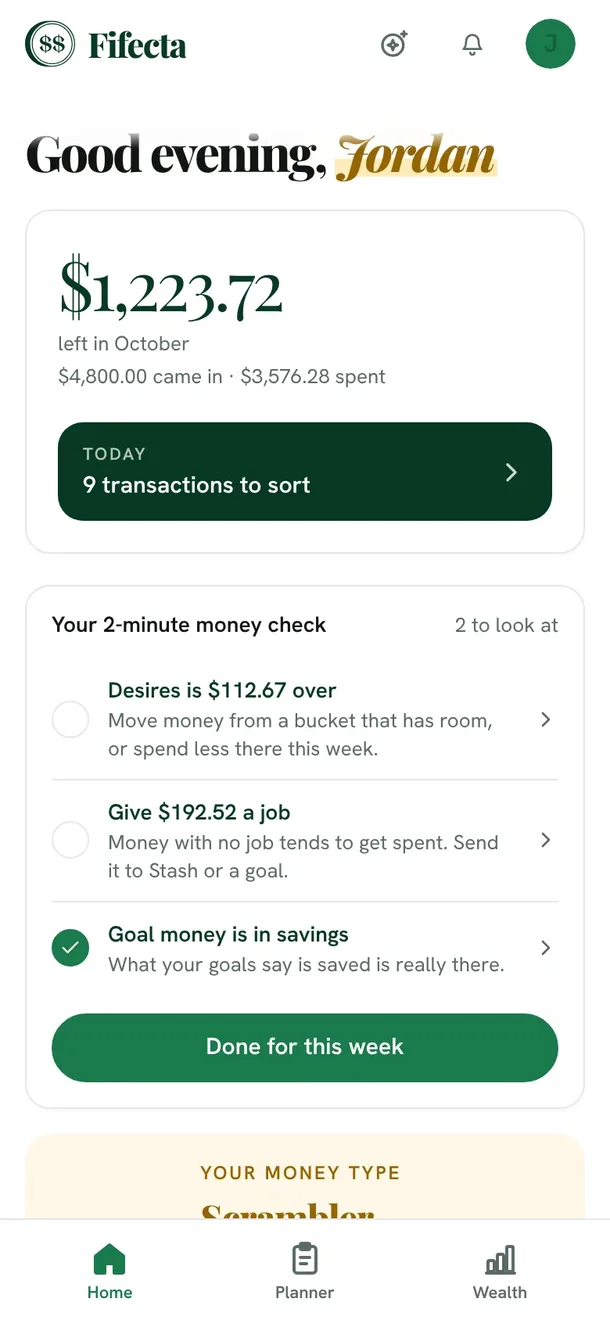

YNAB MCP
Budgeting app
Visit site for YNAB (opens in a new tab)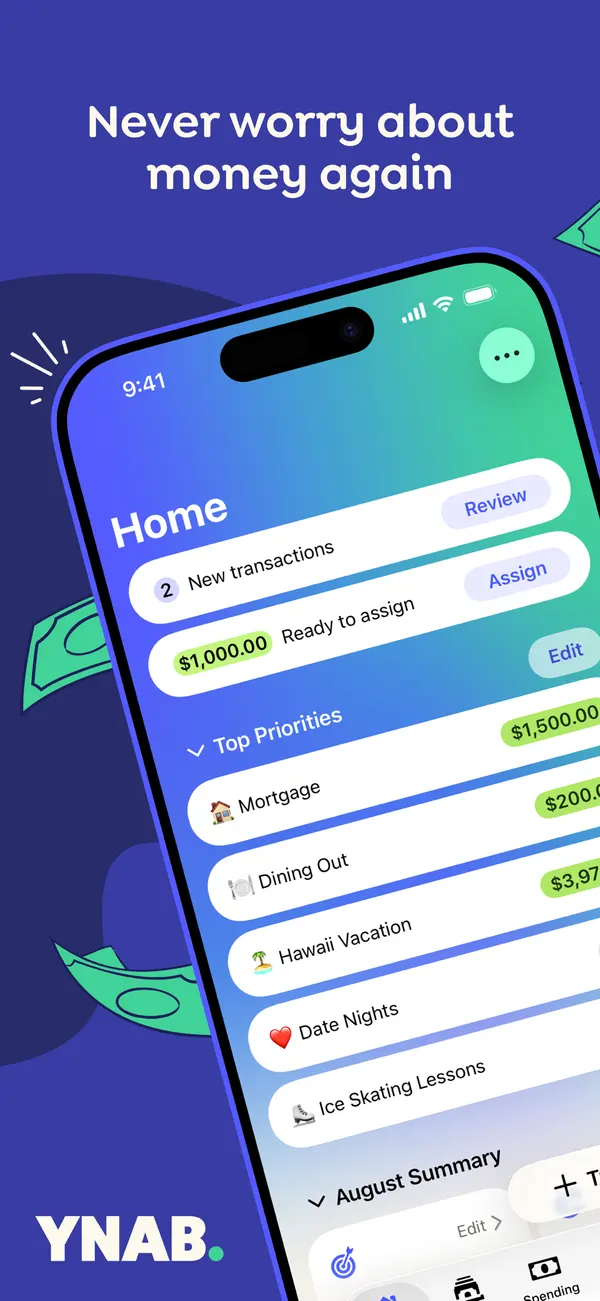
If you want to talk to your budget in Claude or ChatGPT, YNAB users rely on community-built servers that use YNAB's API, while Fifecta ships its own read-only connector. Here is an honest side by side.

Short answer
YNAB doesn't list an official MCP. It offers an official API, and community-built MCP servers use that API to connect YNAB to AI tools. Fifecta, which we make, has its own hosted connector for Claude and ChatGPT that's read-only by design. If you budget in YNAB today, a community server works with the app you already use.
Full disclosure: Taylor Price, who runs Priceless Tay, owns Fifecta, so keep that in mind as you read this comparison.
Fifecta vs YNAB MCP at a glance
- Fifecta
- Price
- $15a month
- Free trial
- 7 days
- Rating
- Not ratedWeb app, not in app stores
- Platforms
- 3Web, iPhone (home screen install), Android (home screen install)
- YNAB MCP
- Price
- $14.99a month
- Free trial
- 34 days
- Rating
- 4.8 of 5App Store, 61,970 ratings
- Platforms
- 5Web, iPhone, Android, iPad, Apple Watch
What is a budgeting MCP?
MCP (Model Context Protocol) is a standard way for an AI assistant to connect to another app. A budgeting MCP lets you ask Claude or ChatGPT about your own budget and get answers from your real numbers.
Does YNAB have an official MCP?
No official MCP is listed. YNAB offers an official API, and its official integrations list shows the API Starter Kit and Zapier. MCP tools appear only under “Third Party,” with the note “We do not provide support for these applications.” Source: api.ynab.com (2026)
Community MCP servers are built on that API. Each one works a little differently, so read its own page for what it can do and how it signs in.
How Fifecta's connector works
Fifecta's connector is read-only by design. You add it in Claude or ChatGPT, sign in to Fifecta, and approve. It reads your plan, buckets, transactions, debts, and goals, and it can't change any of them. Every tool call is written to an audit log.
What it costs
- Fifecta
$15a month
Fifecta costs $15 a month or $150 a year.
$150 a year at the yearly list price, or $450 over 3 years, before tax.
Source
pricelesstay.com/fifecta, checked . - YNABLower price
$14.99a month
YNAB costs $14.99 a month, or $109 a year paid annually, plus tax where applicable.
$109 a year at the yearly list price, or $327 over 3 years, before tax.
Source
ynab.com/pricing, checked .
Bars compare each app's yearly list price. "Lower price" marks the lowest monthly price the sources list. It's a number, not our pick. Prices are list prices from each app's own page, before tax and any offer.
Features
| Feature | Fifecta | YNAB MCP |
|---|---|---|
| Savings goals | Yes | Yes |
| Shared budgets | Yes | Yes |
| Investment tracking | Yes | Yes |
| Data export | Yes | Yes |
| API or MCP | Yes | Yes |
Fifecta also lists AI features.
Sources for these features
Yes means the official site lists it. No means the official site says the app doesn't have it.
- Fifecta: pricelesstay.com/fifecta-ai, checked Oct 25, 2026.AI features: Ask Penny: plain-English questions answered from your own numbers; monthly allowance resets on the 1st. pricelesstay.com/fifecta, checked Oct 25, 2026.Savings goals: Goals with a monthly savings number. pricelesstay.com/fifecta, checked Oct 25, 2026.Shared budgets: Invite a partner to share your budget; they can see and edit your plan, transactions and goals. pricelesstay.com/fifecta-terms, checked Oct 25, 2026.Investment tracking: Net worth includes investment accounts. pricelesstay.com/fifecta, checked Oct 25, 2026.Data export: Export from Settings, then Your data. Format not stated. pricelesstay.com/fifecta-terms, checked Oct 25, 2026.API or MCP: Connect your own AI assistant, such as Claude or ChatGPT: 'it can read your Fifecta data but can't change it.' Disconnect it in Settings, Your data, Connected apps. pricelesstay.com/fifecta-terms, checked Oct 25, 2026.
- YNAB MCP: ynab.com/pricing, checked Oct 25, 2026.Investment tracking: Manual tracking accounts for investment balances in Net Worth; investment accounts don't import transactions. support.ynab.com/en_us/tracking-investment-accounts-a-guide-r1Bzjxd05, checked Oct 25, 2026.Data export: CSV or TSV export of your plan and transactions, on the web. support.ynab.com/en_us/how-to-export-plan-data-Sy_CouWA9, checked Oct 25, 2026.API or MCP: Official YNAB API (api.ynab.com: personal access tokens and OAuth apps) and a Zapier integration. No MCP stated. ynab.com/our-app-lineup, checked Oct 25, 2026.
Fifecta and YNAB, side by side
| Detail | FifectaOur app | YNAB MCP |
|---|---|---|
| Free trialDiffers | FifectaFifecta is free for 7 days, and you can cancel anytime in the app. Sourcepricelesstay.com/fifecta, checked . | YNAB MCPYNAB offers a 34-day free trial, and you don't need a credit card when you sign up directly with YNAB. Sourceynab.com/pricing, checked . |
| PlatformsDiffers | FifectaFifecta lists Web, iPhone (home screen install) and Android (home screen install). Sourcepricelesstay.com/fifecta, checked . | YNAB MCPYNAB lists Web, iPhone, Android, iPad and Apple Watch. Sourceynab.com/our-app-lineup, checked . |
| Bank syncingDiffers | FifectaOptional. Fifecta connects banks through Plaid with read-only access, and you can type your income and spending in by hand instead. Sourcepricelesstay.com/fifecta, checked . | YNAB MCPYes. YNAB lets you connect your accounts and import transactions. Sourceynab.com/pricing, checked . |
| App store ratingDiffers | FifectaWeb app, not in app stores. Sourcepricelesstay.com/fifecta, checked . | YNAB MCPYNAB has 4.8 out of 5 on the App Store from 61,970 ratings. SourceApp Store listing, checked . |
| Built byDiffers | FifectaPriceless Tay. Fifecta is ours.As of Oct 10, 2026. This is Priceless Tay's own description of Fifecta. | YNAB MCPYNAB offers the API, and MCP servers are third-party. YNAB's “Works with YNAB” page lists MCP tools only under “Third Party” and says “We do not provide support for these applications.” Sourceapi.ynab.com, checked . |
| Official MCP from the budgeting appDiffers | YNAB MCPNo official MCP is listed. The official integrations listed are the API Starter Kit and Zapier. Sourceapi.ynab.com, checked . | |
| Works withDiffers | FifectaClaude and ChatGPT. Sourcepricelesstay.com/fifecta-ai, checked . | YNAB MCPIt depends on the community server. For example, MCP Server for YNAB supports Claude Code, Codex and any stdio MCP host, plus a hosted connector URL. Sourcegithub.com/oliverames/ynab-mcp-server, checked . |
| Read or writeDiffers | FifectaRead-only by design. Sourcepricelesstay.com/fifecta-ai, checked . | YNAB MCPThe YNAB API is “mostly read-only” with some write endpoints, and OAuth apps can request a read-only scope. The example community server is read-only by default with opt-in writes.Sourceapi.ynab.com, checked . |
| How you sign inDiffers | FifectaSign in to Fifecta and approve. OAuth 2.1 with PKCE S256 is required.As of Oct 10, 2026. This is Priceless Tay's own description of Fifecta. | YNAB MCPA Personal Access Token or OAuth. YNAB says to treat a token “with as much care as your main account password,” and it doesn't expire unless you revoke it. Sourceapi.ynab.com, checked . |
| Logging and limitsDiffers | FifectaEvery tool call is written to an audit log.As of Oct 10, 2026. This is Priceless Tay's own description of Fifecta. | YNAB MCP200 requests per hour per access token. Sourceapi.ynab.com, checked . |
| Coaching and Money TypeDiffers | FifectaBuilt around the FUNDS plan and Money Types.As of Oct 10, 2026. This is Priceless Tay's own description of Fifecta. | YNAB MCPThe YNAB Method, which says to “give every dollar a job.” Sourceynab.com/pricing, checked . |
We are not affiliated with YNAB.
Fifecta is our own app. Taylor Price, who runs Priceless Tay, owns Fifecta, so keep that in mind as you read this comparison.
Store ratings are a dated snapshot from each listing, not our score. A row shows only when both apps have a current official source for it. How we source and date this data. Spotted a change? Tell us if something changed.
Weighing a third option? Add up to two more apps and compare up to four side by side.
Screen by screen
Pick a task to see what each app shows for it. App Store and Google Play images are the apps' own marketing, so they can show sample data and staged layouts. Help center images come from the app's support articles. See every app's screens.
Home
Fifecta
From Fifecta's websiteThe Fifecta app Home screen on a phone: "Good evening, Jordan," $1,223.72 left in October ($4,800.00 came in, $3,576.28 spent), a Today card with 9 transactions to sort, and a 2-minute money check with Home, Planner and Wealth tabs at the bottom.fifecta.pricelesstay.com, as of 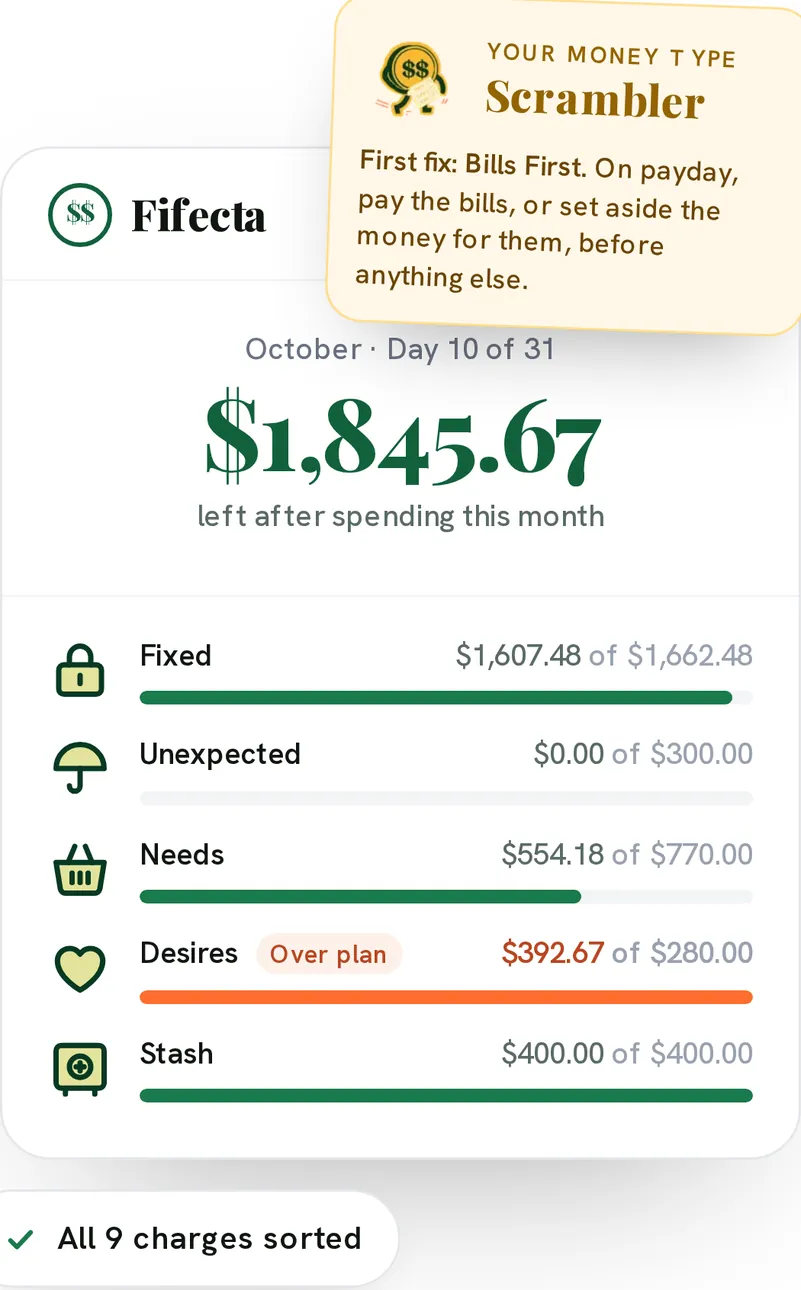
From Fifecta's websiteA Fifecta month card for October, Day 10 of 31: $1,845.67 left after spending this month, with Fixed, Unexpected, Needs, Desires and Stash progress bars, Desires marked Over plan, a Scrambler Money Type note and an All 9 charges sorted chip.pricelesstay.com, as of 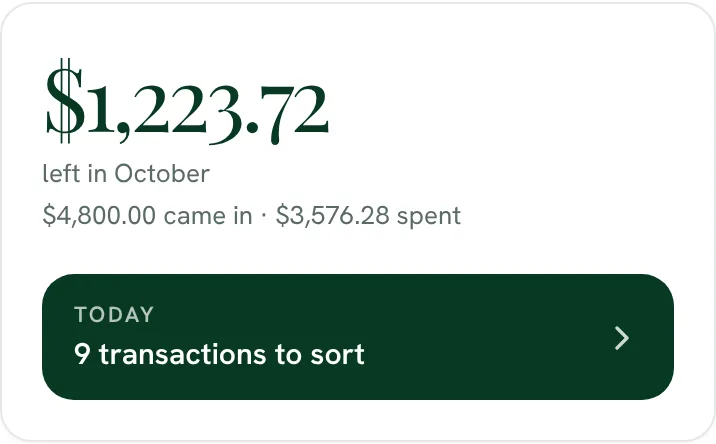
From Fifecta's website$1,223.72 left in October, with $4,800.00 came in and $3,576.28 spent, and a Today button for 9 transactions to sort.fifecta.pricelesstay.com, as of 
From Fifecta's websiteOctober, Day 10 of 31: $1,845.67 left after spending this month.pricelesstay.com, as of
YNAB
App Store marketing imageApp Store image with the headline "Never worry about money again" over a tilted phone showing the YNAB Home screen with new transactions, Ready to Assign and a Top Priorities list.App Store listing, as of 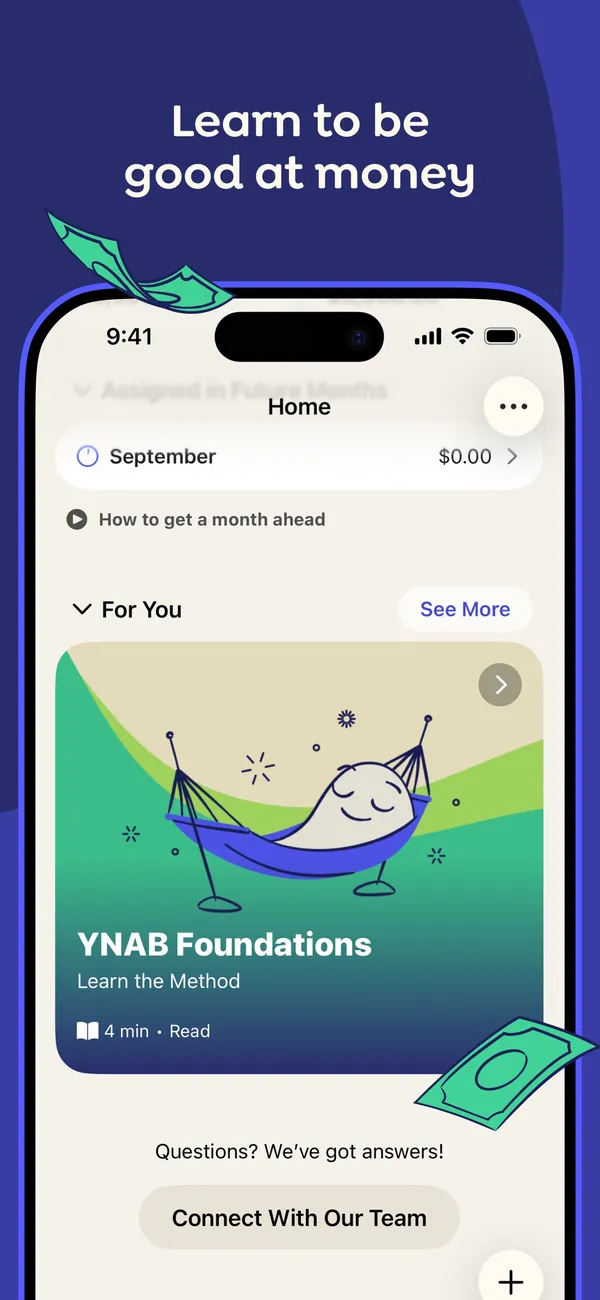
App Store marketing imageApp Store image with the headline "Learn to be good at money" showing the Home screen with a For You section and a YNAB Foundations lesson card.App Store listing, as of 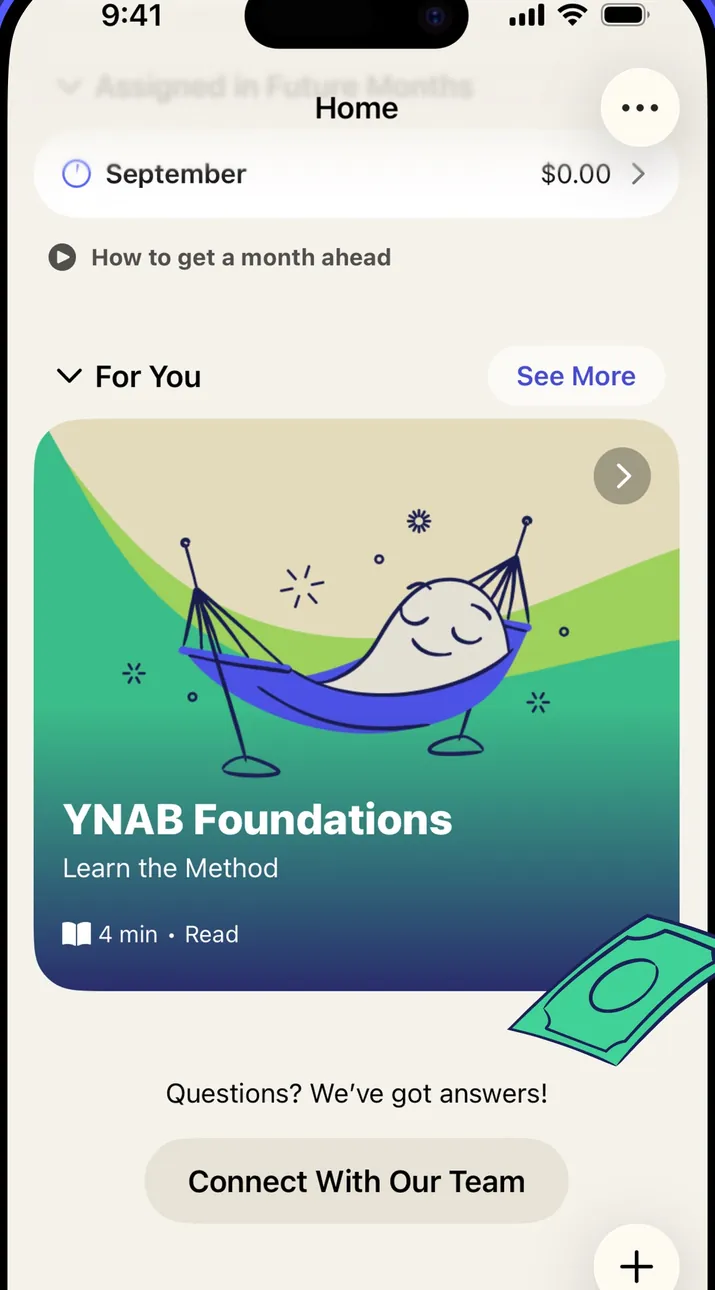
App Store marketing imageThe Home screen: a September row, a "How to get a month ahead" link, a For You lesson card and a Connect With Our Team button.App Store listing, as of 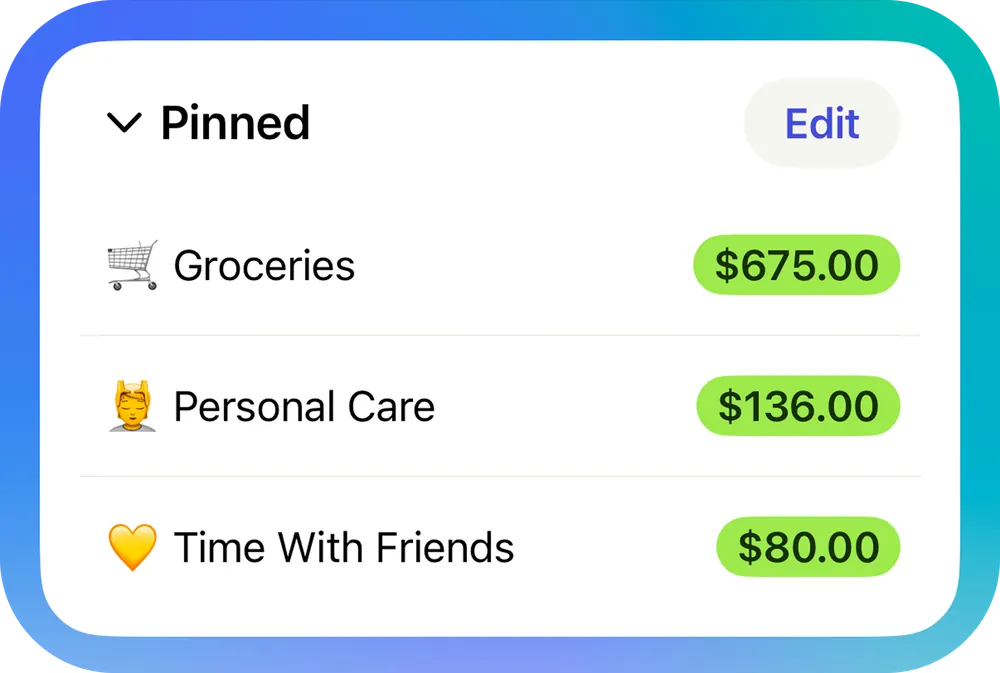
From YNAB's help centerA Pinned section on the Home screen listing Groceries, Personal Care and Time With Friends with available amounts.support.ynab.com, as of 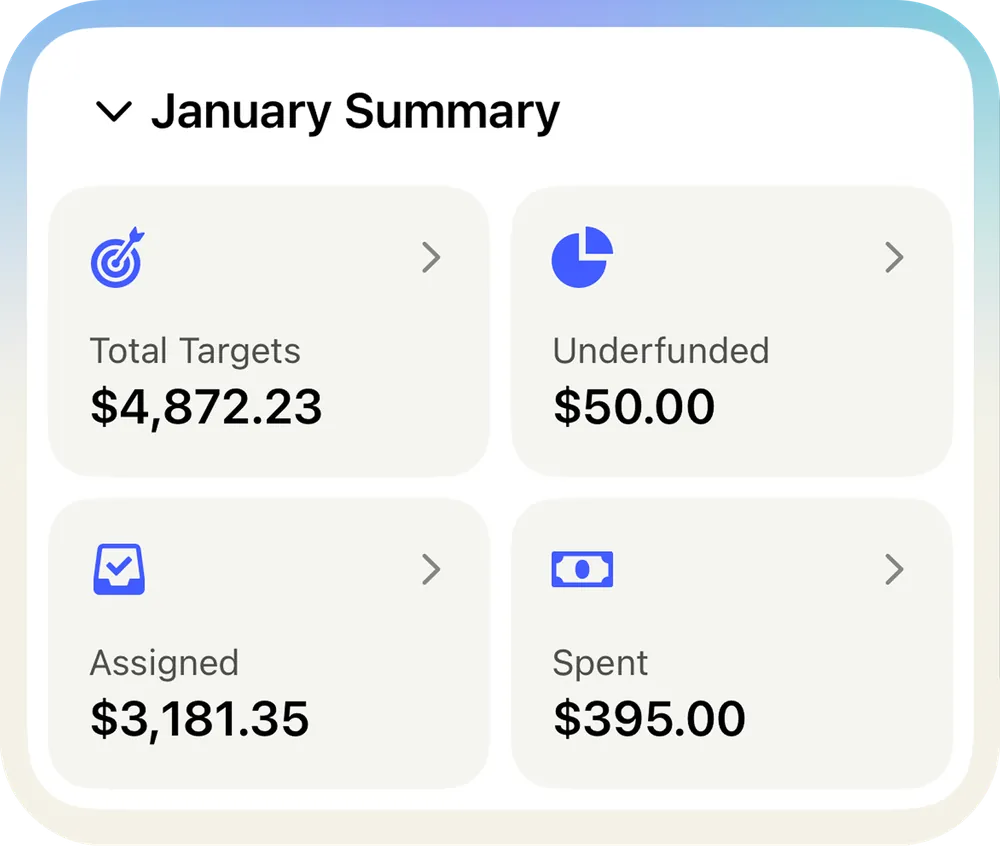
From YNAB's help centerA January Summary card with Total Targets, Underfunded, Assigned and Spent tiles.support.ynab.com, as of
Transactions
Fifecta
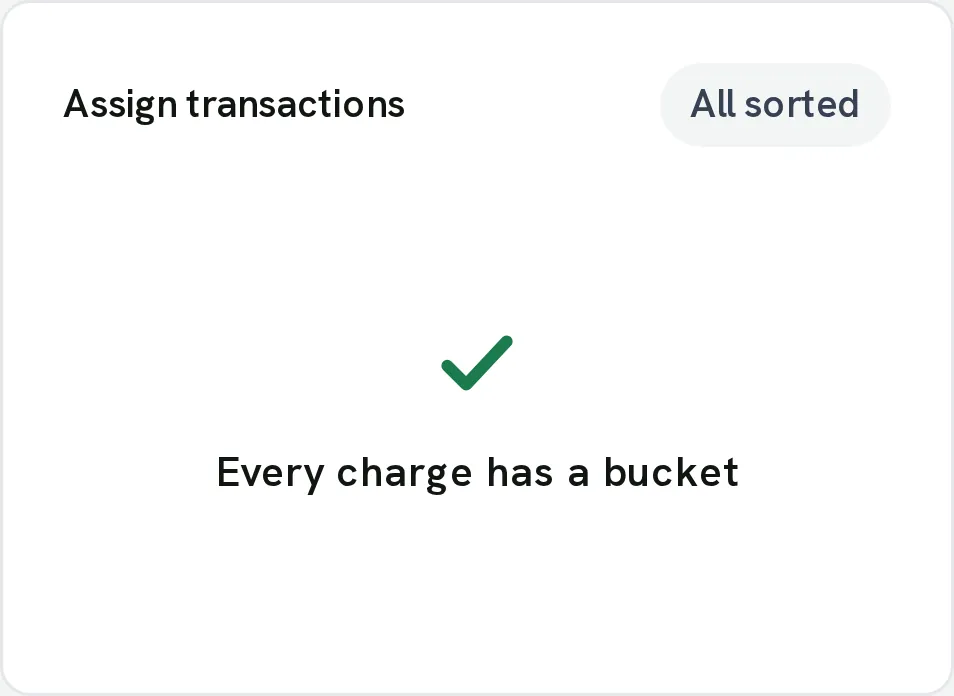
From Fifecta's websiteAssign transactions with an All sorted chip, a green check mark and "Every charge has a bucket."pricelesstay.com, as of
YNAB
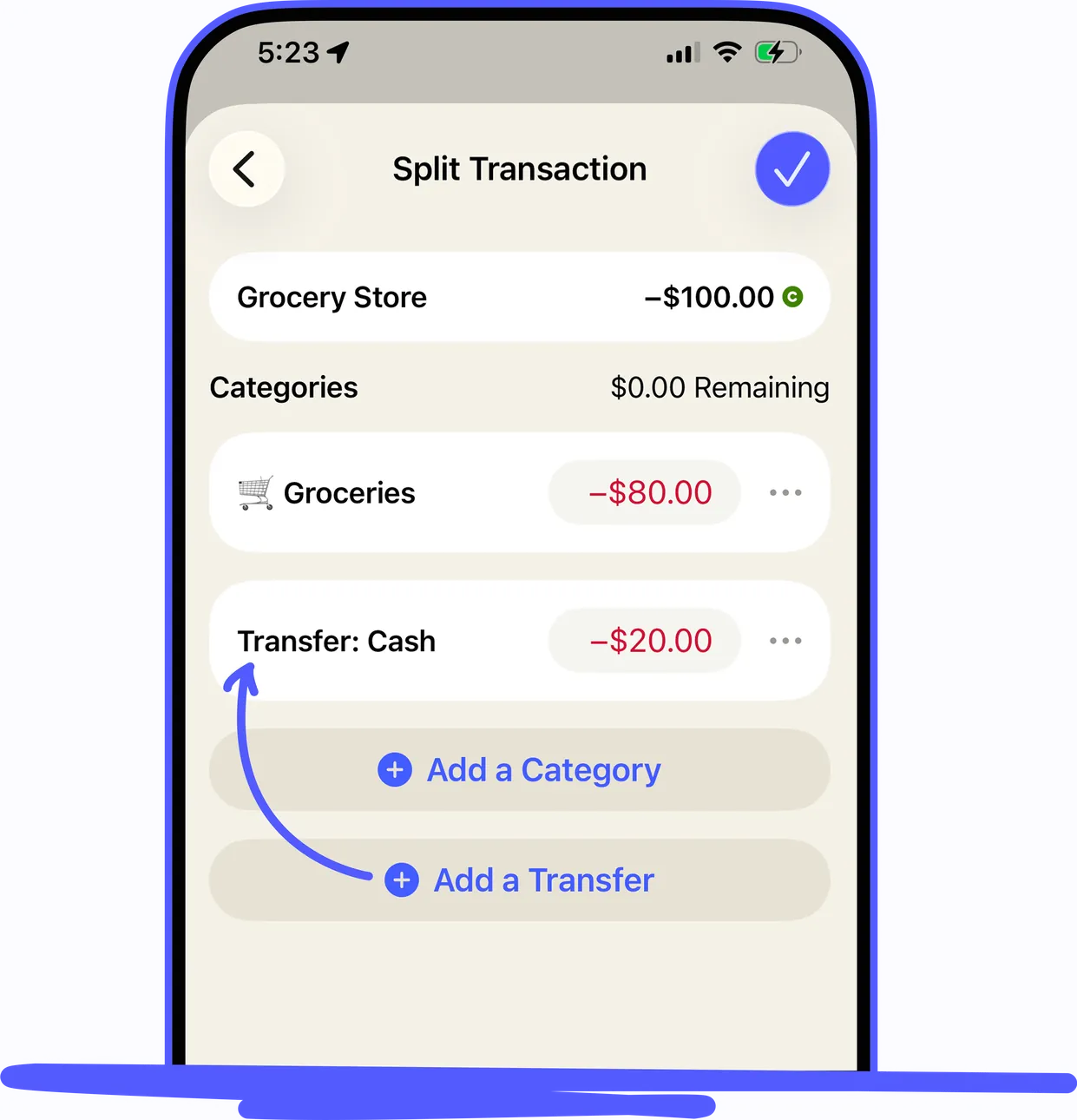
From YNAB's help centerAn iPhone Split Transaction screen for a -$100.00 Grocery Store purchase split between Groceries and a transfer to Cash.support.ynab.com, as of 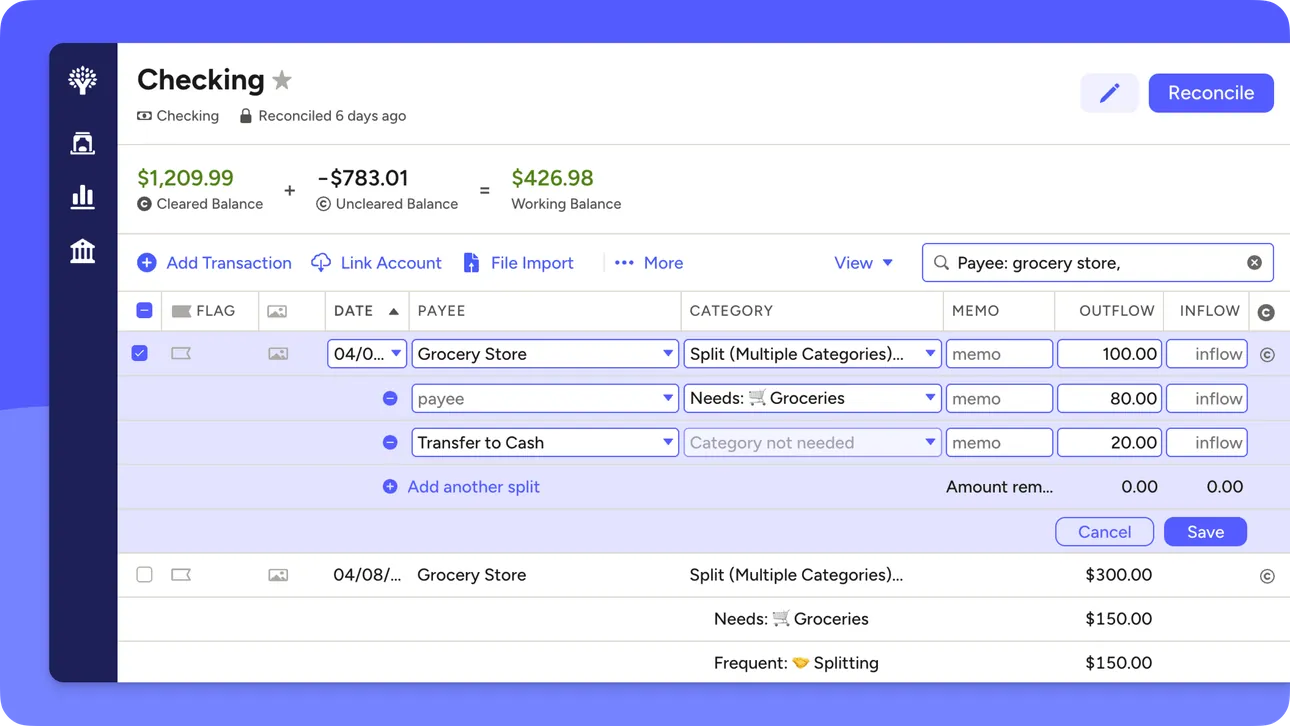
From YNAB's help centerThe web account register for Checking with a split transaction open across several category rows.support.ynab.com, as of
Budget
Fifecta
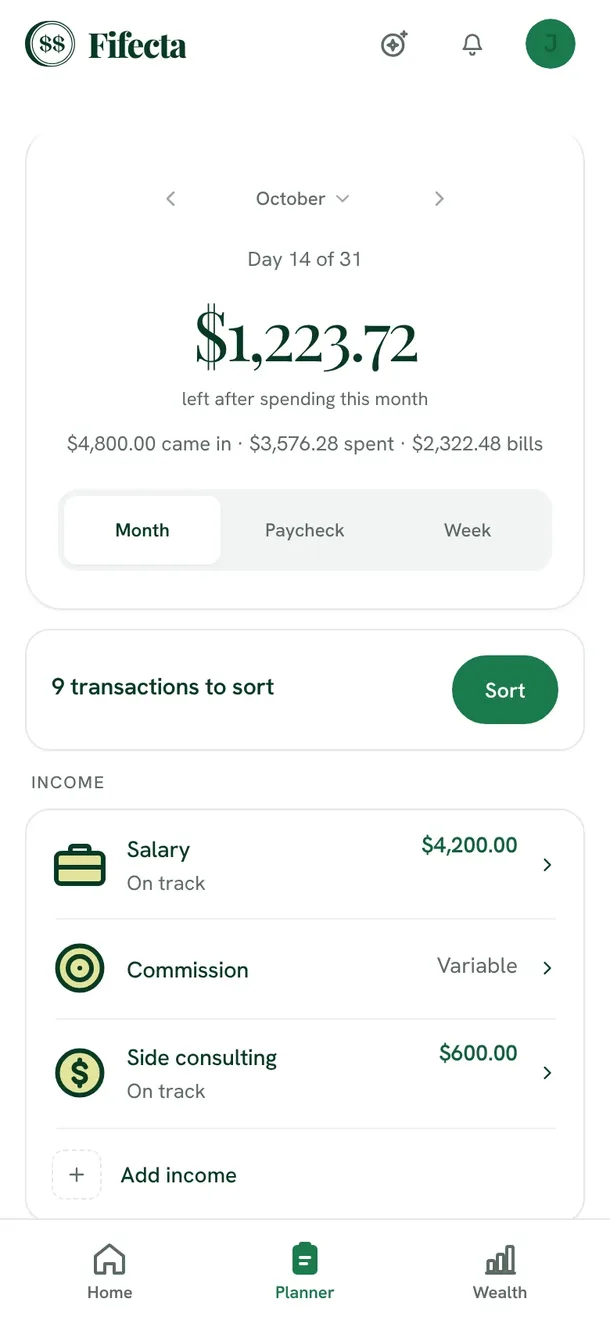
From Fifecta's websiteThe Fifecta Planner on a phone: October, Day 14 of 31, $1,223.72 left after spending this month, Month, Paycheck and Week views, 9 transactions to sort, and income lines for Salary, Commission and Side consulting.fifecta.pricelesstay.com, as of 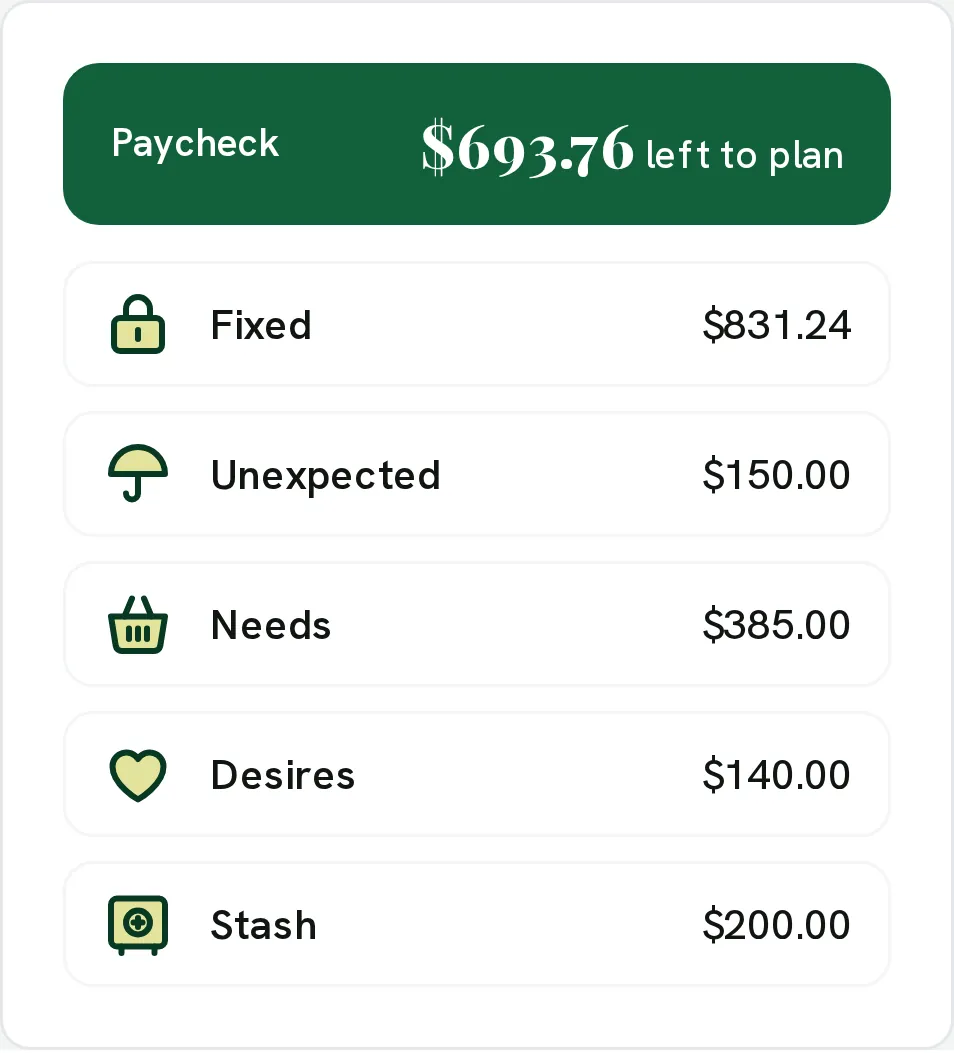
From Fifecta's websiteA paycheck plan: Paycheck $693.76 left to plan, with Fixed $831.24, Unexpected $150.00, Needs $385.00, Desires $140.00 and Stash $200.00.pricelesstay.com, as of 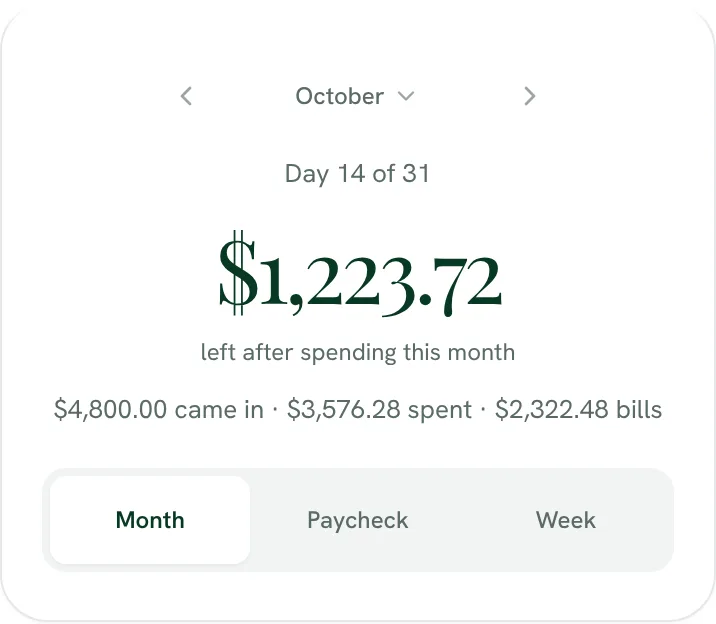
From Fifecta's websiteDay 14 of 31: $1,223.72 left after spending this month ($4,800.00 came in, $3,576.28 spent, $2,322.48 bills), with a Month, Paycheck and Week switch.fifecta.pricelesstay.com, as of 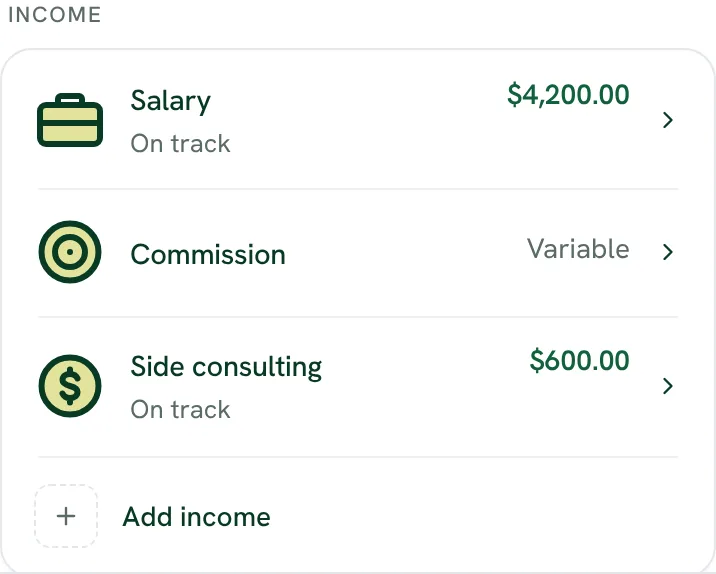
From Fifecta's websiteIncome: Salary $4,200.00 on track, Commission marked Variable, Side consulting $600.00 on track, and Add income.fifecta.pricelesstay.com, as of 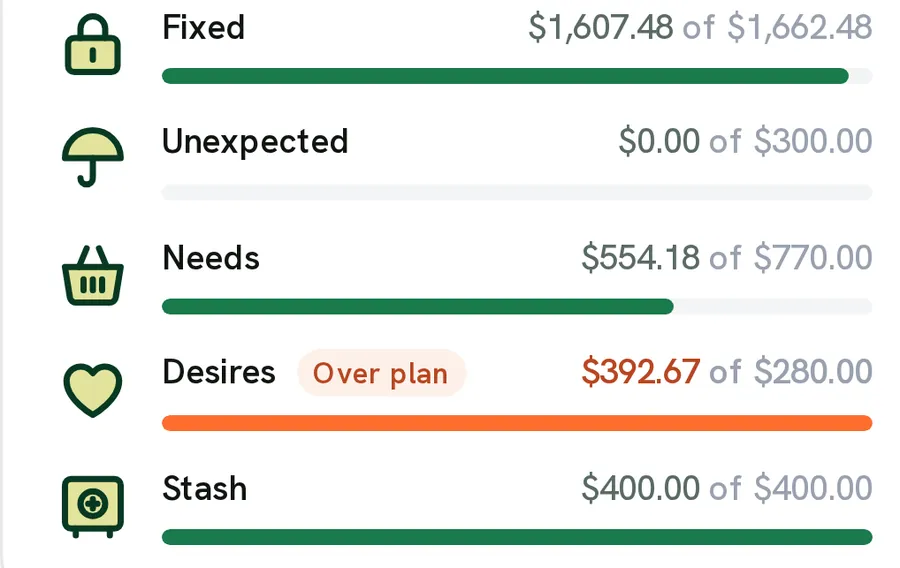
From Fifecta's websiteBucket bars: Fixed $1,607.48 of $1,662.48, Unexpected $0.00 of $300.00, Needs $554.18 of $770.00, Desires $392.67 of $280.00 marked Over plan, and Stash $400.00 of $400.00.pricelesstay.com, as of 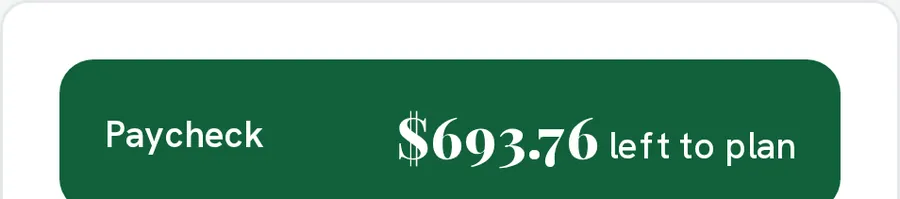
From Fifecta's websiteA green Paycheck bar reading $693.76 left to plan.pricelesstay.com, as of
YNAB
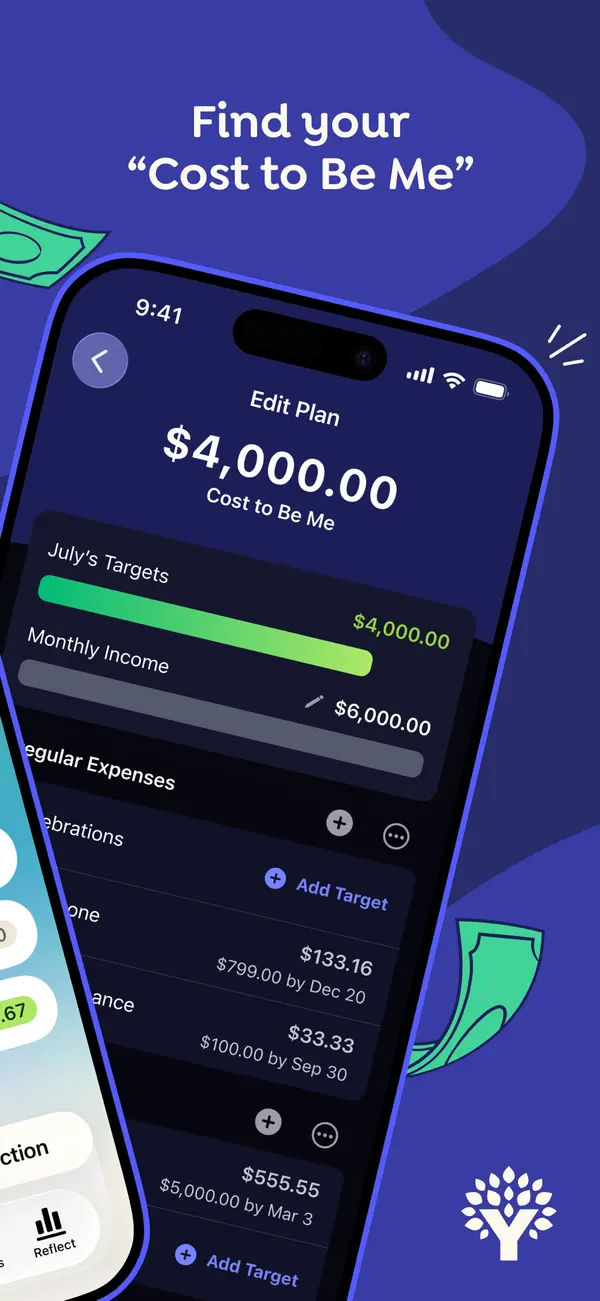
App Store marketing imageApp Store image with the headline "Find your Cost to Be Me" over a tilted phone showing an Edit Plan screen with a $4,000.00 Cost to Be Me total and July's targets.App Store listing, as of 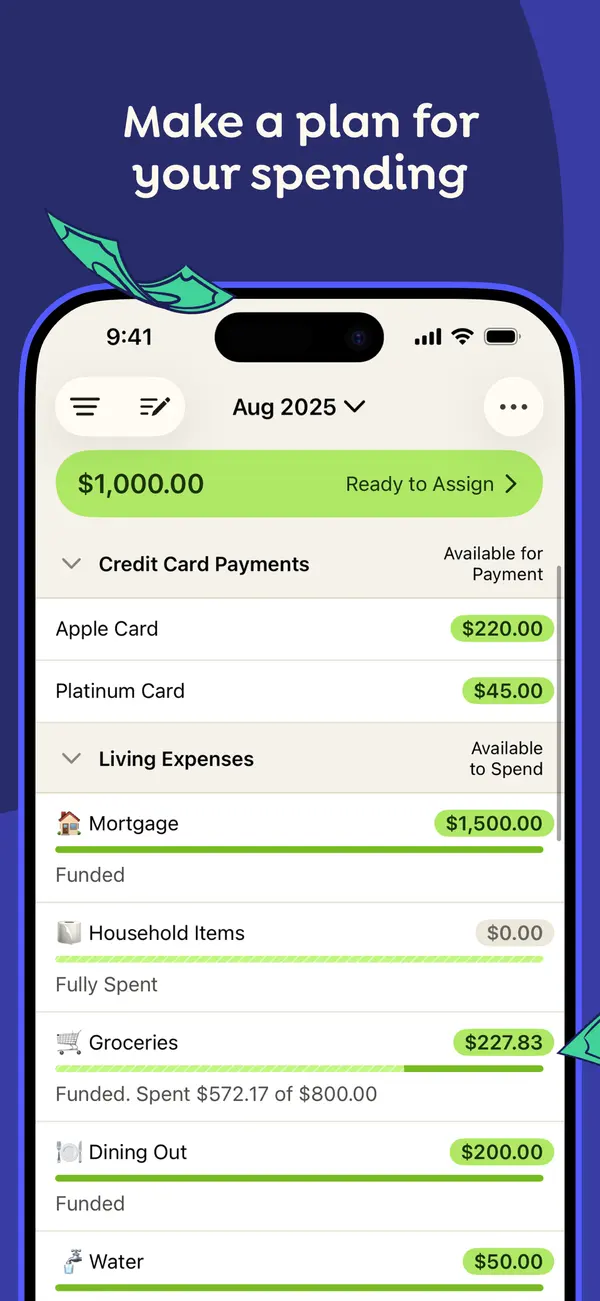
App Store marketing imageApp Store image with the headline "Make a plan for your spending" showing the August 2025 plan with Ready to Assign at the top and categories grouped under Credit Card Payments and Living Expenses.App Store listing, as of 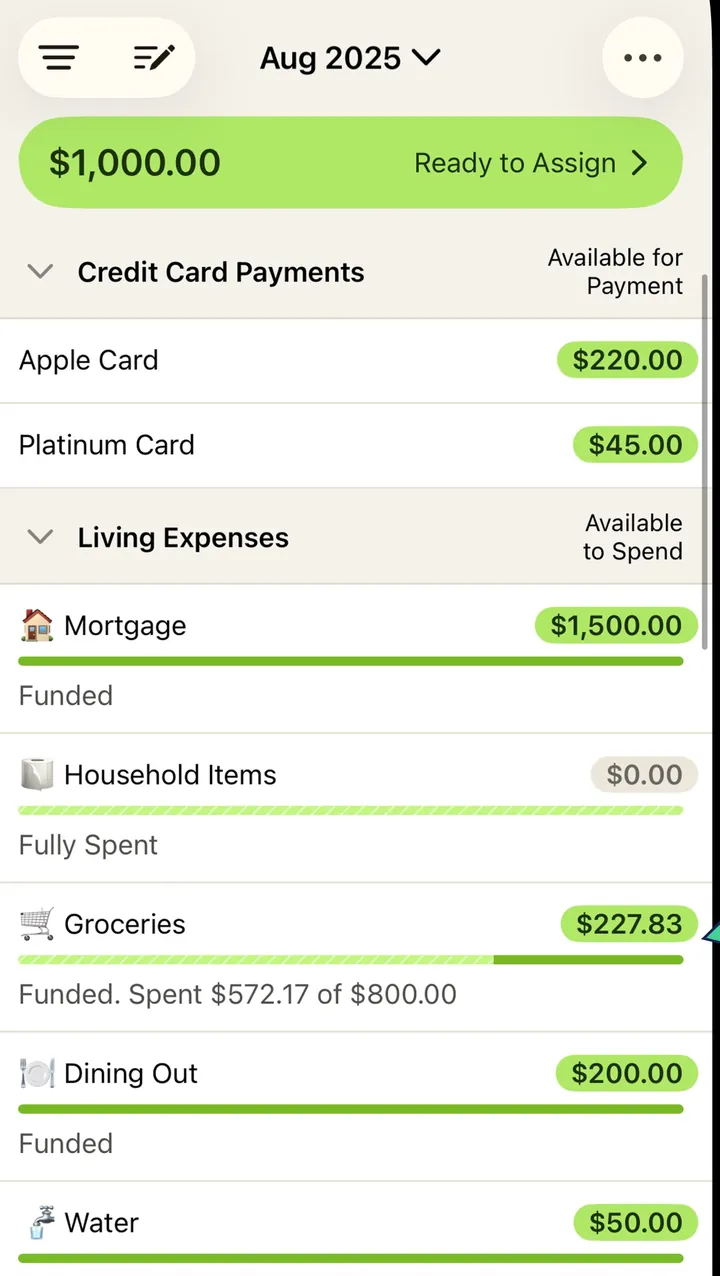
App Store marketing imageThe plan screen from that image: a green Ready to Assign bar, then category rows with amounts and progress bars.App Store listing, as of 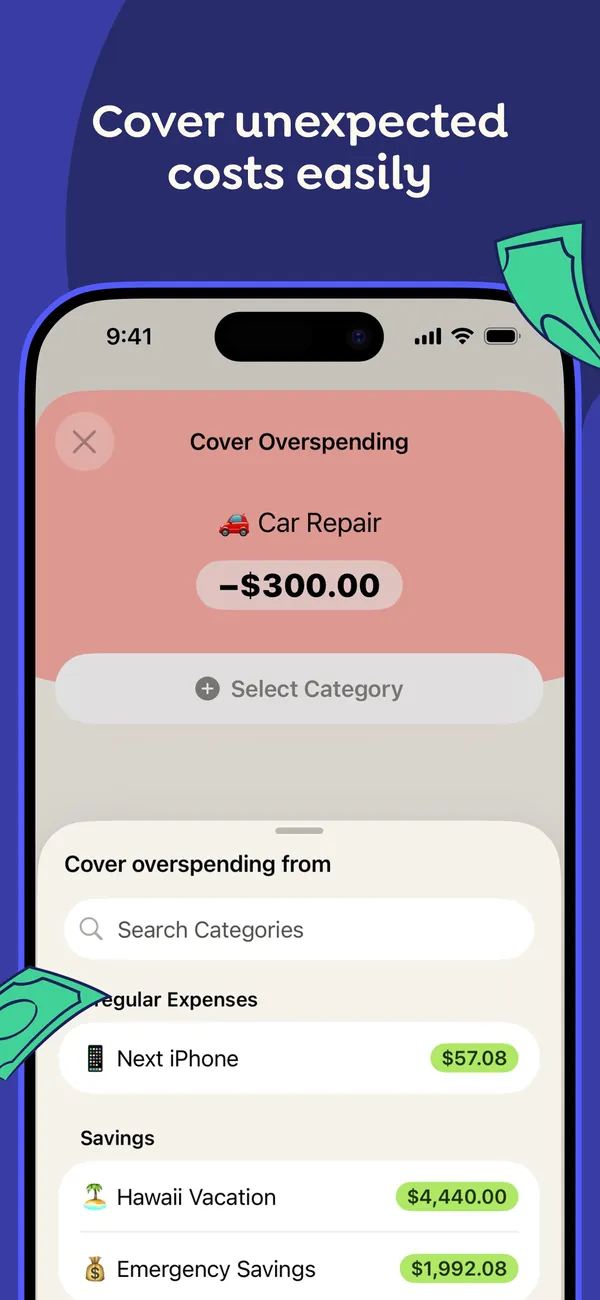
App Store marketing imageApp Store image with the headline "Cover unexpected costs easily" showing a Cover Overspending sheet for a -$300.00 Car Repair, with categories to move money from.App Store listing, as of 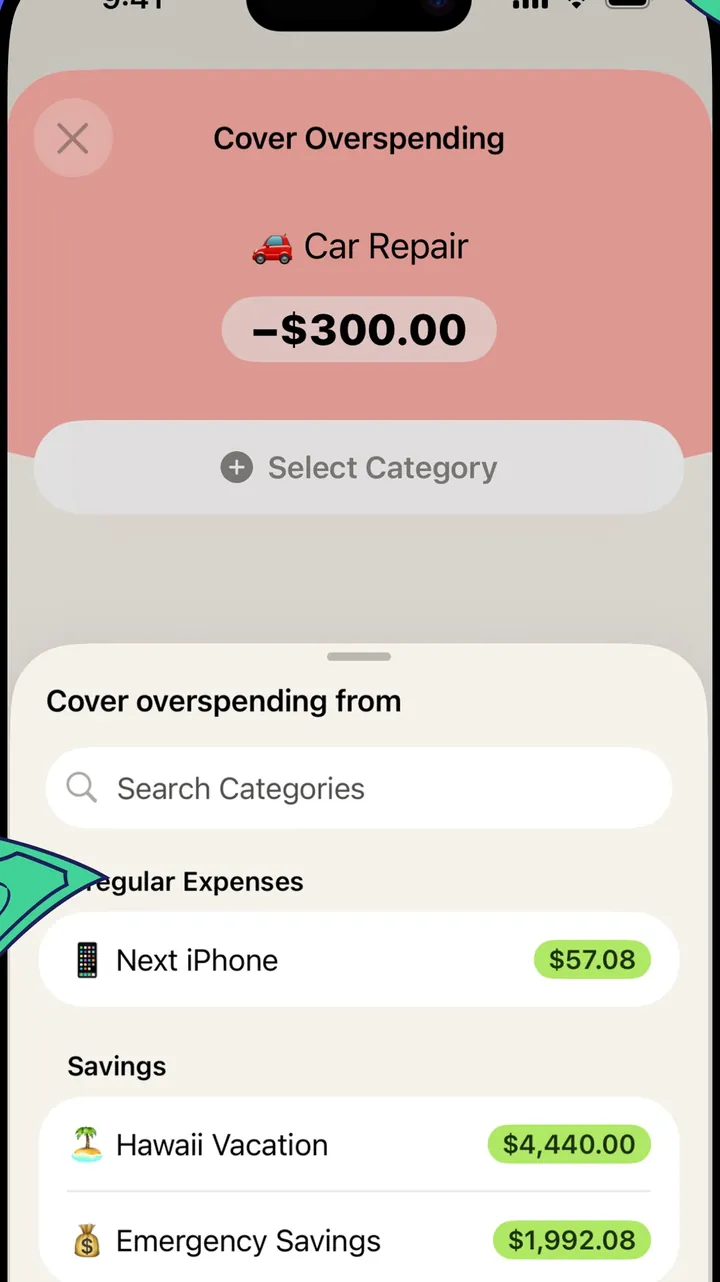
App Store marketing imageThe Cover Overspending sheet: the overspent Car Repair category on top and a searchable list of categories with available amounts below.App Store listing, as of 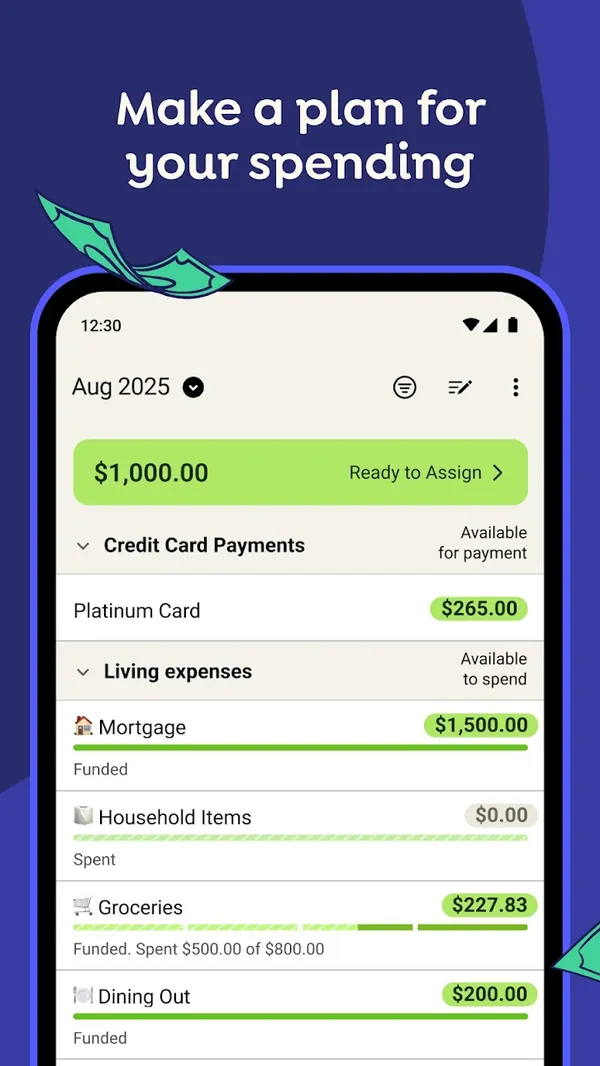
Google Play marketing imageGoogle Play image with the headline "Make a plan for your spending" showing the Android plan screen with Ready to Assign and category rows.Google Play listing, as of 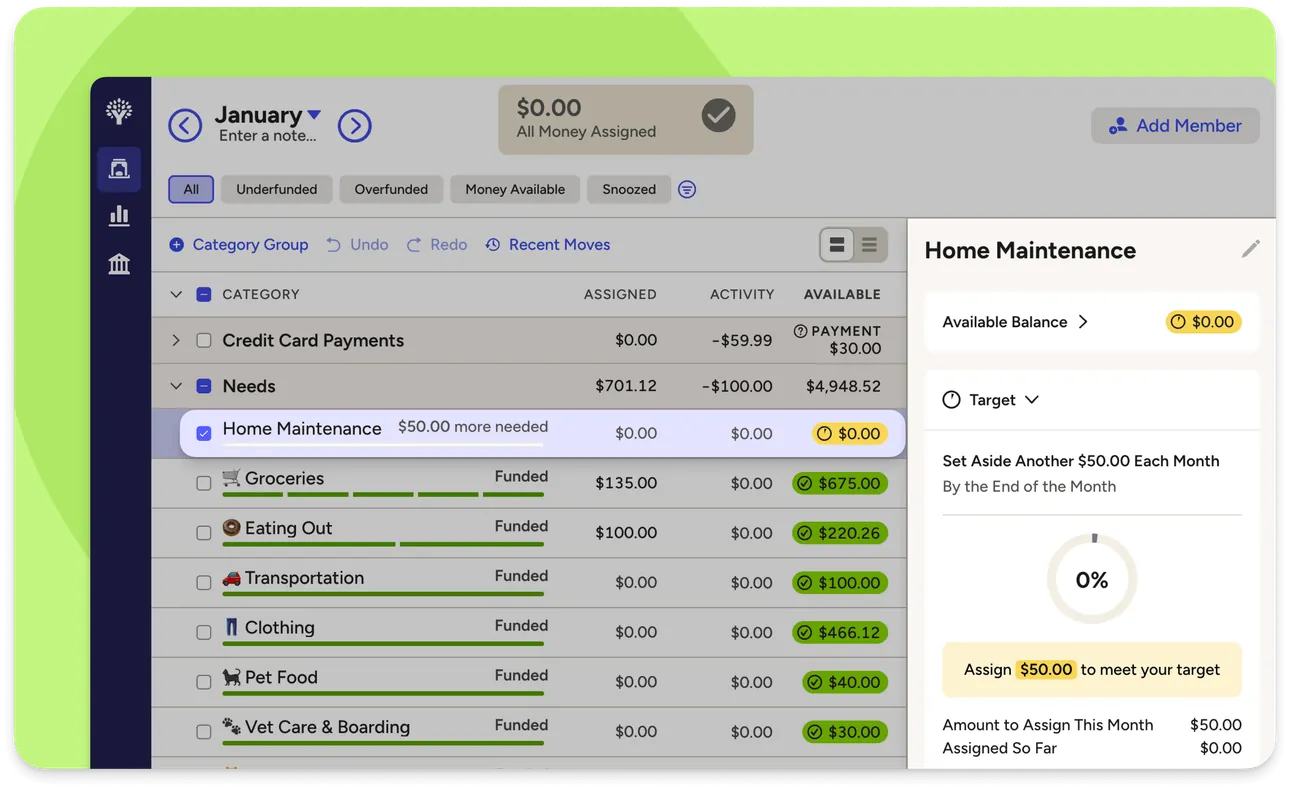
From YNAB's help centerThe web plan with category groups and a side panel for one category showing its target and the amount needed this month.support.ynab.com, as of 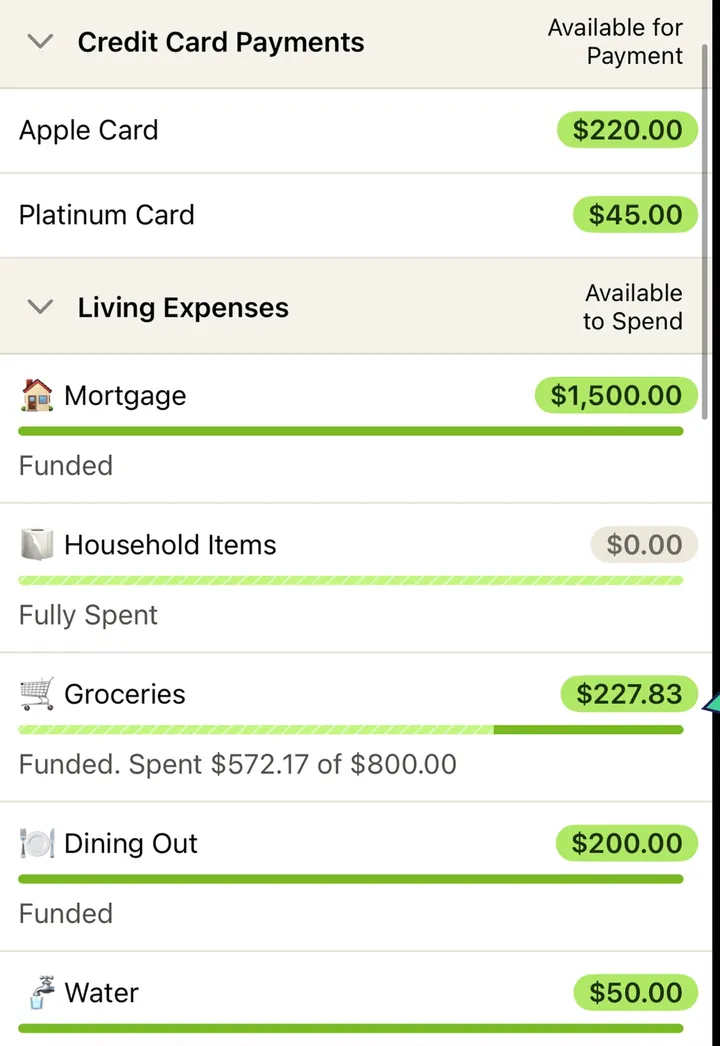
App Store marketing imageCategory rows such as Mortgage, Household Items, Groceries and Dining Out, each with an available amount and a status line like Funded or Fully Spent.App Store listing, as of 
App Store marketing imageThe green bar at the top of the plan reading $1,000.00 Ready to Assign.App Store listing, as of 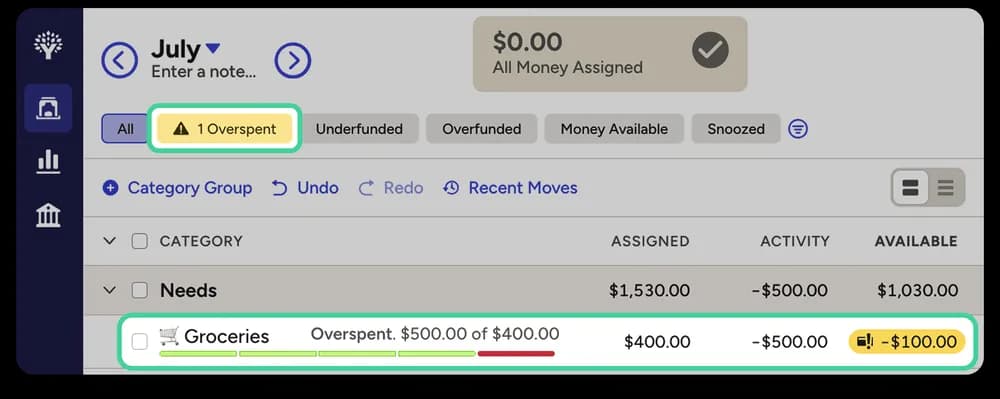
From YNAB's help centerA web plan row for Groceries marked Overspent, with a red available amount of -$100.00.support.ynab.com, as of
Categories
Fifecta
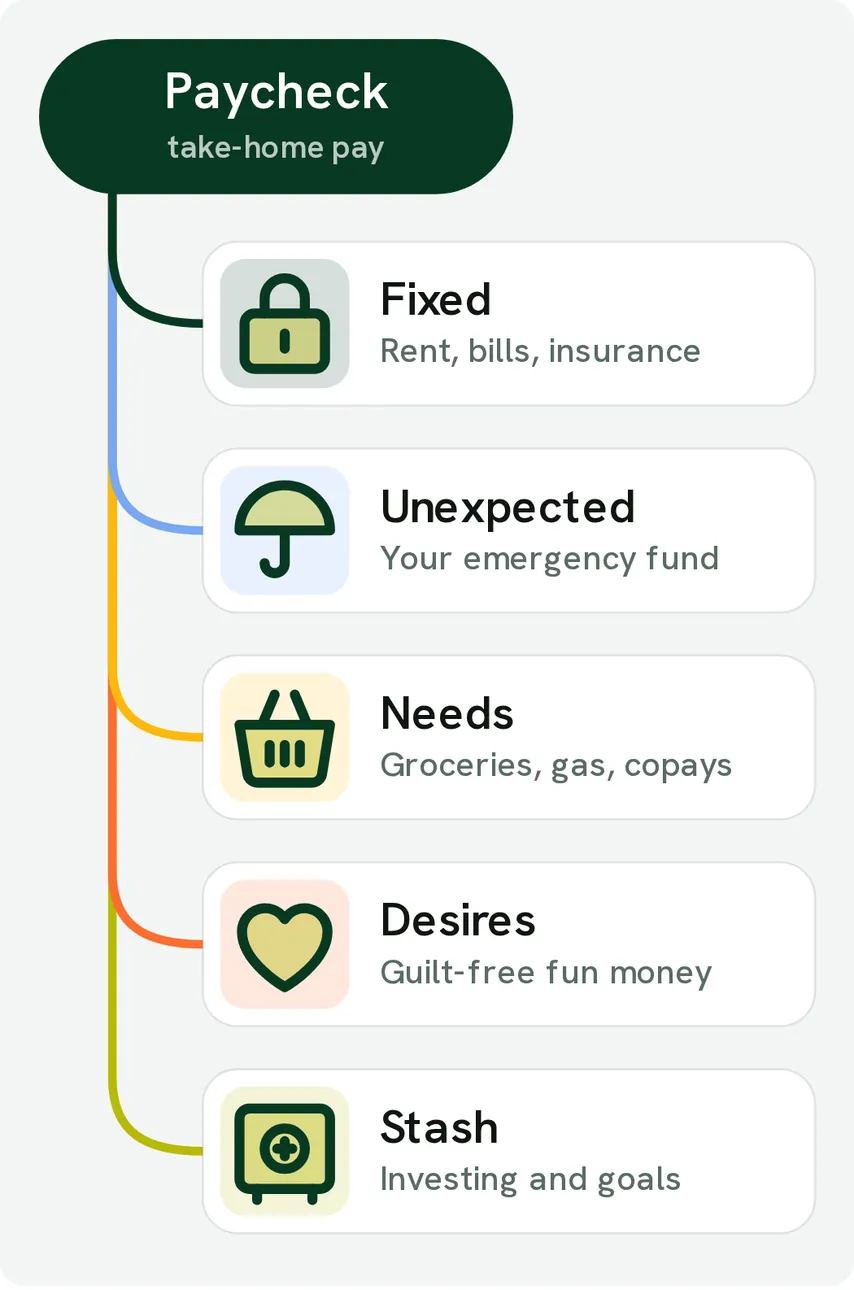
From Fifecta's websiteA diagram of a Paycheck, take-home pay, branching into Fixed (rent, bills, insurance), Unexpected (your emergency fund), Needs (groceries, gas, copays), Desires (guilt-free fun money) and Stash (investing and goals).pricelesstay.com, as of 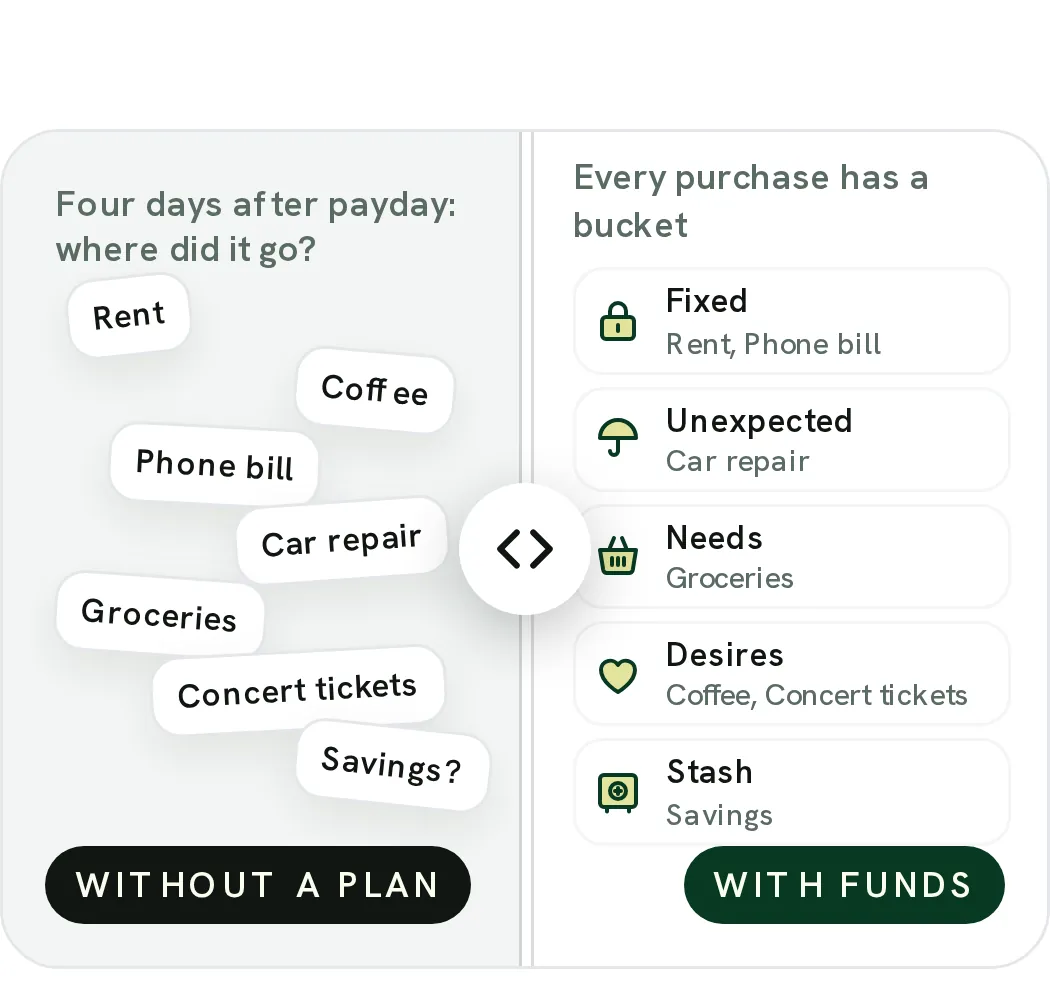
From Fifecta's websiteA Without a plan and With FUNDS slider: on one side loose labels like Rent, Coffee and Car repair under "Four days after payday: where did it go?", on the other every purchase in a bucket, such as Coffee and Concert tickets under Desires.pricelesstay.com, as of 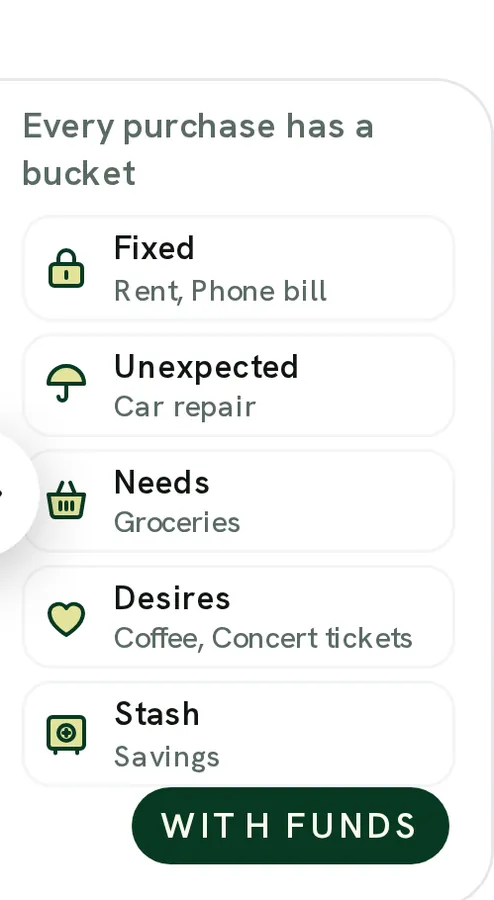
From Fifecta's websiteWith FUNDS: "Every purchase has a bucket" with Fixed (rent, phone bill), Unexpected (car repair), Needs (groceries), Desires (coffee, concert tickets) and Stash (savings).pricelesstay.com, as of
YNAB
No official screen found yet
Goals
Fifecta
No official screen found yet
YNAB
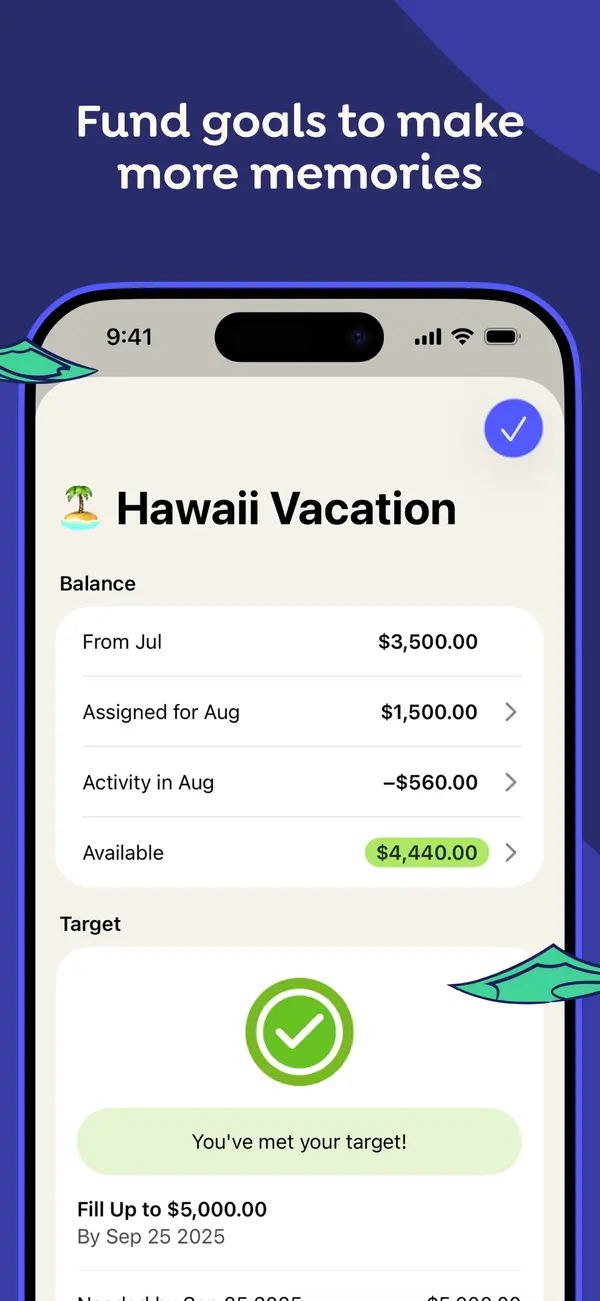
App Store marketing imageApp Store image with the headline "Fund goals to make more memories" showing a Hawaii Vacation category with its balance and a "You've met your target!" message.App Store listing, as of 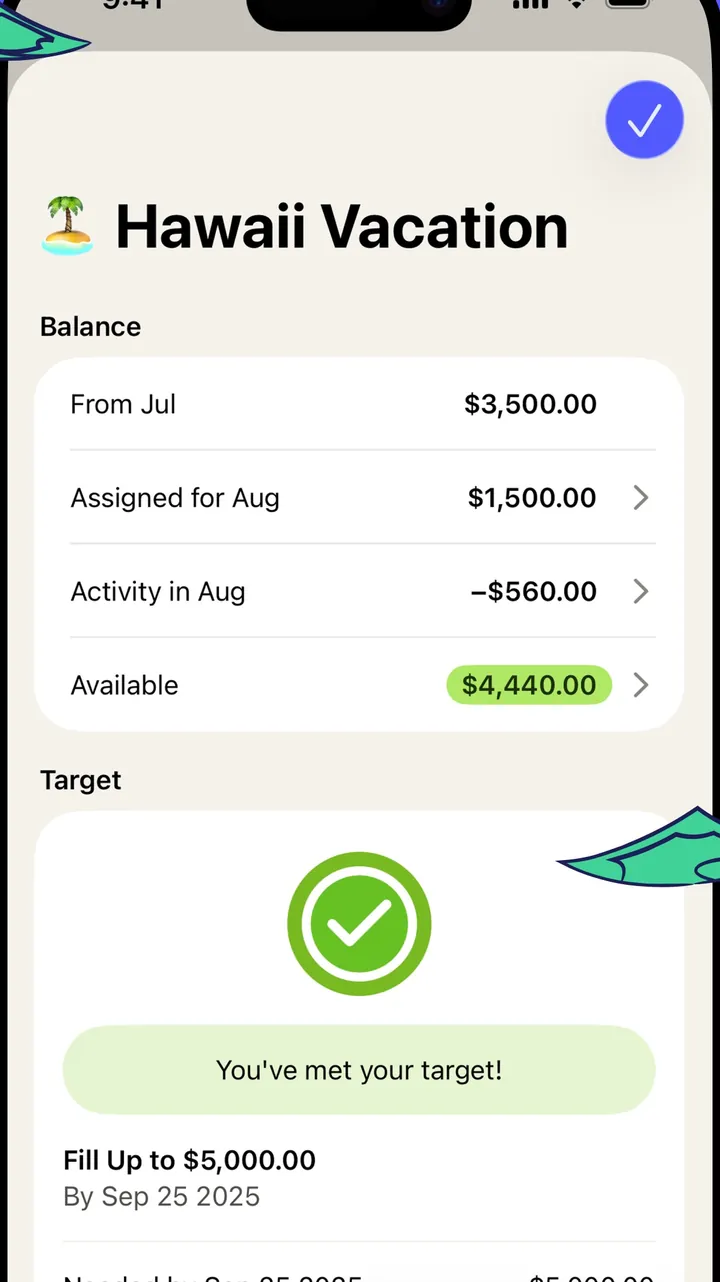
App Store marketing imageThe Hawaii Vacation category screen: balance breakdown for the month and a target card with a check mark.App Store listing, as of 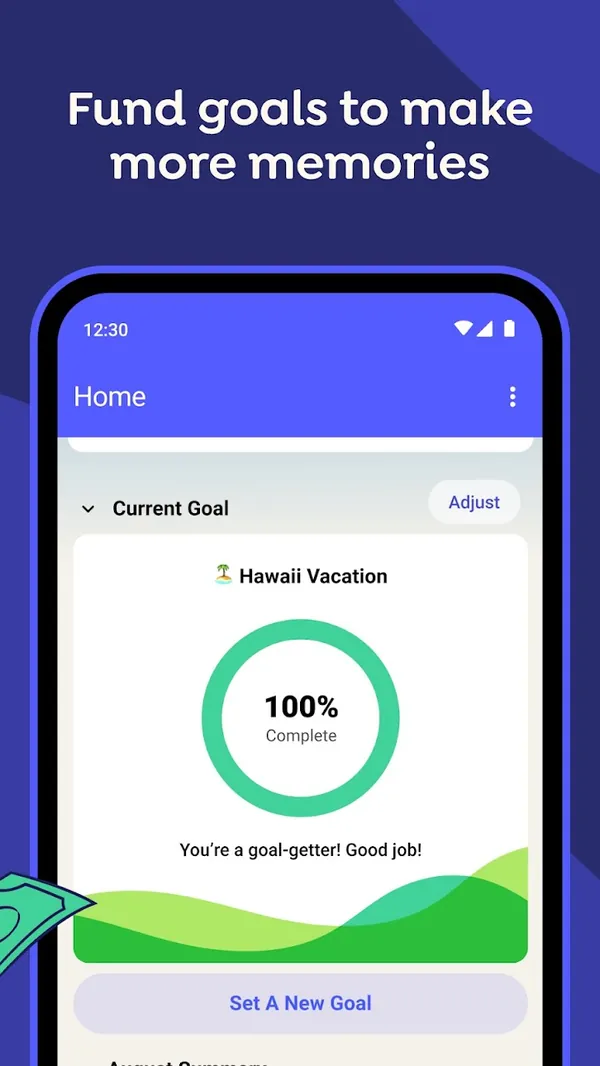
Google Play marketing imageGoogle Play image with the headline "Fund goals to make more memories" showing the Android Home screen with a Current Goal ring at 100% Complete for Hawaii Vacation.Google Play listing, as of 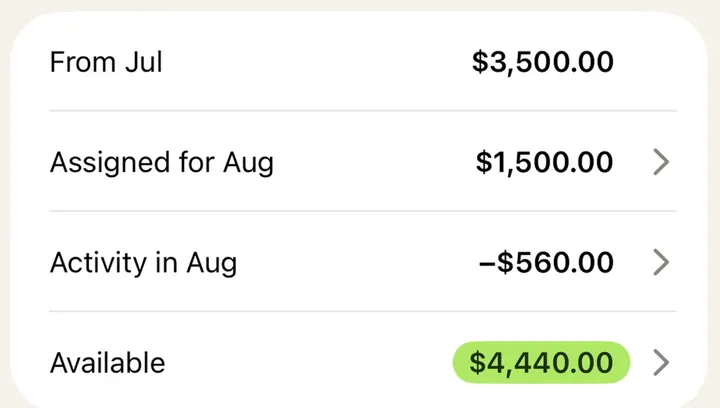
App Store marketing imageA balance card listing From Jul, Assigned for Aug, Activity in Aug and Available amounts.App Store listing, as of 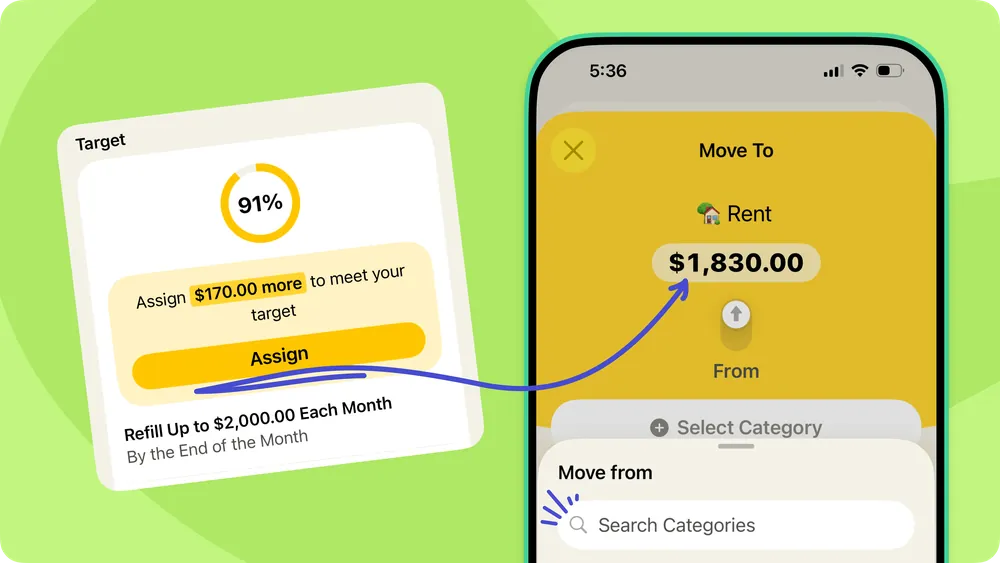
From YNAB's help centerA help-center graphic pairing a target card at 91% with a Move To sheet that assigns $1,830.00 to Rent.support.ynab.com, as of 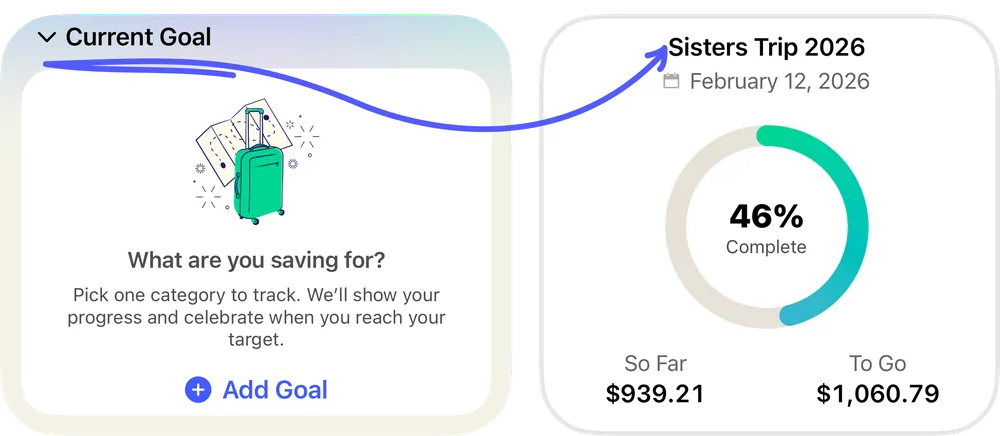
From YNAB's help centerTwo Current Goal cards: an empty one asking "What are you saving for?" and one for Sisters Trip 2026 at 46% complete.support.ynab.com, as of
Reports and insights
Fifecta
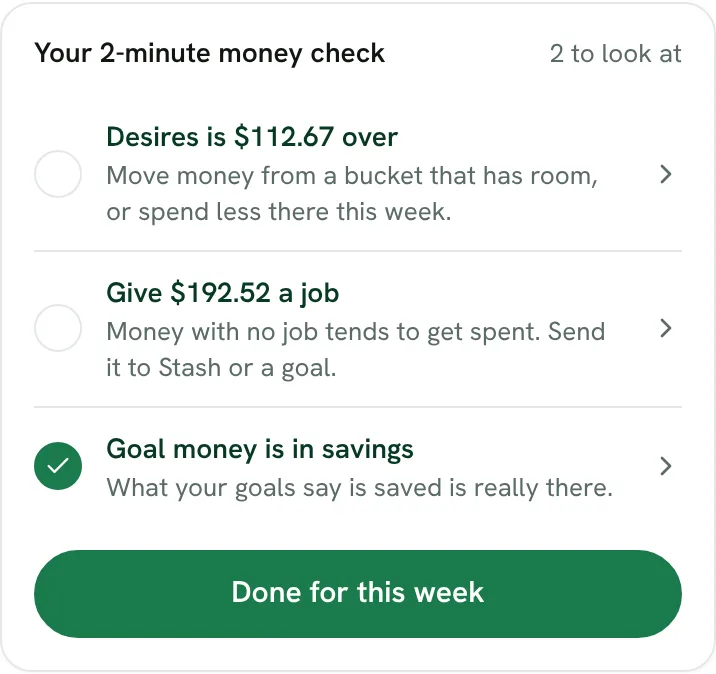
From Fifecta's websiteYour 2-minute money check, 2 to look at: "Desires is $112.67 over," "Give $192.52 a job" and a checked "Goal money is in savings," with a Done for this week button.fifecta.pricelesstay.com, as of 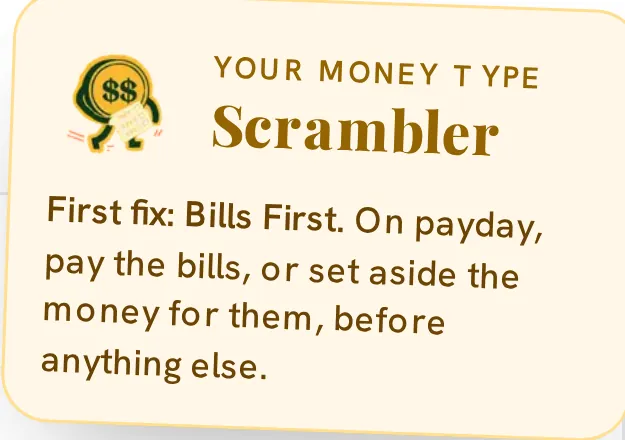
From Fifecta's websiteA Your Money Type note for Scrambler: "First fix: Bills First. On payday, pay the bills, or set aside the money for them, before anything else."pricelesstay.com, as of
YNAB
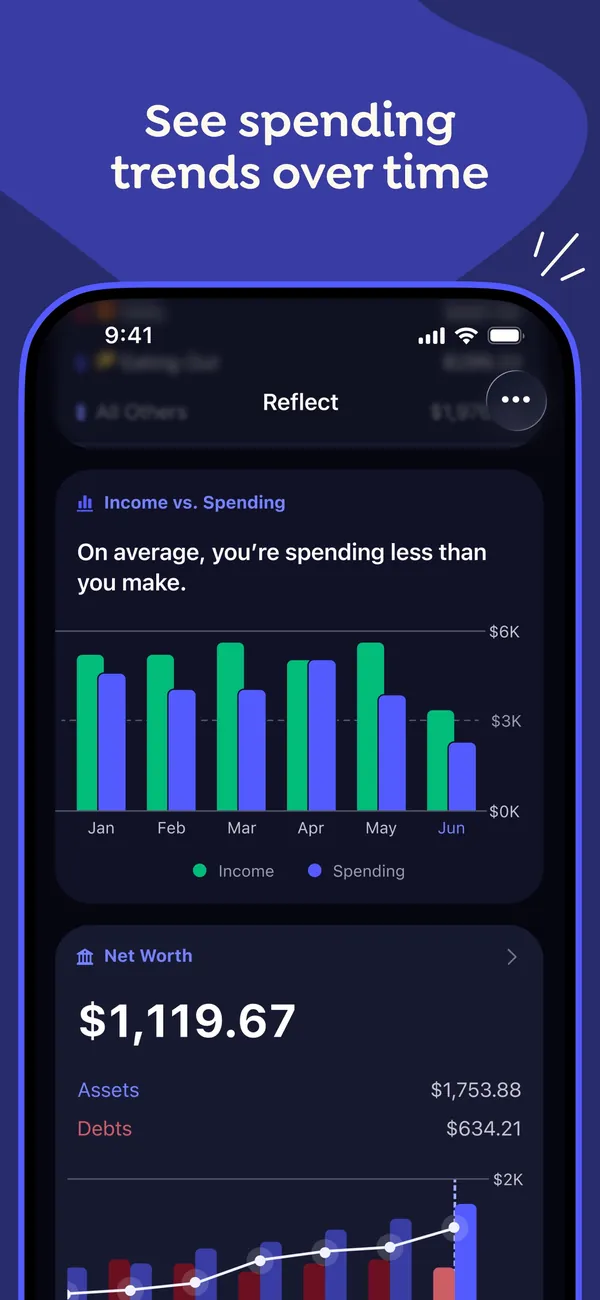
App Store marketing imageApp Store image with the headline "See spending trends over time" showing the Reflect screen with an Income vs. Spending bar chart and a Net Worth card.App Store listing, as of 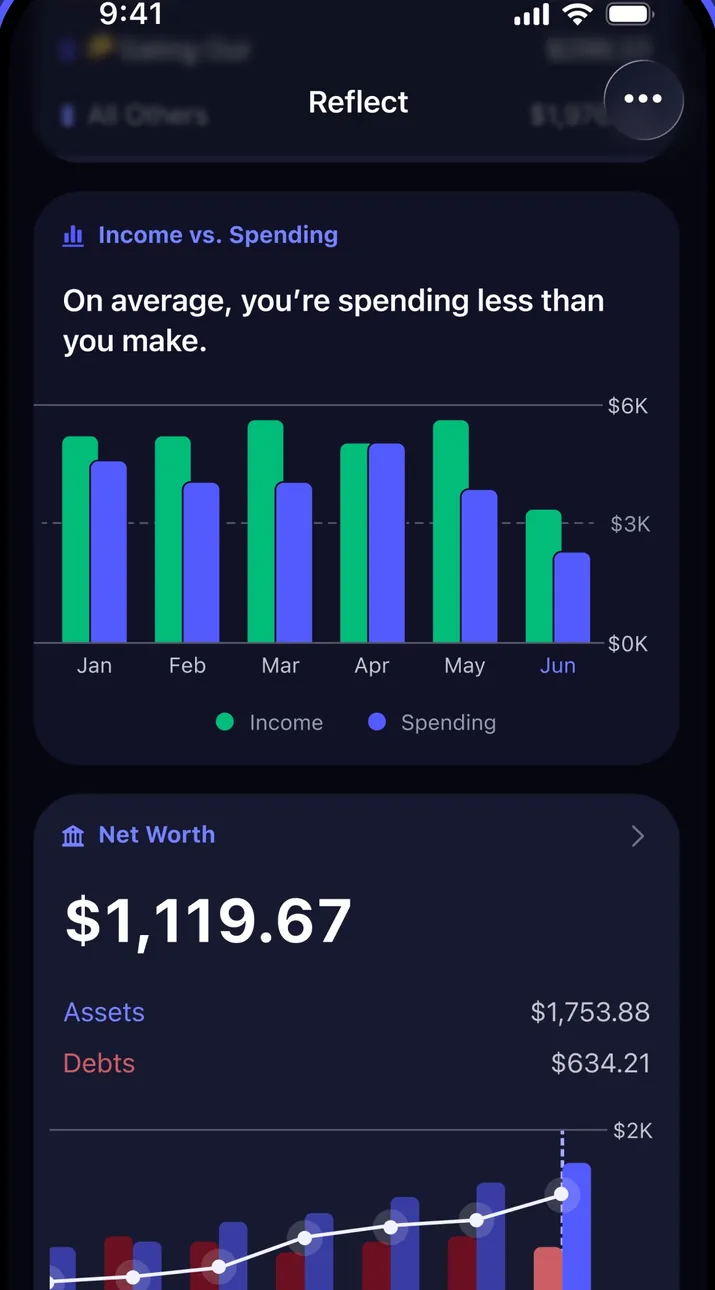
App Store marketing imageThe Reflect screen in dark mode with an Income vs. Spending chart by month and a Net Worth card below it.App Store listing, as of 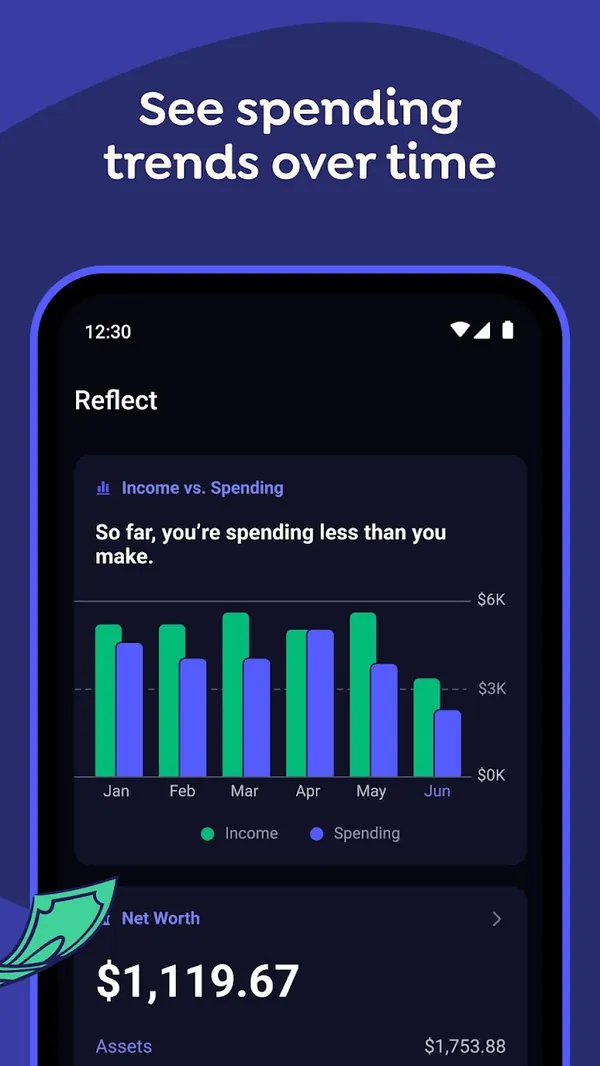
Google Play marketing imageGoogle Play image with the headline "See spending trends over time" showing the Android Reflect screen with an Income vs. Spending chart.Google Play listing, as of 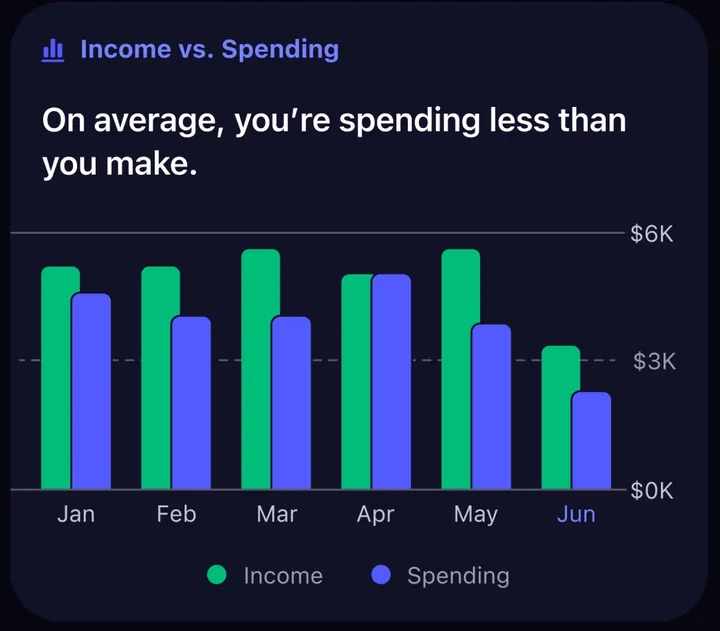
App Store marketing imageAn Income vs. Spending card with paired monthly bars from January to June and the line "On average, you're spending less than you make."App Store listing, as of
Bills and recurring
Fifecta
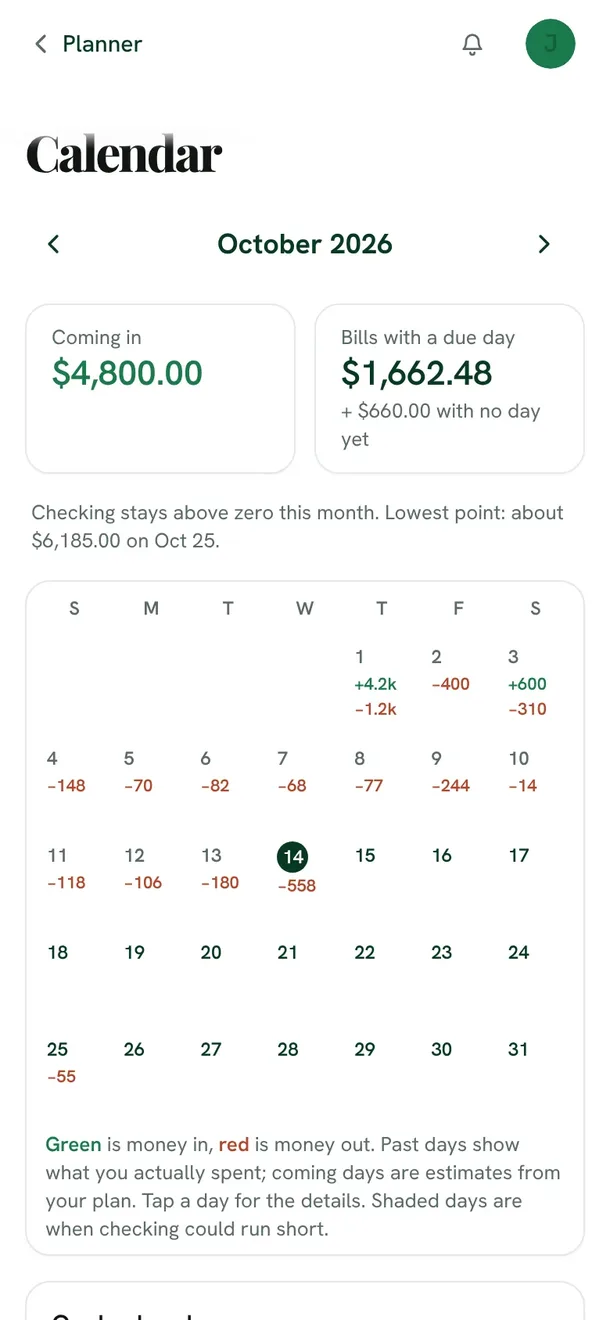
From Fifecta's websiteThe Fifecta Calendar for October 2026 on a phone: $4,800.00 coming in, $1,662.48 in bills with a due day, a note that checking stays above zero this month, and a month grid with money in and out on each day.fifecta.pricelesstay.com, as of 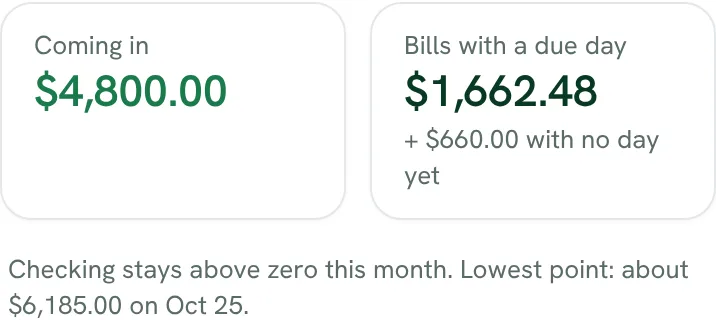
From Fifecta's websiteComing in $4,800.00, bills with a due day $1,662.48 plus $660.00 with no day yet, and "Checking stays above zero this month. Lowest point: about $6,185.00 on Oct 25."fifecta.pricelesstay.com, as of 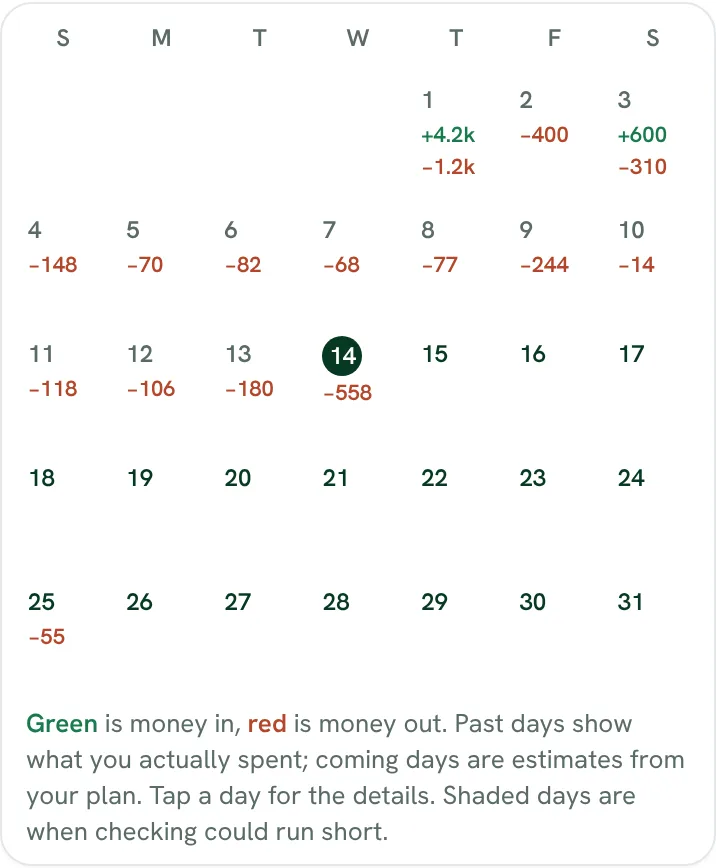
From Fifecta's websiteA month grid with money in shown in green and money out in red on each day, and a key: past days show what you spent, coming days are estimates from your plan, and shaded days are when checking could run short.fifecta.pricelesstay.com, as of
YNAB
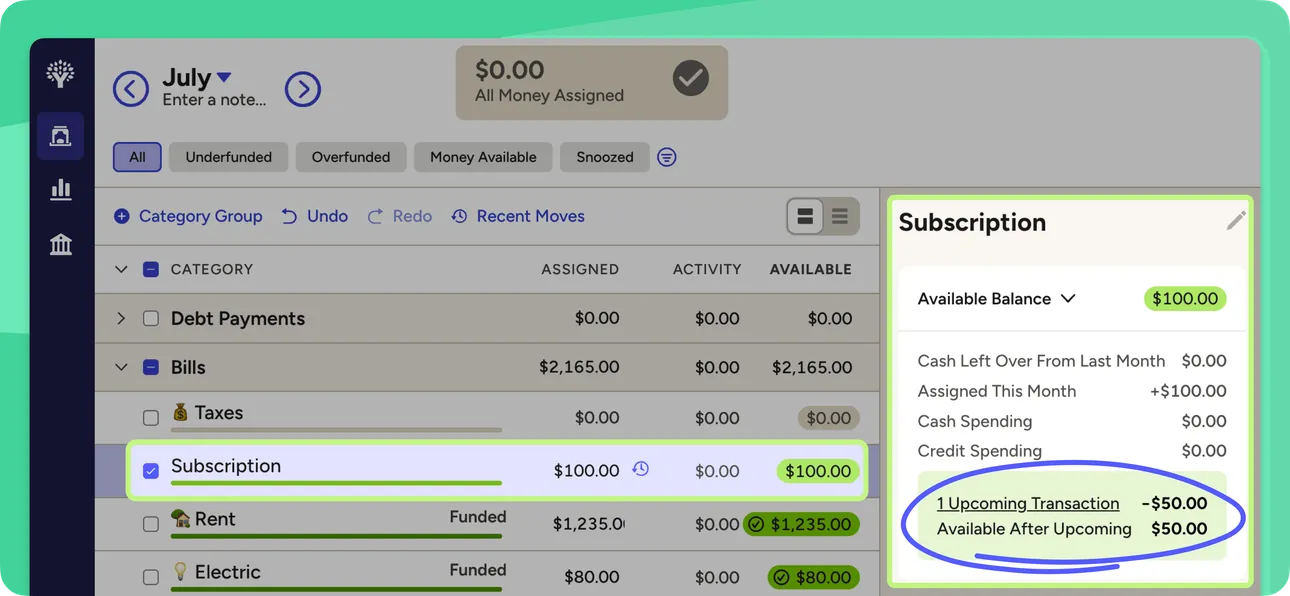
From YNAB's help centerThe web plan with a Subscription category selected and a side panel showing an upcoming scheduled transaction and the balance after it.support.ynab.com, as of
Sharing with a partner
Fifecta
No official screen found yet
YNAB
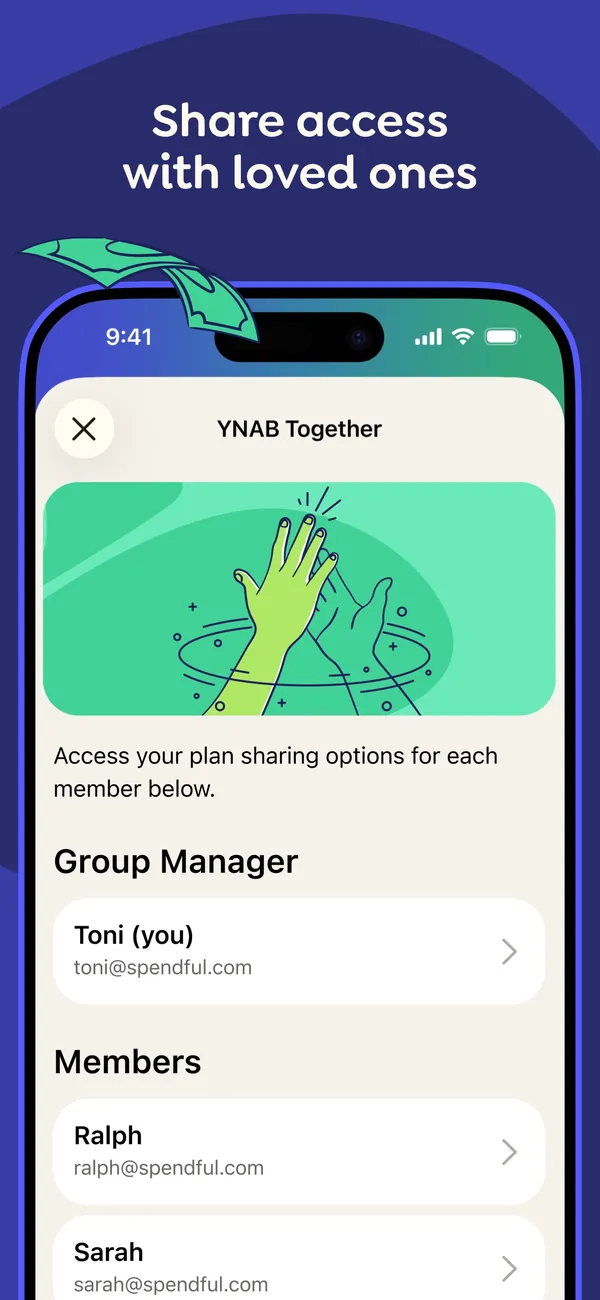
App Store marketing imageApp Store image with the headline "Share access with loved ones" showing a YNAB Together screen with a Group Manager and a list of members.App Store listing, as of 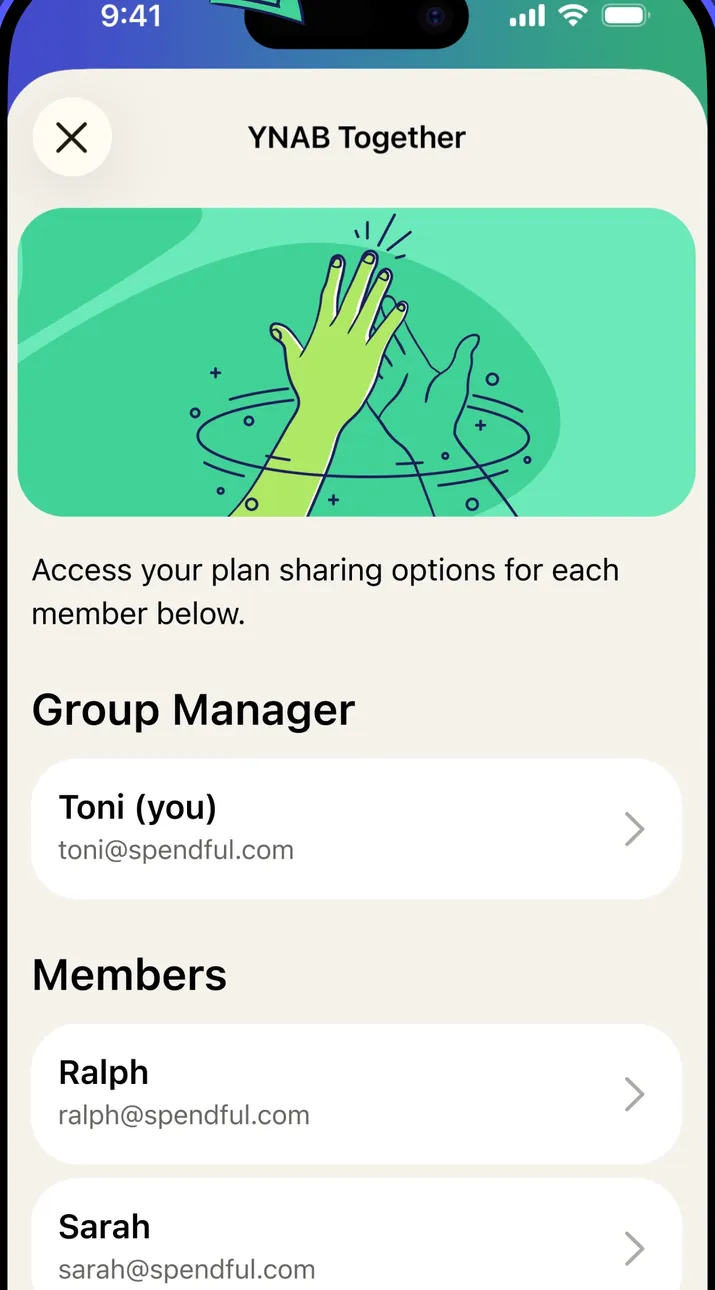
App Store marketing imageThe YNAB Together screen: an illustration, a line about plan sharing options for each member, then Group Manager and Members sections.App Store listing, as of 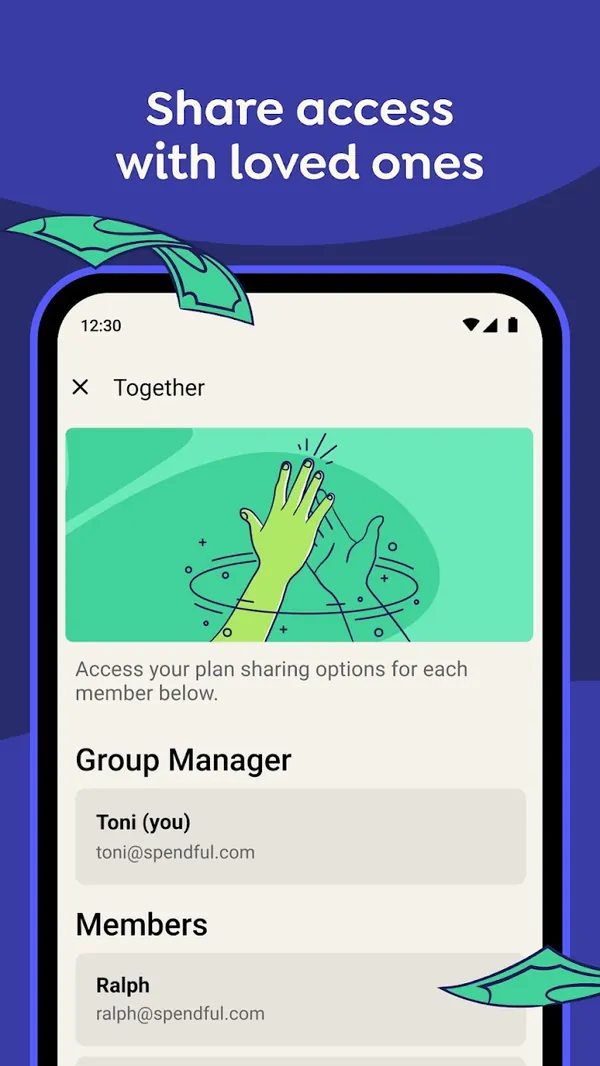
Google Play marketing imageGoogle Play image with the headline "Share access with loved ones" showing the Android Together screen with a Group Manager and Members.Google Play listing, as of 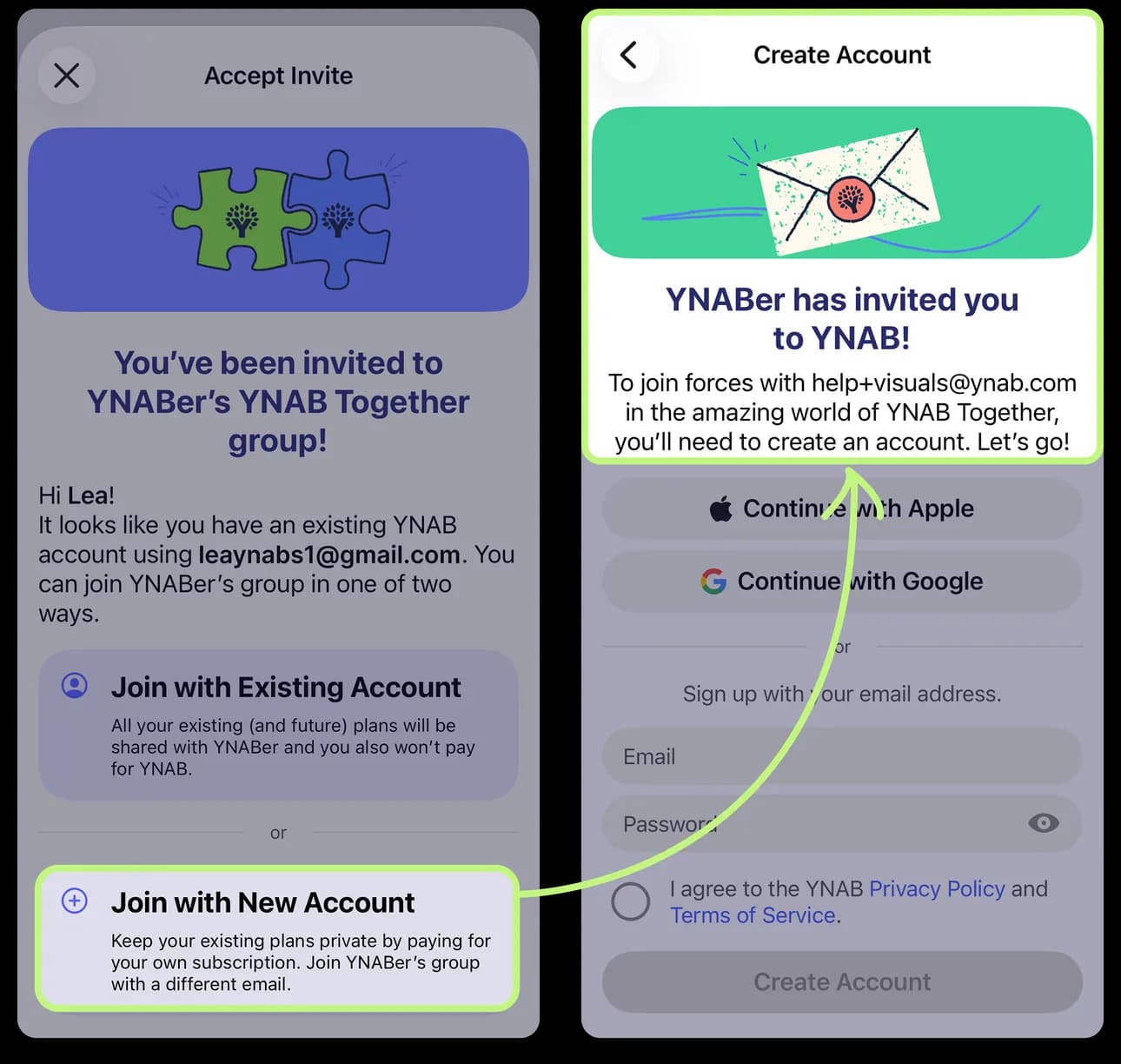
From YNAB's help centerTwo iPhone screens from the help center: an invite to join a YNAB Together group, and the Create Account screen that follows.support.ynab.com, as of 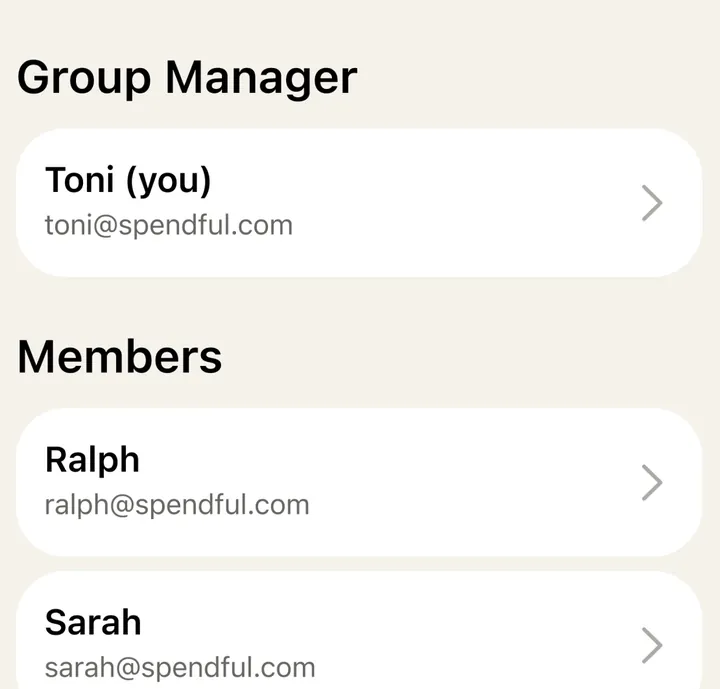
App Store marketing imageThe Group Manager row and the Members list, each person shown with a name, email and an arrow.App Store listing, as of 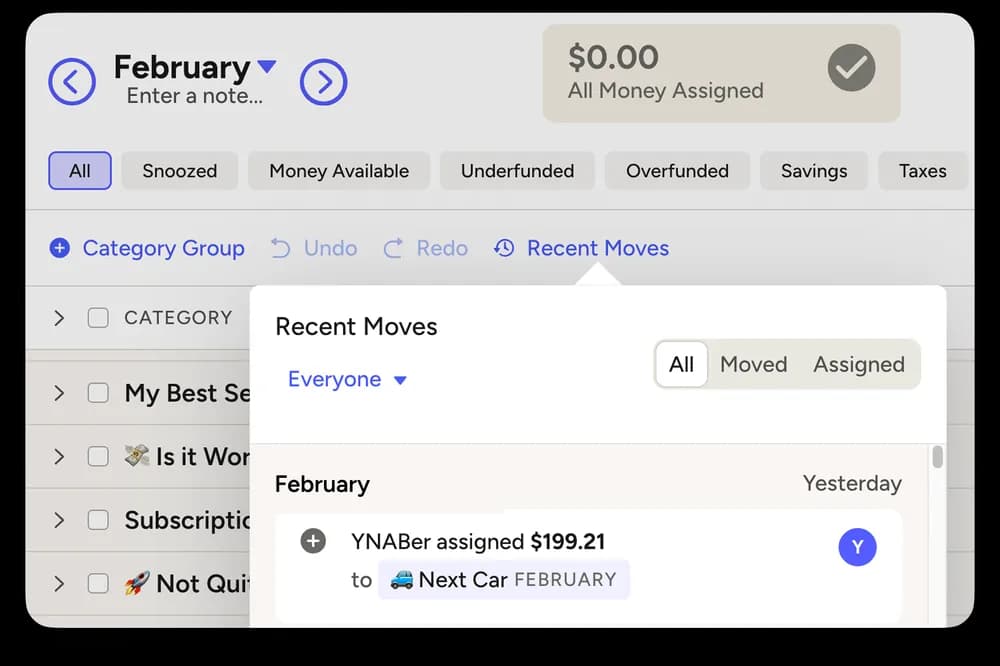
From YNAB's help centerThe web plan with a Recent Moves panel filtered to Everyone, showing which member assigned $199.21 to a category.support.ynab.com, as of
Getting started
Fifecta
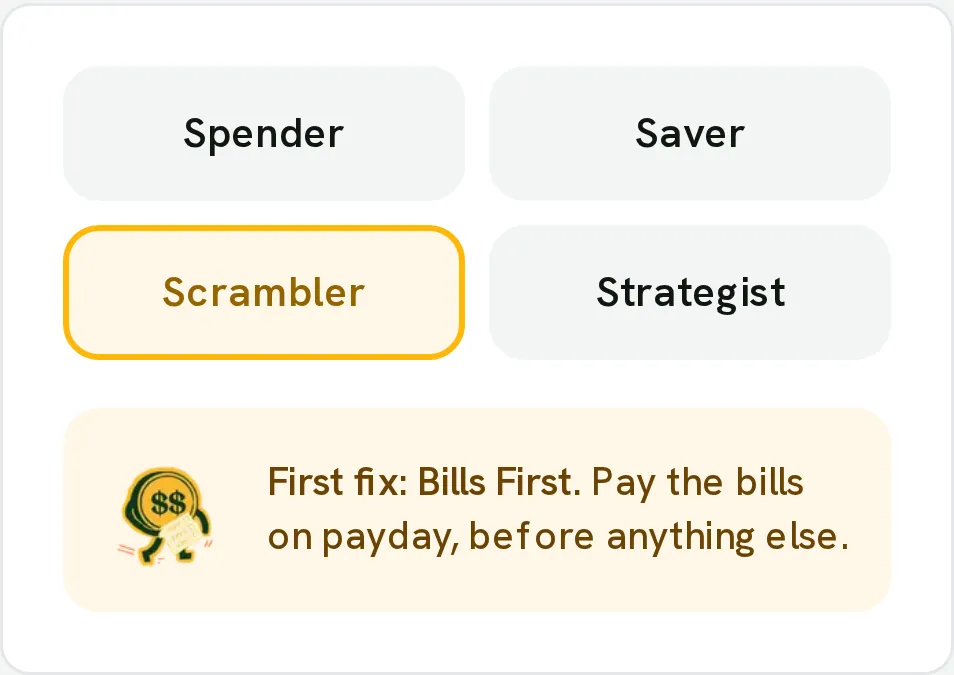
From Fifecta's websiteA Money Type picker with Spender, Saver, Scrambler and Strategist, Scrambler selected, and its first fix: "Bills First. Pay the bills on payday, before anything else."pricelesstay.com, as of
YNAB
No official screen found yet
Other screens
Fifecta
No official screen found yet
YNAB
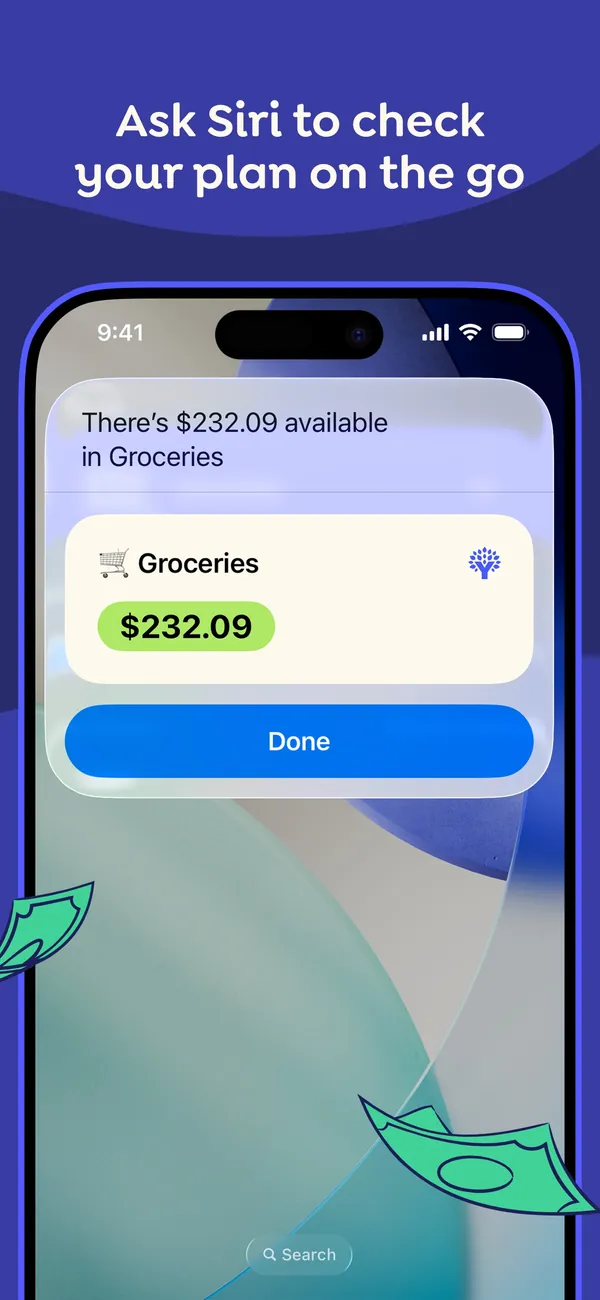
App Store marketing imageApp Store image with the headline "Ask Siri to check your plan on the go" showing a Siri result card that reads $232.09 available in Groceries.App Store listing, as of
Safety: tokens, read-only, and who built it
The biggest difference isn't features. It's how access is granted. A community server set up with a YNAB Personal Access Token holds a powerful key: YNAB says to treat it “with as much care as your main account password,” and it doesn't expire until you revoke it. Source: api.ynab.com (2026)
A connector where you sign in and approve, and that has no write tools at all, has less that can go wrong. That doesn't make community servers unsafe. It means you should check a few things before you connect one: who built it, whether it can write or only read, where your token is stored, and how you revoke access.
How to try Fifecta in Claude or ChatGPT
Add the connector link in your assistant, sign in to Fifecta, and choose Allow. The connect steps are on the Fifecta + AI page, and the app itself is on the Fifecta page.
Who it's for
Pick the tab that sounds like you. Every answer comes from the app's own pages, and its source opens from the Source link.
Just me
Budgeting on your own? These are the basics people ask about first.
Is it free?
Fifecta: Fifecta costs $15 a month or $150 a year.
Source
pricelesstay.com/fifecta, checked .YNAB: YNAB costs $14.99 a month, or $109 a year paid annually, plus tax where applicable.
Source
ynab.com/pricing, checked .Does it connect to my bank and import transactions?
Fifecta: Optional. Fifecta connects banks through Plaid with read-only access, and you can type your income and spending in by hand instead.
Source
pricelesstay.com/fifecta, checked .YNAB: Yes. YNAB lets you connect your accounts and import transactions.
Source
ynab.com/pricing, checked .Can I export my data?
Fifecta: Yes. You can export your data.
Source
In their words: “Export a copy in Settings, then Your data, before then.” pricelesstay.com/fifecta, checked .YNAB: Yes. You can export your data.
Source
In their words: “Learn how to export your plan and transactions to a CSV or TSV file in the web version of YNAB.” support.ynab.com/en_us/how-to-export-plan-data-Sy_CouWA9, checked .Is there support from the app's makers if I need help?
Fifecta: Yes. Contact form.
Source
In their words: “Questions about these terms? Use our contact form.” pricelesstay.com/fifecta-terms, checked .YNAB: Yes. Chatbot with human handoff and email.
Source
In their words: “please tell the chatbot you need a human or send us an email to ensure that your message gets to our Support team!” support.ynab.com/en_us/tax-season-with-ynab-rkGAspIrT, checked .
Partners
Sharing money with a partner? Here's how each app handles a second person.
Can my partner use their own login details?
Fifecta: Joint accounts, yes. The source doesn't say your partner gets a separate login.
Source
In their words: “You can invite a partner to share your budget. They will be able to see and edit your plan, transactions, and goals, and see the rest of your money in Fifecta.” pricelesstay.com/fifecta-terms, checked .YNAB: Yes. Your partner gets their own login.
Source
In their words: “No need to share a password-invite a close-knit group of up to five people to a YNAB Together group as part of your subscription!” ynab.com/features/subscription-sharing, checked .How many people can share one account?
Fifecta: Up to 2 people, including you.
Source
In their words: “You can invite one partner, so a household is the two of you.” pricelesstay.com/fifecta, checked .YNAB: Up to 6 people, including you.
Source
In their words: “You can share your YNAB with partners, families, and other close-knit groups of up to six people-all for the price of a single subscription.” ynab.com/pricing, checked .Can we keep shared and individual views?
Fifecta: Yes. You can keep shared and individual views.
Source
In their words: “Any account, card, loan or investment you mark Only me stays hidden from your partner, along with its transactions and balances.” pricelesstay.com/fifecta, checked .YNAB: Yes. You can keep shared and individual views.
Source
In their words: “Members of your group can create or share unlimited plans. As Group Manager, you decide which of your plans to share with members.” ynab.com/features/subscription-sharing, checked .Can we set up joint budgets and goals?
Fifecta: Yes. You can work toward goals together.
Source
In their words: “They will be able to see and edit your plan, transactions, and goals” pricelesstay.com/fifecta-terms, checked .YNAB: Yes. You can work toward goals together.
Source
In their words: “Targets help clarify your shared priorities and goals.” ynab.com/features/subscription-sharing, checked .
Family
Bringing in more of the household? Here's what each app says about families and kids. See apps with custodial accounts for kids.
Does it have accounts or features for kids or teens?
Fifecta: No.
Source
In their words: “You must be at least 18 and able to agree to these terms.” pricelesstay.com/fifecta-terms, checked .YNAB: Yes. It has accounts or features for kids or teens.
Source
In their words: “As Group Manager, sharing your plan is optional, but you can access plans created by members-ideal for teaching teens about money!” ynab.com/features/subscription-sharing, checked .How many people can share one account?
Fifecta: Up to 2 people, including you.
Source
In their words: “You can invite one partner, so a household is the two of you.” pricelesstay.com/fifecta, checked .YNAB: Up to 6 people, including you.
Source
In their words: “You can share your YNAB with partners, families, and other close-knit groups of up to six people-all for the price of a single subscription.” ynab.com/pricing, checked .
Freelancer
Paid on an uneven schedule or running a side hustle? Here's what each app offers. See apps with a SEP IRA or Solo 401(k).
Can I track irregular income without messing up my monthly budget?
Fifecta: Yes. It has official guidance for budgeting irregular income.
Source
In their words: “For pay that changes, like commission, tips or gig work, Fifecta looks at your last three full months and suggests planning on the lowest one.” pricelesstay.com/fifecta, checked .YNAB: Yes. It has official guidance for budgeting irregular income.
Source
In their words: “If you're self-employed, commission-based, or manage you own business, your expenses aren't all monthly nor are they predictable.” ynab.com/templates/variable-income, checked .Can I mix business and personal expenses in this app?
Fifecta: Yes. You can track business spending next to personal spending.
Source
In their words: “Mark each bank account or card as household, business, or both, and business charges stay out of your household plan.” pricelesstay.com/fifecta, checked .YNAB: Yes. You can track business spending next to personal spending.
Source
support.ynab.com/en_us/how-to-set-up-a-small-business-plan-rJ483f2Qh, checked .Can I export my transactions for tax prep?
Fifecta: Yes. You can export your transactions for tax prep.
Source
In their words: “download your business charges and mileage as CSV files to give your tax preparer” pricelesstay.com/fifecta, checked .YNAB: Yes. You can export your transactions for tax prep.
Source
In their words: “Learn about our exporting options!” support.ynab.com/en_us/tax-season-with-ynab-rkGAspIrT, checked .
Business
Running a small business? Here's what each app says about business money.
Can I mix business and personal expenses in this app?
Fifecta: Yes. You can track business spending next to personal spending.
Source
In their words: “Mark each bank account or card as household, business, or both, and business charges stay out of your household plan.” pricelesstay.com/fifecta, checked .YNAB: Yes. You can track business spending next to personal spending.
Source
support.ynab.com/en_us/how-to-set-up-a-small-business-plan-rJ483f2Qh, checked .Can I export my transactions for tax prep?
Fifecta: Yes. You can export your transactions for tax prep.
Source
In their words: “download your business charges and mileage as CSV files to give your tax preparer” pricelesstay.com/fifecta, checked .YNAB: Yes. You can export your transactions for tax prep.
Source
In their words: “Learn about our exporting options!” support.ynab.com/en_us/tax-season-with-ynab-rkGAspIrT, checked .Can I share my finances with my accountant?
Fifecta: Yes. You can export your data and send the file.
Source
In their words: “Export a copy in Settings, then Your data, before then.” pricelesstay.com/fifecta, checked .YNAB: Yes. You can export your data and send the file.
Source
In their words: “Learn how to export your plan and transactions to a CSV or TSV file in the web version of YNAB.” support.ynab.com/en_us/how-to-export-plan-data-Sy_CouWA9, checked .
A question shows only when every app here has a current official source that answers it. We only say no when the app's own page does.
Which one fits your Money Type?
A tool works best when it fits how you already handle money. There are four Money Types: Spender, Saver, Scrambler, and Strategist. Whichever tool you pick, here is a good first question for each type. This is education, not a recommendation.
Strategist
“My plan works. I just want it to grow faster.”
A first question to ask your connected budget: “What's my net worth right now?”
First fix: Save the Raise
Spender
“The money is gone before I think about it.”
A first question to ask your connected budget: “What's left in Desires before payday?”
First fix: Sleep on It
Saver
“I save it. Then it just sits there.”
A first question to ask your connected budget: “How much can I save this month?”
First fix: Put It to Work
Scrambler
“Every payday I’m guessing what gets paid first.”
A first question to ask your connected budget: “Which transactions still need a bucket?”
First fix: Bills First
Not sure which one you are? Take the free Money Types quiz. It takes about two minutes.
What real users say
These are other people's opinions, not Priceless Tay's. We quote public reviews and posts word for word, link each one and show its date, but we haven't checked the claims in them. A post counts toward a theme when it uses one of that theme's keywords, so a mention can be praise or a complaint.
What YNAB users say
Based on 500 App Store reviews, 35 Reddit posts, 2 YouTube videos and 25 Hacker News posts dated Nov 2025 to Oct 2026, read Oct 2026. We collected the Reddit and YouTube data with Apify, a scraping service, on Oct 24, 2026.
- Of the 562 reviews, posts and videos we read, 134 mention how easy or hard the app is to use.
- Of the 562 reviews, posts and videos we read, 103 mention the price, fees or the subscription.
- Of the 562 reviews, posts and videos we read, 90 mention debt, money stress or feeling in control.
Positive
“There is admittedly a learning curve, but once you learn how YNAB works it is life changing. I finally have ownership over my finances.”
Critical
“I was using YNAB for like 10 years but I got tired of it never syncing properly with Plaid and my bank...”
Critical
“Yeah, I'll probably switch to Actual at some point in the next couple of years as a result of the price change.”
Where these come from
- YNAB reviews on the App Store, read Oct 24, 2026. The public feed returns the 500 most recent US reviews. We kept every one dated inside the window.
- Hacker News search for YNAB, read Oct 24, 2026. Public search of comments and posts. 72 named the app; we kept 25 where the writer shares their own use of it.
- Reddit search for YNAB, collected Oct 24, 2026. Collected with Apify (harshmaur/reddit-scraper) on Oct 24 2026: a keyword search for "YNAB", posts and comments from after Oct 24 2025. It returned 93, most of them about something else. We kept 35 where the writer shares their own use of the app or a clear opinion of it. We left out moderators, bots, company accounts, referral posts and people promoting their own apps.
- YouTube search for YNAB, collected Oct 24, 2026. Collected with Apify (streamers/youtube-scraper) on Oct 24 2026: a search for "YNAB review" from the past year, up to 8 videos. It returned 8. We kept 2 and left out the app's own channel, sponsored videos, videos with affiliate or referral links and videos about a different product. We count themes from each video's title, description and captions, but we don't quote videos, because the captions we have carry no timestamps.
- u/mosscollection in r/MoneyDiariesACTIVE on Reddit, Oct 24, 2026.
- u/DrDrCr in r/FPandA on Reddit, Oct 24, 2026.
- u/WBedsmith in r/MonarchMoney on Reddit, Oct 23, 2026.
- u/Veriosity in r/ynab on Reddit, Oct 23, 2026.
- u/InfintiteToast in r/ynab on Reddit, Oct 23, 2026.
- u/tyberrymuch_ in r/ynab on Reddit, Oct 23, 2026.
- u/catit_ in r/ynab on Reddit, Oct 23, 2026.
- u/BurningUpMyLife in r/budgetingforbeginners on Reddit, Oct 23, 2026.
- u/trambalambo in r/FPandA on Reddit, Oct 23, 2026.
- u/MastodonFarm in r/ynab on Reddit, Oct 23, 2026.
- u/big_like_a_pickle in r/ynab on Reddit, Oct 23, 2026.
- u/rayin in r/MoneyDiariesACTIVE on Reddit, Oct 23, 2026.
- u/virtualnumber8 in r/ynab on Reddit, Oct 23, 2026.
- u/elijahjane in r/ynab on Reddit, Oct 23, 2026.
- u/cLWnOe8mmae7WOJi25kk in r/ynab on Reddit, Oct 23, 2026.
- u/DannyOdd in r/ynab on Reddit, Oct 23, 2026.
- u/twentytwo_a in r/ynab on Reddit, Oct 23, 2026.
- u/Wrenchinspokesby in r/ynab on Reddit, Oct 23, 2026.
- u/Electrical-Flan-102 in r/liquidbudget on Reddit, Oct 23, 2026.
- u/Miserable-Expert4101 in r/ynab on Reddit, Oct 23, 2026.
- u/varkeddit in r/ynab on Reddit, Oct 23, 2026.
- u/Rovelocal in r/MoneyDiariesACTIVE on Reddit, Oct 23, 2026.
- u/Chessie37 in r/personalfinance on Reddit, Oct 23, 2026.
- u/InterpASL77 in r/ynab on Reddit, Oct 23, 2026.
- u/CarminSanDiego in r/personalfinance on Reddit, Oct 23, 2026.
- u/SingleUmpire7464 in r/personalfinance on Reddit, Oct 23, 2026.
- u/Critical_Purple_8600 in r/ynab on Reddit, Oct 23, 2026.
- u/Ok_Aioli_8431 in r/zerosumappbudget on Reddit, Oct 23, 2026.
- u/Ok-Independence6375 in r/ynab on Reddit, Oct 23, 2026.
- u/MerelyMisha in r/ExecutiveDysfunction on Reddit, Oct 23, 2026.
- u/Buddy_Kane_the_great in r/ynab on Reddit, Oct 22, 2026.
- u/rlebeau47 in r/ynab on Reddit, Oct 21, 2026.
- u/olive20597 in r/ynab on Reddit, Oct 21, 2026.
- u/Icyhoticycold in r/ynab on Reddit, Oct 21, 2026.
- u/SnooStrawberries4146 in r/ynab on Reddit, Oct 20, 2026.
- "YNAB Review: Is It the Best Budgeting App?" by Rayan-Solutions on YouTube, Oct 4, 2026.
- liamwire on Hacker News, Aug 4, 2026.
- throw0101a on Hacker News, Aug 2, 2026.
- dmix on Hacker News, Aug 1, 2026.
- "Best Budgeting Apps in the U.S.: Mint vs YNAB (Honest Review)" by The Financial Journey on YouTube, May 5, 2026.
- terrabitz on Hacker News, May 1, 2026.
- mpyne on Hacker News, Apr 2, 2026.
- deweller on Hacker News, Mar 17, 2026.
- MattiaHall on Hacker News, Jan 10, 2026.
- x187463 on Hacker News, Jan 8, 2026.
- mpyne on Hacker News, Jan 4, 2026.
- twodave on Hacker News, Jan 2, 2026.
- vladvasiliu on Hacker News, Jan 2, 2026.
- mpyne on Hacker News, Jan 2, 2026.
- 360MustangScope on Hacker News, Jan 2, 2026.
- spiffytech on Hacker News, Jan 2, 2026.
- huhkerrf on Hacker News, Jan 2, 2026.
- huhkerrf on Hacker News, Jan 2, 2026.
- bronco21016 on Hacker News, Jan 2, 2026.
- sxg on Hacker News, Jan 2, 2026.
- x187463 on Hacker News, Jan 2, 2026.
- ajdude on Hacker News, Jan 2, 2026.
- huhkerrf on Hacker News, Jan 2, 2026.
- huhkerrf on Hacker News, Jan 2, 2026.
- Ronnie76er on Hacker News, Nov 22, 2025.
- kcrwfrd_ on Hacker News, Nov 21, 2025.
- joshstrange on Hacker News, Nov 21, 2025.
Try the free Budget Prompt Generator
Pick your Money Type, your goal, and the AI you use, and get budgeting prompts to copy into ChatGPT, Claude, or another assistant. Open the Budget Prompt Generator on its own page.
FAQ
Does YNAB have an MCP server?
Not an official one. YNAB's developer site lists an official API, and lists MCP tools only under Third Party, with a note that YNAB doesn't support them. Community servers use YNAB's API to connect it to AI tools. Source: api.ynab.com.
What is the best budgeting MCP?
It depends on the app you budget in, because an MCP can only read the app it connects to. If you use YNAB, look at the community servers built on its API. If you want a hosted connector that's read-only by design, Fifecta has one (and we make it).
Is a YNAB personal access token safe to give an AI tool?
YNAB says to treat a Personal Access Token "with as much care as your main account password," and it doesn't expire unless you revoke it. Never paste it into a chat. If a tool needs it, know where it's stored and how to revoke it. Source: api.ynab.com.
Can Fifecta's connector move money or change my budget?
No. The connector is read-only. It can read your plan, but it can't change anything in Fifecta, see your bank login, or move money.
Does it work in ChatGPT?
Yes. Fifecta's connector works with Claude and ChatGPT. See how it works.
More comparisons
Similar comparisons







Keep comparing
- Read our YNAB review.
- See YNAB alternatives, closest category first.
- Browse our guide to the best budgeting apps.
- Want the bigger picture? Compare more money apps.
Full disclosure: Taylor Price, who runs Priceless Tay, owns Fifecta, so keep that in mind as you read this comparison.
Want a plan built on your Money Type?
Fifecta gives every paycheck a plan with FUNDS, so you know where each dollar goes.
Sources and confidence
- Last checked
- Sourced facts
- 12 facts, each linked and dated
FifectaOur app6 sourced facts, last checked Oct 25, 2026
- Price and feespricelesstay.com/fifecta, as of Oct 25, 2026
- Free trialpricelesstay.com/fifecta, as of Oct 25, 2026
- Platformspricelesstay.com/fifecta, as of Oct 25, 2026
- Bank syncingpricelesstay.com/fifecta, as of Oct 25, 2026
- Featurespricelesstay.com/fifecta-ai, as of Oct 25, 2026
- App store ratingpricelesstay.com/fifecta, as of Oct 25, 2026
YNAB6 sourced facts, last checked Oct 25, 2026
- Price and feesynab.com/pricing, as of Oct 25, 2026
- Free trialynab.com/pricing, as of Oct 25, 2026
- Platformsynab.com/our-app-lineup, as of Oct 25, 2026
- Bank syncingynab.com/pricing, as of Oct 25, 2026
- Featuresynab.com/pricing, as of Oct 25, 2026
- App store ratingApp Store listing, as of Oct 25, 2026
Fifecta is our own app. Taylor Price, who runs Priceless Tay, owns Fifecta, so keep that in mind as you read this comparison.
Each fact links to the official page it came from, with the date we checked it. Once a fact is older than its app's window (8 days for apps whose rates change often, 35 days for the rest), it comes off the page until we check it again. How we source, date and index this data.
We are not affiliated with YNAB. Third-party names belong to their owners. Fifecta is a Priceless Tay product.
This is education, not financial advice.